Build Your Own App for reSpeaker Clip Adding Memory Layer Using Python SDK
Introduction
This guide shows how to turn the reSpeaker Clip into a voice-powered assistant that not only transcribes, diarizes, or summarizes recordings, but also remembers what was said before. By adding a memory layer on top of the Python SDK workflow, your app can compare new transcripts with past conversations and notify you when it detects a similar discussion.
The result is a practical foundation for building smart meeting assistants, personal note takers, or voice-driven knowledge apps with the reSpeaker Clip.
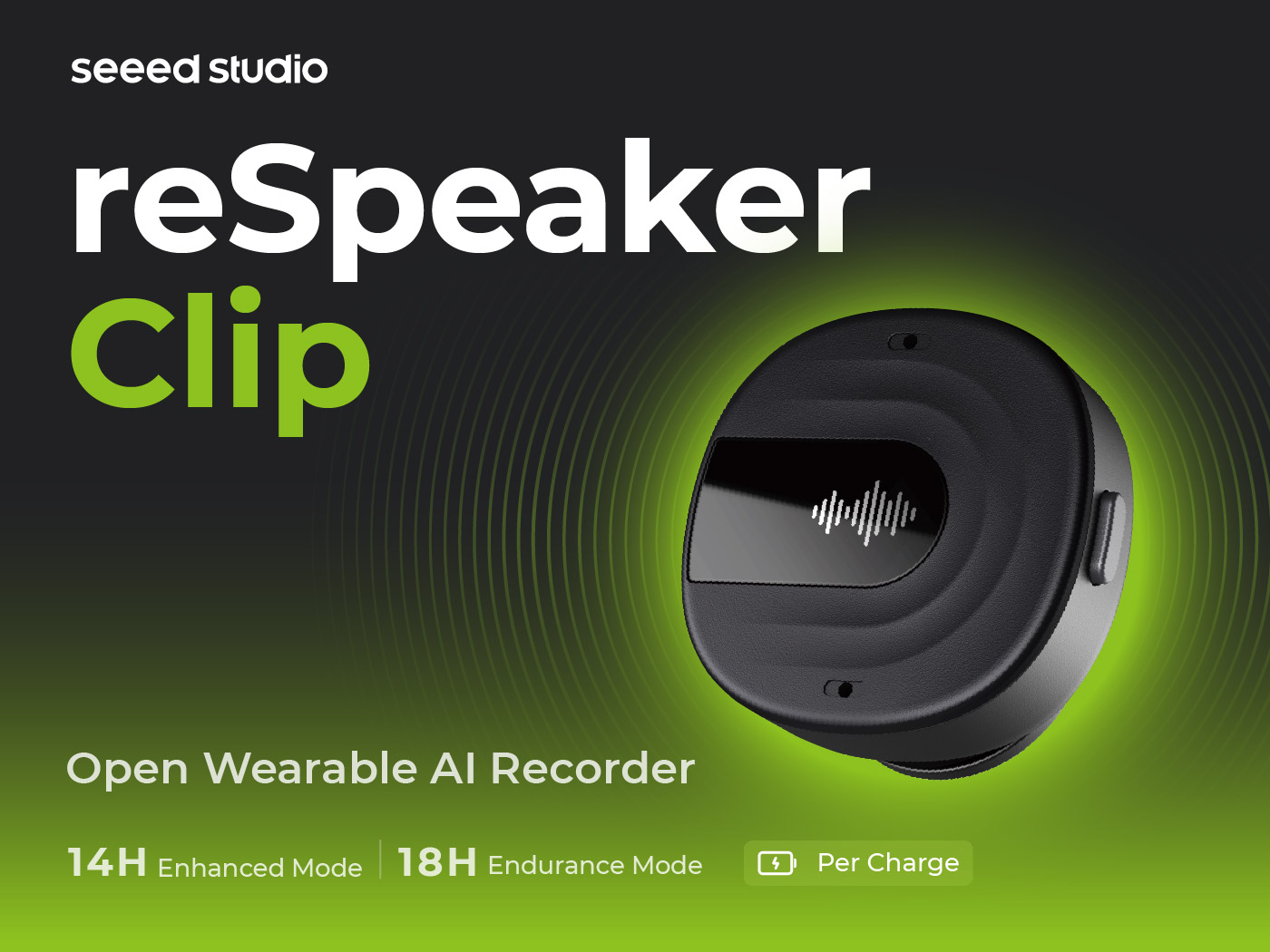
How it works
- Connect to the Clip over BLE (default) or Wi-Fi.
- Start a recording from the app. Audio streams from the device in the background while you speak.
- Stop the recording. Once syncing is complete, the app:
- encodes the merged audio to
.ogg(Opus), - converts it to a 16kHz mono
.wavusing PyAV, - runs the selected pipeline for transcription, diarization, or summarization,
- runs the memory layer on the resulting transcript text,
- sends the result and any memory notification to the browser over the existing WebSocket.
- encodes the merged audio to
- Each recording is stored with playback and processing controls, and the memory check is run again if you reprocess the recording.
What makes this version different
The memory layer adds a new step after speech processing:
reSpeaker Clip -> record -> STT / diarization / summary
                                  |
                                  v
                            embed transcript locally
                                  |
                                  v
                    compare with previous recordings
                                  |
                         match found or no match
Key capabilities:
- No audio is stored for the memory layer. Only transcript text, embeddings, timestamps, and match metadata are kept.
- The default local vector store uses JSON and NumPy files under the
data/folder, so it works without cloud services. - If a similar recording is found, the app can display a corner toast such as “you discussed this before.”
- The memory layer is additive. It does not block the transcript or summary itself if no match is found.
Supported workflows
The app supports four workflow patterns:
- Transcription tab — Groq-based plain text transcription.
- Diarization tab — Speechmatics-based speaker-labeled transcript.
- Summary tab — Groq transcription plus AI-generated meeting minutes.
- Memory layer — runs on every recording, regardless of which tab was used.
API keys
Each tab uses its own provider settings:
- Groq — used for transcription and summarization.
- Speechmatics — used for diarization and speaker labeling.
- Firebase — optional if you want to switch to a Firestore-backed storage option for the memory layer.
Keys are not hardcoded. They can be stored temporarily in memory for the current server session, or persisted locally for future use.
Requirements
- Python 3.10+
- A paired reSpeaker Clip device for real recording and streaming
- No separate ffmpeg install is needed because PyAV bundles codecs
- Optional cloud integration is available for teams that want to explore Firebase or other database-backed memory storage
Setup
Linux / macOS
python -m venv .venv && source .venv/bin/activate
pip install -r requirements.txt

cp .env.example .env
python app/main.py
Windows (PowerShell)
python -m venv .venv
.\.venv\Scripts\Activate.ps1
pip install -r requirements.txt

Copy-Item .env.example .env
python app/main.py
Then open http://localhost:5000.
For Wi-Fi transport instead of BLE:
python app/main.py --transport wifi --wifi-host 192.168.4.1 --wifi-port 8089
Project structure
respeaker-stt-memory/
├── clip/                     # vendored Clip SDK for BLE and Wi-Fi device control
├── app/
│   ├── main.py               # FastAPI app for device control, recording, and memory hooks
│   ├── audio_convert.py      # converts audio to 16kHz mono WAV
│   ├── config.py             # runtime settings and provider keys
│   ├── llm/
│   ├── stt/
│   ├── memory/               # memory layer implementation
│   │   ├── config.py         # threshold and model settings
│   │   ├── embeddings.py     # local embedding generation
│   │   ├── local_store.py    # local vector store
│   │   └── memory_service.py # matching and memory orchestration
│   └── static/
├── data/                     # local memories.json and memories.npy
├── recordings/               # synced audio and transcript outputs
├── requirements.txt
Memory layer tuning
You can adjust the behavior of the memory layer by tuning the similarity threshold and search limit:
- MEMORY_SIMILARITY_THRESHOLD — raise it if you want fewer matches, lower it if you want more recall.
- MEMORY_SEARCH_LIMIT — controls how many nearest neighbors are considered before applying the threshold.
These values should be tuned from real usage rather than guessed.
Extending beyond the local store
The default implementation uses a local JSON and NumPy-based store, which makes it easy to try the idea without cloud dependencies. If you want a more centralized or searchable backend later, the design is also compatible with the broader idea of Firebase-backed storage or SQL-based persistence for teams that want structured long-term memory.
This makes the project a good starting point for both prototypes and more production-oriented voice applications.
Interface overview
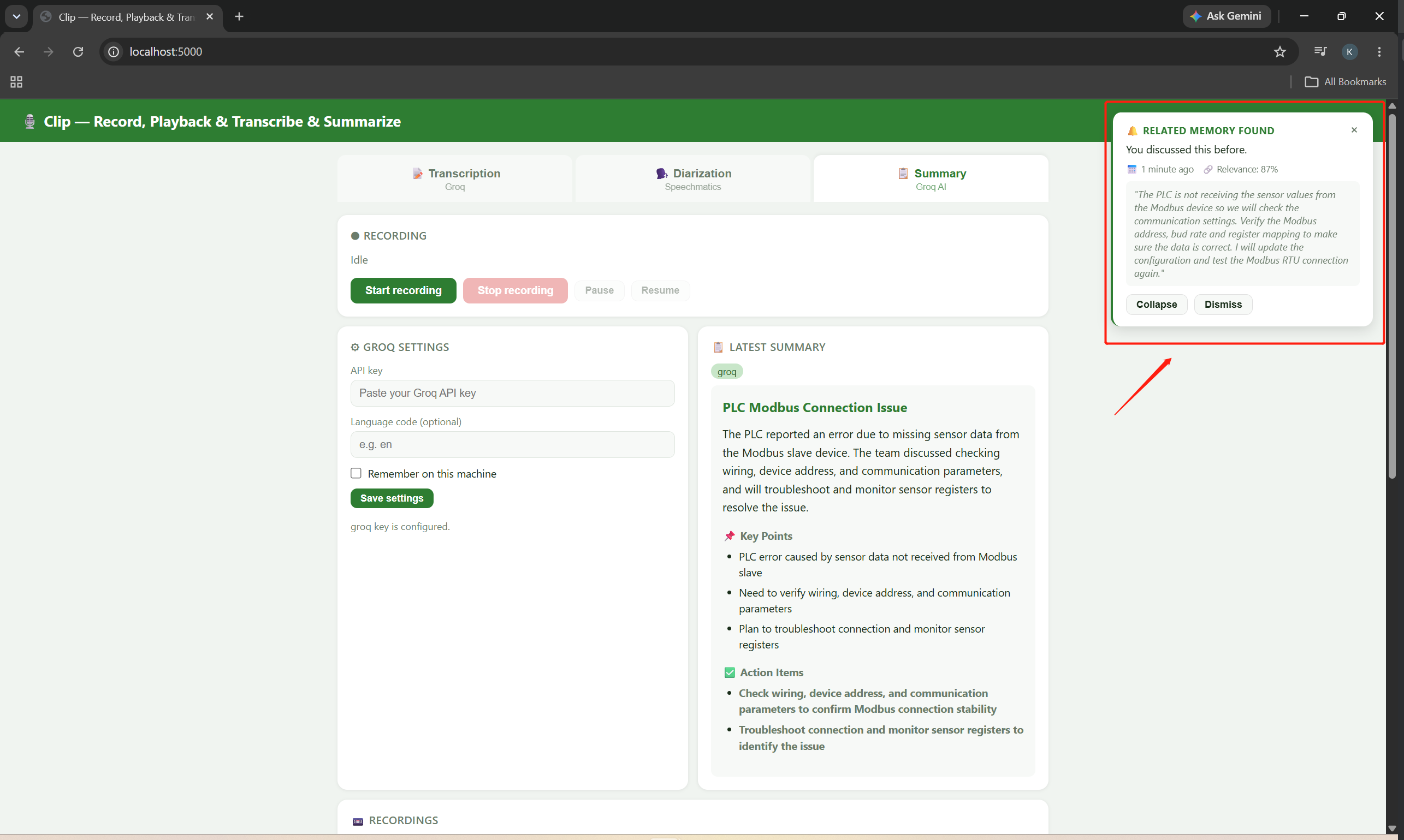
Add your Groq API key or Speechmatics API key, start recording, and stop when you are done. The app will then display a brief toast notification with the session result.
Firebase overview
If you want to explore a cloud-backed memory experience, Firebase can be used as an optional extension for storing and sharing memories across devices. In practice, you only need to prepare the cloud side and configure the backend to use it. The app’s local memory workflow remains the default, and switching to Firebase requires a small backend adjustment to point the memory layer at the cloud store instead of the local files.
For more information, see
Tech Support & Product Discussion
Thank you for choosing our products! We are here to provide you with different support to ensure that your experience with our products is as smooth as possible. We offer several communication channels to cater to different preferences and needs.