reSpeaker XVF3800 USB Audio Bridge with XIAO ESP32S3
Overview
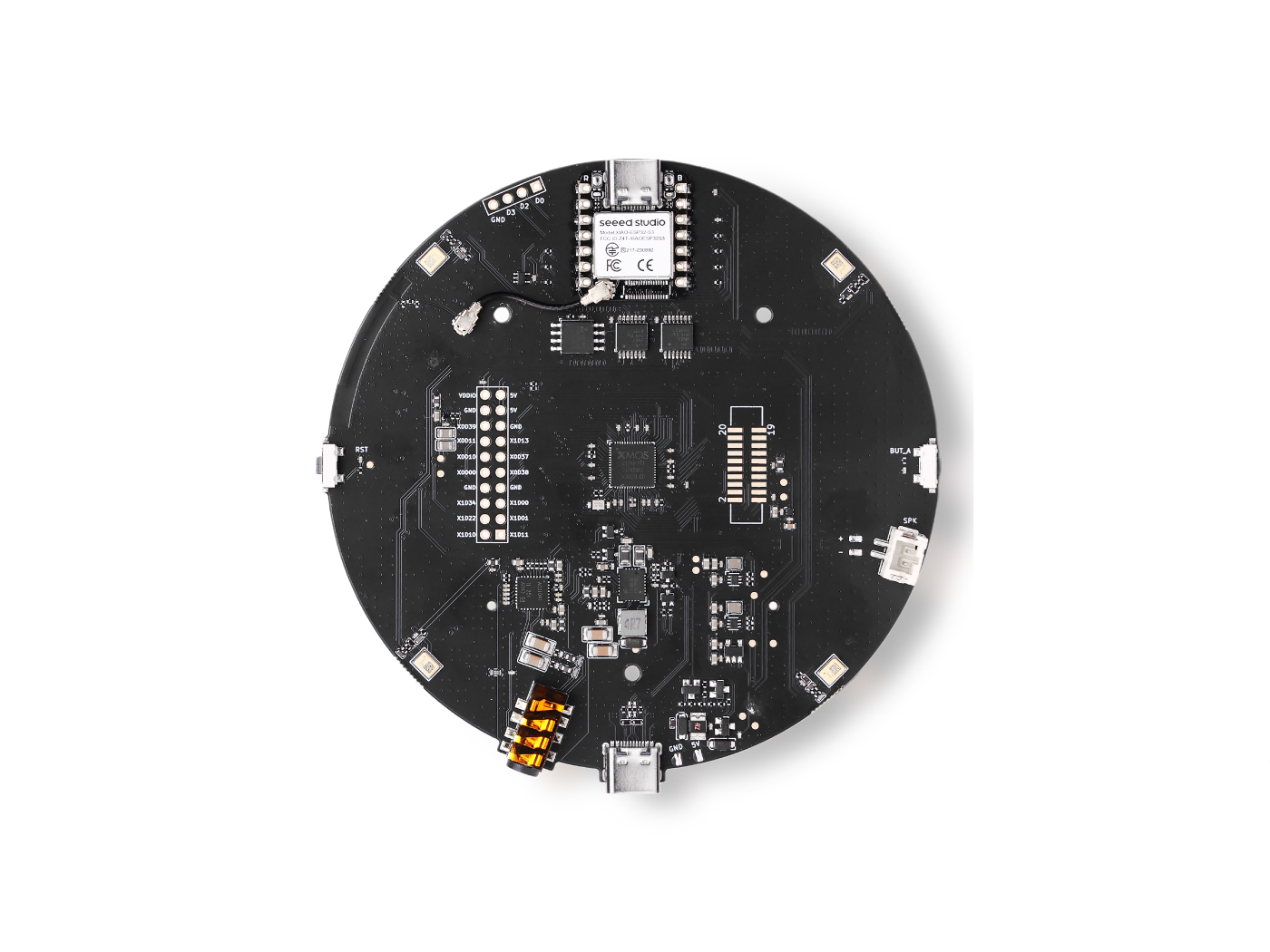
This project provides Arduino firmware for an ESP32-S3 USB audio and control bridge connected to a reSpeaker XVF3800. A single native USB connection provides stereo capture, stereo playback, and a CDC serial interface for reSpeaker XVF3800 control over I2C.
Firmware Features
- USB Audio Class 1 (UAC1) capture and playback over Full-Speed USB.
- Stereo signed 32-bit little-endian PCM, with 32-bit Philips I2S slots.
- Compile-time selection of 16 kHz or 48 kHz operation and the I2S clock source.
- Simultaneous USB capture and playback. USB and I2S use the same nominal sample rate.
- Playback buffering and software clock drift correction, with USB host volume and mute controls for the master and individual channels.
- Capture without playback volume processing or software resampling.
- USB CDC commands forwarded to the reSpeaker XVF3800 I2C control interface, with a Python host utility and read-only audio/USB diagnostics.
- A project-local TinyUSB DWC2 driver and USB descriptors that fit duplex audio and CDC into the ESP32-S3 hardware FIFO budget.
Audio Modes
Set BRIDGE_MODE in bridge_config.h, then rebuild the complete sketch. Master and Slave in the macro names describe the reSpeaker XVF3800 role. The ESP32-S3 uses the opposite role.
| Mode | Sample rate | reSpeaker role | ESP32-S3 role | Clock source |
|---|---|---|---|---|
BRIDGE_I2S_MASTER_48K | 48 kHz | Master | Slave | reSpeaker |
BRIDGE_I2S_MASTER_16K | 16 kHz | Master | Slave | reSpeaker |
BRIDGE_I2S_SLAVE_16K | 16 kHz | Slave | Master | ESP32-S3 |
The reSpeaker XVF3800 must run firmware configured for the matching sample rate and I2S role. The bridge does not configure or flash the reSpeaker. Mode selection requires recompilation; there is no runtime rate switch or 16/48 kHz conversion.
Requirements
- An ESP32-S3 board with native USB; the supplied profile targets the Seeed Studio XIAO ESP32S3.
- Arduino IDE or Arduino CLI with the Espressif board package available.
- Arduino-ESP32 3.3.11.
No separate USB audio library is required. Use the pinned core version: the local USB driver override and descriptors depend on its TinyUSB implementation.
Build Settings (Arduino IDE)
Open reSpeaker_ESP32S3_USB_BRIDGE.ino, install/select Arduino-ESP32 3.3.11, and use these settings:
| Setting | Value |
|---|---|
| Board | Seeed Studio XIAO_ESP32S3 |
| USB Mode | USB-OTG (TinyUSB) |
| USB CDC On Boot | Disabled |
| Upload Mode | USB-OTG CDC (TinyUSB) |
| USB Firmware MSC On Boot | Disabled |
| USB DFU On Boot | Disabled |
| CPU Frequency | 240 MHz |
| PSRAM | Disabled |
In short: USB Mode = USB-OTG (TinyUSB); CDC/MSC/DFU On Boot = Disabled; CPU = 240 MHz; PSRAM = Disabled.
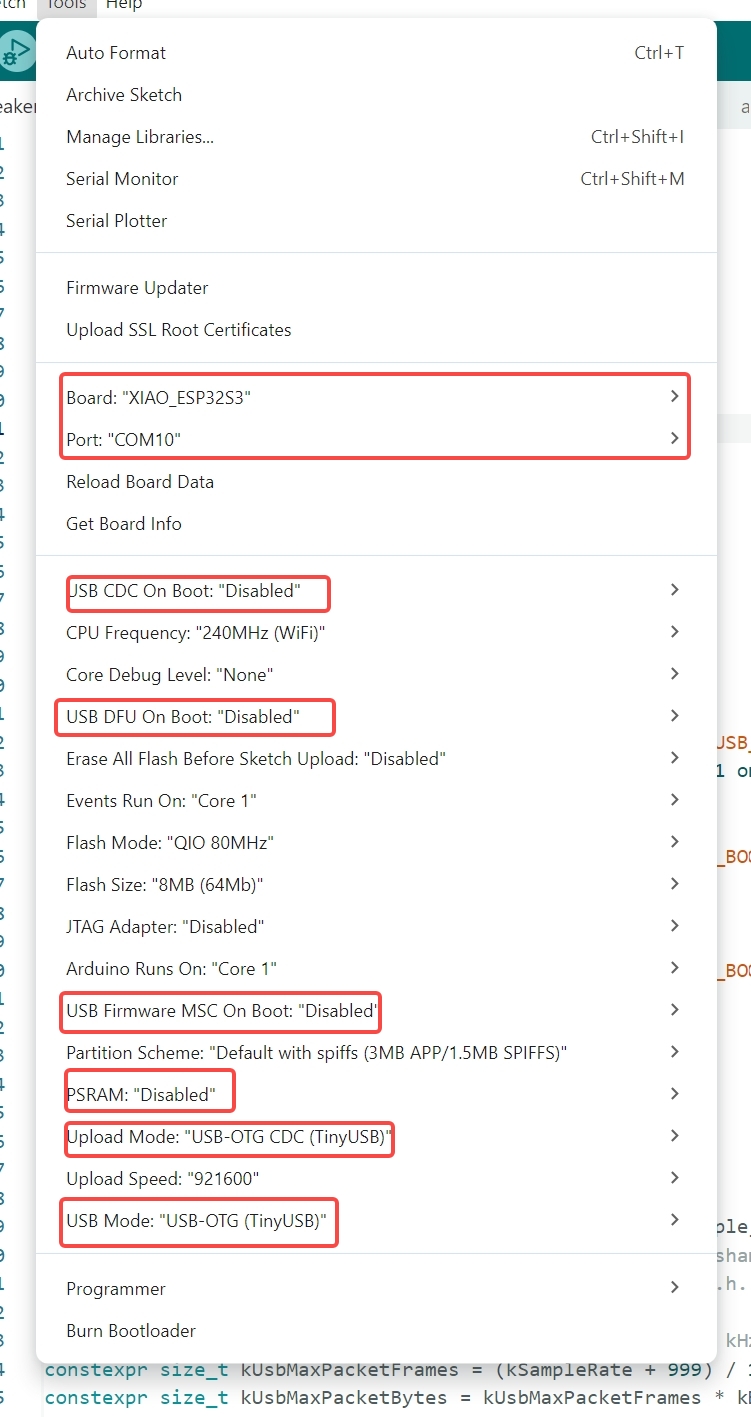
The firmware creates its own CDC interface, so CDC On Boot must remain disabled. In the pinned CLI profile, CDCOnBoot=cdc corresponds to Disabled. The sketch checks these three USB settings at compile time. Upload Mode is checked through ARDUINO_FQBN, because the core does not define a separate upload-mode macro. The CLI profile explicitly selects UploadMode=cdc to request the 1200-baud reset and wait for the download port.
Select Verify to compile, then Upload.
Download and Install
- Download the firmware from GitHub: reSpeaker_ESP32S3_USB_BRIDGE.
- Copy the entire contents of the downloaded repository into a new folder
Documents\Arduino\reSpeaker_ESP32S3_USB_BRIDGE. Include all files: the.ino, headers,.cppfiles,sketch.yaml,host\,src\, anddocs. Copying only the.inofile is insufficient. - Edit
bridge_config.hin the new folder to select the 16 kHz mode, If you are using:
// #define BRIDGE_MODE BRIDGE_I2S_MASTER_48K
#define BRIDGE_MODE BRIDGE_I2S_SLAVE_16K
- In Arduino IDE, open File > Sketchbook > reSpeaker_ESP32S3_USB_BRIDGE (the folder name now matches the
.ino).
Check USB Enumeration
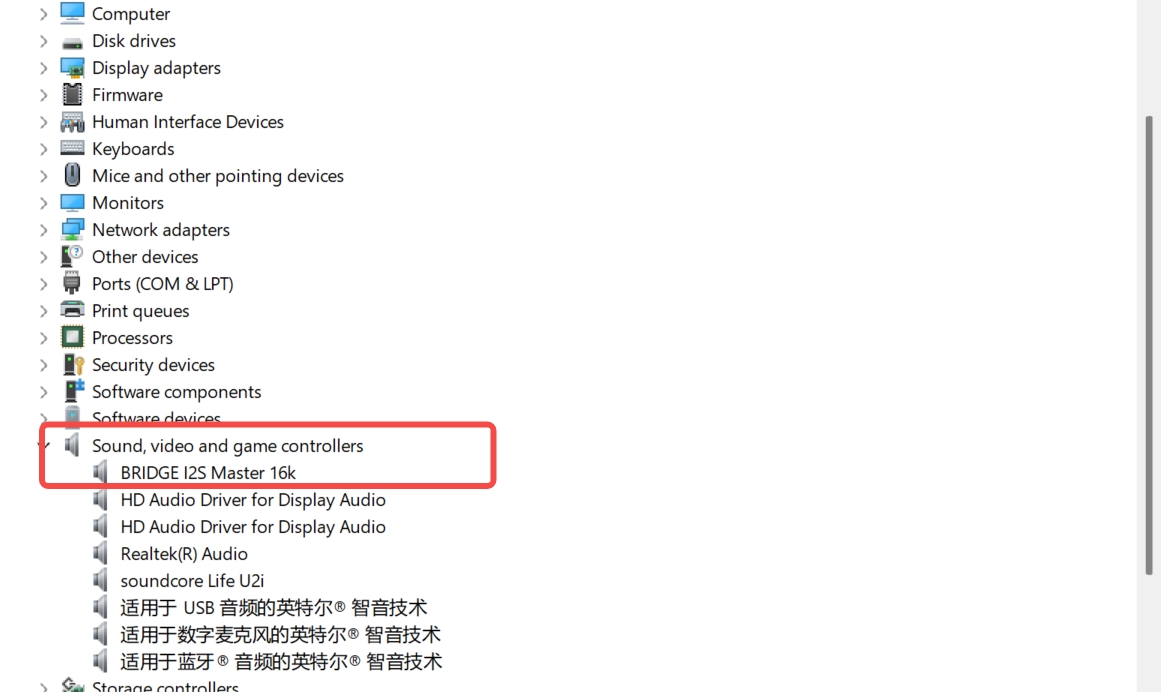
Disconnect and reconnect the USB cable. You should see:
- A CDC serial port (for example,
COM5on Windows) — this is the control port. - An audio device named
BRIDGE I2S Slave 16k(stereo, 32-bit, 16 kHz in and out).
Close any program (such as a serial monitor) that is holding the port before continuing.
Verify the Control Side (Host Tool)
From the repository, enter the host folder and install the dependency:
cd host
python -m venv .venv
.venv\Scripts\activate.bat
python -m pip install -r requirements.txt
python bridge_host.py --list-ports
python bridge_host.py --port COMx --ping
python bridge_host.py --port COMx VERSION
Replace x in COMx with your actual COM port number. On Linux or macOS, activate the virtual environment with source .venv/bin/activate and use a path such as /dev/ttyACM0 or /dev/cu.usbmodemXXXX instead of COMx.
Expected Results



Test Audio
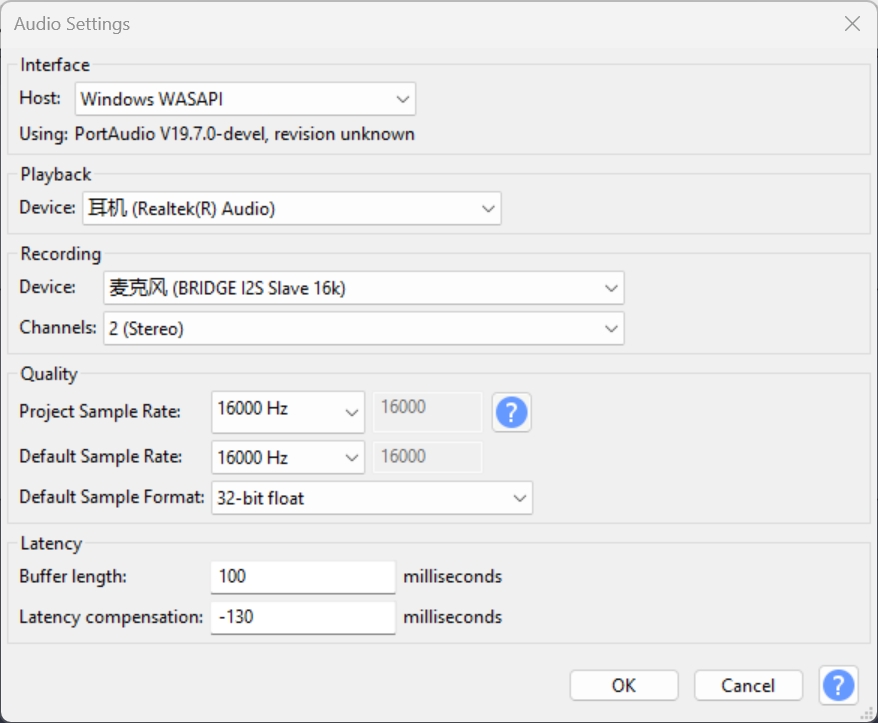
- Playback: play a stereo 32-bit 16 kHz WAV file to the
BRIDGE I2S Slave 16koutput; sound should come from the reSpeaker codec/speaker. - Capture: record 16 kHz stereo 32-bit audio from its input.
Reference Audacity Snapshot
Resources
- reSpeaker_ESP32S3_USB_BRIDGE firmware (GitHub)
README.md— firmware overview, audio modes, and build instructions.PLAYBACK.md— audio wiring, playback buffering, diagnostics, and audio/USB status.CONTROL.md— I2C wiring, the Python host utility, and the CDC serial protocol.
Tech Support & Product Discussion
Thank you for choosing our products! We are here to provide you with different support to ensure that your experience with our products is as smooth as possible. We offer several communication channels to cater to different preferences and needs.