reSpeaker XVF3800 Control Wakeword and NLU with Pico-voice
Introduction
Picovoice is a company specializing in on-device voice AI, providing a full stack of technologies such as wake word detection, speech-to-text, and intent recognition that run locally on embedded and edge devices without relying on the cloud. Their solutions are designed for low latency, privacy, and cross-platform deployment, making them suitable for IoT and robotic systems.
Porcupine is Picovoice’s lightweight and highly accurate wake word detection engine, built using deep neural networks and optimized for embedded systems. It enables always-listening applications while maintaining low computational cost and can run across platforms like microcontrollers, Raspberry Pi, mobile, and desktop.
Picovoice Rhino is a speech-to-intent engine that directly converts spoken commands into structured intents without requiring a separate speech-to-text step. It uses a single-step deep learning approach, combining speech recognition and natural language understanding to improve accuracy and reduce latency.
What is NLP, NLU and STT ?
Natural Language Processing (NLP) is the broad field that lets machines process human language, while Natural Language Understanding (NLU) is a subset that focuses specifically on extracting the meaning or intent from that language. Speech-to-Text (STT) converts spoken audio into text, which is then typically passed to NLU to understand the user’s intent. Picovoice Rhino takes a different approach by skipping STT and directly converting speech into intent (speech-to-intent), improving efficiency and accuracy.
Keyword (wake word) detection (e.g., “Hey device”) is the first step that activates the system, and after activation, either STT → NLU pipeline or speech-to-intent (Rhino) is used to understand and execute the command.
Objective
This demo showcases how wake word detection using Picovoice Porcupine works together with Picovoice Rhino for efficient speech-to-intent processing on a Raspberry Pi. The system first listens for a keyword to activate, and once triggered, it directly converts spoken commands into actionable intents without relying on heavy cloud processing. This approach is highly optimized for low-resource embedded devices, making it ideal for robotics and edge AI applications. It enables low-latency, real-time voice interaction, ensuring fast and reliable performance even on constrained hardware.
Hardware Required
Wakeword Detection
A wake word in robotic embedded systems enables event-driven processing, allowing the device to stay in a low-power listening state and only activate heavy speech processing when needed. This significantly reduces CPU, memory, and energy consumption on resource-constrained hardware like microcontrollers and edge devices. It also acts as a gating mechanism in the audio pipeline, filtering out irrelevant noise and preventing unnecessary activations of speech recognition and control logic. From a privacy perspective, wake word detection ensures that audio is only captured or transmitted after explicit user intent is detected, keeping most data processing on-device. Additionally, it improves human-robot interaction by providing a natural trigger for engagement, helping the system distinguish between ambient conversation and directed commands.
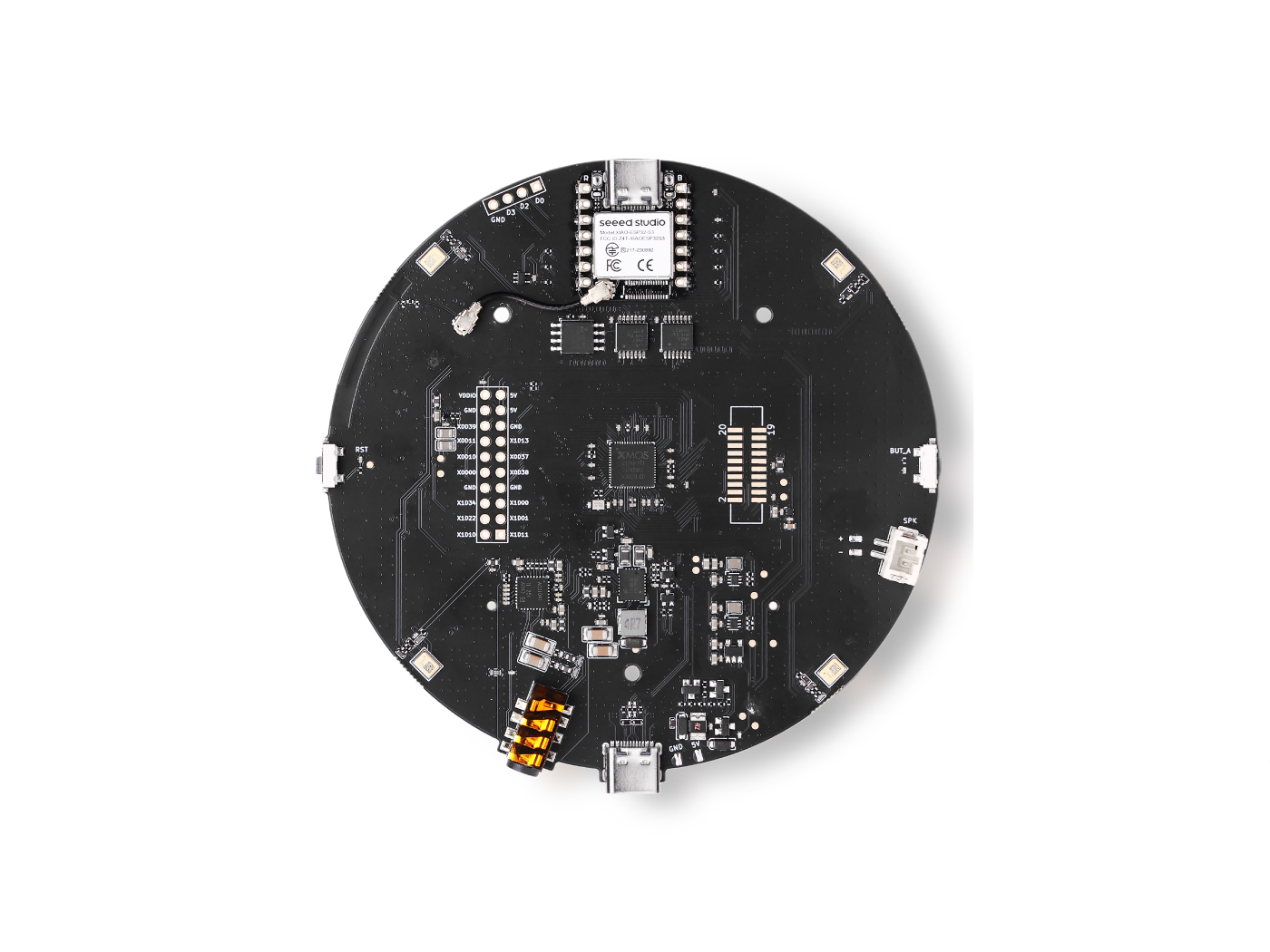
Using a wake word together with an advanced mic array system like reSpeaker XVF3800 enables efficient and reliable voice interaction in embodied systems. The wake word ensures the system only activates full speech processing when needed, reducing power consumption and CPU usage on embedded hardware. The mic array enhances this by providing beamforming, noise suppression, and direction detection on Circular mic array, allowing accurate wake word recognition even in noisy environments. This combination minimizes false triggers and improves overall system responsiveness. It also supports better human-robot interaction by ensuring the device responds only when explicitly addressed and can focus on the correct speaker.
How to Use Wakeword with Pico-voice
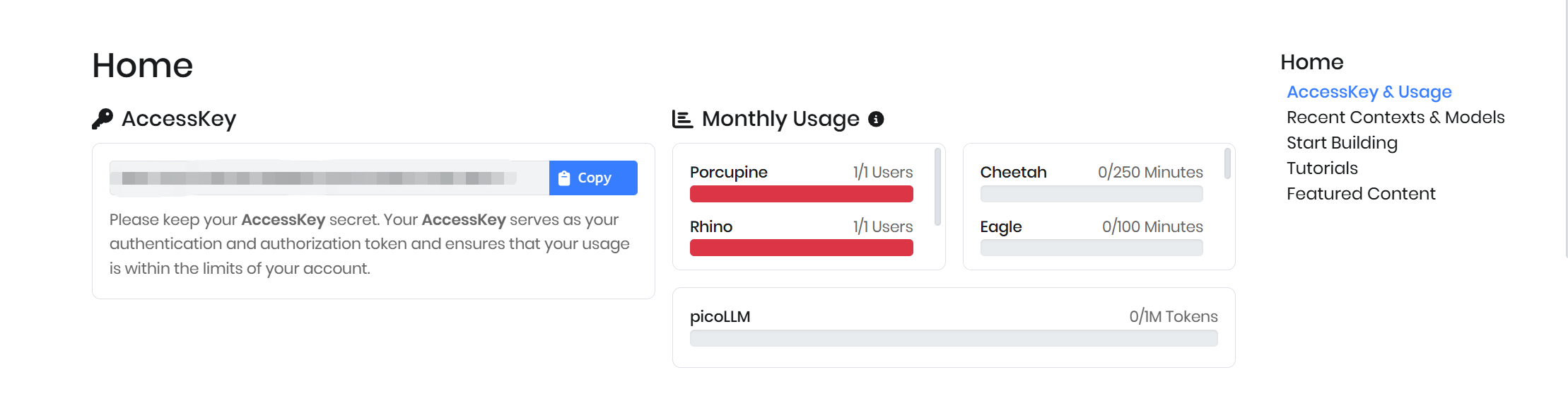
Sign Up with Picovoice and You will get Access Key
Option A : Built in Key words
Porcupine provides several built-in wake word options such as AMERICANO, BLUEBERRY, BUMBLEBEE, GRAPEFRUIT, GRASSHOPPER, PICOVOICE, PORCUPINE, TERMINATOR, and JARVIS, which can be used directly with a valid access key. With the access key, these keywords can be easily integrated into your application without training a custom model.
In this setup, we are using a Raspberry Pi 5 as the host device, and the wake word detection will run locally on the device. The XMOS-based microphone system is flashed with USB audio firmware, allowing it to be recognized as a standard audio input device by the OS.
To get started, the required Porcupine libraries and dependencies need to be installed in the environment.
pip install pvporcupine
After installation, a sample code can be used to initialize the audio recorder, load the selected keyword, and continuously listen for the wake word. Once the keyword is detected, the system can trigger further actions such as recording or processing voice commands.
import pvporcupine
from pvrecorder import PvRecorder

access_key = "YOUR_ACCESS_KEY"

porcupine = pvporcupine.create(
    access_key=access_key,
    keywords=["porcupine"]
)

recorder = PvRecorder(device_index=-1, frame_length=porcupine.frame_length)
recorder.start()

print("Listening...")

while True:
    pcm = recorder.read()
    result = porcupine.process(pcm)
    if result >= 0:
        print("Wake word detected!")

porcupine.delete()
recorder.stop()
recorder.delete()
Option B: Custom Key words
Navigate to the Picovoice Console and open the custom wake word page. Select your preferred language and define a wake word, for example “hi flex.” You can test the wake word in the console to verify its detection performance.
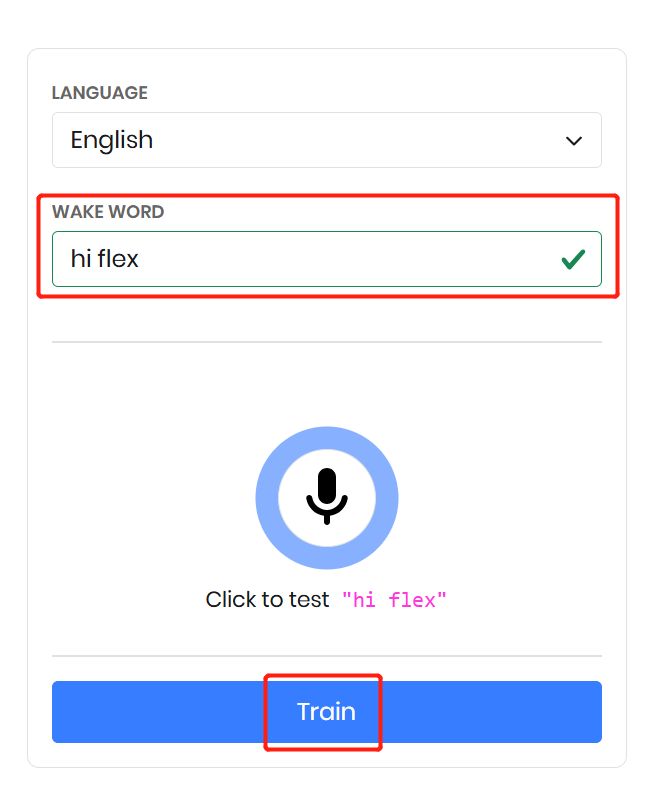
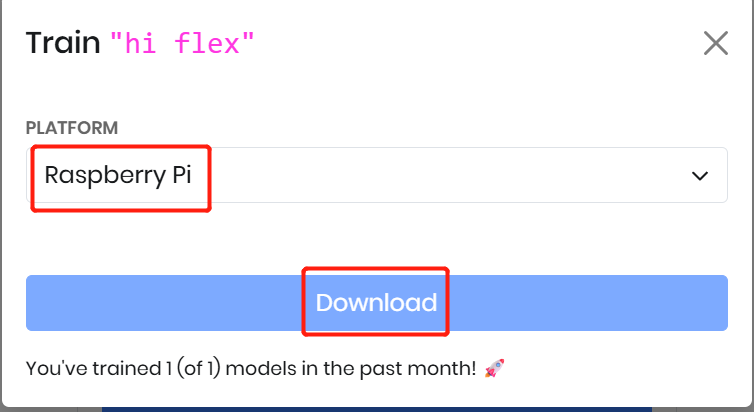
Once satisfied, click Train to generate the model. Then select your target platform—here we choose Raspberry Pi. Finally, download the generated .ppn file, which will be used in your application for custom wake word detection.
Sample Code
import pvporcupine
from pvrecorder import PvRecorder

access_key = "YOUR_ACCESS_KEY"

porcupine = pvporcupine.create(
    access_key=access_key,
    keyword_paths=["/home/pi/porcupine_env/hi-flex_en_raspberry-pi_v4_0_0.ppn"]
)

recorder = PvRecorder(device_index=-1, frame_length=porcupine.frame_length)
recorder.start()

print("Listening...")

while True:
    pcm = recorder.read()
    result = porcupine.process(pcm)
    if result >= 0:
        print("Wake word detected!")

porcupine.delete()
recorder.stop()
recorder.delete()
Speech to Intent
Picovoice Rhino is a speech-to-intent engine that directly converts spoken commands into structured intents without requiring a separate speech-to-text step. It uses a single-step deep learning approach, combining speech recognition and natural language understanding to improve accuracy and reduce latency. Rhino is optimized for real-time, on-device processing, meaning it works offline with zero network delay and keeps all voice data private. It is highly efficient and designed for embedded and IoT systems like Raspberry Pi and microcontrollers. Additionally, Rhino allows developers to define custom contexts with intents and slots, enabling systems to understand domain-specific commands and trigger actions directly from voice input.
Create a context
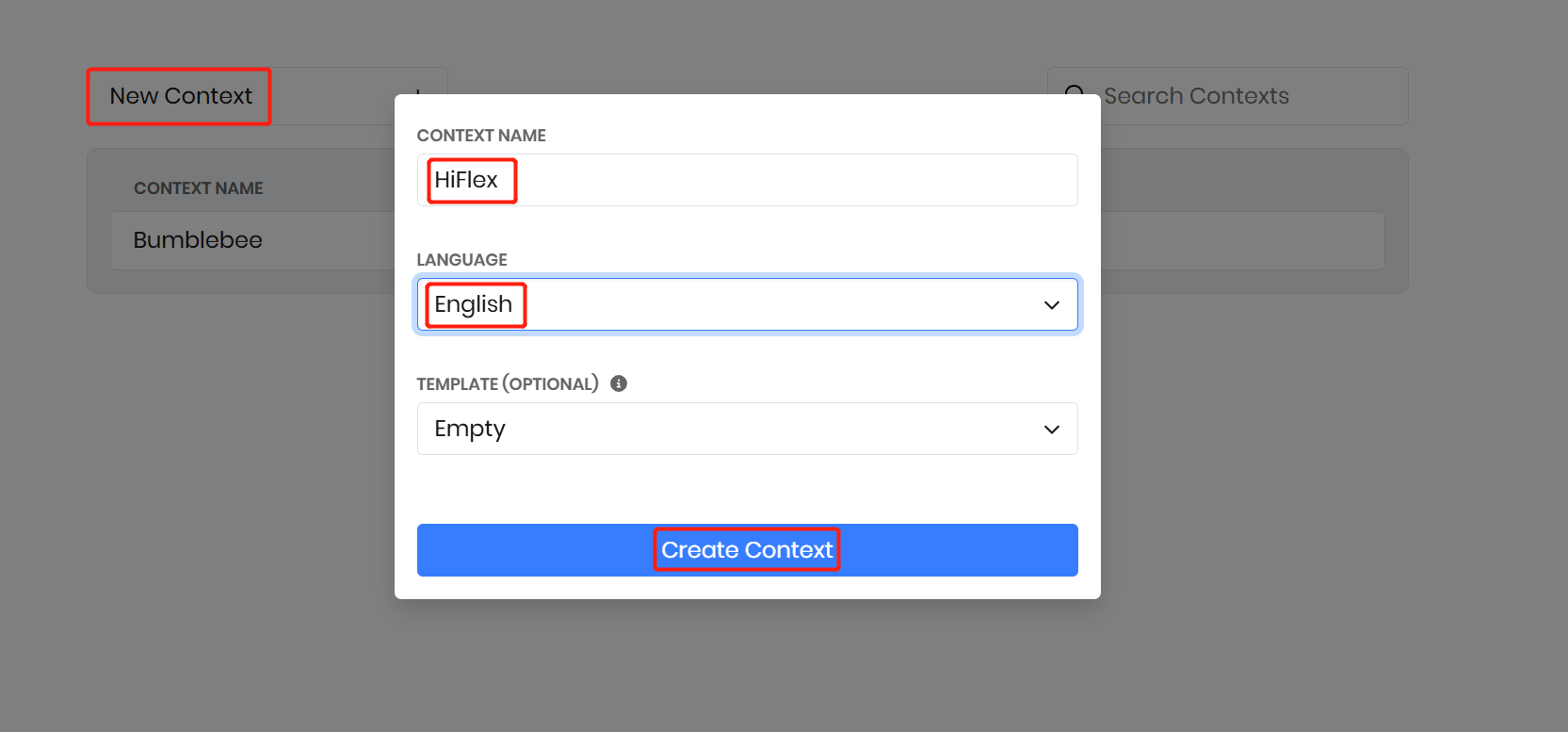
A context defines the set of spoken commands, intents, and slots for a specific domain; here, we create a “Bumblebee” context to control ReSpeaker Flex using voice commands. Navigate to the Rhino Speech-to-Intent console in Picovoice, then create a new context named Bumblebee using the “Empty” template.
Create Intents
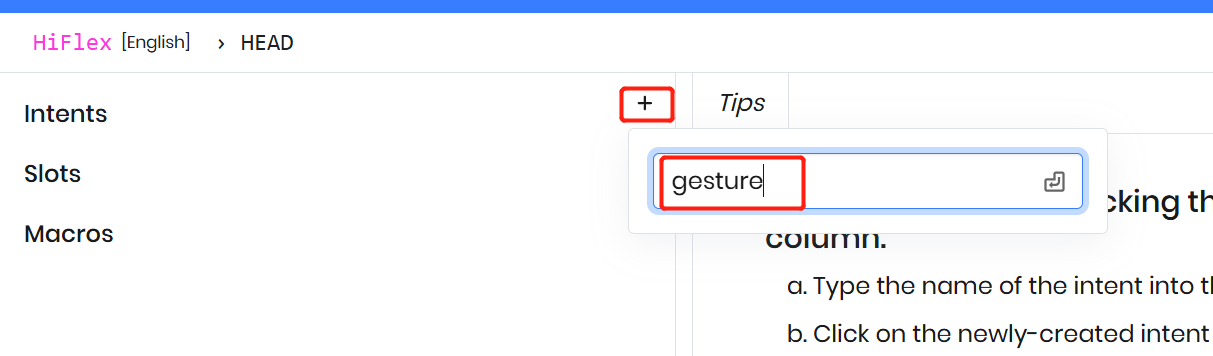
At the top level, a context is a collection of intents that represent user actions within a domain. For example, create an intent called “Gesture” in the HiFlex context to represent gesture-related voice commands.
Adding expressions to an intent
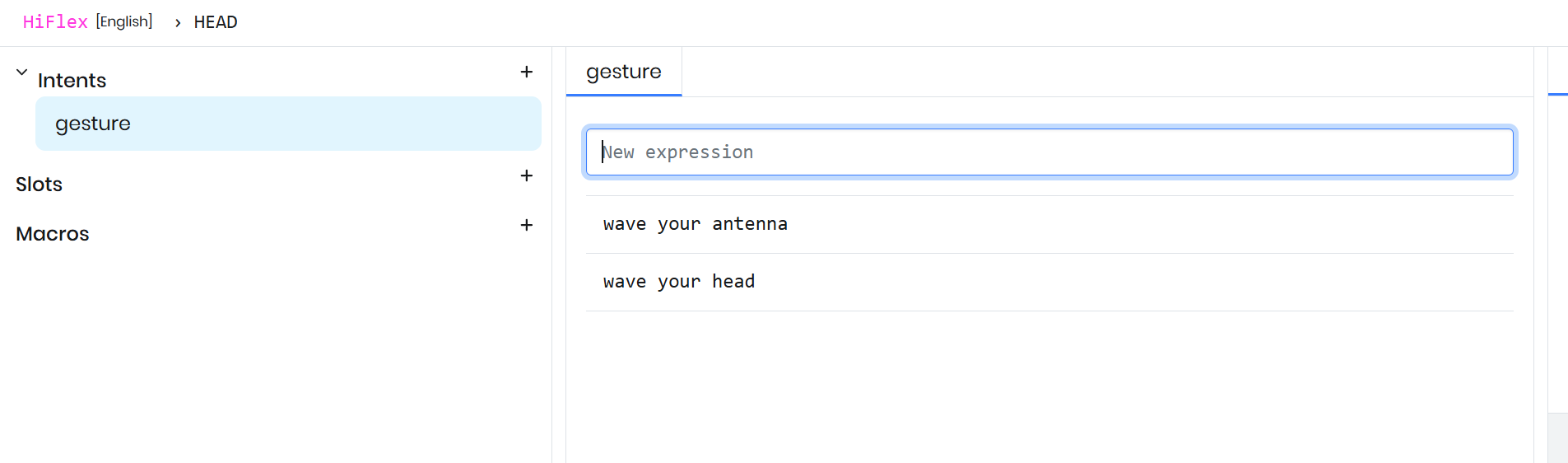
A user can express the same intent in multiple ways, and each variation is called an expression. For the Gesture intent, add expressions like “wave your head” and “shake your antenna”, as both map to the same group of action.
Use slots to capture variables
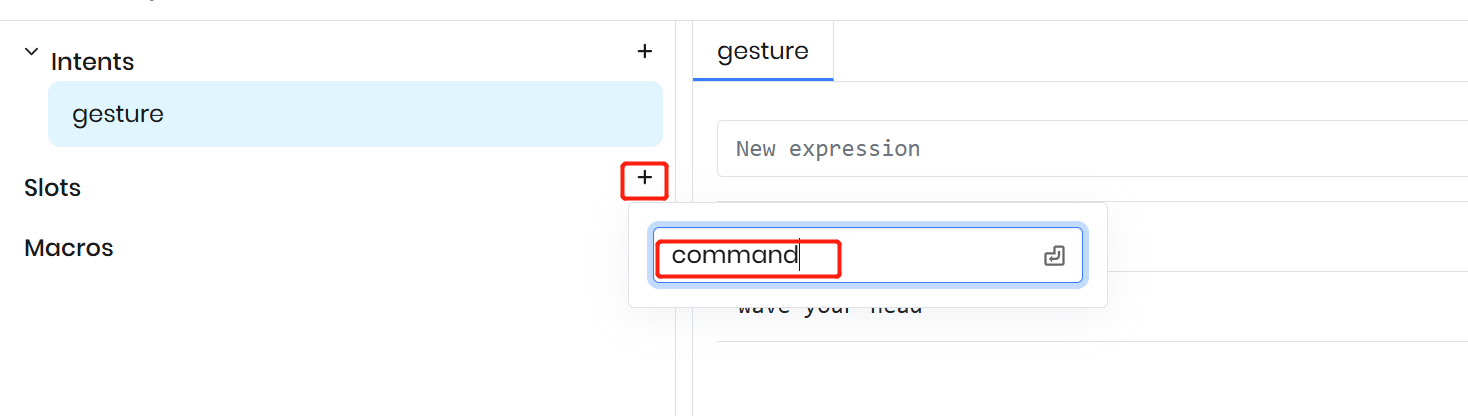
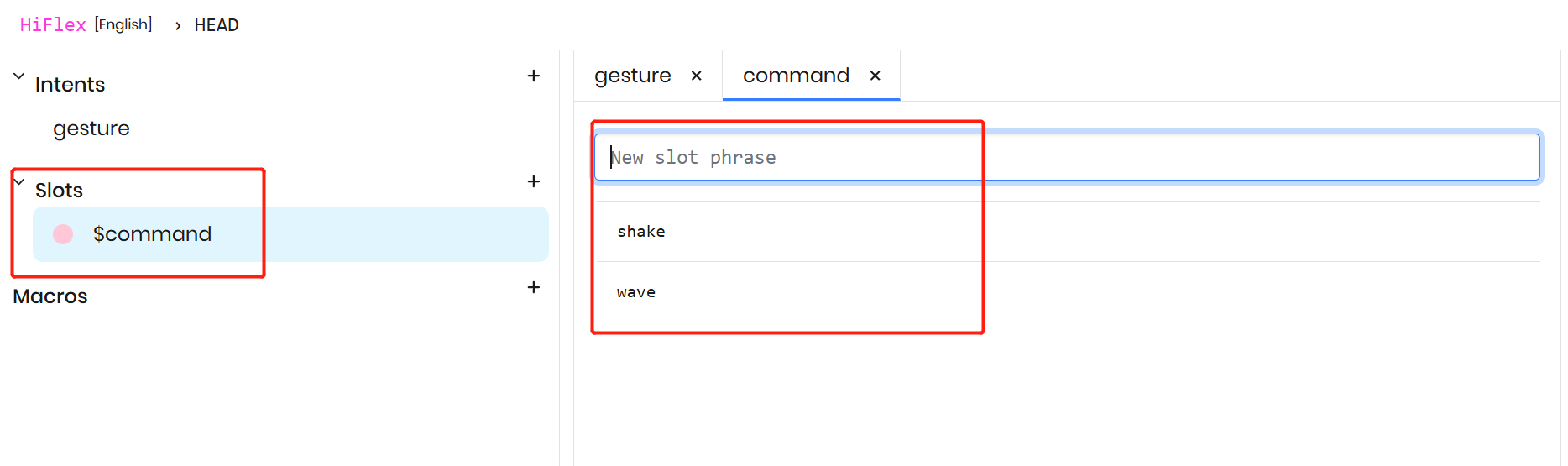
Use slots to capture variable parts within user utterances. In this case, words like “wave” and “shake” represent a changing state within the command, so they can be modeled as a variable. Create a slot named “commands” in the Rhino context to capture these variations dynamically.
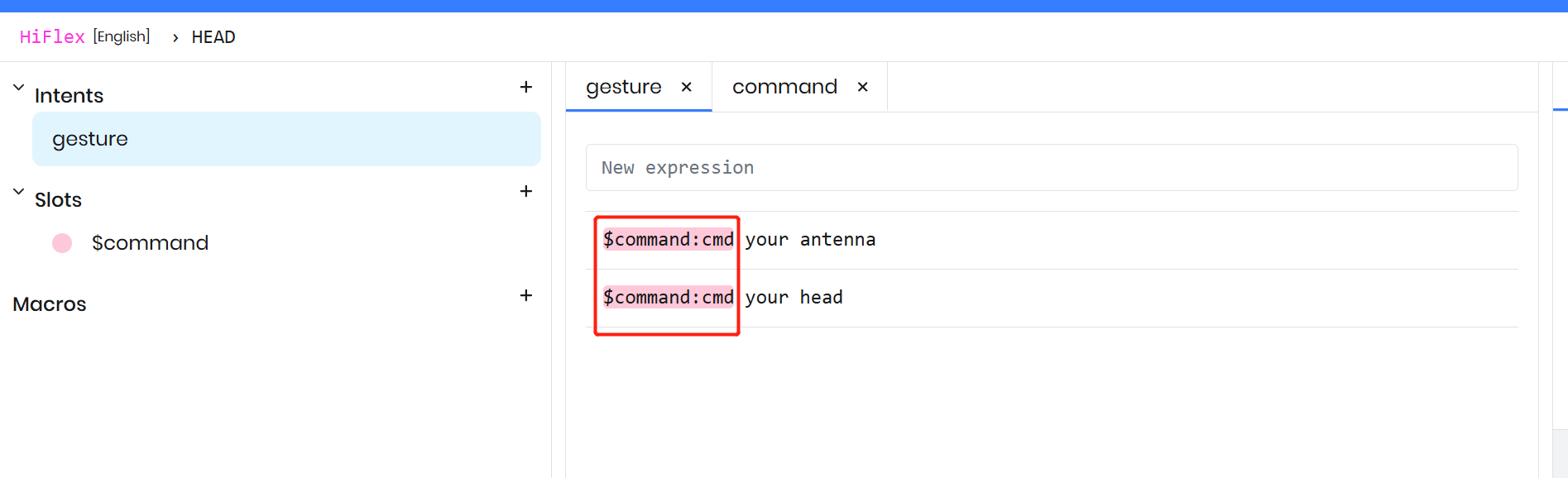
Modify the existing expressions to include the newly-created slot. When adding a slot, use the $ symbol to indicate a slot, then select the desired slot type from the autocomplete dropdown and assign it a name.
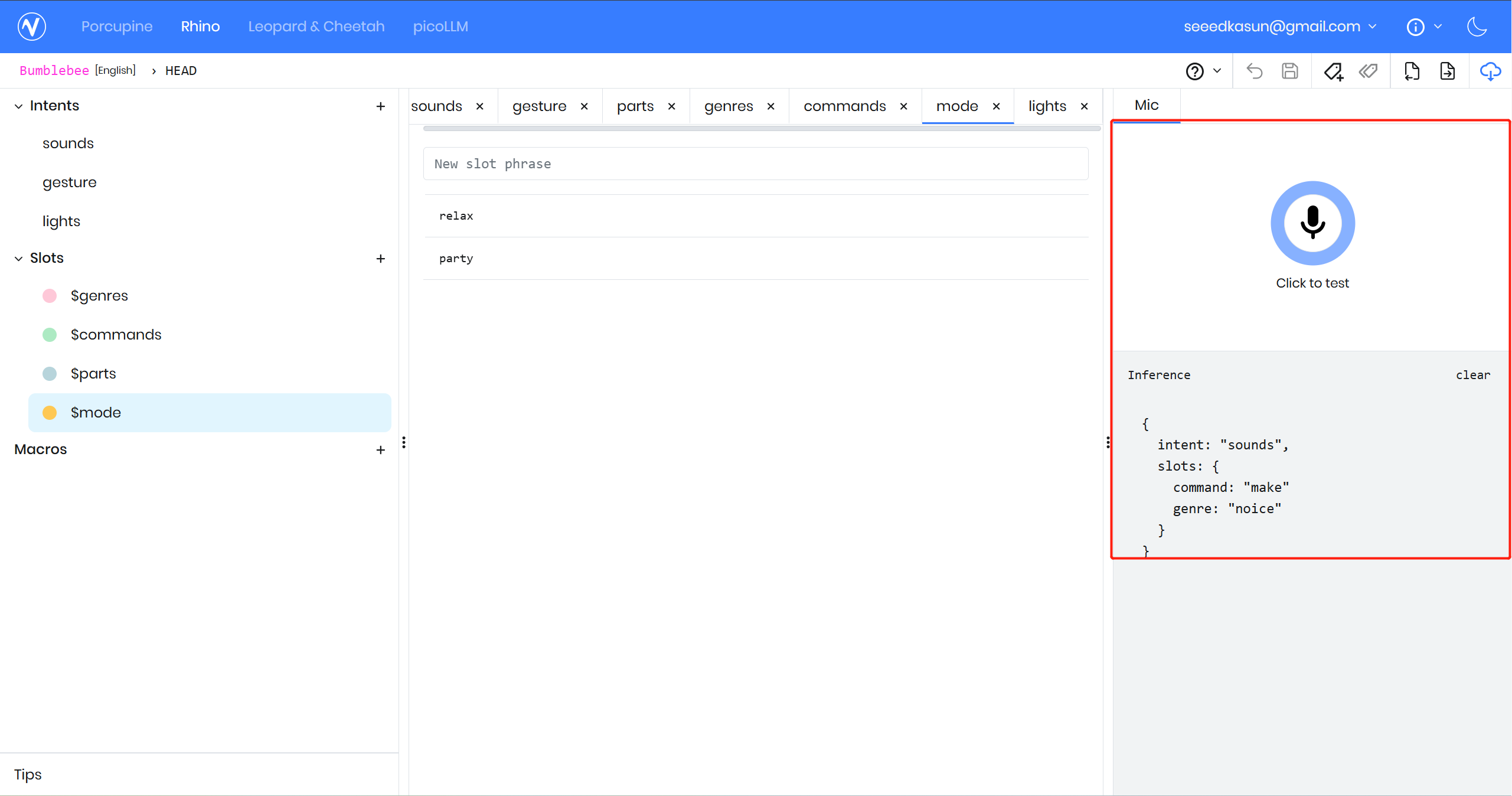
If you ready to go test first by click the test
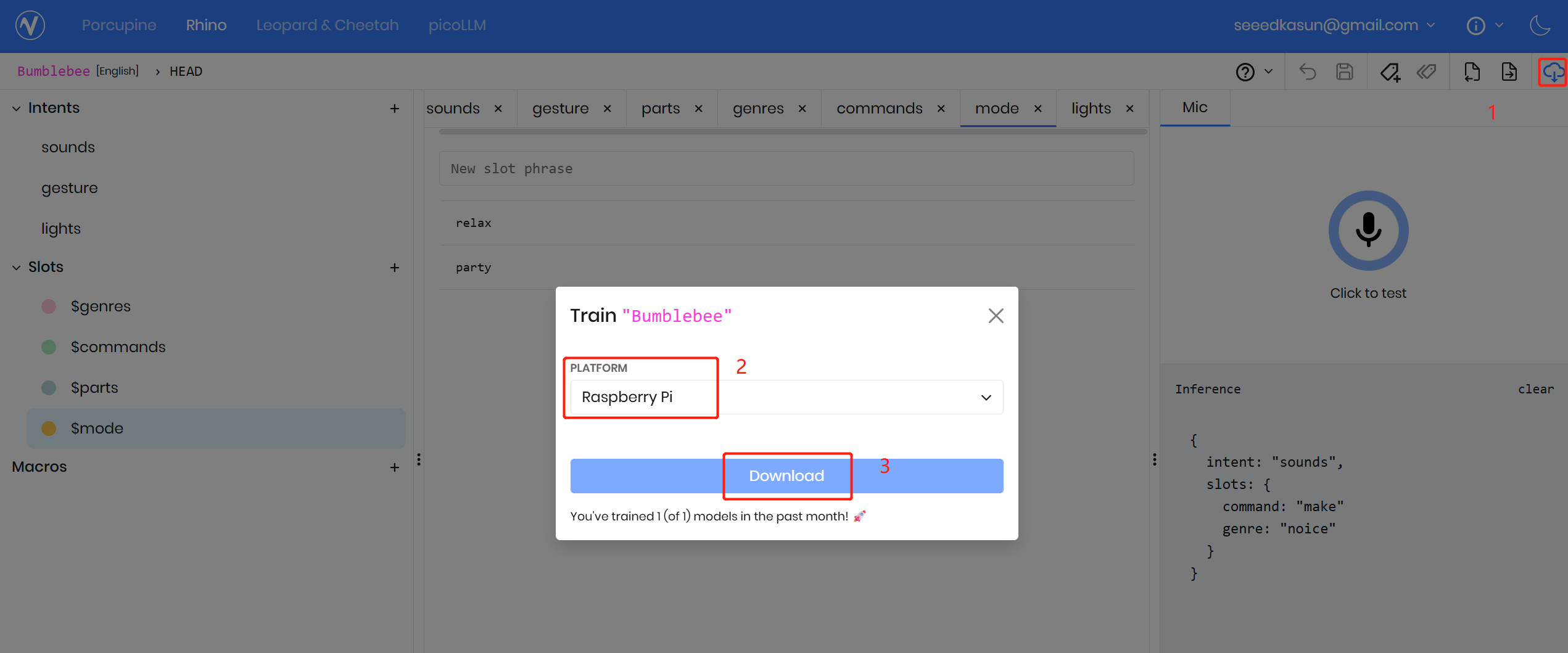
Lets download the model
Once the context design is complete, click the download icon in the top right, select the target platform, and click “Download.” The Picovoice Console will automatically train the Rhino model for that platform, which typically takes about 5–10 seconds.
Sample Code
import pvporcupine
import pvrhino
from pvrecorder import PvRecorder

access_key = "ACCESS KEY"

rhino = pvrhino.create(
    access_key=access_key,
    context_path="/home/pi/porcupine_env/Bumblebee_en_raspberry-pi_v4_0_0.rhn",
)

recorder = PvRecorder(device_index=-1, frame_length=rhino.frame_length)
recorder.start()

print("Listening...")

while True:
    pcm = recorder.read()
    is_finalized = rhino.process(pcm)

    if is_finalized:
        inference = rhino.get_inference()
        if inference.is_understood:
            print("Intent:", inference.intent)
            print("Slots:", inference.slots)
        else:
            print("Didn't understand")

        rhino.reset()
Tech Support & Product Discussion
Thank you for choosing our products! We are here to provide you with different support to ensure that your experience with our products is as smooth as possible. We offer several communication channels to cater to different preferences and needs.