reSpeaker XVF3800 USB 4 Microphone Array with XIAO ESP32S3
Overview
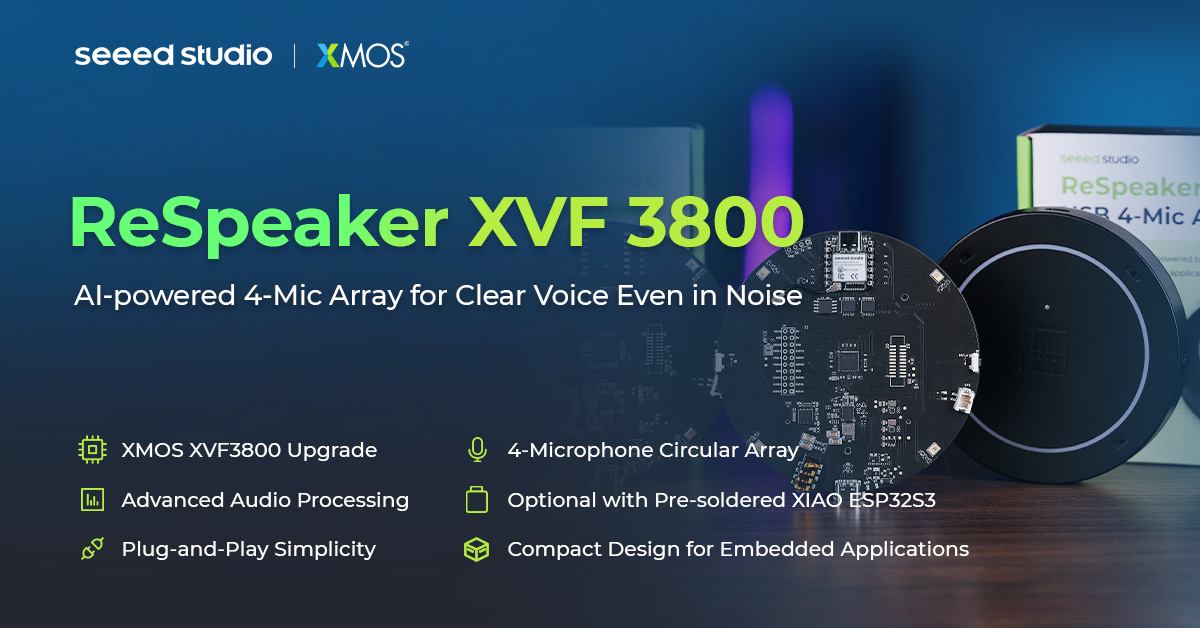
The ReSpeaker XVF3800 USB 4-Mic Array is a professional circular 4-microphone array based on the XMOS XVF3800. It features AEC, AGC, DoA, beamforming, VAD, noise suppression, de-reverberation, and 360° voice capture (up to 5 meters). It also supports dual operation modes, making it ideal for advanced voice applications. When combined with the Xiao ESP32S3, controlling the ReSpeaker XVF3800 USB becomes even more powerful, unlocking endless possibilities.
Features
-
Chip upgrade :From XVF3000 to XVF3800
-
Quad Microphone Array :4 high-performance mics in circular pattern for 360° far-field voice capture up to 5 meters
-
Advanced Audio Processing :Powered by XVF3800 with AEC, multi-beamforming, de-reverberation, DoA detection, dynamic noise suppression, 60dB AGC range
-
Unique Device Serial Number :Built-in SN enables multi-device deployments and advanced device management
-
Dual Operation Modes :USB plug-and-play mode for instant PC connectivity and INT-Device (I2S) mode for integration with embedded systems—configurable via USB or I2C commands by switching the firmware accordingly
-
Open Source Compatible :Works with USB hosts (Windows, macOS, Raspberry Pi OS) and I2S hosts (XIAO Series, ESP32, Arduino).
-
Visual Feedback :Programmable RGB LEDs and status indicators show device states and voice activity
-
Equal or better audio quality :compared to previous model
Getting Started (I2S vs USB firmware)
By default, the reSpeaker XVF3800 USB 4 Microphone Array with XIAO ESP32S3 uses the I2S firmware. In the I2S mode it is NOT detected as an USB device.
You can switch between I2S and USB mode by installing the related firmware. Use the safe mode to connect the device as USB device and to flash the firmare to update the firmware or to switch between modes.
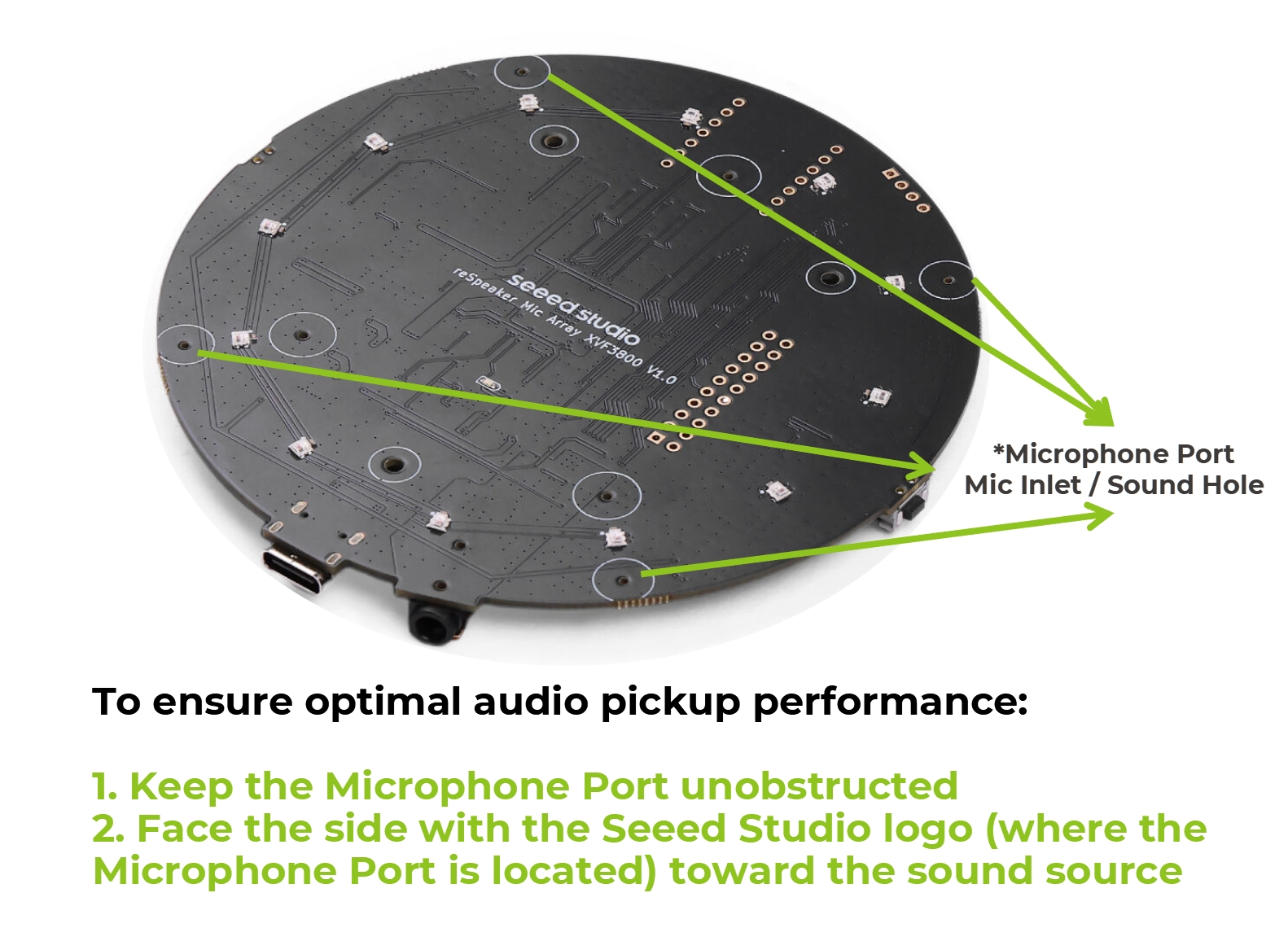
To ensure optimal voice pickup performance and proper operation of the audio algorithms, please make sure the Microphone Port (Mic Inlet / Sound Hole) on the back side of the device is facing toward the sound source. The microphone port is located on the side with the Seeed Studio logo printed on it.
Flash the I2S firmware
To use the reSpeaker XVF3800 with XIAO ESP32S3, please make sure the reSpeaker XVF3800 firmware is the I2S version and update to the latest version. Please visit this section.
To work with the XIAO ESP32S3, you need to flash it to the I2S firmware. However, the I2S firmware does not support USB DFU (the device is not detected as USB device). Switch to safe mode as it supports both USB DFU and I2C DFU. To learn more, please visit this section.
Hardware Overview
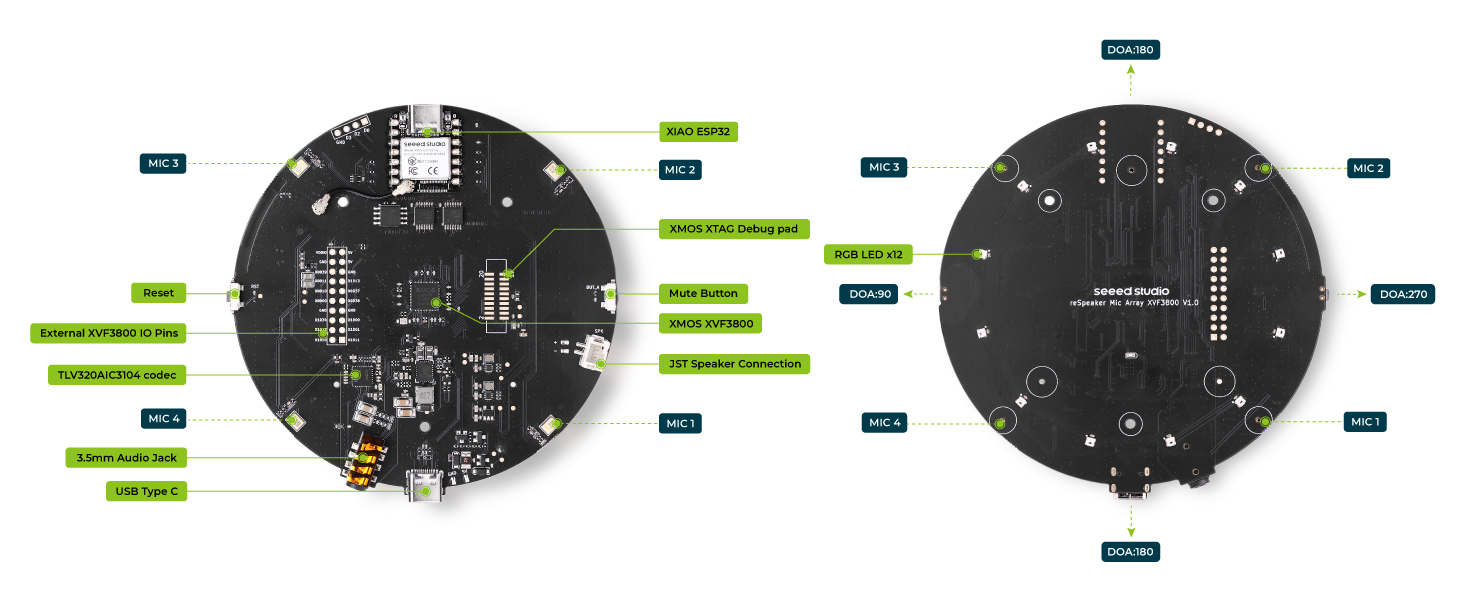
Main Components
| Component / Feature | Description |
|---|---|
| Main Audio Processor | XMOS XVF3800, handles audio processing including AEC, beamforming, noise suppression, etc. |
| Microphone Array | Quad PDM MEMS microphones in circular pattern, supporting 360° far-field voice capture (5m). |
| Audio Codec | TLV320AIC3104, handles audio conversion and output. |
| RGB LEDs | 12x WS2812 individually-addressable RGB LEDs for visual feedback (e.g., status, voice activity). |
| Mute Button | Press to mute/unmute the microphone input. |
| Mute Indicator LED | Lights up (typically red) to show that audio is muted. |
| Reset Button | Hardware reset for the board/system. |
| USB Type-C Port | Used for both power and data (USB Audio Class 2.0 compliant). |
| 3.5mm AUX Headphone Jack | Audio output for headphones or active speakers. |
| Speaker Connector | JST speaker interface, supports 5W amplified speakers. |
| Debug Pads | Debug access for XTAG4 or other programmers. |
| I2C & I2S Headers | Exposed headers for I2C and I2S communication with external devices. |
| Unused IO Pads (XIAO) | Additional I/O solder pads connected to XIAO module. |
| I2S & I2C Communication | Supports connection to external hosts like Raspberry Pi, PC, etc. using these protocols. |
| USB & INT-Device Modes | Dual-mode operation: plug-and-play USB or internal INT device mode via I2S. |
| Unique Serial Number | Built-in device SN for identification and multi-device management. |
| Open Source Compatibility | Works with Arduino, Raspberry Pi, PC/Mac, and compatible with XIAO Series. |
| Advanced Audio Features | AEC, beamforming, dereverberation, DoA detection, DNN-based noise suppression, 60dB AGC. |
| Visual Feedback | Device state and audio activity shown via RGB LED patterns and status indicators. |
| Audio Quality | Equal or better than the previous XVF3000-based designs. |
XIAO ESP32S3 support
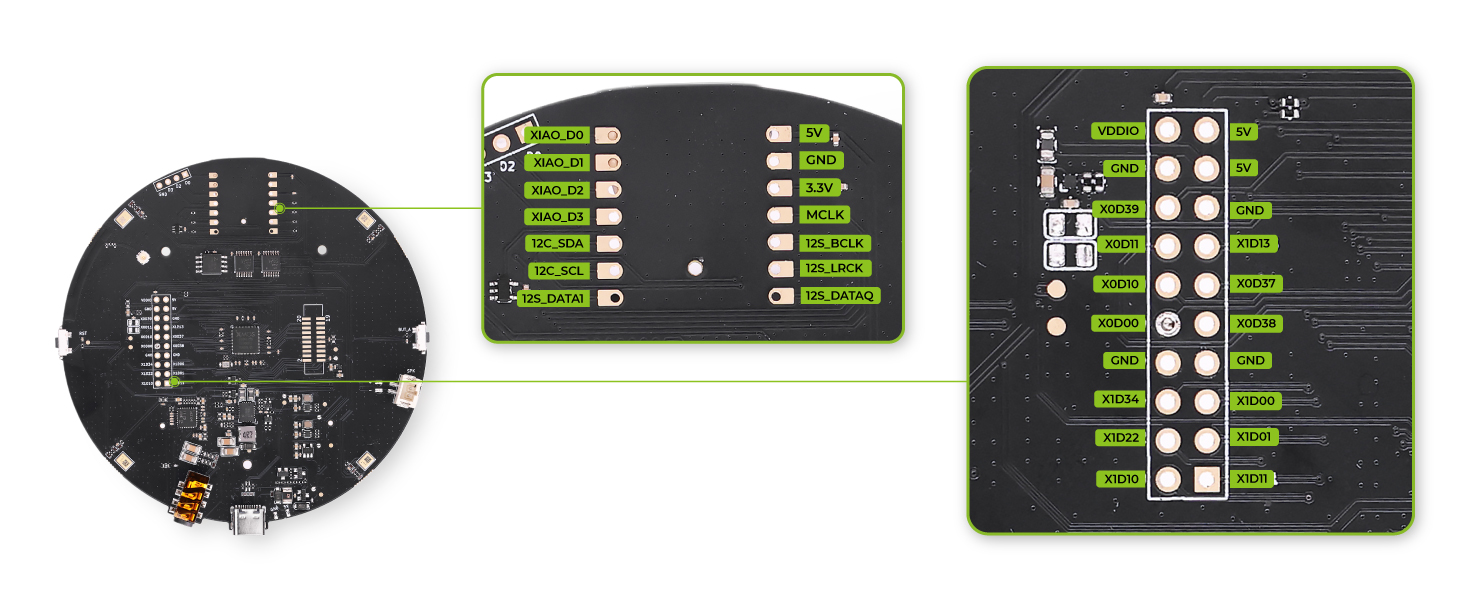
- Stereo I2S input/output with multiple output options; I2C interface for configuring and managing XVF3800 parameters.
- XIAO reset via IO pin
- Interface and solder pads
Pin Out
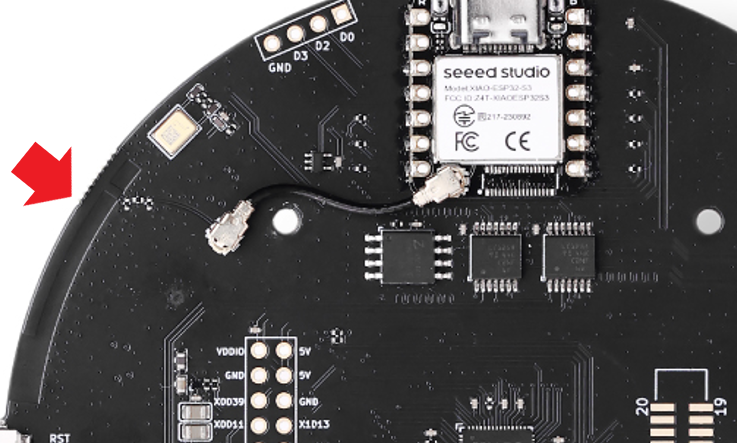
On-Board WIFI Antenna
When using the XIAO ESP32S3, no external antenna is needed—simply connect the antenna slots to use the built-in PCB antenna.
GPIO Overview
The reSpeaker XVF3800 exposes 3 input pins (GPI) and 5 output pins (GPO) for external control. You can use these to read button states or control hardware like the mute LED, amplifier, or LEDs.
| Pin Name | Direction | Function |
|---|---|---|
| X1D09 | Input (RO) | Mute button status (high when released) |
| X1D13 | Input (RO) | Floating |
| X1D34 | Input (RO) | Floating |
| X0D11 | Output (RW) | Floating |
| X0D30 | Output (RW) | Mute LED + mic mute control (high = mute) |
| X0D31 | Output (RW) | Amplifier enable (low = enabled) |
| X0D33 | Output (RW) | WS2812 LED power control (high = on) |
| X0D39 | Output (RW) | Floating |
Software Preparation
Install Arduino IDE
Download and Install the stable version of Arduino IDE according to your operating system
Install Arduino-ESP32
To start the installation process using the Boards Manager, follow these steps:
-
Install the current upstream Arduino IDE at the 1.8 level or later. The current version is at the arduino.cc website.
-
Start Arduino and open the
Settingswindow. -
Enter one of the release links above into Additional Board Manager URLs field. You can add multiple URLs, separating them with commas.
https://raw.githubusercontent.com/espressif/arduino-esp32/gh-pages/package_esp32_index.json

- Open
Boards Managerfrom the sidebar, searchESP32and clickINSTALL.

- Restart Arduino IDE.
Supportive Library
Please install the Arduino Audio Tools library in order to run the provided examples.
Tech Support & Product Discussion
Thank you for choosing our products! We are here to provide you with different support to ensure that your experience with our products is as smooth as possible. We offer several communication channels to cater to different preferences and needs.