reSpeaker XVF3800 USB Mic Array with XIAO ESP32S3 HTTP Audio Streaming
Introduction
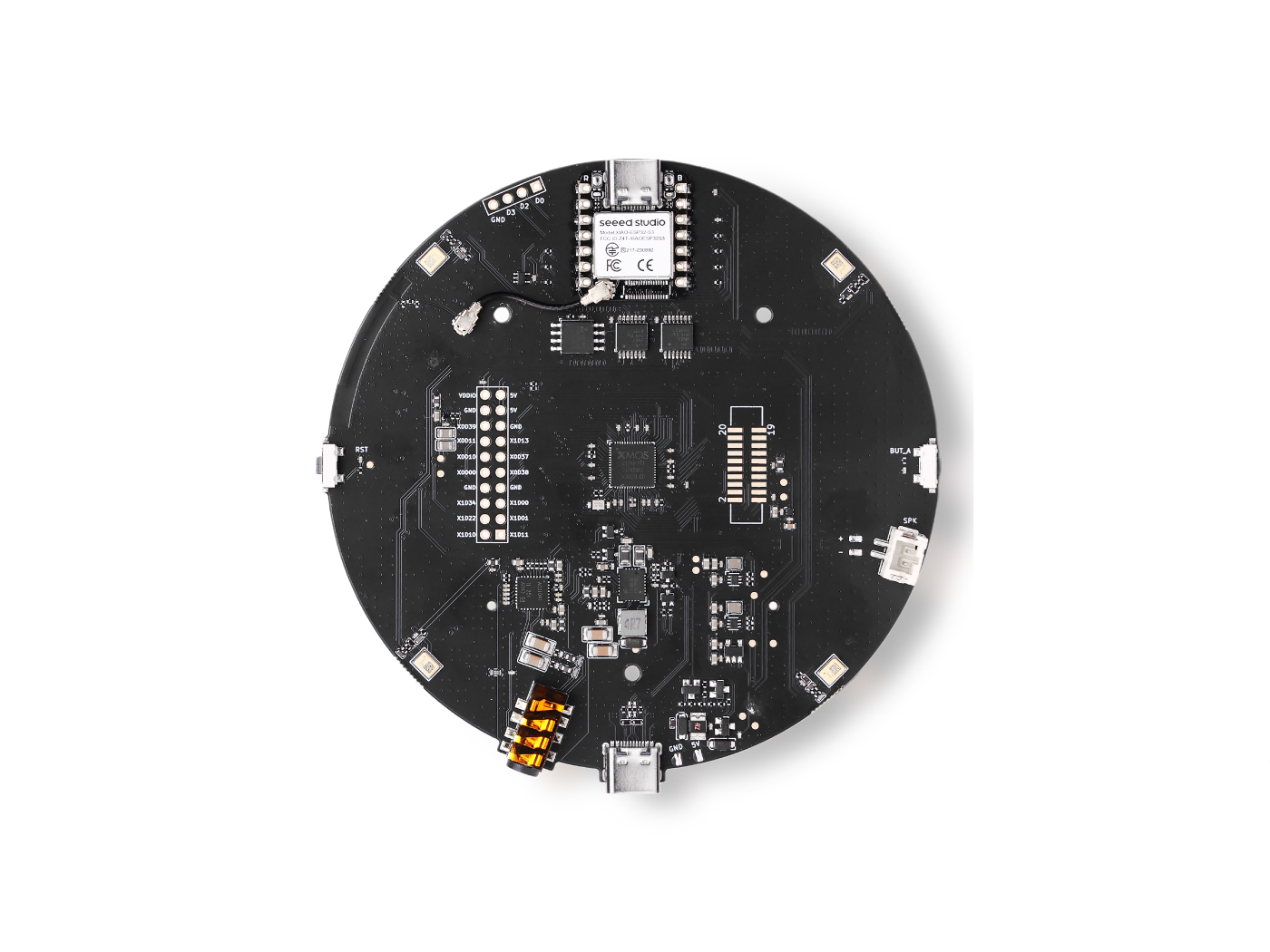
This guide describes how to capture audio from an XVF3800 microphone array using an ESP32-S3 (XIAO ESP32S3), record 5 seconds of 16 kHz stereo 32-bit PCM audio, and store the data in PSRAM to handle large audio buffers. The recorded audio is then uploaded over Wi-Fi to a Python-based Flask HTTP server, where it is received and saved as a standard WAV file. This setup is well suited for applications such as voice capture, remote audio logging, and speech processing pipelines including speech-to-text (STT) and machine-learning–based audio analysis.
Arduino Code
You must enable PSRAM, otherwise malloc() will fail.
Update these fields before uploading:
// WiFi credentials
const char* ssid = "your SSID";
const char* password = "your password";

// HTTP server (your PC)
const char* serverUrl = "http://<flask-server>:8000/upload"; // please replace with your PC IP /flask server
Full Arduino Code
#include "WiFi.h"
#include "HTTPClient.h"
#include "AudioTools.h"

// WiFi credentials
const char* ssid = "your SSID";
const char* password = "your password";

// HTTP server (your PC)
const char* serverUrl = "http://<flask-server>:8000/upload"; // please replace with your PC IP /flask server

// Audio: 16kHz, stereo, 32-bit
AudioInfo info(16000, 2, 32);
I2SStream i2s_in;
I2SConfig i2s_config;

// 5 seconds of audio = 640,000 bytes
#define RECORDING_SECONDS 5
#define BYTES_PER_SECOND 128000
#define TOTAL_BYTES (RECORDING_SECONDS * BYTES_PER_SECOND)

// Buffer for recording
uint8_t* audioBuffer = nullptr;

void connectWiFi() {
  Serial.printf("Connecting to WiFi: %s\n", ssid);
  WiFi.begin(ssid, password);

  int attempts = 0;
  while (WiFi.status() != WL_CONNECTED && attempts < 20) {
    delay(500);
    Serial.print(".");
    attempts++;
  }

  if (WiFi.status() == WL_CONNECTED) {
    Serial.println("\nConnected!");
    Serial.printf("IP Address: %s\n", WiFi.localIP().toString().c_str());
  } else {
    Serial.println("\nFailed to connect!");
  }
}

void setupI2SInput() {
  i2s_config = i2s_in.defaultConfig(RX_MODE);
  i2s_config.copyFrom(info);

  // XVF3800 pins
  i2s_config.pin_bck = 8;
  i2s_config.pin_ws = 7;
  i2s_config.pin_data = 44;
  i2s_config.pin_data_rx = 43;
  i2s_config.is_master = true;

  i2s_in.begin(i2s_config);
  Serial.println("I2S input started.");
}

void setup() {
  Serial.begin(115200);
  while(!Serial);

  AudioLogger::instance().begin(Serial, AudioLogger::Info);

  // Allocate memory for audio buffer
  audioBuffer = (uint8_t*)malloc(TOTAL_BYTES);
  if (!audioBuffer) {
    Serial.println("Failed to allocate memory!");
    return;
  }

  connectWiFi();
  setupI2SInput();

  // Wait for I2S to stabilize
  delay(500);

  // Record audio
  Serial.printf("Recording %d seconds of audio...\n", RECORDING_SECONDS);
  size_t total_read = 0;
  size_t bytes_read = 0;

  unsigned long start_time = millis();

  while (total_read < TOTAL_BYTES) {
    bytes_read = i2s_in.readBytes(audioBuffer + total_read,
                                   min(4096, (int)(TOTAL_BYTES - total_read)));

    if (bytes_read > 0) {
      total_read += bytes_read;

      // Progress indicator
      if (total_read % BYTES_PER_SECOND == 0) {
        Serial.printf("Recorded %.1f seconds\n", total_read / (float)BYTES_PER_SECOND);
      }
    }
  }

  unsigned long record_time = millis() - start_time;
  Serial.printf("Recording complete! %d bytes in %lu ms\n", total_read, record_time);

  // Send via HTTP POST
  if (WiFi.status() == WL_CONNECTED) {
    HTTPClient http;

    Serial.printf("Sending audio to %s\n", serverUrl);

    http.begin(serverUrl);
    http.addHeader("Content-Type", "application/octet-stream");
    http.addHeader("X-Sample-Rate", String(info.sample_rate));
    http.addHeader("X-Channels", String(info.channels));
    http.addHeader("X-Bits-Per-Sample", String(info.bits_per_sample));

    int httpResponseCode = http.POST(audioBuffer, total_read);

    if (httpResponseCode > 0) {
      Serial.printf("HTTP Response code: %d\n", httpResponseCode);
      String response = http.getString();
      Serial.println("Response: " + response);
    } else {
      Serial.printf("Error code: %d\n", httpResponseCode);
      Serial.println("Error: " + http.errorToString(httpResponseCode));
    }

    http.end();
  } else {
    Serial.println("WiFi not connected!");
  }

  // Free memory
  free(audioBuffer);

  Serial.println("Done!");
}

void loop() {
  // Nothing - runs once
}
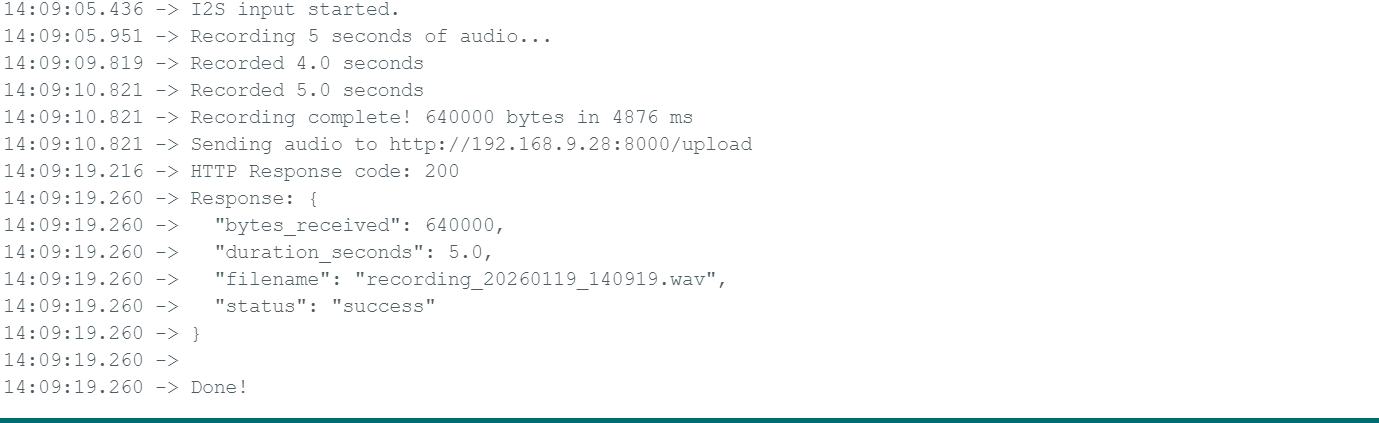
Expected Output
Python Server Code (Flask)
You need to install flask run on your environment pip install flask
from flask import Flask, request, jsonify
import wave
import datetime

app = Flask(__name__)


@app.route('/upload', methods=['POST'])
def upload_audio():
    try:
        # Get audio parameters from headers
        sample_rate = int(request.headers.get('X-Sample-Rate', 16000))
        channels = int(request.headers.get('X-Channels', 2))
        bits_per_sample = int(request.headers.get('X-Bits-Per-Sample', 32))

        # Get raw audio data
        audio_data = request.data

        print(f"Received {len(audio_data)} bytes")
        print(f"Format: {sample_rate}Hz, {channels} channels, {bits_per_sample}-bit")

        # Generate filename with timestamp
        timestamp = datetime.datetime.now().strftime("%Y%m%d_%H%M%S")
        filename = f"recording_{timestamp}.wav"

        # Save as WAV file
        with wave.open(filename, 'wb') as wav_file:
            wav_file.setnchannels(channels)
            wav_file.setsampwidth(bits_per_sample // 8)  # Convert bits to bytes
            wav_file.setframerate(sample_rate)
            wav_file.writeframes(audio_data)

        duration = len(audio_data) / (sample_rate * channels * (bits_per_sample // 8))

        print(f"Saved to {filename} ({duration:.2f} seconds)")

        return jsonify({
            'status': 'success',
            'filename': filename,
            'bytes_received': len(audio_data),
            'duration_seconds': duration
        }), 200

    except Exception as e:
        print(f"Error: {str(e)}")
        return jsonify({'status': 'error', 'message': str(e)}), 500


@app.route('/', methods=['GET'])
def index():
    return "Audio Upload Server Running"


if __name__ == '__main__':
    print("Starting HTTP server on port 8000...")
    print("Waiting for audio uploads from ESP32...")
    app.run(host='0.0.0.0', port=8000, debug=True)
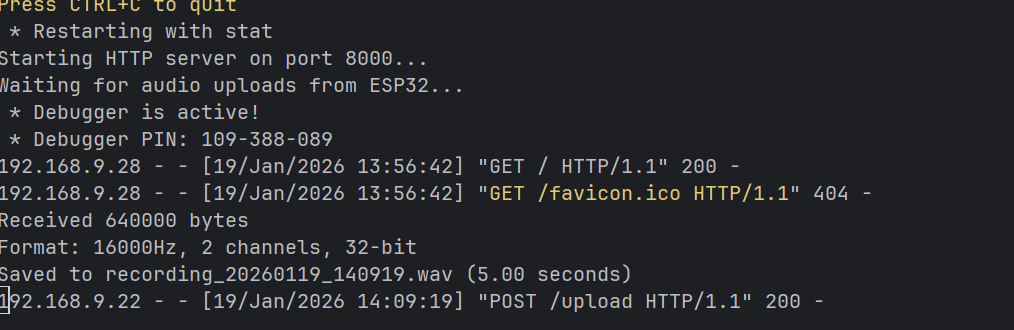
Expected Output
Tech Support & Product Discussion
Thank you for choosing our products! We are here to provide you with different support to ensure that your experience with our products is as smooth as possible. We offer several communication channels to cater to different preferences and needs.