reSpeaker XVF3800 USB Mic Array with XIAO ESP32S3 WebSocket Audio Streaming
Introduction
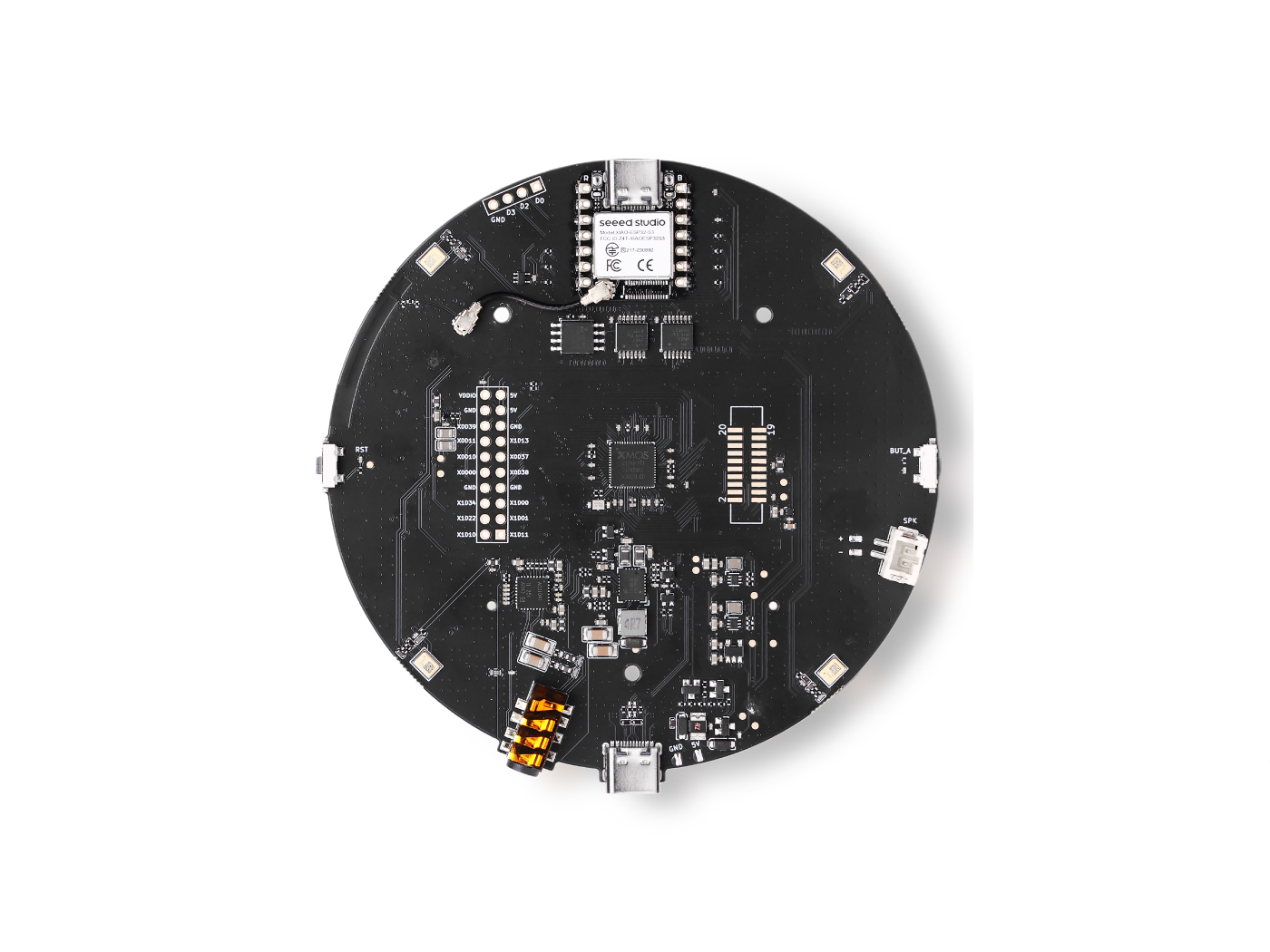
This guide describes how to capture audio from an XVF3800 microphone array using an ESP32-S3 (XIAO ESP32S3), record 5 seconds of 48 kHz stereo 32-bit PCM audio, and store the data in PSRAM to handle large audio buffers. The recorded audio is then transmitted over Wi-Fi to a Python-based WebSocket server, where it is received and saved as a standard WAV file. This approach is well suited for applications such as voice capture, remote audio logging, and speech processing pipelines including speech-to-text (STT) and machine-learning–based audio analysis.
Arduino Code
You must enable PSRAM, otherwise malloc() will fail.
This sketch used the XVF3800 Firmware to act as I2S master. Flash the following DFU firmware onto the XVF3800 before uploading:
respeaker_xvf3800_i2s_master_dfu_firmware_v1.0.x_48k_test5.bin
Update these fields before uploading:
// WiFi credentials
const char* ssid = "your SSID";
const char* password = "your password";

// WebSocket server (your PC)
const char* wsHost = "192.168.x.xx";  // replace with your PC IP
const uint16_t wsPort = 12345;
Full Arduino Code
#include "WiFi.h"
#include "AudioTools.h"
#include <WebSocketsClient.h>

const char* ssid = "your SSID";
const char* password = "your password";

const char* wsHost = "192.168.x.xx";
const uint16_t wsPort = 12345;
const char* wsPath = "/";

WebSocketsClient webSocket;

AudioInfo info(48000, 2, 32);
I2SStream i2s_in;
I2SConfig i2s_config;

#define BUFFER_SIZE 1024
#define TOTAL_BYTES 1920000  // 5 sec @ 48 kHz, stereo, 32-bit

uint8_t* audio_buffer = nullptr;
bool wsConnected = false;

void webSocketEvent(WStype_t type, uint8_t * payload, size_t length) {
  if (type == WStype_CONNECTED) {
    Serial.println("WebSocket connected");
    wsConnected = true;
  } else if (type == WStype_DISCONNECTED) {
    Serial.println("WebSocket disconnected");
    wsConnected = false;
  }
}

void connectWiFi() {
  Serial.printf("Connecting to WiFi: %s\n", ssid);
  WiFi.begin(ssid, password);
  while (WiFi.status() != WL_CONNECTED) {
    delay(1000);
    Serial.print(".");
  }
  Serial.println("\nConnected!");
  Serial.printf("IP Address: %s\n", WiFi.localIP().toString().c_str());
}

void setupI2SInput() {
  i2s_config = i2s_in.defaultConfig(RX_MODE);
  i2s_config.copyFrom(info);
  i2s_config.pin_bck = 8;
  i2s_config.pin_ws = 7;
  i2s_config.pin_data = 44;
  i2s_config.pin_data_rx = 43;
  i2s_config.is_master = false;
  i2s_in.begin(i2s_config);
  Serial.println("I2S input started.");
}

void setup() {
  Serial.begin(115200);
  while (!Serial);
  AudioLogger::instance().begin(Serial, AudioLogger::Info);

  connectWiFi();

  if (psramFound()) {
    audio_buffer = (uint8_t*) ps_malloc(TOTAL_BYTES);
    Serial.println("Using PSRAM for audio buffer.");
  } else {
    audio_buffer = (uint8_t*) malloc(TOTAL_BYTES);
    Serial.println("WARNING: no PSRAM found - allocation may fail.");
  }
  if (!audio_buffer) {
    Serial.println("Failed to allocate audio buffer!");
    return;
  }

  setupI2SInput();
  delay(500);

  // ---- PHASE 1: capture only ----
  Serial.println("Capturing 5 seconds of audio...");
  size_t total_captured = 0;

  while (total_captured < TOTAL_BYTES) {
    size_t to_read = min((size_t)BUFFER_SIZE, (size_t)TOTAL_BYTES - total_captured);
    size_t bytes_read = i2s_in.readBytes(audio_buffer + total_captured, to_read);
    if (bytes_read > 0) {
      total_captured += bytes_read;
      if (total_captured % 64000 == 0) {
        Serial.printf("Captured %d bytes (%.1f sec)\n", total_captured, total_captured / 384000.0);
      }
    } else {
      delay(1);
    }
  }
  Serial.printf("Capture complete: %d bytes\n", total_captured);

  // ---- PHASE 2: connect WebSocket and send ----
  webSocket.begin(wsHost, wsPort, wsPath);
  webSocket.onEvent(webSocketEvent);
  webSocket.setReconnectInterval(2000);

  Serial.println("Waiting for WebSocket connection...");
  unsigned long waitStart = millis();
  while (!wsConnected && millis() - waitStart < 10000) {
    webSocket.loop();
    delay(10);
  }
  if (!wsConnected) {
    Serial.println("Failed to connect to WebSocket server!");
    return;
  }

  Serial.printf("Sending %d bytes via WebSocket...\n", total_captured);
  const size_t SEND_CHUNK = 4096;
  size_t total_sent = 0;

  while (total_sent < total_captured) {
    size_t chunk = min(SEND_CHUNK, (size_t)(total_captured - total_sent));
    webSocket.sendBIN(audio_buffer + total_sent, chunk);
    webSocket.loop();
    total_sent += chunk;
  }

  Serial.printf("Finished! Sent %d bytes total\n", total_sent);
  webSocket.disconnect();
  free(audio_buffer);
}

void loop() {
  webSocket.loop();
}
Python Server Code (WebSocket)
You need to install the websockets library: pip install websockets
import asyncio
import websockets
import wave

WS_HOST = "0.0.0.0"
WS_PORT = 12345

SAMPLE_RATE = 48000
CHANNELS = 2
SAMPLE_WIDTH = 4  # 32-bit = 4 bytes

BYTES_PER_SEC = SAMPLE_RATE * CHANNELS * SAMPLE_WIDTH  # 384000

async def handle_connection(websocket):
    print(f"Client connected: {websocket.remote_address}")
    audio_data = bytearray()

    async for message in websocket:
        if isinstance(message, (bytes, bytearray)):
            audio_data.extend(message)
            if len(audio_data) % 64000 < len(message):
                print(f"Received {len(audio_data)} bytes ({len(audio_data) / BYTES_PER_SEC:.1f} seconds)")
        else:
            print(f"Received text: {message}")

    print(f"\nClient disconnected. Total received: {len(audio_data)} bytes")

    if len(audio_data) > 0:
        print("Saving to output.wav...")
        with wave.open("output.wav", "wb") as wav_file:
            wav_file.setnchannels(CHANNELS)
            wav_file.setsampwidth(SAMPLE_WIDTH)
            wav_file.setframerate(SAMPLE_RATE)
            wav_file.writeframes(bytes(audio_data))
        print("Done! Audio saved to output.wav")
    else:
        print("No data received!")

async def main():
    print(f"WebSocket server listening on {WS_HOST}:{WS_PORT}...")
    async with websockets.serve(handle_connection, WS_HOST, WS_PORT):
        await asyncio.Future()  # run forever

if __name__ == "__main__":
    asyncio.run(main())
Tech Support & Product Discussion
Thank you for choosing our products! We are here to provide you with different support to ensure that your experience with our products is as smooth as possible. We offer several communication channels to cater to different preferences and needs.