reTerminal E Series ePaper Display Overview
Open the reTerminal E-Series Firmware Hub to get started fast. Choose the ESPHome card, pick your device (E1001 / E1002 / E1003 / E1004), check the onboard features you need, and generate matching ESPHome YAML — or flash demo firmware directly from the browser (desktop Chrome or Edge).
Introduction
The reTerminal E Series is Seeed Studio's family of ESP32-S3-powered ePaper display terminals, purpose-built for always-on, low-power information display. The lineup spans four models — E1001, E1002, E1003, E1004 — covering monochrome and full-color panels from 7.3" to 13.3", with options for touch interaction and multi-month battery life. They all share the same software stack (SenseCraft Seeedash, Home Assistant / ESPHome, Arduino, and more), so you only have to learn it once and then pick the form-factor that fits your scenario.
Unlike traditional displays that consume power continuously, the reTerminal E Series only draws current when redrawing content, making it ideal for digital photo frames, smart-home dashboards, retail signage, meeting-room boards, classroom displays, and other always-on use cases.
Product Matrix at a Glance
Four models, one ecosystem. Pick by screen size, color vs. monochrome, touch, and battery life:
| reTerminal E1001 | reTerminal E1002 | reTerminal E1003 | reTerminal E1004 |
|---|---|---|---|
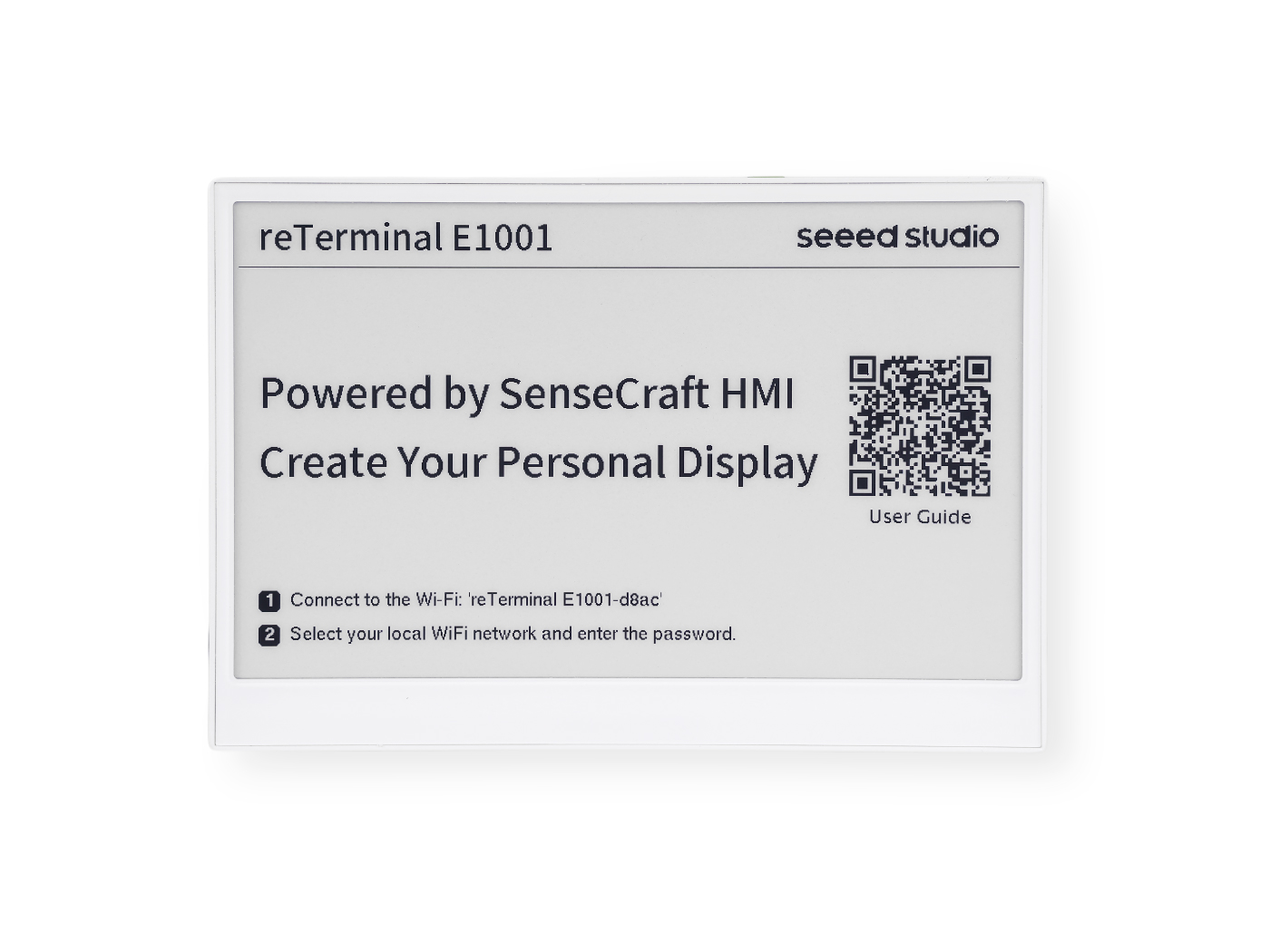 | 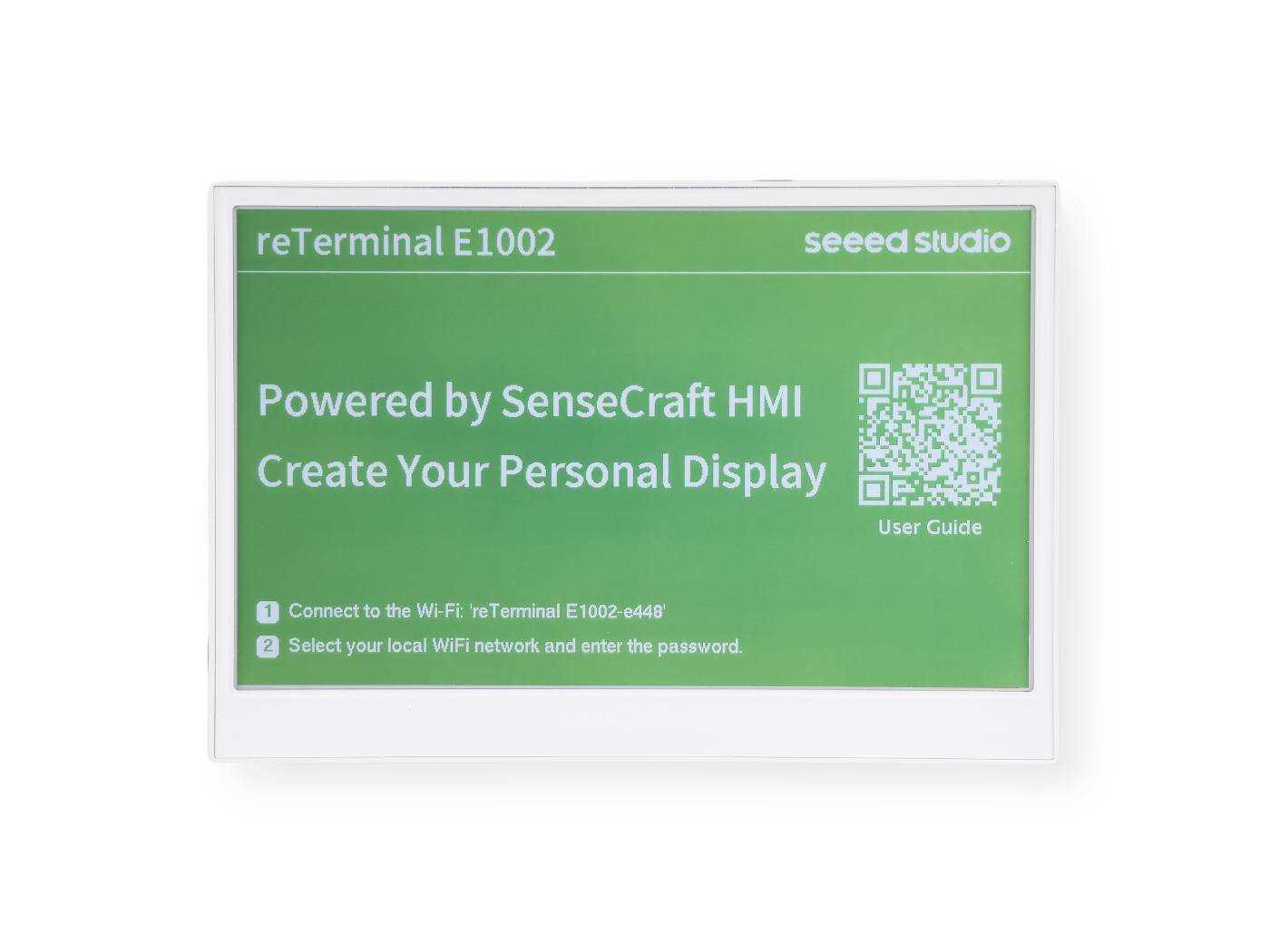 | 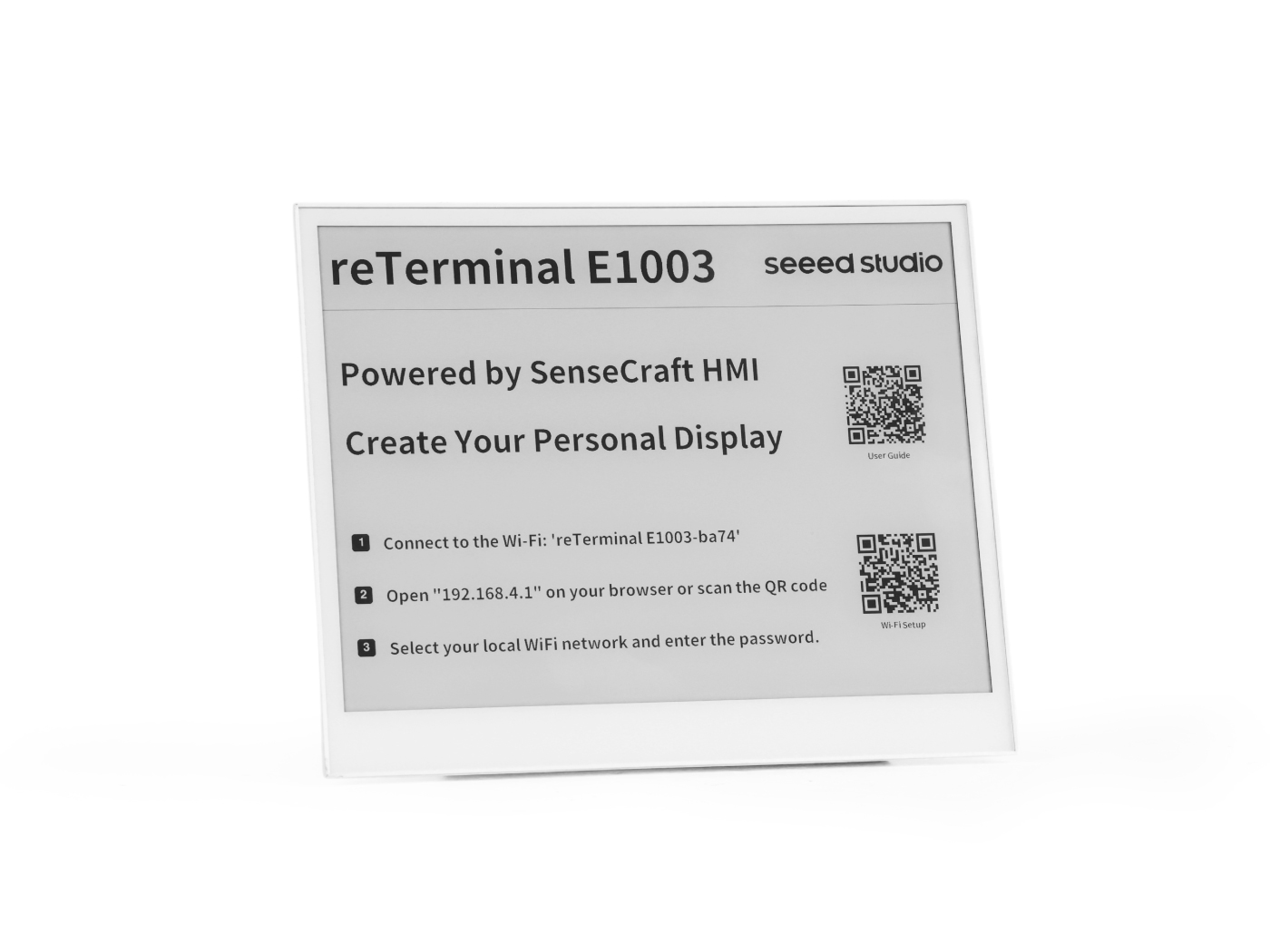 | 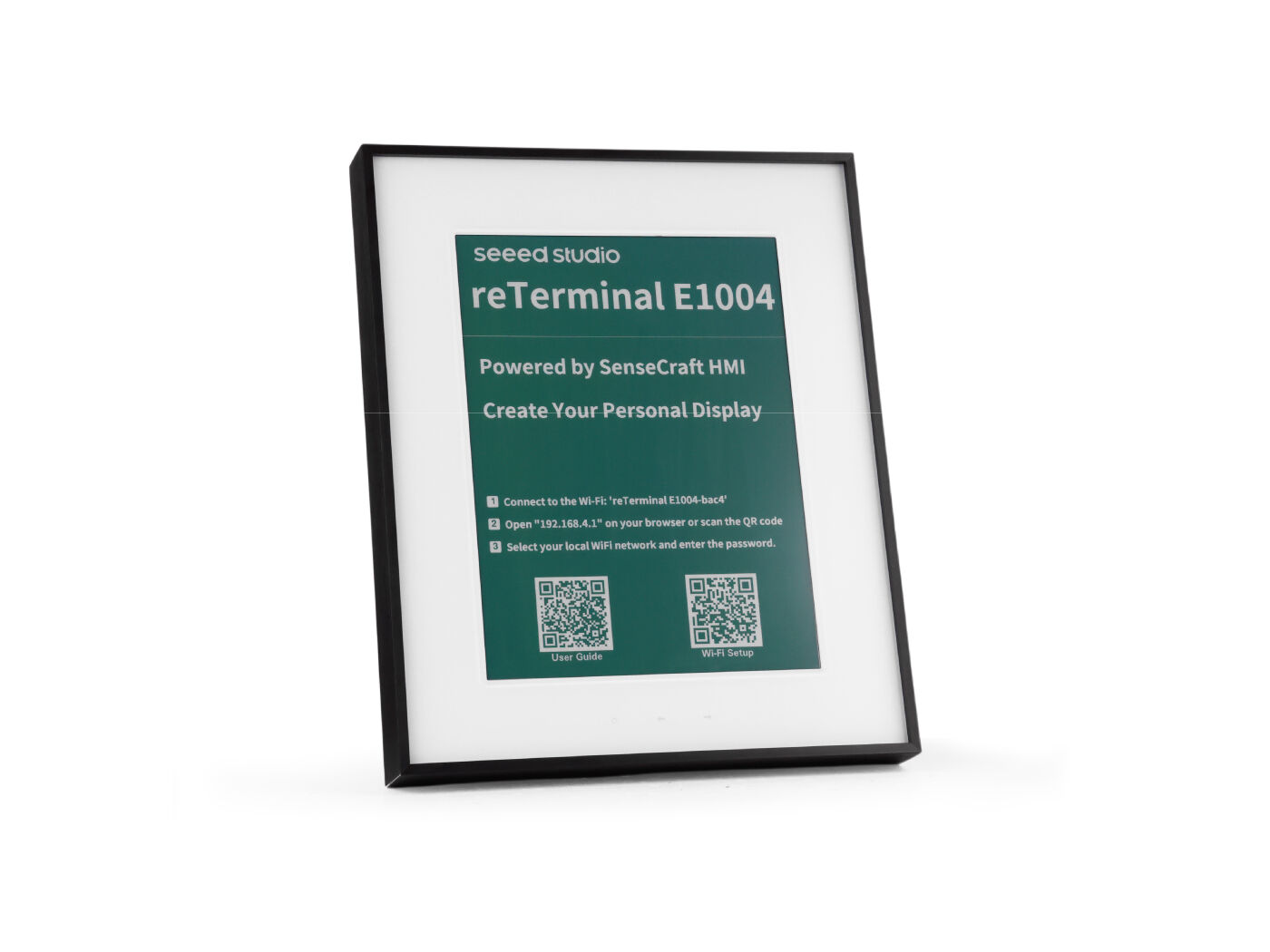 |
| 7.5" Monochrome 4-level grayscale ~3-month battery | 7.3" Full Color E Ink® Spectra™ 6 ~3-month battery | 10.3" Monochrome 16-level grayscale + Touch ~6-month battery | 13.3" Full Color E Ink® Spectra™ 6 ~6-month battery |
| Buy E1001 Wiki → | Buy E1002 Wiki → | Buy E1003 Wiki → | Buy E1004 Wiki → |
Specification Comparison
All four models share the same ESP32-S3 platform, Wi-Fi 4 / Bluetooth 5.0 wireless, on-board T/H sensor and buzzer, USB-C 5 V / 1 A input, and 0–40 °C operating range — all in a metal enclosure. The differences are primarily on the display panel, refresh behavior, battery, expansion and certifications:
| Item | reTerminal E1001 | reTerminal E1002 | reTerminal E1003 | reTerminal E1004 |
|---|---|---|---|---|
| Display Size | 7.5" | 7.3" | 10.3" | 13.3" |
| Display Type | Monochrome (4-level grayscale) | Full Color (E Ink® Spectra™ 6) | Monochrome (16-level grayscale) | Full Color (E Ink® Spectra™ 6) |
| Resolution | 800 × 480 | 800 × 480 | 1404 × 1872 | 1200 × 1600 |
| Partial Refresh | ✅ | ❌ | ✅ | ❌ |
| Refresh Rate | 2–5 s | 15–20 s | 2–3 s | ~20 s |
| Touch | — | — | ✅ Capacitive touch (SenseCraft Seeedash v1.1.2+) | — |
| Processor | ESP32-S3 with 8 MB PSRAM | |||
| Storage | 32 MB Flash microSD up to 32 GB | 32 MB Flash microSD up to 32 GB | 32 MB Flash microSD up to 32 GB | 32 MB Flash microSD up to 32 GB (16 GB included) |
| Wireless | 2.4 GHz Wi-Fi 802.11 b/g/n + Bluetooth 5.0 | |||
| On-board Sensors | Temperature & Humidity sensor | |||
| Audio | Buzzer (sound alert) · Microphone reserved on E1001 / E1002 / E1003 | |||
| Battery | 2000 mAh ~3 months | 2000 mAh ~3 months | 3000 mAh ~6 months | 5000 mAh ~6 months |
| Battery Monitoring | ✅ on-board battery voltage monitoring | |||
| Power Input | USB-C 5 V / 1 A | |||
| Working Temp. | 0–40 °C | |||
| Enclosure | Metal | |||
| Dimensions | 176 × 120 × 53 mm (17 mm w/o stand) | 176 × 120 × 53 mm (17 mm w/o stand) | 224 × 187 × 18.6 mm | 376 × 311 × 40 mm |
| Expansion | 8-pin header UART / I²C / GPIO | 8-pin header UART / I²C / GPIO | Pin header UART / I²C / GPIO | 2 × 4 header UART / I²C / GPIO / ADC |
| Certifications | FCC / CE / TELEC PSE / RoHS / UKCA | FCC / CE / TELEC PSE / RoHS / UKCA | FCC / CE | FCC / CE |
| MSRP | $69.00 | $99.00 | $159.90 | $279.90 |
How to Choose
Use the quick guide below to narrow down to one model. If multiple rows apply, the last row that matches is usually the right pick.
| If your priority is… | Recommended Model | Why |
|---|---|---|
| Lowest cost / text-heavy info board / fast partial refresh | E1001 | 7.5" monochrome with 4-level grayscale, partial refresh, 2–5 s refresh rate. |
| Same form-factor as E1001 but you want vivid, full-color content | E1002 | 7.3" Spectra™ 6 full-color panel — gallery, recipes, kid's chore charts, retail signage. Note: full color trades partial refresh for richer visuals (~15–20 s full refresh). |
| Touch interaction / interactive dashboards / large monochrome reader | E1003 | 10.3" 16-level grayscale with capacitive touch (Seeedash v1.1.2+) and 6-month battery. |
| Largest, sharpest, photo-frame-grade color display | E1004 | 13.3" Spectra™ 6 full color, 1200×1600, 5000 mAh battery, 16 GB microSD pre-installed. |
| Need Home Assistant / ESPHome integration today | E1001 / E1002 / E1003 / E1004 | All four models support Home Assistant through ESPHome. E1003 and E1004 require ESPHome 2026.7.0 or later. |
| Want a TRMNL E-Ink dashboard | E1001 / E1002 / E1003 / E1004 | All four models are supported. E1002 and E1004 have color panels but currently run in monochrome mode under TRMNL. |
| Battery life is the single most important factor | E1003 / E1004 | Up to 6-month battery life under default refresh settings. |
reTerminal E1001
The reTerminal E1001 features a 7.5-inch monochrome ePaper display with 4-level grayscale capability. With its 800×480 resolution, it delivers crisp text and clear images while consuming minimal power. The monochrome display is perfect for applications where text legibility and battery life are priorities.
Key Features
- 7.5-inch monochrome ePaper display with 4-level grayscale
- 800×480 resolution
- Ultra-low power consumption for extended battery life
- Perfect for text-heavy applications like calendars, to-do lists, and information displays
reTerminal E1002
The reTerminal E1002 features a vibrant 7.3-inch full-color ePaper display with ACeP (Advanced Color ePaper) technology. This color display offers the same power efficiency benefits of ePaper technology while allowing for more visually engaging content with multiple colors, making it ideal for applications where visual distinction and aesthetic appeal are important.
Key Features
- 7.3-inch full-color ePaper display with ACeP technology
- 800×480 resolution
- Rich color representation while maintaining low power consumption
- Perfect for gallery displays, colorful dashboards, and visually oriented applications
reTerminal E1003
reTerminal E1003 is a 10.3-inch open-source monochrome ePaper display featuring 16 levels of grayscale and a high resolution of 1404×1872 pixels, with up to 6-month battery life. Touch interaction is currently supported on SenseCraft Seeedash firmware v1.1.2. Powered by ESP32-S3, it natively supports SenseCraft Seeedash no-code UI design, while Arduino, PlatformIO, and ESPHome (Home Assistant) are available for further development.
The touch-related Arduino library is planned for future open-source release, providing greater flexibility to customize panels. More updates will be shared soon. ESPHome already supports the E1003 display driver and GT911 capacitive touch — see the ESPHome cookbooks.
Key Features
- 10.3-inch monochrome ePaper display with touch interaction support on Seeedash firmware v1.1.2
- 16-level grayscale with 1404×1872 high resolution
- Up to 6-month battery life with ultra-low power operation
- Native SenseCraft Seeedash support plus Arduino, PlatformIO, and ESPHome (Home Assistant) compatibility
reTerminal E1004
The reTerminal E1004 features a 13.3-inch full-color ePaper display and up to 6-month battery life. Powered by ESP32-S3, it supports SenseCraft Seeedash for no-code dashboard creation and image uploading, while also supporting Home Assistant via ESPHome, Arduino, and ESP-IDF for advanced development workflows. ESPHome 2026.7.0 or later is required for the E1004 display driver — see the ESPHome cookbooks.
Key Features
- 13.3-inch full-color ePaper display
- Up to 6-month battery life for always-on scenarios
- ESP32-S3 platform with SenseCraft Seeedash no-code support
- Compatible with Home Assistant / ESPHome, Arduino, and ESP-IDF
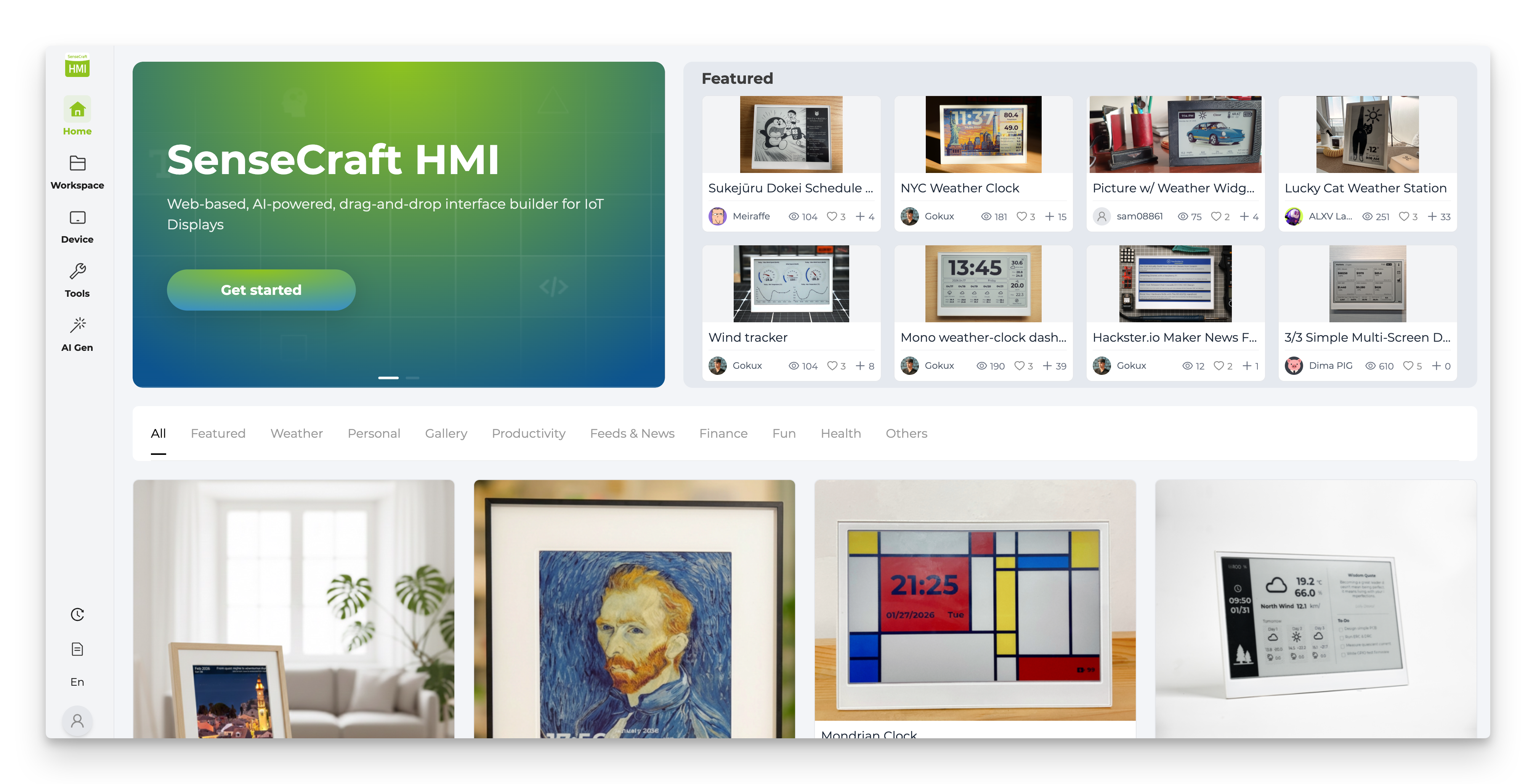
SenseCraft Seeedash — The Default No-Code Platform
Every reTerminal E Series device ships with SenseCraft Seeedash firmware out of the box, so you can be up and running without writing a single line of code. The web app handles login, dashboard design, and over-the-air deployment to your device:
- AI Generator — describe a dashboard in plain text and let the AI lay it out for you.
- Gallery — push images and slideshows directly to the panel for digital-frame use cases.
- Canvas — drag-and-drop widgets to build custom dashboards.
- RSS / Web Content — pull live news, weather, calendar, or any web feed onto the screen.
- Touch interaction — fully supported on E1003 starting from Seeedash firmware v1.1.2.
If you need more control than the no-code workflow gives you, every device also exposes the underlying ESP32-S3, so you can drop down to ESPHome / Home Assistant, Arduino, and the application tutorials below at any time. For a ready-made ESPHome YAML, use the Firmware Hub ESPHome card and check the features you need.
Applications & Tutorials
Beyond SenseCraft Seeedash, the reTerminal E Series integrates with several industry-standard platforms and visual UI design tools. The matrix below tells you, for each tutorial, which models it currently covers.
Smart-home & dashboard frameworks
| Tutorial | What it does | E1001 | E1002 | E1003 | E1004 |
|---|---|---|---|---|---|
| ESPHome — Display | Plug the device into Home Assistant and draw simple ePaper graphics with YAML. Generate a starter YAML from the Firmware Hub by selecting your device and features. | ✅ | ✅ | ✅ | ✅ |
| ESPHome — I/O, Battery, Touch & Power | Buttons, buzzer, onboard LED, battery monitoring, deep sleep, multi-page dashboards, and capacitive touch (E1003). | ✅ | ✅ | ✅ | ✅ |
| ESPHome — RTC, SD & Microphone | PCF8563 RTC time sync, microSD card detect, and onboard PDM microphone setup. | ✅ | ✅ | ✅ | ✅ (no mic) |
| Works with TRMNL | Deploy E-Ink dashboards through the TRMNL platform. | ✅ | ✅ (mono mode) | ✅ | ✅ (mono mode) |
No-code / visual UI design tools
| Tutorial | What it does | E1001 | E1002 | E1003 | E1004 |
|---|---|---|---|---|---|
| Work with SquareLine Vision | Drag-and-drop LVGL UI in the browser, then export ready-to-compile code. | ✅ | ✅ | — | — |
| Work with EEZ Studio | Design HMI screens visually and deploy through Arduino IDE. | ✅ | ✅ | — | — |
| Work with Lopaka | Web-based drawing tool that exports code for monochrome and color ePaper layouts. | ✅ | ✅ | — | — |
Code-based development
| Tutorial | What it does | E1001 | E1002 | E1003 | E1004 |
|---|---|---|---|---|---|
| Arduino — ePaper Display | Render text, graphics, and images on the ePaper screen with the Seeed_GFX or GxEPD2 libraries. | ✅ | ✅ | ✅ | ✅ |
| Arduino — Onboard Peripherals | Drive the onboard LED, buzzer, three user buttons, SHT4x sensor, battery monitor, and microSD card. | ✅ | ✅ | ✅ | ✅ |
| Arduino — RTC, Low Power, Audio & Touch | RTC time management, deep sleep / light sleep, I2S microphone recording, and capacitive touch drawing (E1003 only for mic & touch). | ✅ | ✅ | ✅ | ✅ |
Resources
FCC Notice
Any changes or modifications not expressly approved by the party responsible for compliance could void the user’s authority to operate the equipment. This device complies with Part 15 of the FCC Rules. Operation is subject to the following two conditions:
(1) this device may not cause harmful interference, and
(2) this device must accept any interference received, including interference that may cause undesired operation. This transmitter must not be co-located or operating in conjunction with any other antenna or transmitter.
Note: This equipment has been tested and found to comply with the limits for a Class B digital device, pursuant to Part 15 of the FCC Rules. These limits are designed to provide reasonable protection against harmful interference in a residential installation. This equipment generates, uses, and can radiate radio frequency energy, and if not installed and used in accordance with the instructions, may cause harmful interference to radio communications. However, there is no guarantee that interference will not occur in a particular installation. If this equipment does cause harmful interference to radio or television reception, which can be determined by turning the equipment off and on, the user is encouraged to try to correct the interference by one or more of the following measures:
– Reorient or relocate the receiving antenna.
– Increase the separation between the equipment and receiver.
– Connect the equipment into an outlet on a circuit different from that to which the receiver is connected.
– Consult the dealer or an experienced radio/TV technician for help. This device complies with FCC radiation exposure limits set forth for an uncontrolled environment. This device should be installed and operated with minimum distance 20cm between the radiator & your body.
Tech Support & Product Discussion
Thank you for choosing our products! We are here to provide you with different support to ensure that your experience with our products is as smooth as possible. We offer several communication channels to cater to different preferences and needs.