Task Design & Demonstration Planning
Define episodes, starting and stopping conditions, and consistent demonstrations, then use five-point sampling to collect a complete pick-and-place task.
- Episode
- Task design
- Five-point sampling
- Demonstration collection
What Is an Episode?
An episode is one complete task demonstration. It contains all continuously recorded data from the arm's initial pose and the start of the task through to task completion.
What Does an Episode Contain?
An episode consists of many frames along a timeline. Each frame, typically recorded at 30 Hz (30 samples per second), pairs three kinds of information: what the system sees or senses, the arm's current configuration, and where the person or policy commands it to go. These are the observation, state, and action.
Task Design: Starting and Stopping Conditions
Write down the task definition before recording. A good definition answers two questions: Where does it start, and what counts as finished?
Starting condition: give the model a well-defined initial state
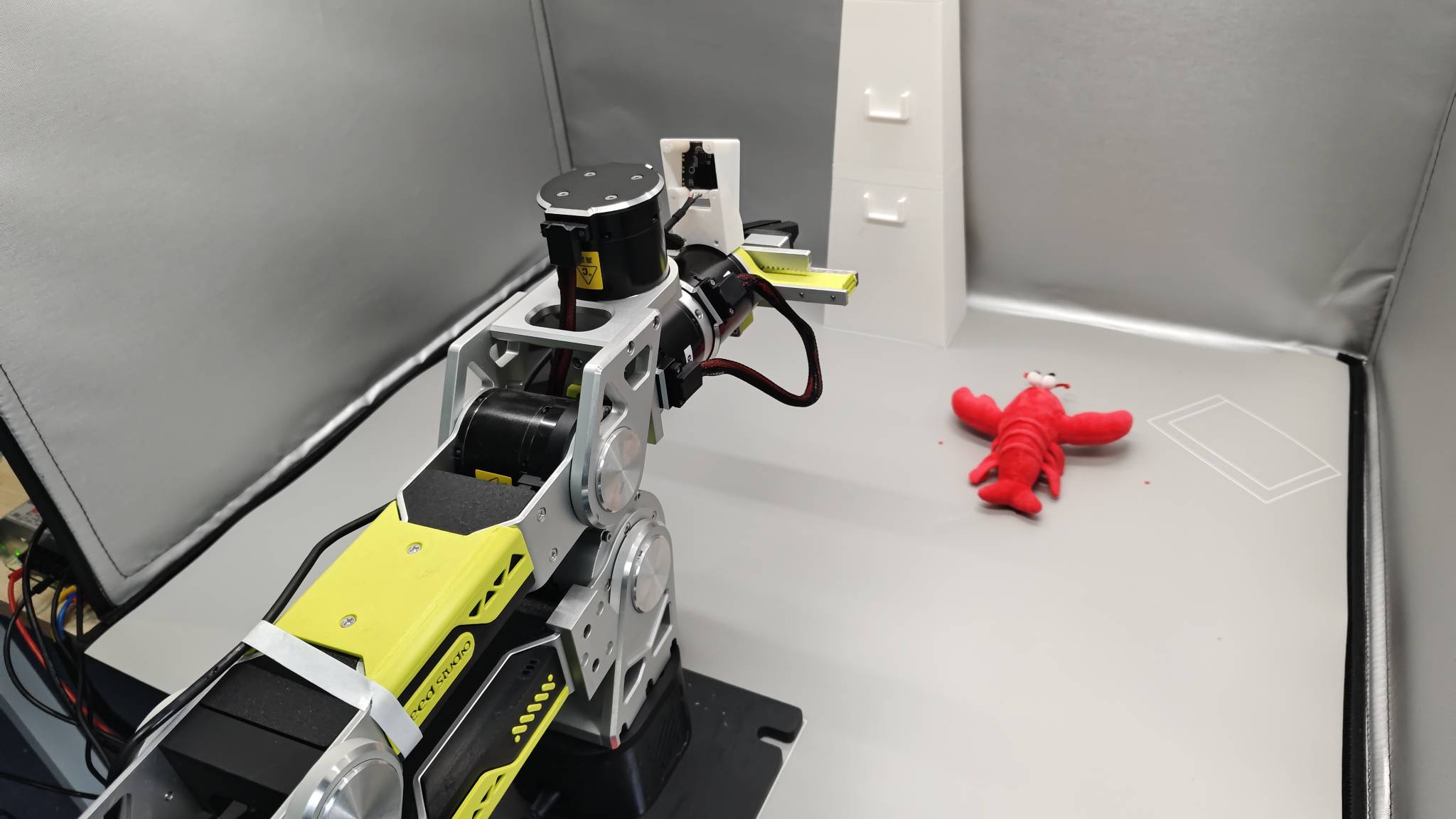
- Use a fixed initial arm pose. Start each episode from the same safe pose, such as a standard pose near zero position. Widely varying starts force the model to first learn how to enter the task from arbitrary poses, adding unnecessary difficulty.
Stopping condition: give the episode a clear finish line
-
Successful completion: the task objective is met, for example, “the block is fully inside the box, the gripper has released it, and the arm has lifted away.”
-
Failure termination: stop the recording immediately if an unrecoverable event occurs, such as dropping the object, knocking over the container, or reaching an unsafe arm pose.
Consistency and Diversity: The Central Tradeoff in Data Design
This is the key point of the chapter. High-quality demonstrations must satisfy two apparently competing requirements.
Consistency: teach one way of doing the task
-
Consistent operating style: use the same strategy across episodes, such as approaching the block from the right, grasping it, and moving it into the box from above. With limited data, mixing left-side and right-side grasps can make the model learn an average of the two paths that succeeds at neither.
-
Consistent timing: keep motion speed and pauses broadly stable. If the episode is set to 20 seconds, finish within 20 seconds. Erratic demonstration timing can lead to erratic model execution.
-
Consistent sequence: include the full “approach → grasp → transport → place → withdraw” sequence in every episode.
-
Controlled initial scene: put targets within a defined region. The region can be large, but its boundary must be clear. Remove unrelated objects from the workspace.
-
Fixed cameras: do not move cameras during collection. To the model, moving a camera by 5 cm changes the world it sees.
Diversity: cover enough different situations
-
Vary target positions: cover the workspace systematically with a grid rather than scattering objects arbitrarily.
-
Vary initial object poses: change the block's orientation and its relationship to obstacles.
Success and Failure Criteria
If a recording contains a failed segment, record that episode again. Do not retain failed demonstrations in the hope that the model will somehow learn the intended behavior: it can learn the failure as well.
Task completion must be objectively observable, rather than “close enough.” Define success in terms of a clear final state.
Data Quantity and Quality
The following are practical reference points for one tabletop task in a clean, controlled environment, such as a collection sandbox. Collect more data if your environment is less controlled.
| Dataset size | Expected result |
|---|---|
| 50 episodes | Enough to begin running the workflow and working within the demonstrated region; a starting scale for a beginner task. |
| 50–100 episodes | Often a useful range for a practical success rate in single-task experiments. |
| 100+ episodes | Returns may diminish unless the task is complex or a very high success rate is required. |
For multiple tasks, increase the dataset according to complexity. You can add demonstrations after initial training when evaluation reveals weaknesses.
Keep these principles ahead of the numbers:
-
50 high-quality demonstrations are better than 200 careless ones.
-
If a recording has a problem, record that episode again.
-
Strong generalization can require hundreds or thousands of episodes.
Single-Task and Multi-Task Datasets
-
Single-task dataset: contains one task, such as placing a block in a box. The objective is focused, data requirements are smaller, and high success rates are easier to achieve. Start your first model with one task.
-
Multi-task dataset: contains several tasks, such as grasping a block, opening a drawer, and putting the block inside. Each episode uses
task_indexto identify its task. This improves data reuse and moves toward general-purpose policies, but tasks share model capacity, so each needs more data to learn well.
Iterate on Data Collection
Collect and validate in batches: 50 episodes → train → evaluate on the robot → collect more examples of failure cases → retrain. More data helps when the overall behavior is correct but precision is poor. If behavior is fundamentally wrong, revisit task or dataset design before collecting more.
Example Demonstration Collection
Scene setup:
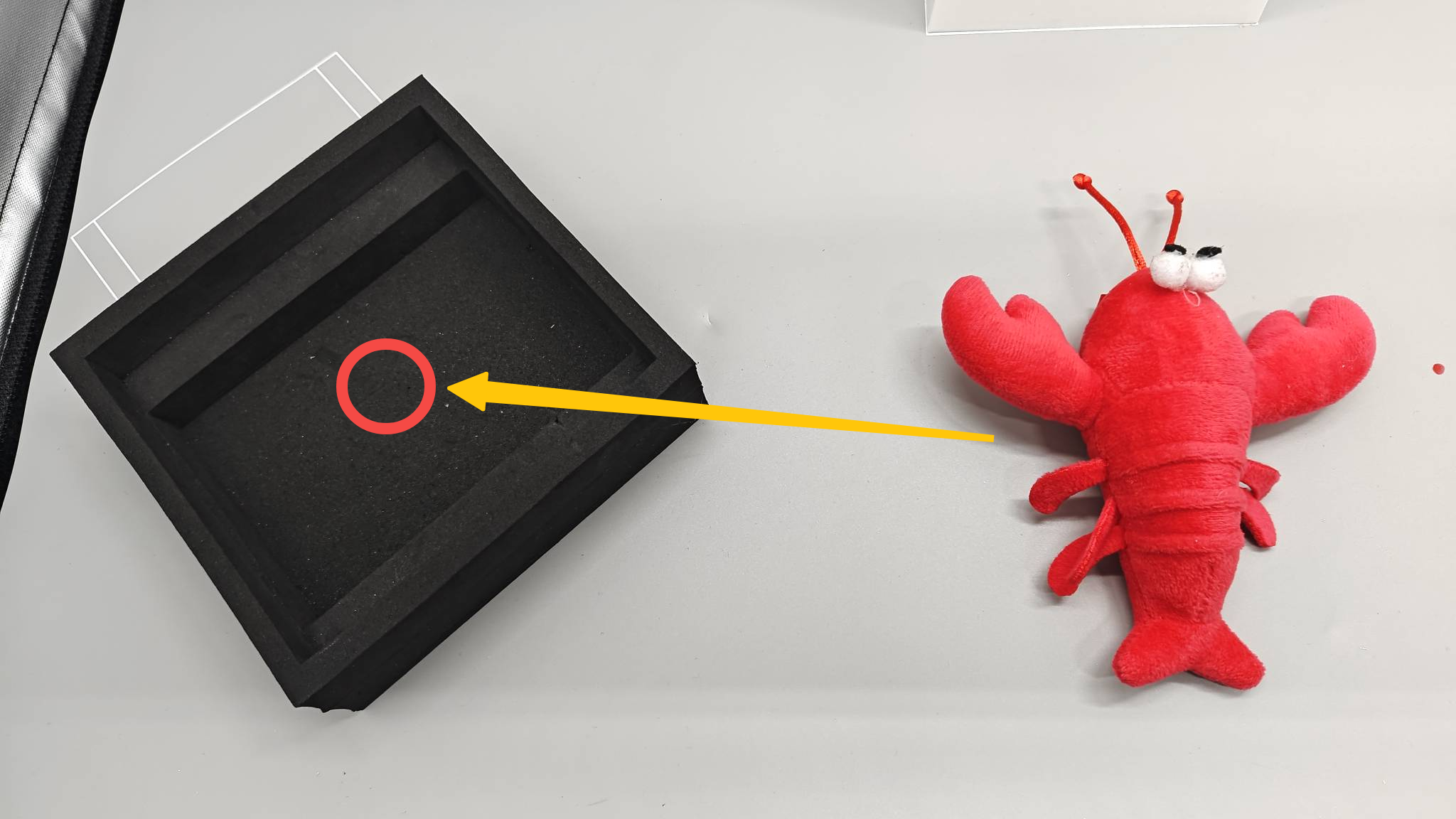
- Place the crayfish into the black box. Secure the bottom of the box with double-sided tape to prevent it from moving. Keep the cameras and arm fixed in place, and keep the lighting unchanged.
- Collect demonstrations with the crayfish at the five illustrated points. Visit 1 → 2 → 3 → 4 → 5 for one round, and complete 10 rounds.
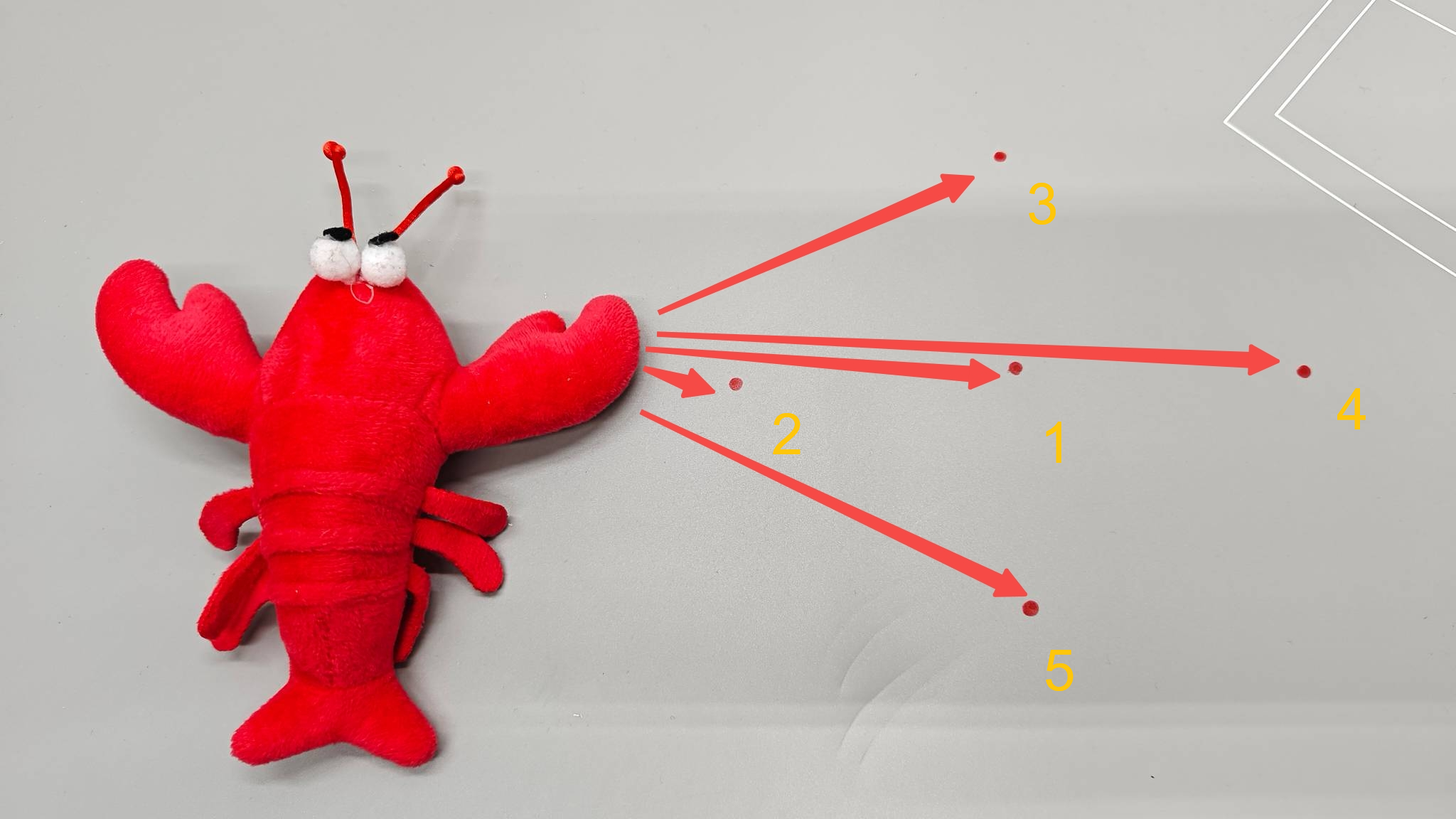
- Beginners often struggle with where to place objects for adequate practice. Random placement can concentrate every example in a small region, so the model cannot grasp elsewhere, or leave irregular gaps, with some positions practiced often and others never seen. It is like reviewing only familiar exam questions and being lost when the question changes, or showing a robot only one kind of snack and then sending it to a buffet. Use the following simple, systematic method:
-
Mark the points: draw five points in a cross inside the collection area or desk mat: one at the center and one above, below, left, and right.
-
Set the spacing: keep adjacent points about 5–10 cm apart. All five must be within arm reach and clearly visible in both camera views.
-
Allocate demonstrations: collect 10 episodes per point, giving 5 × 10 = 50 episodes. Do not finish all 10 at one point before moving on. Collect one at each of the five points per round, then repeat for 10 rounds.
Design the pick-and-place sequence:
- Initial pose
- Grasp the object
- Move directly above the crayfish. Align with its center and maintain the same approach height each time.
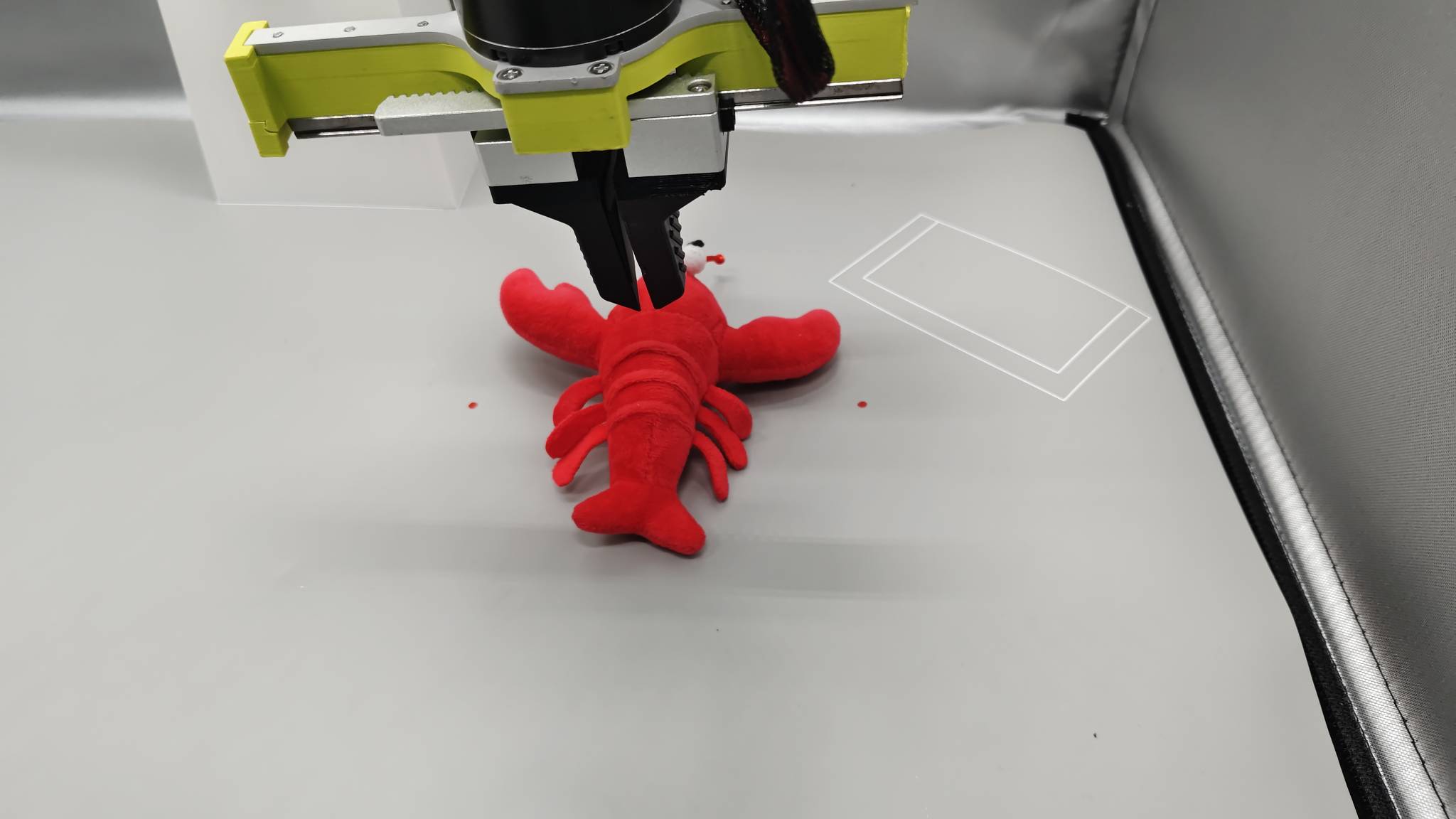
- Open the gripper. The clearance above the crayfish prevents opening the fingers from hitting it and changing its position.
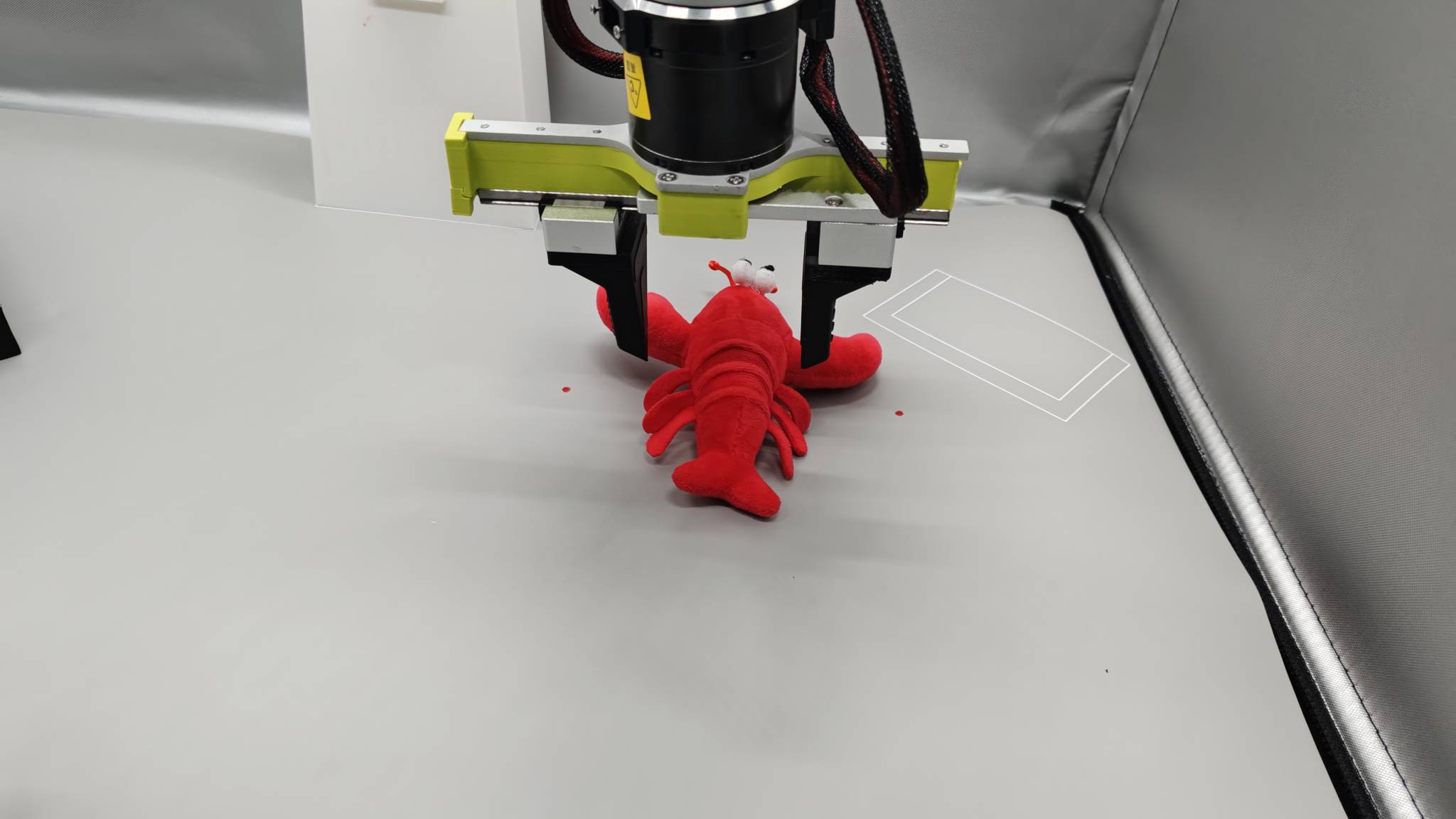
- Grasp with consistent force and speed.
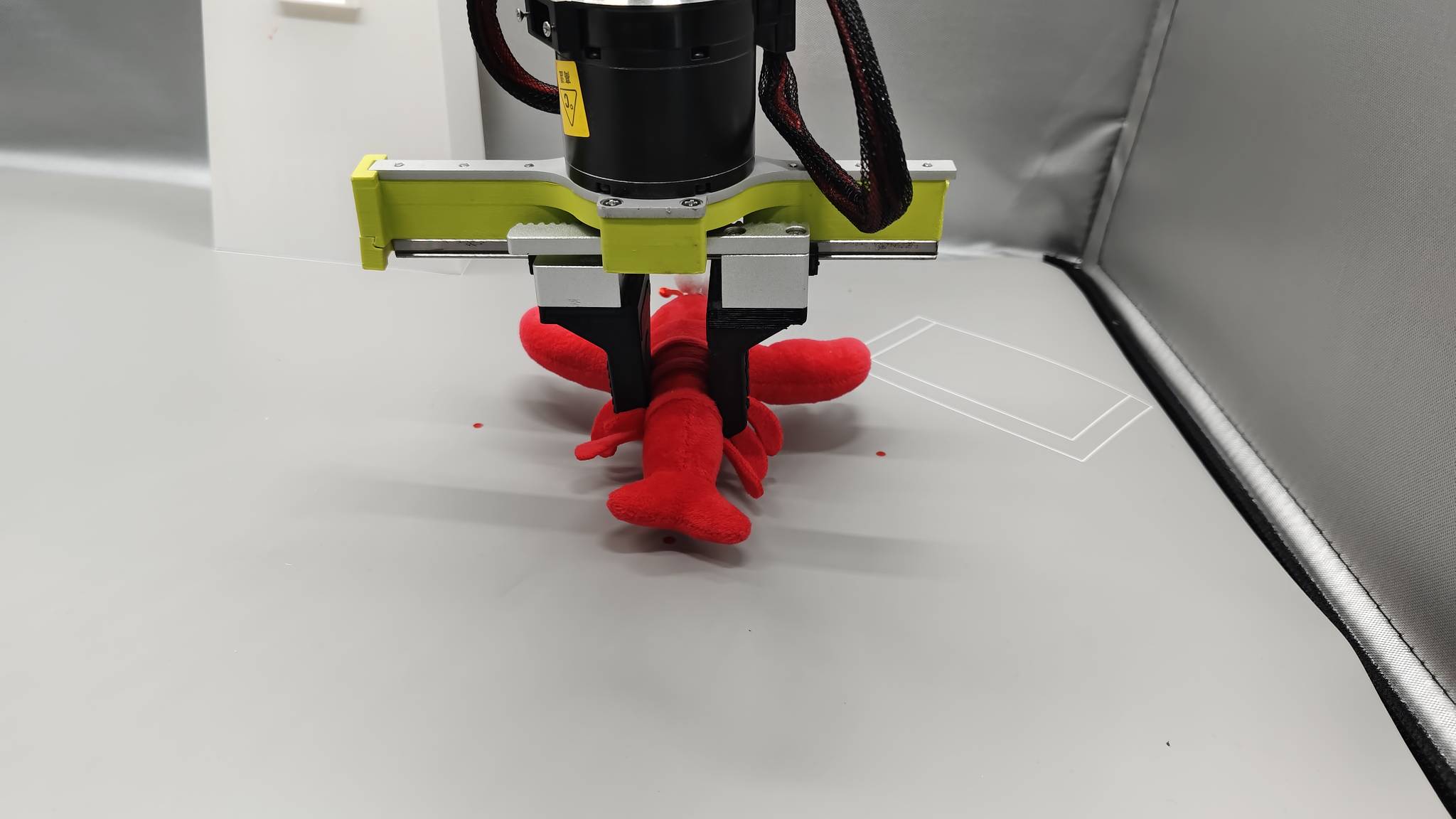
- Place the object
- Move directly above the center of the black box.
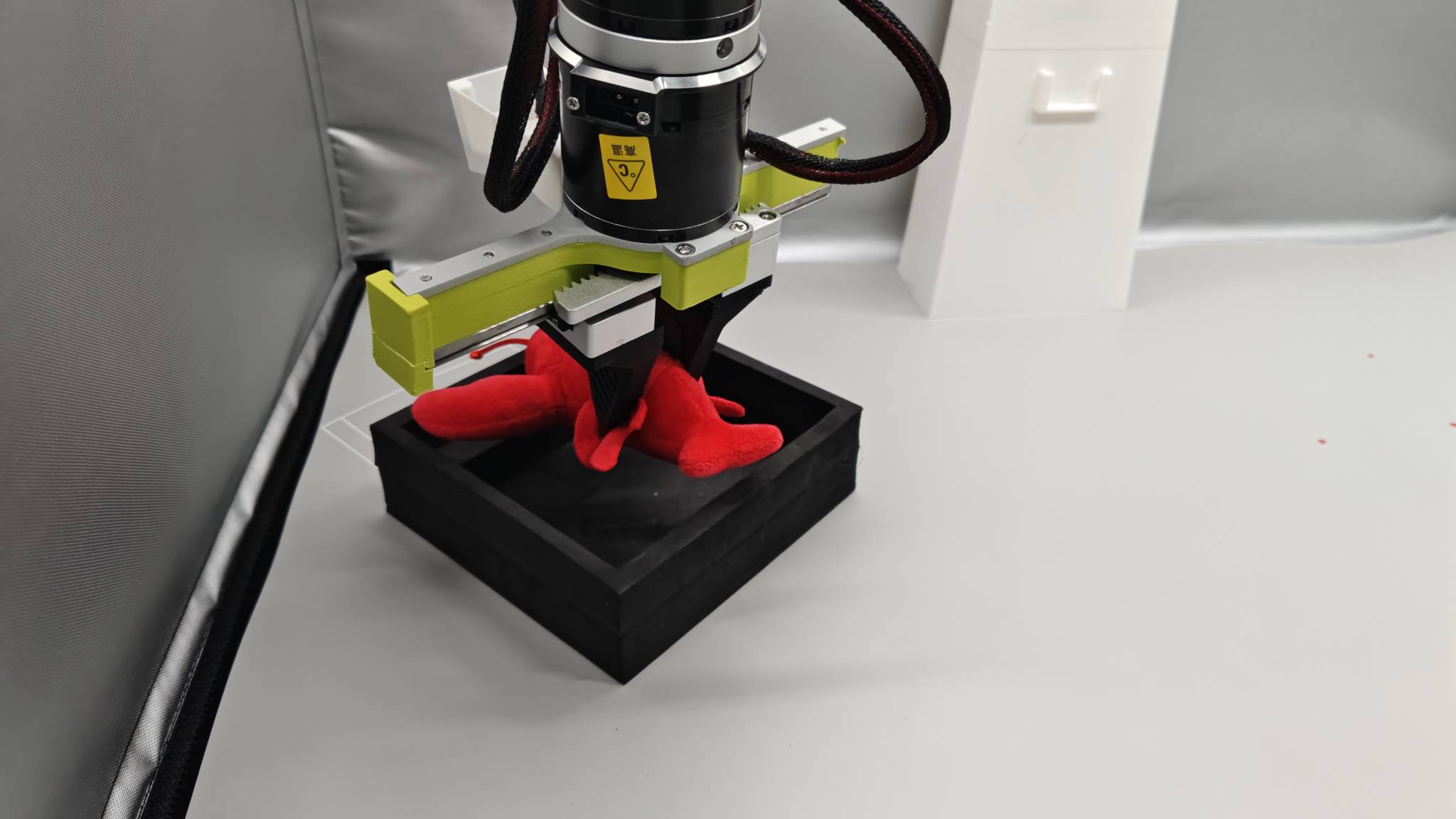
- Open the gripper at a steady rate and lift the arm. The crayfish should settle into the box.
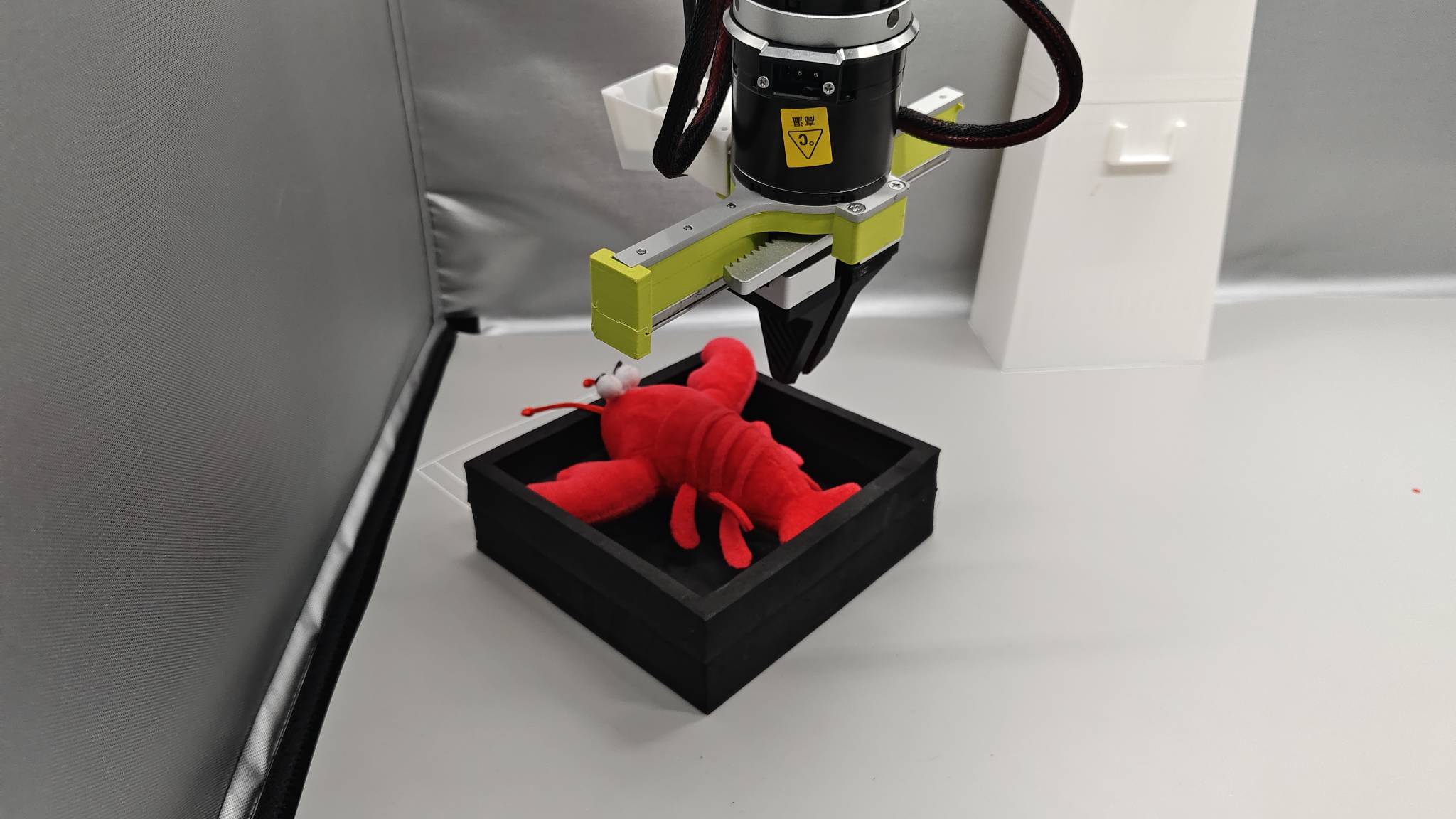
- Return the arm to its initial pose after placement.
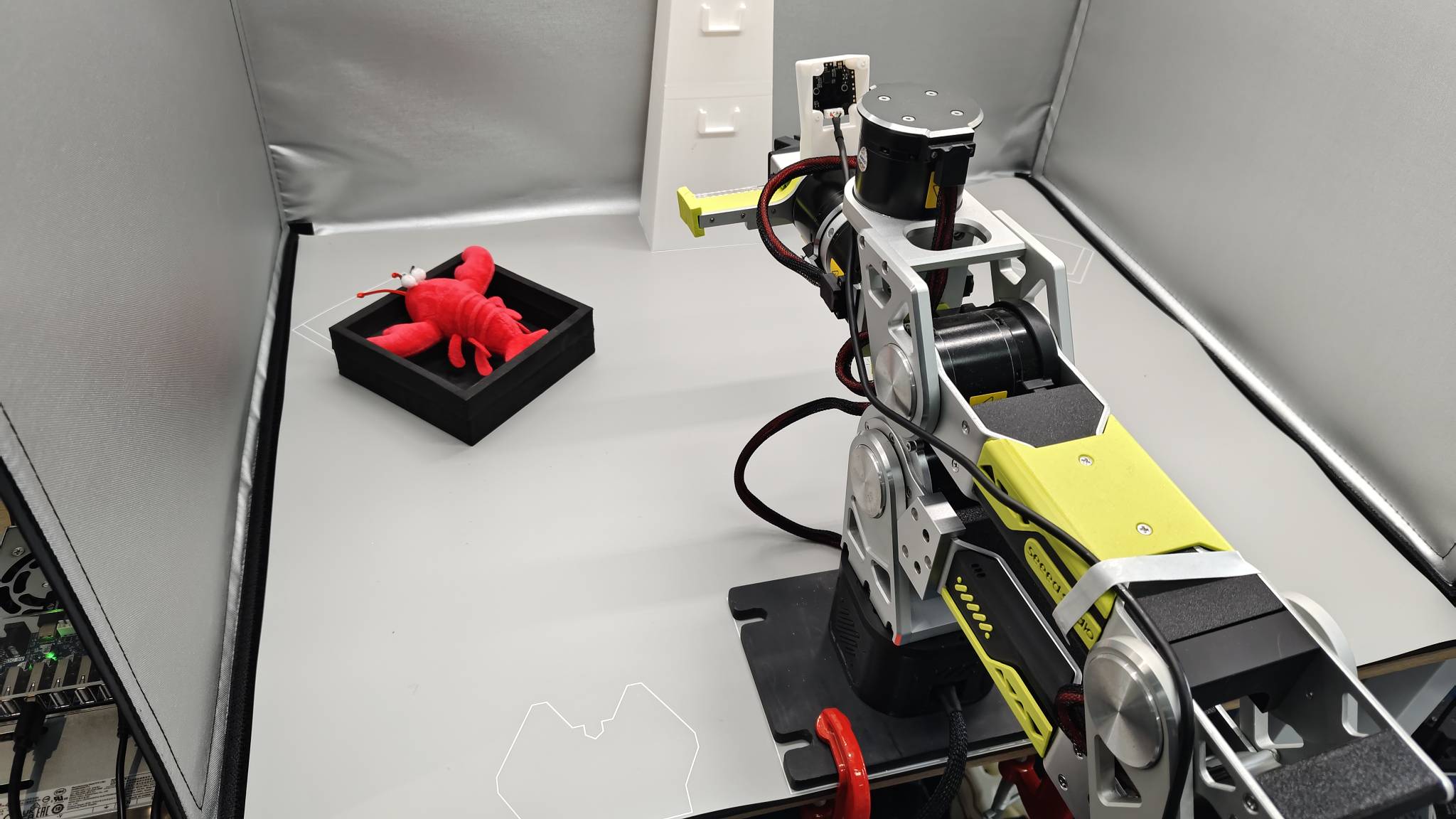
- One complete episode is now recorded. Repeat this procedure to collect 50 demonstrations.
Questions about the setup
Why keep the black box, camera placement, object-placement scheme, and lighting controlled?
-
Correct a misconception: changing everything arbitrarily adds noise rather than useful diversity.
-
Think of a generalization budget: with limited data, the model learns the variations you spend that data on. Varying target positions teaches grasps at different positions; varying cameras forces it to learn both grasping and viewpoint changes, which requires much more data and can reduce performance.
-
If you need broader variation: expand coverage deliberately in later collection-and-evaluation rounds rather than leaving the setup uncontrolled during recording.