6. Configure Motors and Assemble the Arms
Chapter 6 of the SO-ARM Physical AI Beginner's Course — 3D print the parts, wire and power the servo bus, flash servo IDs and baud rates with lerobot-setup-motors, then assemble the SO-ARM leader and follower arms step by step.
Before running any program that can move the robotic arm, clear valuable items, fragile objects, tools, cables, and unrelated objects within 1 meter of the workspace. During debugging and operation, keep people away from the arm's motion range.
- Do not touch joints, motors, links, the gripper, or end tools after the arm is powered on.
- Before servo setup, calibration, teleoperation, dataset recording, replay, or policy evaluation, make sure the arm is firmly fixed.
- Keep at least 1 meter of safety distance and make sure nearby people understand that the arm may move suddenly.
- If abnormal motion, noise, shaking, loose cables, poor power contact, or communication loss occurs, stop the program immediately and power off before inspection.
- Power off before plugging or unplugging servo cables, USB cables, power connectors, or motor control board cables.
If you purchased a pre-assembled robotic arm, skip this chapter and go straight to Chapter 10 (full-arm calibration).
6.1 3D Printing Guide (Kit Version)
6.1 3D Printing Guide (Kit Version)
If you bought the kit version (servos and hardware without printed parts), print the structure first. The STL files print on ordinary FDM printers:
- Material: PLA+
- Nozzle / layer height: 0.4mm nozzle at 0.2mm layer height, or 0.6mm nozzle at 0.4mm layer height
- Infill: 15%
- Supports: everywhere, ignoring slopes greater than 45° to the horizontal; no supports in horizontal screw holes
All parts for the leader or follower are packed in a single STL, already oriented z-up to minimize supports:
- 220mm × 220mm bed (e.g. Ender): Follower · Leader
- 205mm × 250mm bed (e.g. Prusa / Up): Follower · Leader
Following the official SO101 update, SO100 source files are no longer maintained upstream, but they can still be found on our Makerworld. For users who previously purchased SO100, the tutorials and installation methods remain compatible — the SO101 print is fully compatible with the SO100 motor kit installation.
Optional: print a soft gripper (TPU fingers, PLA parts) for soft, fragile, or irregular objects, and the camera mount bracket insert if you need to mount a camera. Files are in the soarm_soft_gripper repository.
6.2 Plan the Motors: Labels, IDs, and Gear Ratios
6.2 Plan the Motors: Labels, IDs, and Gear Ratios
Designate one bus servo adapter and 6 motors for your leader arm, and the other bus servo adapter and 6 motors for the follower arm. Label each motor F1–F6 (follower joints 1–6) or L1–L6 (leader joints 1–6) — writing on the servo housing saves hours of debugging later.
| Servo Model | Gear Ratio | Corresponding Joints |
|---|---|---|
| ST-3215-C044 (7.4V) | 1:191 | L1 |
| ST-3215-C001 (7.4V) | 1:345 | L2 |
| ST-3215-C044 (7.4V) | 1:191 | L3 |
| ST-3215-C046 (7.4V) | 1:147 | L4–L6 |
| ST-3215-C001 (7.4V) / C018 (12V) / C047 (12V) | 1:345 | F1–F6 |
Power the motor bus with the supply that matches your motors: 5V for the STS3215 7.4V motors and 12V for the STS3215 12V motors. The leader arm always uses 7.4V motors — double-check the adapter before plugging in if you have both 12V and 7.4V motors, otherwise you might burn your motors! The USB cable provides no power: both the power supply and USB must be plugged in.
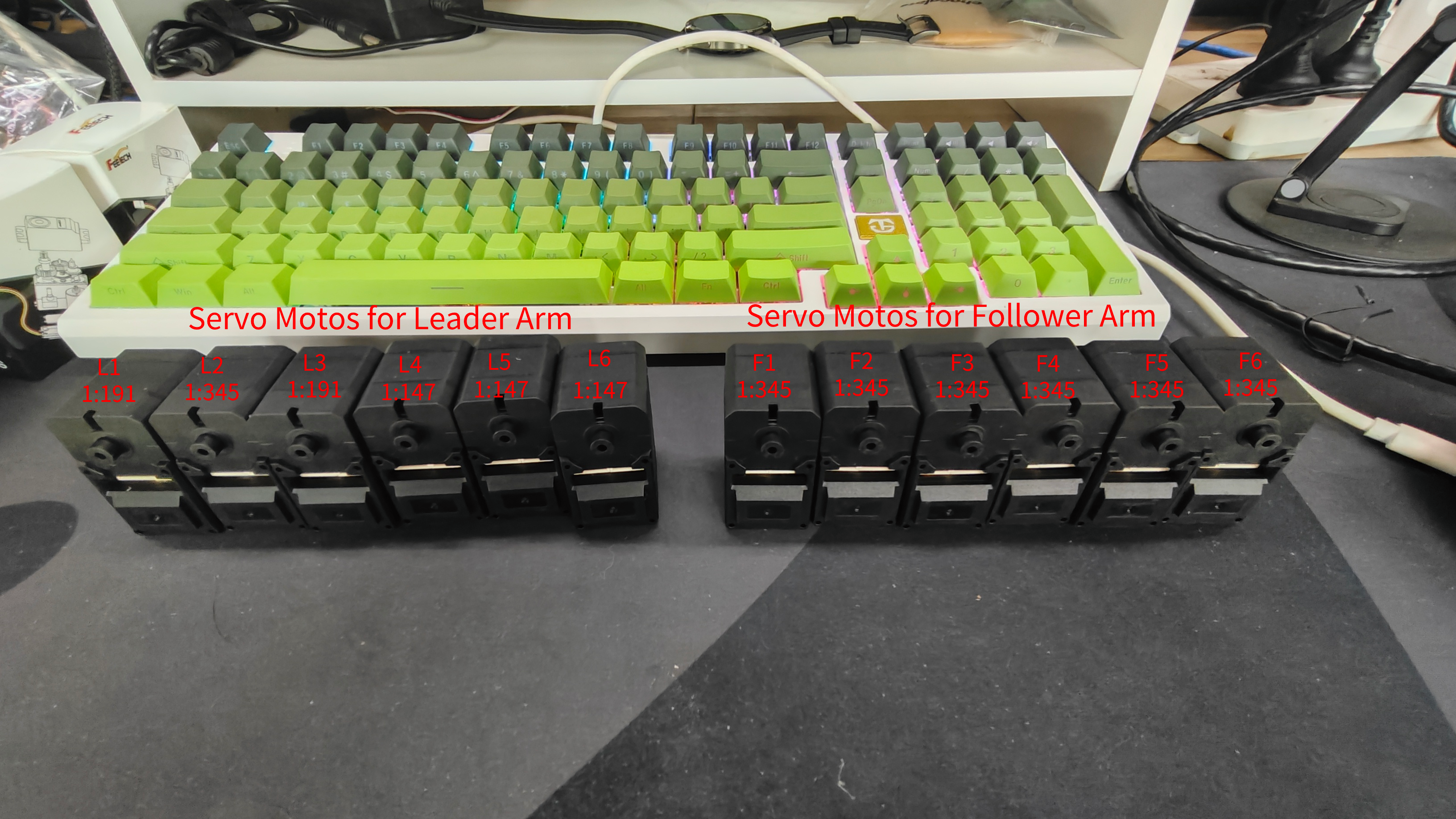
The servo calibration and initialization process for SO-ARM101 is the same as SO-ARM100 in both method and code — but the gear ratios for the first three joints of the SO-ARM101 Leader differ from SO-ARM100, so distinguish and configure them carefully.
6.3 Find the USB Ports
6.3 Find the USB Ports
Run the utility script to find which serial port each arm's control board occupies:
lerobot-find-port
Example output:
Finding all available ports for the MotorBus.
['/dev/ttyACM0', '/dev/ttyACM1']
Remove the usb cable from your MotorsBus and press Enter when done.

[...Disconnect corresponding leader or follower arm and press Enter...]

The port of this MotorsBus is /dev/ttyACM1
Reconnect the USB cable.
Tips that save time:
- Remember to actually remove the USB when prompted, otherwise the interface cannot be detected.
- The first device plugged in maps to
ttyACM0(usually the follower), the second tottyACM1(leader) on Linux and Jetson. - If LeRobot later reports
Could not connect on port '/dev/ttyACM0', grant permissions and re-check:
sudo chmod 666 /dev/ttyACM*
6.4 Configure Servo IDs and Baud Rates
6.4 Configure Servo IDs and Baud Rates
The setup tool flashes the correct ID and baud rate onto each servo, one servo at a time (Chapter 4 explained why: all servos share the bus, so a duplicate ID would be rewritten on every servo that has it).
Use these reference photos for the standard wiring posture of each joint before calibration:
Leader servo calibration reference images
| Joint 6 | Joint 5 | Joint 4 | Joint 3 | Joint 2 | Joint 1 |
|---|---|---|---|---|---|
 |  |  |  |  |  |
Follower servo calibration reference images
| Joint 6 | Joint 5 | Joint 4 | Joint 3 | Joint 2 | Joint 1 |
|---|---|---|---|---|---|
 |  |  |  |  |  |
Calibrate the follower arm servos. Connect the USB cable and the power supply to the follower's control board, then run:
lerobot-setup-motors \
    --robot.type=so101_follower \
    --robot.port=/dev/ttyACM0  # <- paste here the port found at the previous step
The tool walks you joint by joint:
Connect the controller board to the 'gripper' motor only and press enter.
Plug only the gripper motor (F6) into the board, press Enter, and the script sets its ID and baud rate automatically:
'gripper' motor id set to 6
Then:
Connect the controller board to the 'wrist_roll' motor only and press enter.
You can leave the previous 3-pin cable attached to the gripper motor on its far end; add a new 3-pin cable to the wrist-roll motor and connect only that one to the board. Repeat for each motor as instructed — always exactly one motor connected.
Check the cabling at each step before pressing Enter — the power cable in particular tends to work itself loose while you handle the board.
When the script finishes, daisy-chain the motors: plug the 3-pin cable from each motor into the next, and the cable from the first motor (the shoulder pan, ID 1) into the controller board, which can now be attached to the arm base.
Calibrate the leader arm servos the same way:
lerobot-setup-motors \
    --teleop.type=so101_leader \
    --teleop.port=/dev/ttyACM0  # <- paste here the port found at the previous step
SO100 users: the SO100 and SO101 codes are compatible — use the same so101_leader / so101_follower types and parameters.
6.5 Assembly
6.5 Assembly
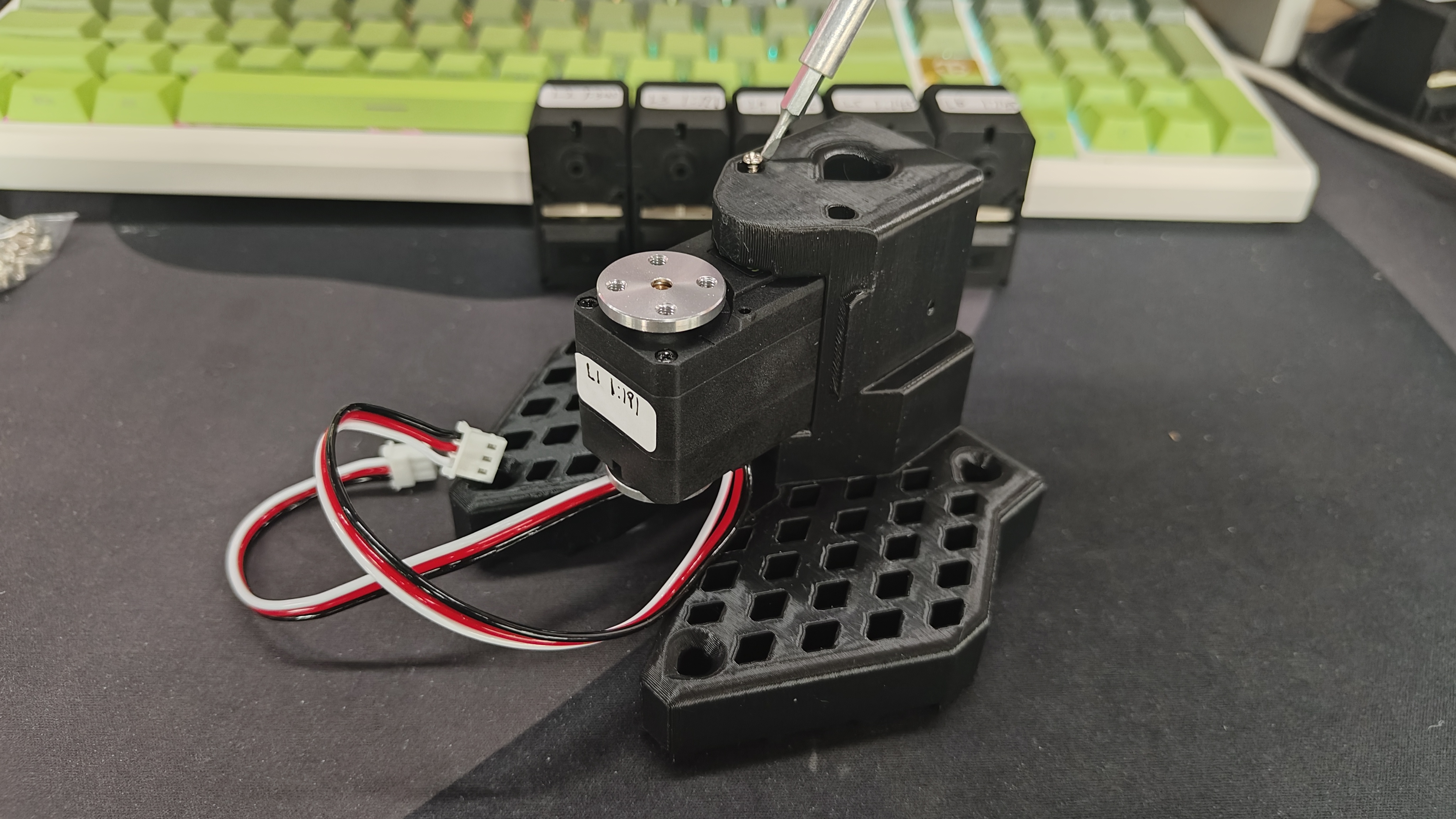
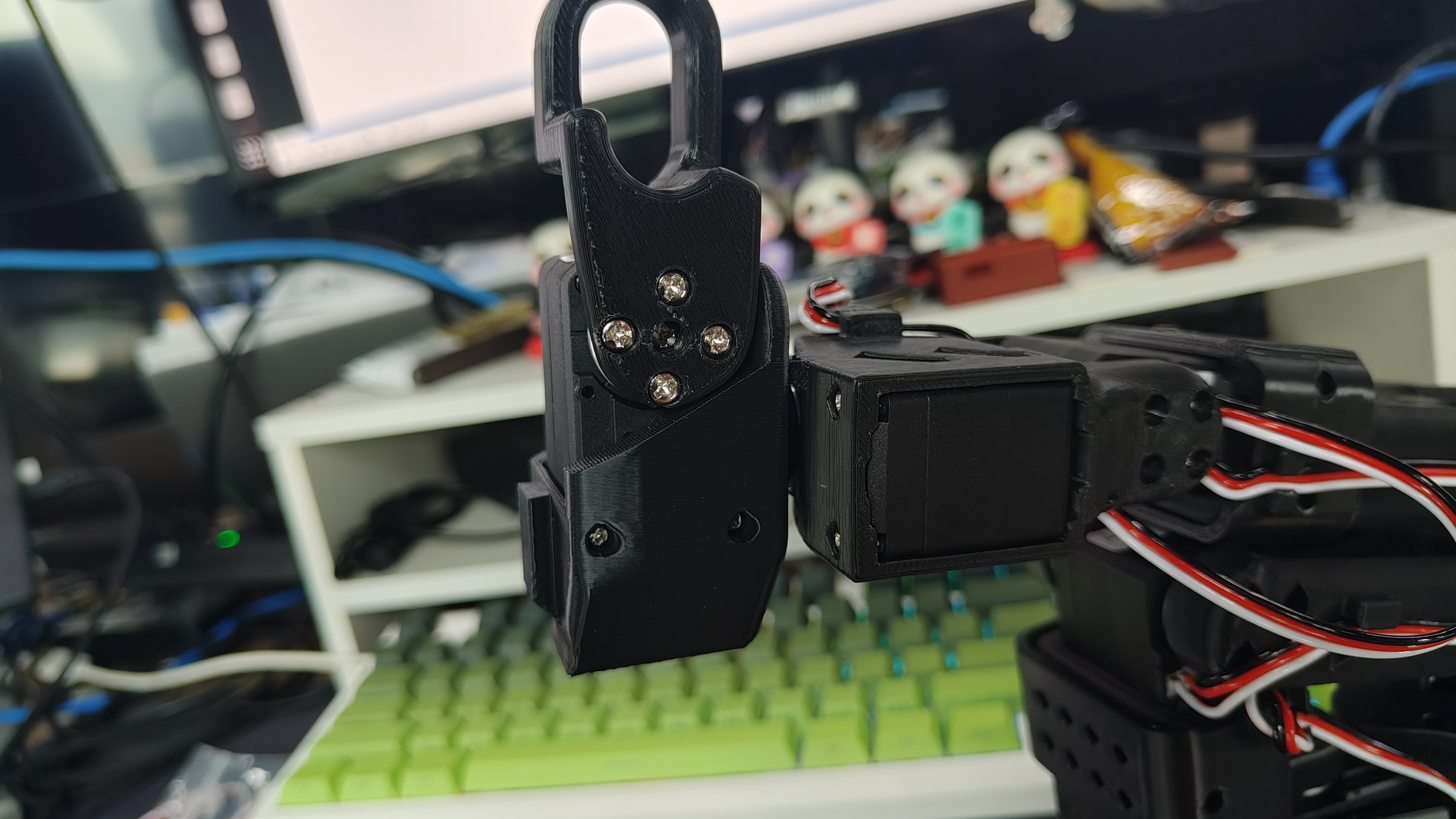
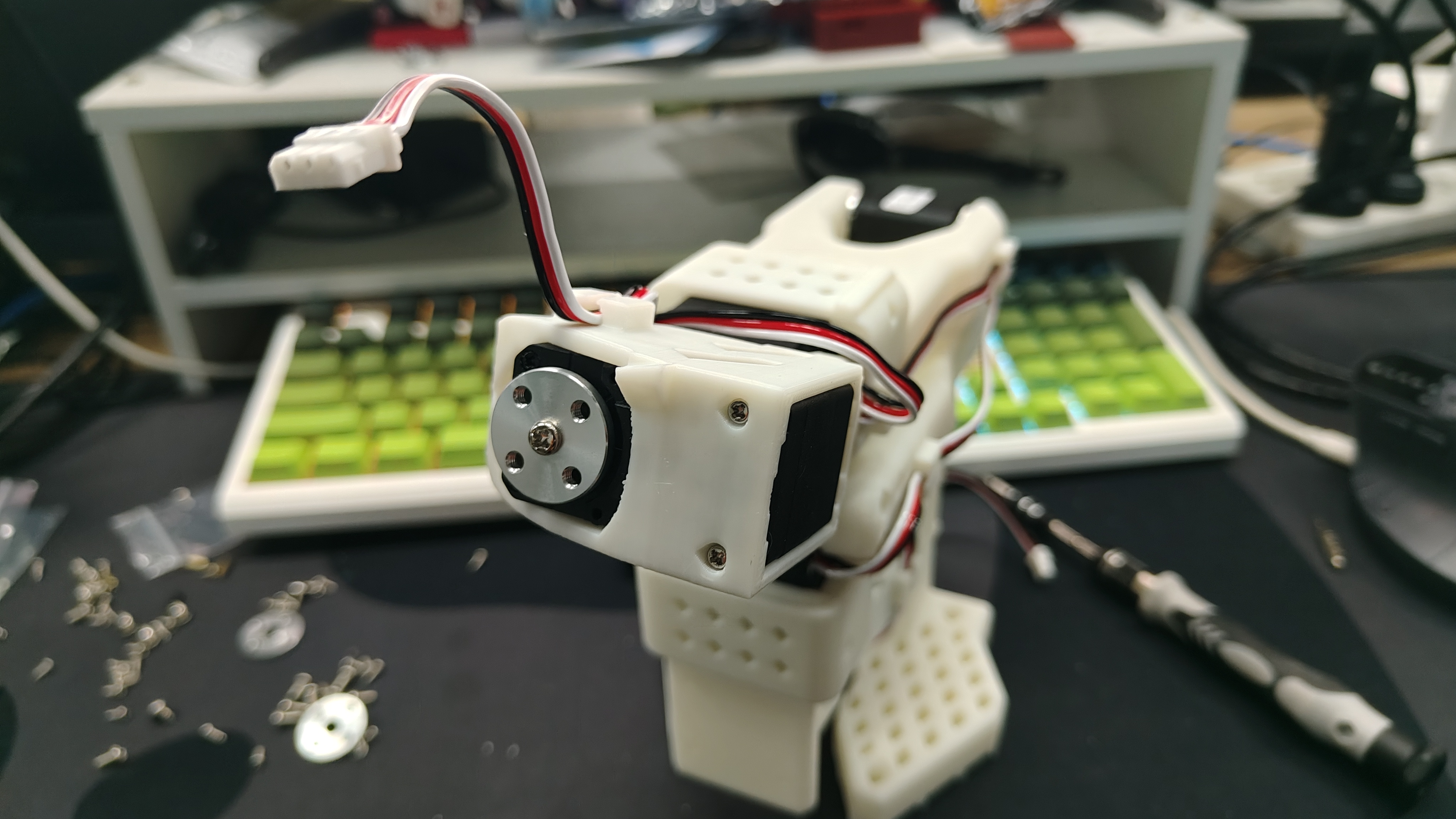
The dual-arm assembly of SO-ARM101 is the same as SO-ARM100 — the only differences are the cable clips on SO-ARM101 and the different gear ratios of the Leader joint servos. Both SO100 and SO101 can be assembled by following the steps below. Before assembly, check your motor models, gear ratios, and power supply voltage once more against the table in Section 6.2.
Assemble the leader arm
| Step 1 | Step 2 | Step 3 | Step 4 | Step 5 | Step 6 |
|---|---|---|---|---|---|
 |  |  |  |  |  |
| Step 7 | Step 8 | Step 9 | Step 10 | Step 11 | Step 12 |
 |  |  |  |  |  |
| Step 13 | Step 14 | Step 15 | Step 16 | Step 17 | Step 18 |
 |  |  |  |  |  |
| Step 19 | Step 20 | ||||
 |  |
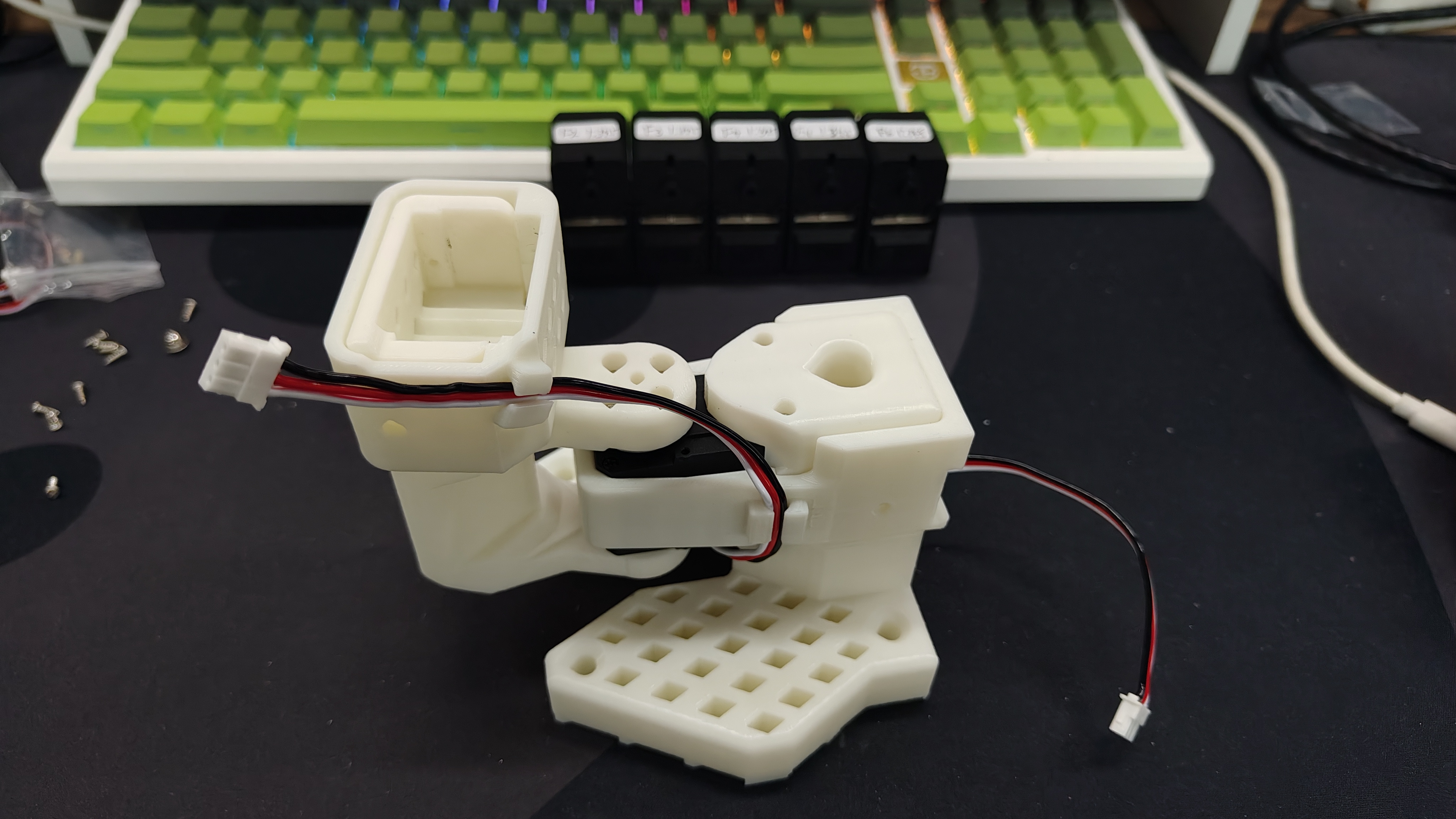
Assemble the follower arm
The follower assembly is generally the same as the leader. The only difference is the installation of the end-effector (gripper and handle) after Step 12.
| Step 1 | Step 2 | Step 3 | Step 4 | Step 5 | Step 6 |
|---|---|---|---|---|---|
 |  |  |  |  |  |
| Step 7 | Step 8 | Step 9 | Step 10 | Step 11 | Step 12 |
 |  |  |  |  |  |
| Step 13 | Step 14 | Step 15 | Step 16 | Step 17 | |
 |  |  |  |  |
6.6 Checklist Before Moving On
6.6 Checklist Before Moving On
- Both arms assembled; every servo responds with its expected ID (verify in Chapter 7's tool).
- Power voltages match the edition rules (Standard: both 5V; Pro: leader 5V, follower 12V).
- Both control boards appear as
/dev/ttyACM0and/dev/ttyACM1(or COM ports on other systems). - Cables are seated, not sharply bent, and stay clear of the joint motion range.
If some servos are not detected, IDs look duplicated, or a neutral position looks wrong, the next chapter's Steering Gear Debugging Tool fixes exactly these problems.