SO-ARM101 Sim-to-Real VLA
The complete Seeed × NVIDIA Sim-to-Real curriculum, migrated to the SO-ARM101: build the real robot lab, teleoperate it to collect your own data, fine-tune Isaac GR00T N1.7, deploy on the physical follower and on Jetson — with optional Isaac Sim episodes and Cosmos augmentation.
Course Overview
From an empty bench to a Jetson-deployed policy
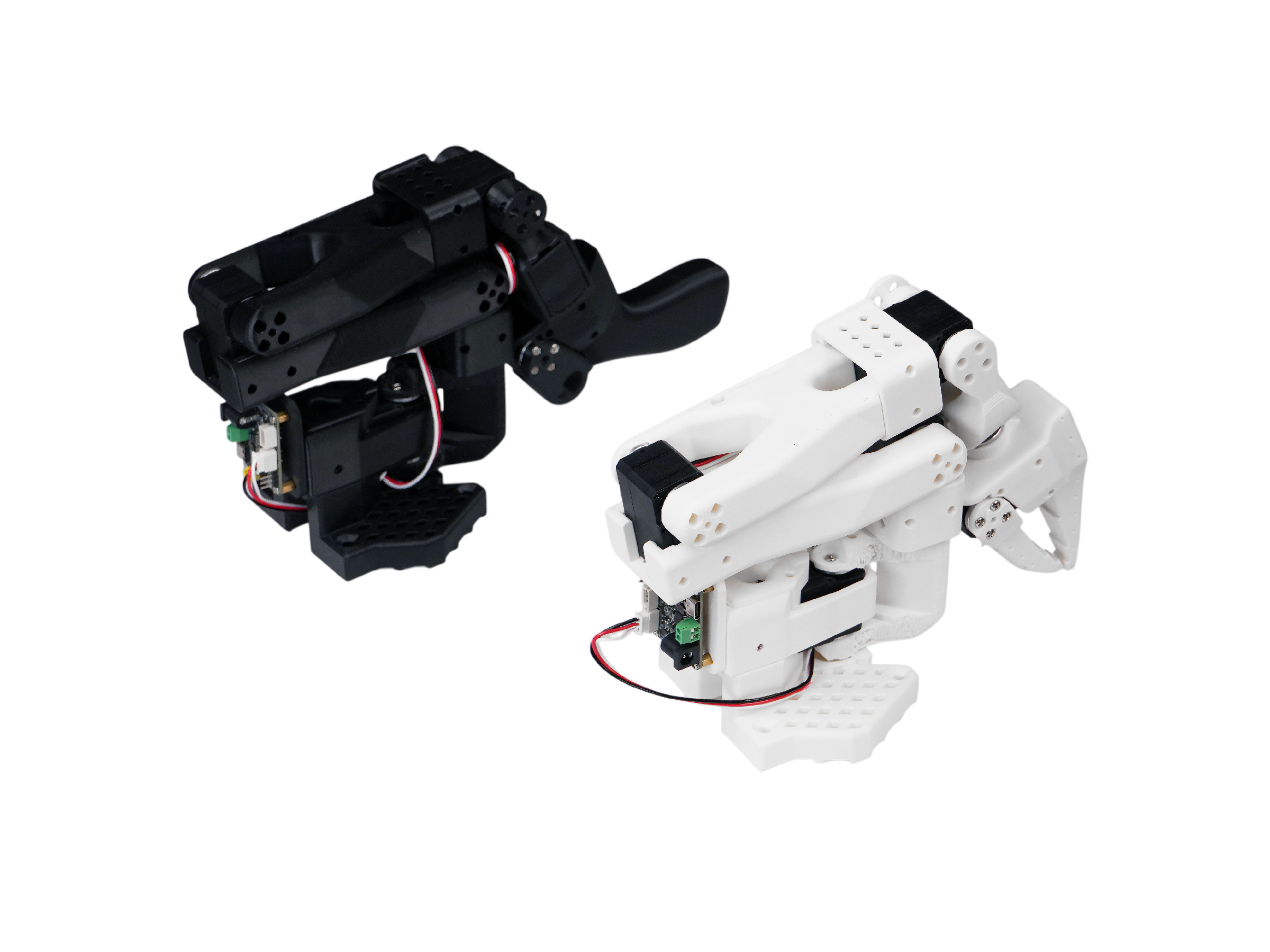
This course mirrors the reBot DLI curriculum article for article and adapts it to the SO-ARM101 — the same embodiment NVIDIA's SO-101 workshop uses:
- Overview — the workflow, LeRobot, Sim-to-Real, and the SO-ARM101 hardware (Chapters 1–5);
- Build Your Robot Lab — install the environment, write servo IDs (kit only — pre-built arms skip this), calibrate both arms, and build the studio: lightbox, brackets, prop positions, cameras (Chapters 6–8);
- Get Your Own VLA Model — collect real data, fine-tune Isaac GR00T N1.7, evaluate in the real environment, and optionally scale up with Isaac Sim episodes and Cosmos augmentation (Chapters 9–13);
- Deploy on Jetson — flash the edge device, export target-specific TensorRT engines, and serve the policy to the follower (Chapters 14–18);
- Reference — every repository and document the course uses (Chapter 19).
Course Structure
Overview → Build Your Robot Lab → Get Your Own VLA Model → Jetson
| Module | Chapters | Focus |
|---|---|---|
| 1 · Overview | 1–5 | Course overview, LeRobot, Sim-to-Real, SO-ARM101, summary |
| 2 · Build Your Robot Lab | 6–8 | Module intro, prepare the arms (IDs + calibration), workspace |
| 3 · Get Your Own VLA Model | 9–11 | Collect real data, train GR00T N1.7, evaluate in the real environment |
| 3+ · Optional | 12–13 | Collect data from Isaac Sim, dataset augmentation with Cosmos |
| 4 · Deploy on Jetson | 14–18 | Jetson setup, hardware, GR00T env, assets, TensorRT inference |
| 5 · Reference | 19 | Repositories, products, documentation |
The real-robot path is the main line of the course. Isaac Sim appears only as an optional accelerator, the way it is used in the Seeed × NVIDIA Sim-to-Real article.
Prerequisites
What you need
| Requirement | Details |
|---|---|
| Workstation GPU | NVIDIA RTX with ≥ 8 GB VRAM for Chapters 9–12; a 24 GB+ GPU (RTX 5090 / RTX 6000 class) for GR00T fine-tuning |
| OS | Ubuntu 22.04 or later |
| Software | Isaac Sim 6.1 (Chapter 12 only), LeRobot environment (Chapter 7) |
| Robot | SO-ARM101 leader and follower — kit or pre-built; only the follower is strictly required |
| Cameras | Two USB cameras (wrist + external) |
| Edge device (Stage 4) | Jetson AGX Orin or AGX Thor with JetPack 7.2 |
| Disk | ~100 GB free across machines |
If you plan to let an AI assistant install the environment for you, copy the setup skill file from the project repository — Chapter 6 links to it.
What You Will Build
Deliverables after the nineteen chapters
- A calibrated SO-ARM101 leader/follower pair — assembled or factory-pre-built, servo IDs written where needed;
- A recording studio: lightbox, rigid camera brackets, and a taped-down vial rack with marked prop positions;
- A real-world LeRobot Dataset v3 with dual-camera video streams;
- A fine-tuned Isaac GR00T N1.7 policy trained on your data, with optional sim-enhanced and Cosmos-augmented co-training sets;
- A closed-loop policy running on the physical follower via NVIDIA's real-robot evaluation stack;
- A target-specific TensorRT engine bundle and policy server on Jetson AGX Orin or Thor.
Course Chapters
Nineteen chapters across five modules
| # | Chapter | Module |
|---|---|---|
| 1 | Course Overview | 1 · Overview |
| 2 | LeRobot Background and the Community | 1 · Overview |
| 3 | What is Sim-to-Real? | 1 · Overview |
| 4 | Introduction of the SO-ARM101 | 1 · Overview |
| 5 | Summary | 1 · Overview |
| 6 | Build Your Robot Lab (Intro) | 2 · Build Your Robot Lab |
| 7 | Prepare the Robot Arm | 2 · Build Your Robot Lab |
| 8 | Building the Workspace | 2 · Build Your Robot Lab |
| 9 | Collect Data from the Real Environment | 3 · Get Your Own VLA Model |
| 10 | Train the GR00T N1.7 Policy | 3 · Get Your Own VLA Model |
| 11 | Evaluate in the Real Environment | 3 · Get Your Own VLA Model |
| 12 | Collect Data from Isaac Sim (Optional) | 3 · Optional |
| 13 | Datasets Augment (Optional) | 3 · Optional |
| 14 | Setup Your Jetson Edge Device | 4 · Deploy on Jetson |
| 15 | Connect the Robot Hardware | 4 · Deploy on Jetson |
| 16 | Configure the GR00T Software Environment | 4 · Deploy on Jetson |
| 17 | Prepare the Dataset and Model Assets | 4 · Deploy on Jetson |
| 18 | Run GR00T N1.7 TensorRT Inference | 4 · Deploy on Jetson |
| 19 | Reference | 5 · Reference |
Start with Chapter 1, or jump straight to Chapter 7 if the software environment is already installed. If you only need the optional simulation part, go directly to Chapter 12.