Data Management
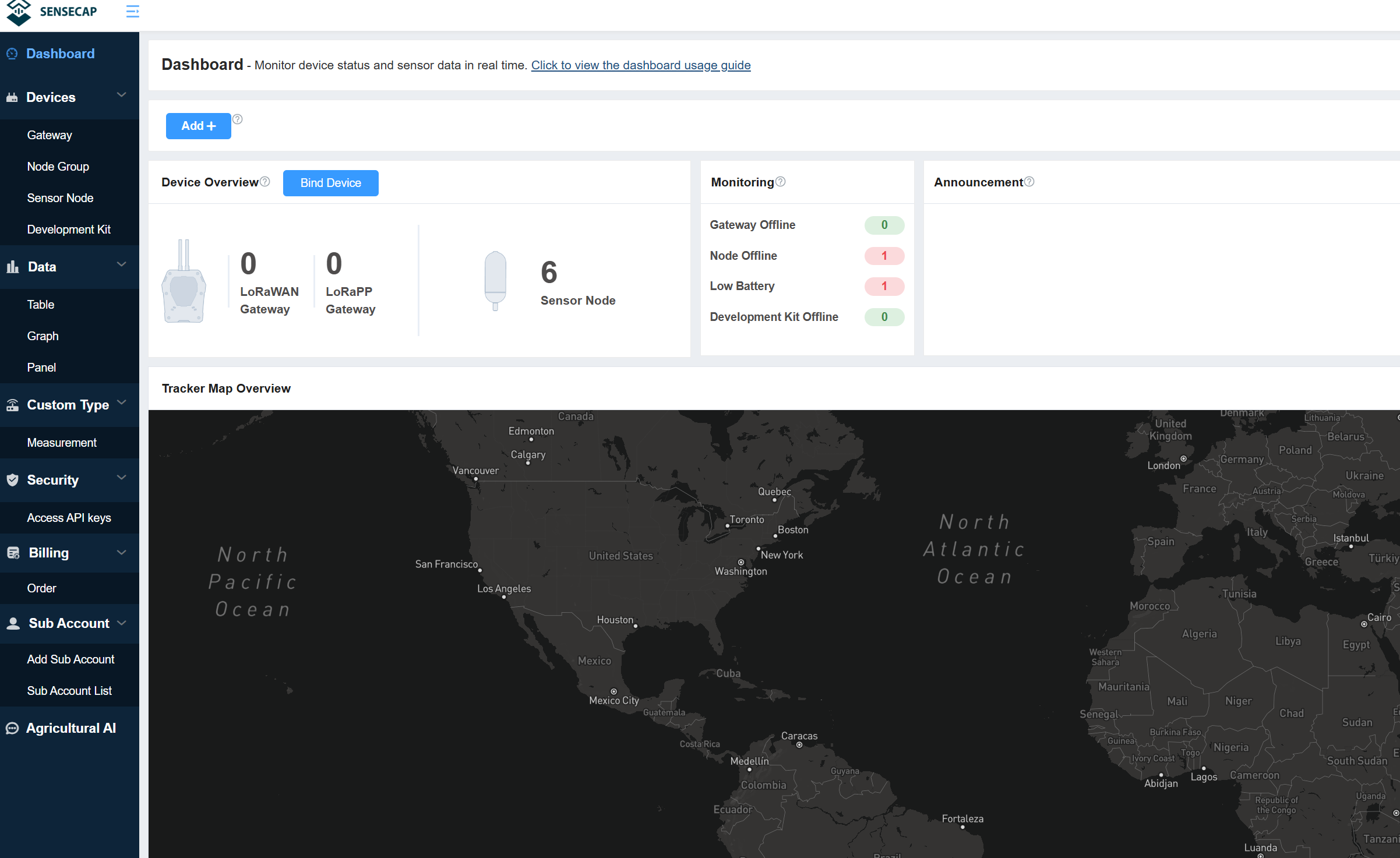
The SenseCAP Portal provides data queries that filter queries or export the sensor data you need based on a variety of criteria.
Table
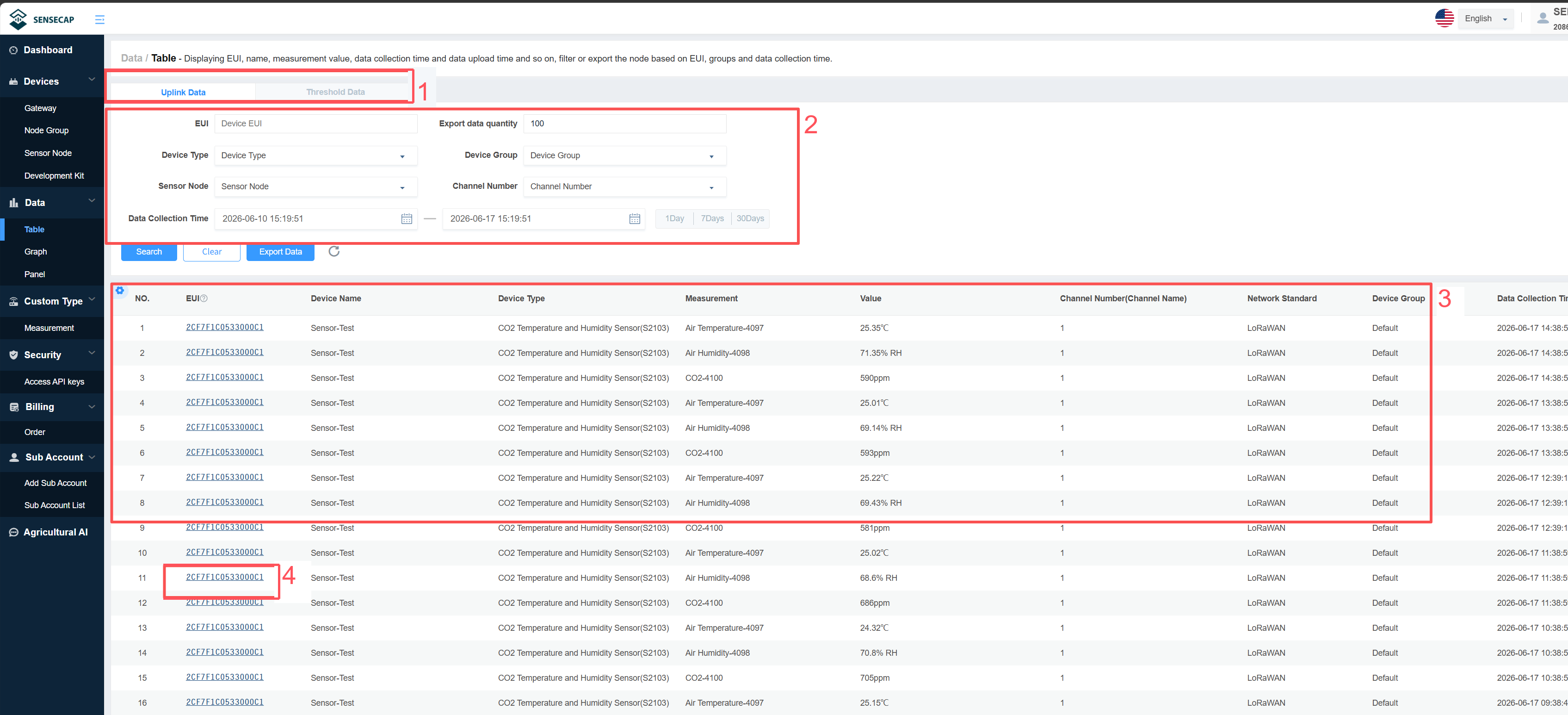
- ① The device supports viewing two types of data: “Uplink Data” and “Threshold Data”. You can click to view each type.
- ② Filter criteria, according to EUI, frequency, group, status, and registration time filter node.
- ③ List of data showing EUI, device name, data type, measurements, collection and upload time, etc.
- ④ Click EUI to enter the device details page and view the basic information of the Sensor Node.
Graph
① Click Graph.
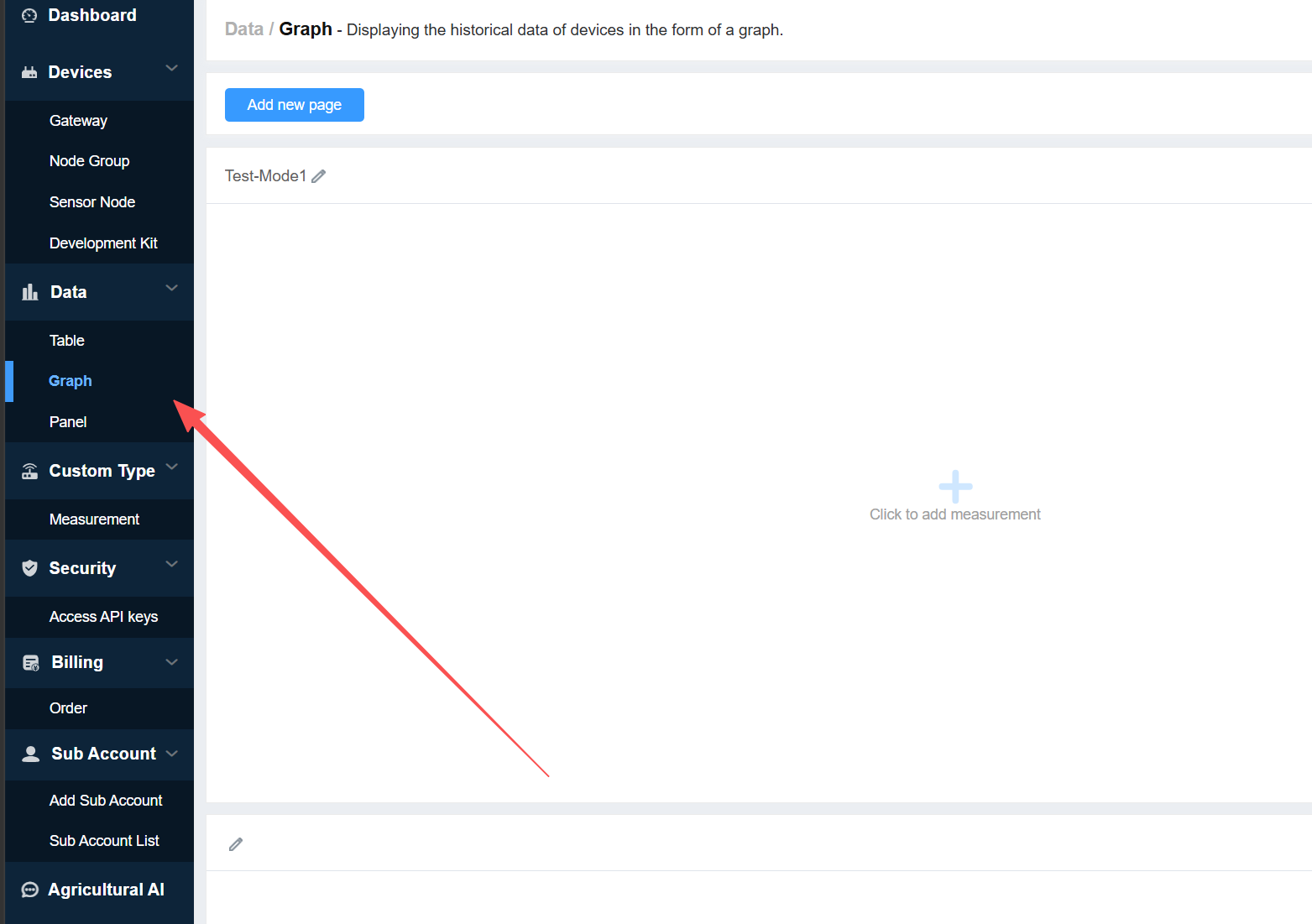
② Add a new page, enter a page name, and select the number of rows and columns.
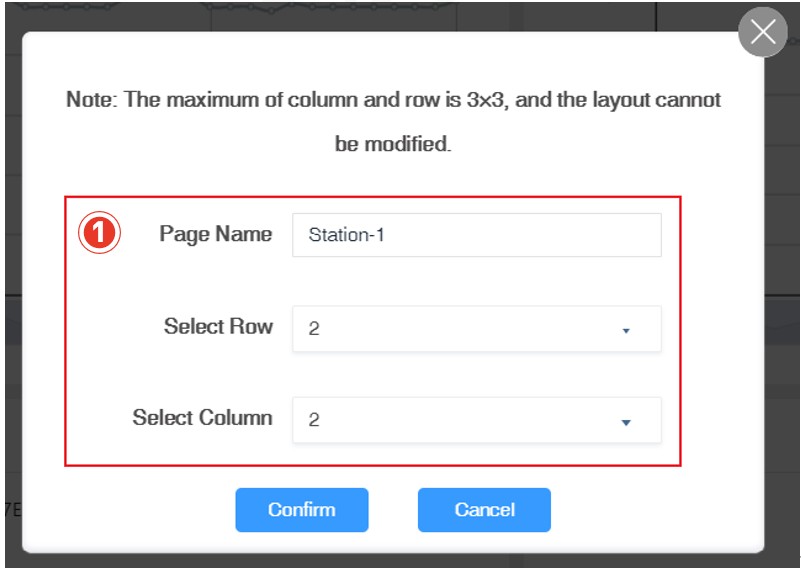
③ Name the created icon and click finish.
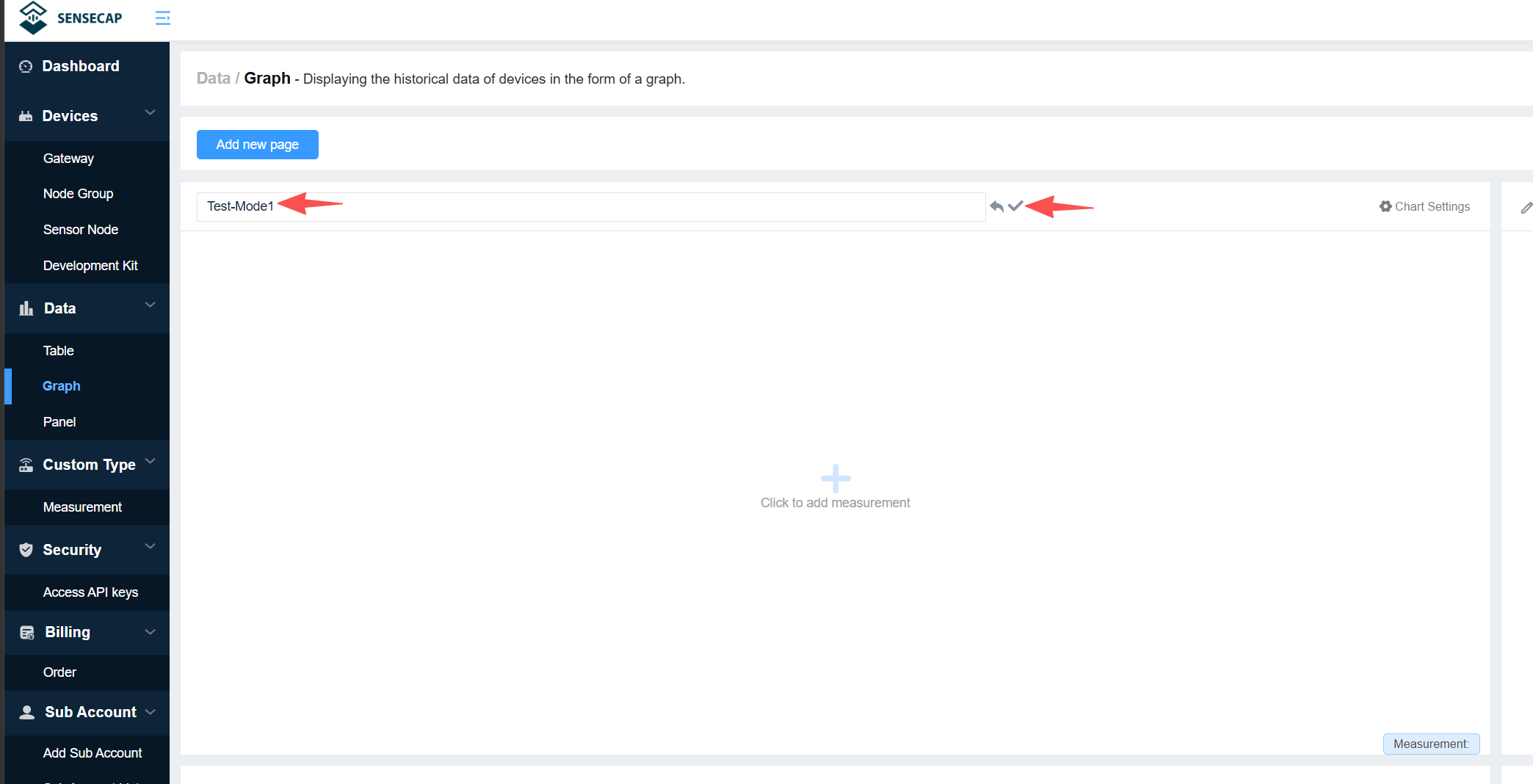
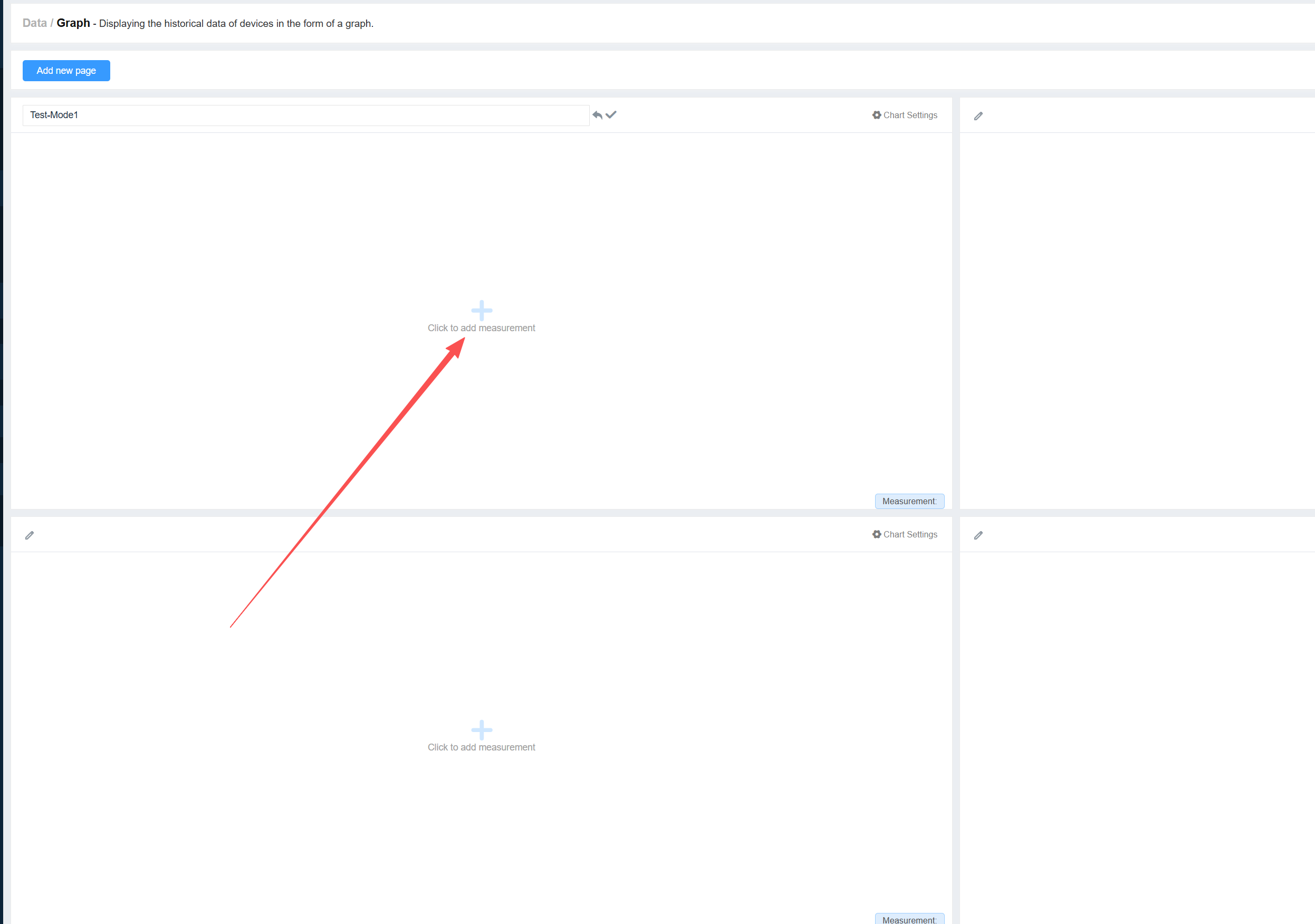
④ Click to add measurement
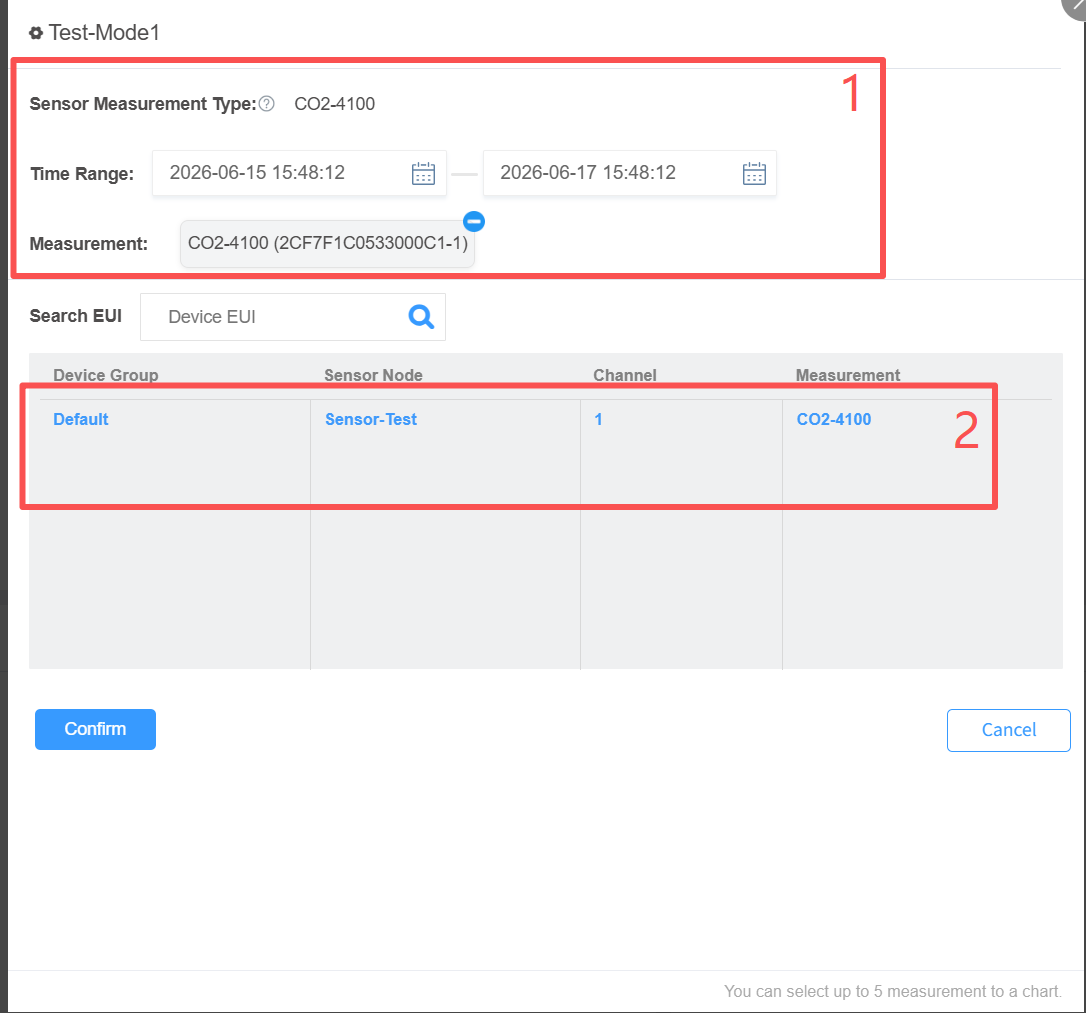
⑤Select the measurement type and time range to display.And then, select specific sensor data.
⑥ Then click Confirm to view the generated chart data.
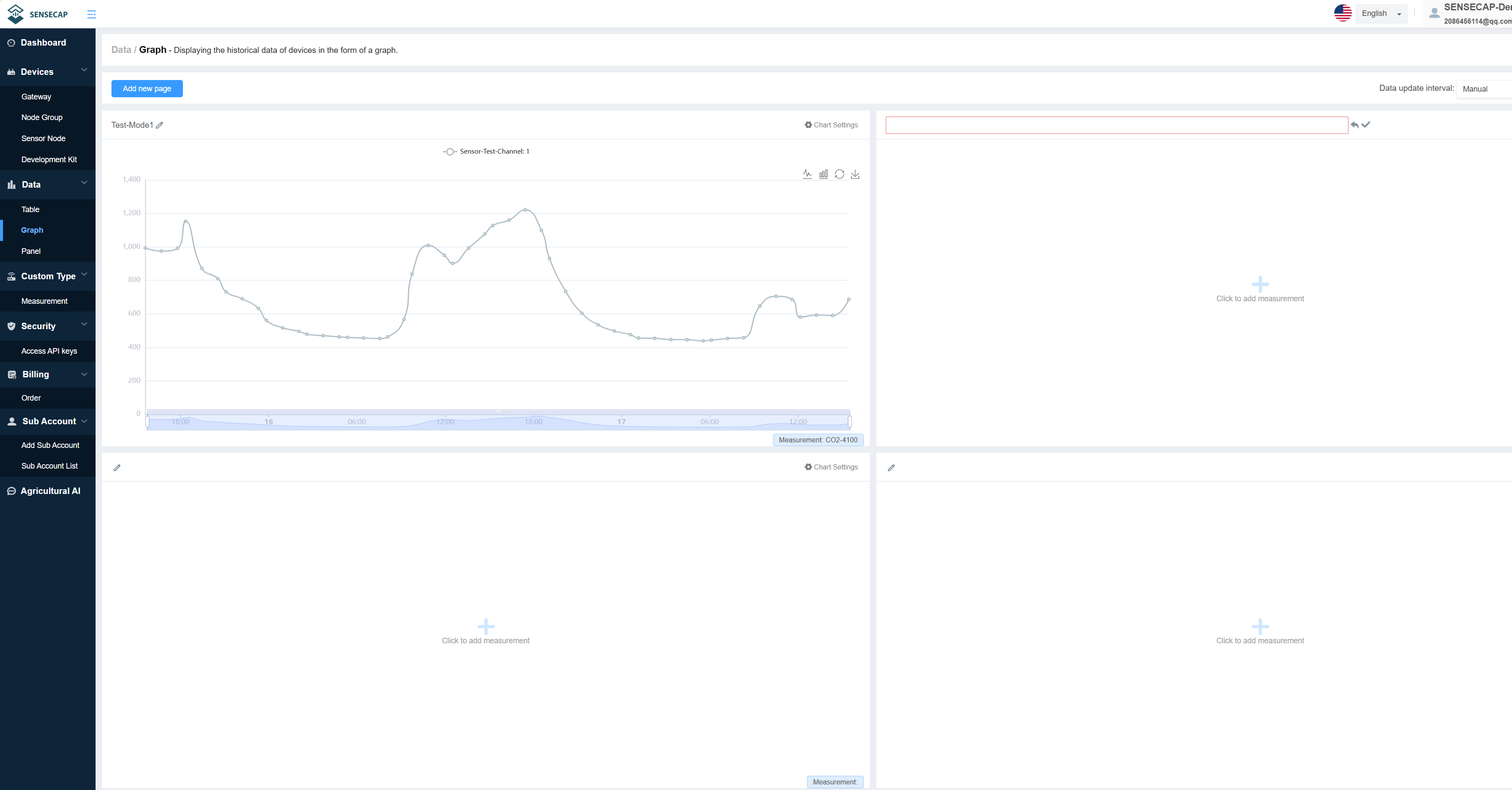
- Up to three rows and three columns can be set per page, and multiple pages can be created. Please refer to the Dashboard chart for detailed steps.
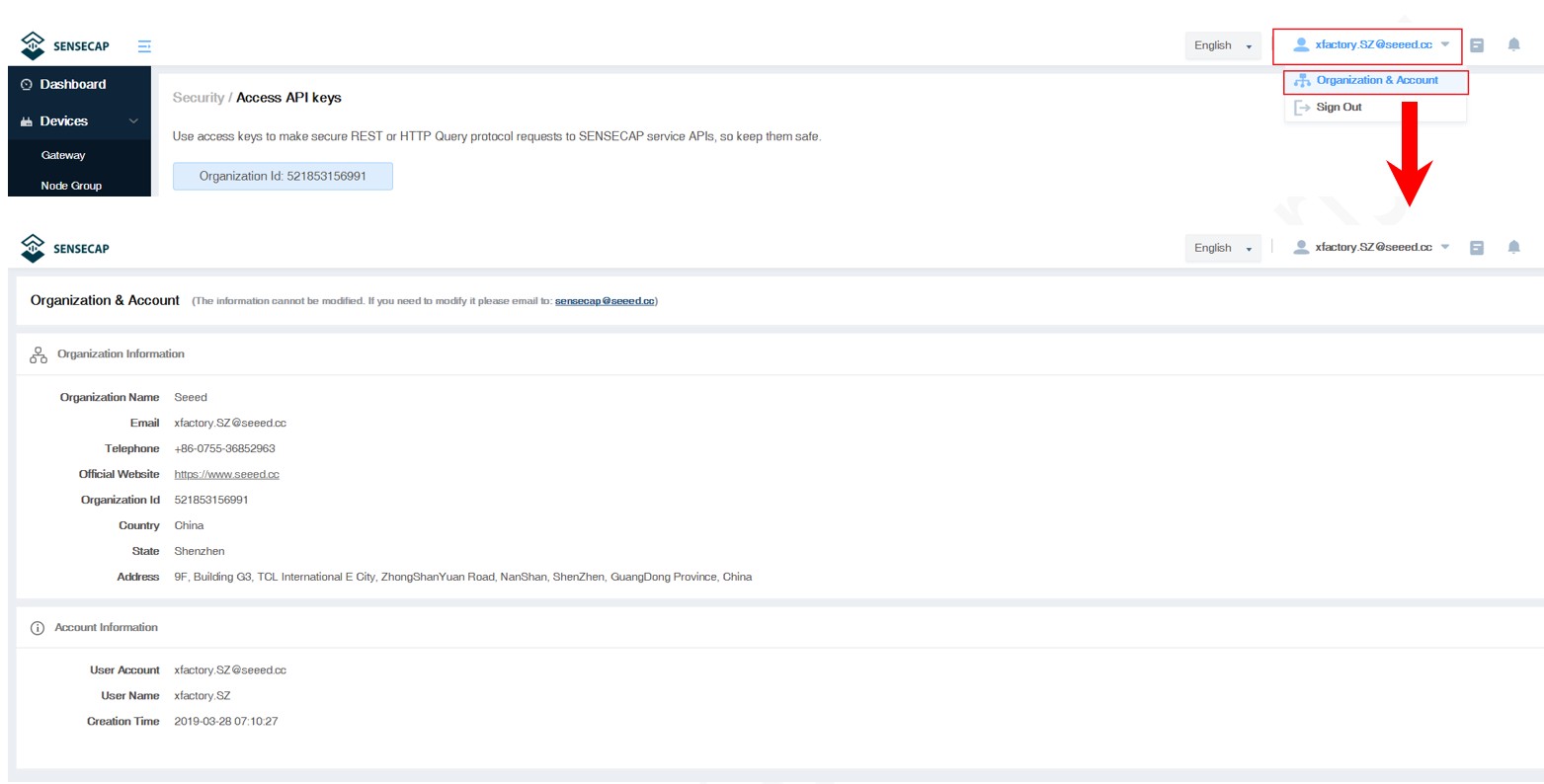
Check Account Info
On the Account Management page, you can check your account info and click to change the info.
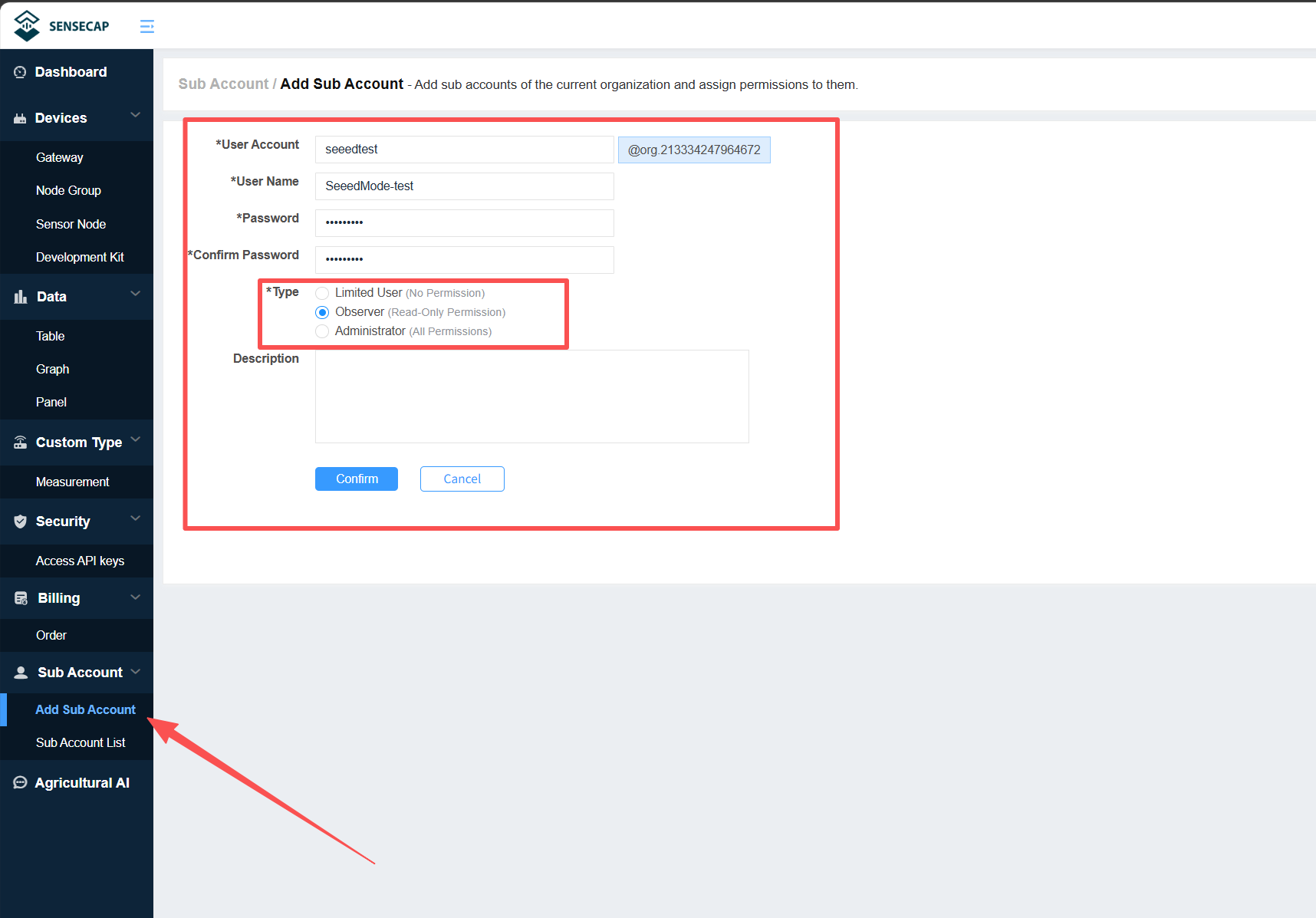
Add / Manage Sub-accounts
You can register a new sub-account here and link it to your main account. After filling in the required information, you can set the permission type for the sub-account.
- Limited User: Has no permissions. Cannot view the main account’s device data or add, edit, or delete devices.
- Observer: Can view the devices linked to the main account and the uploaded data, but cannot add, edit, or delete devices.
- Administrator: Can view, edit, and delete devices linked to the main account.
- After filling in the information, click Confirm to complete the registration.
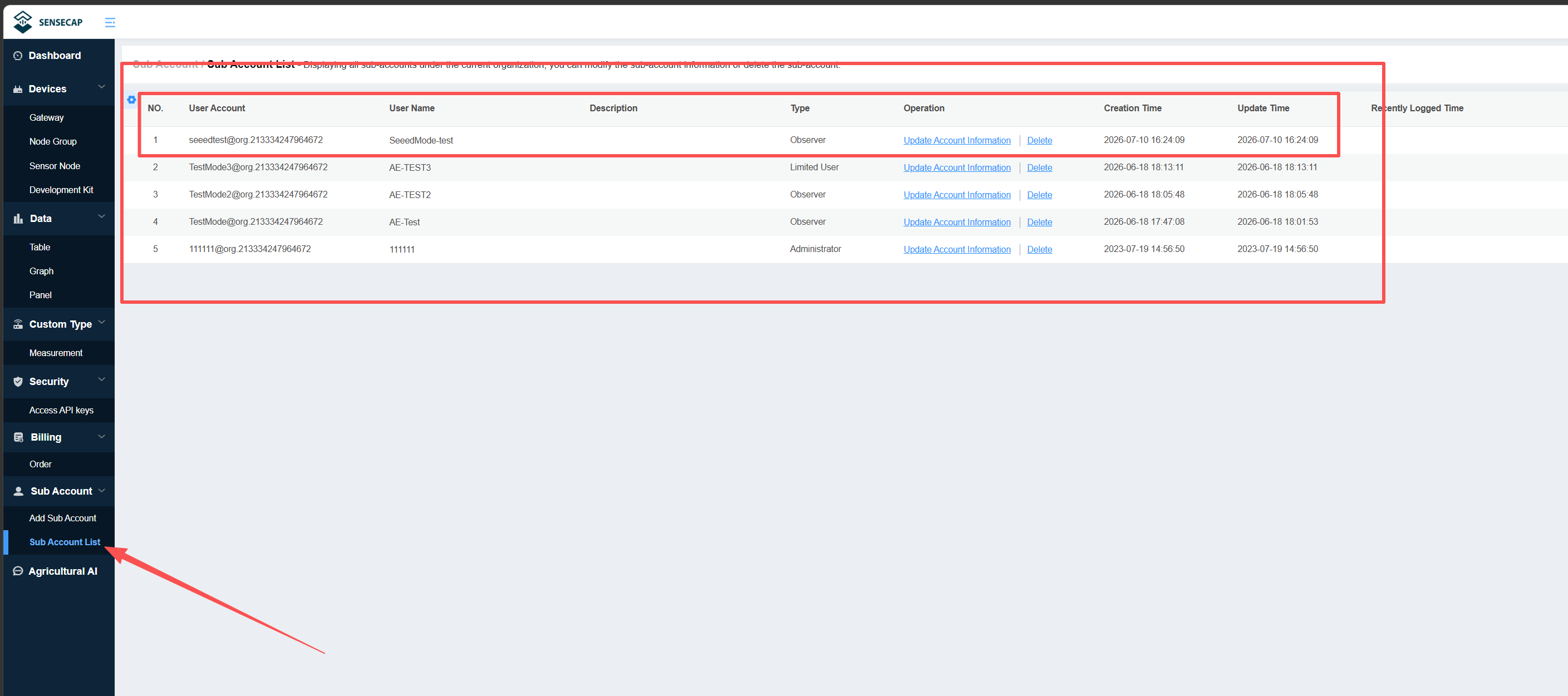
Click Sub Account List to view and manage sub-accounts.
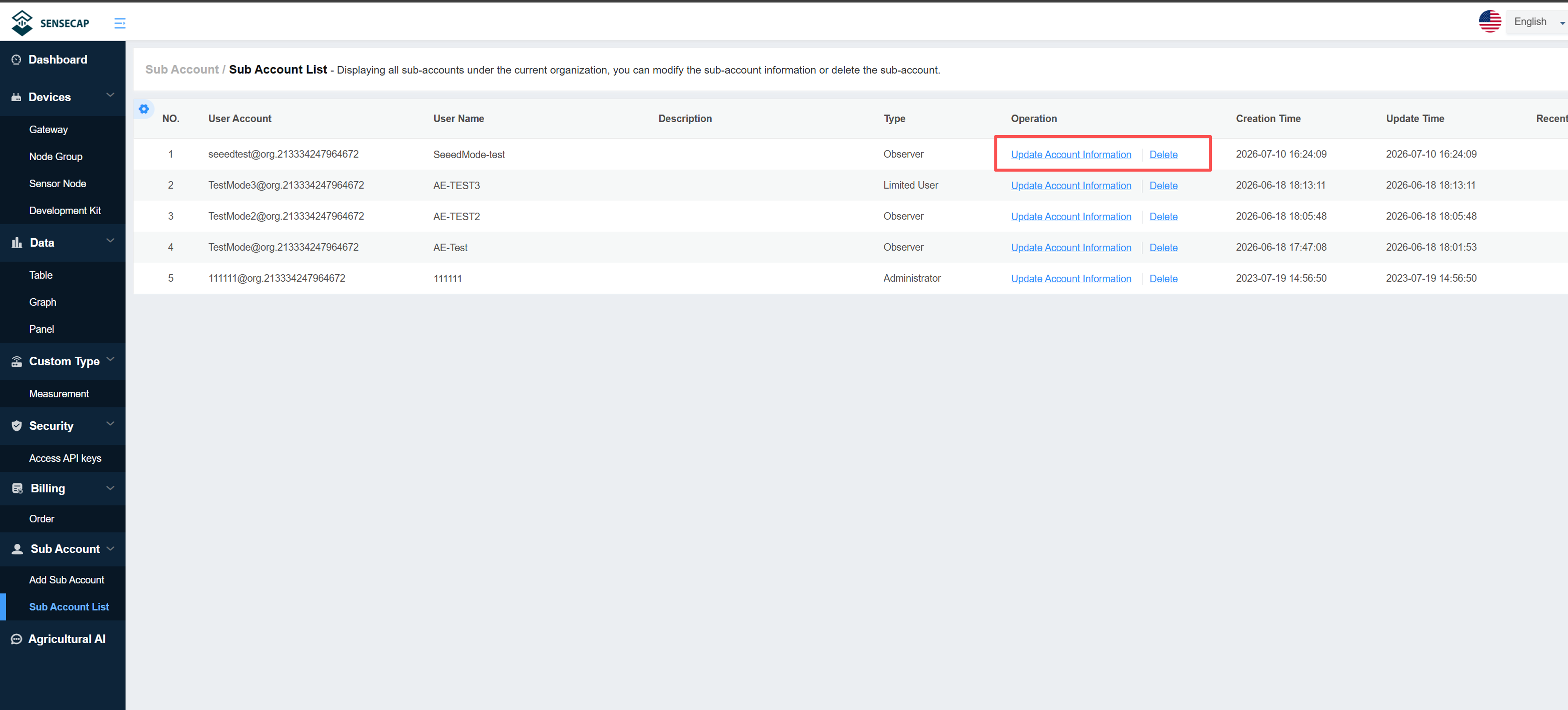
Click Update Account Information to modify the sub-account details, or click Delete to remove the sub-account.
Enter the newly added sub-account and password to log in.
You can view the device status and related data information of the main account.