Complete Training Guide for SO-ARM with AmazingHand
This document explains how to combine the SO-ARM101 follower arm with the AmazingHand dexterous hand and perform teleoperation using LeRobot.
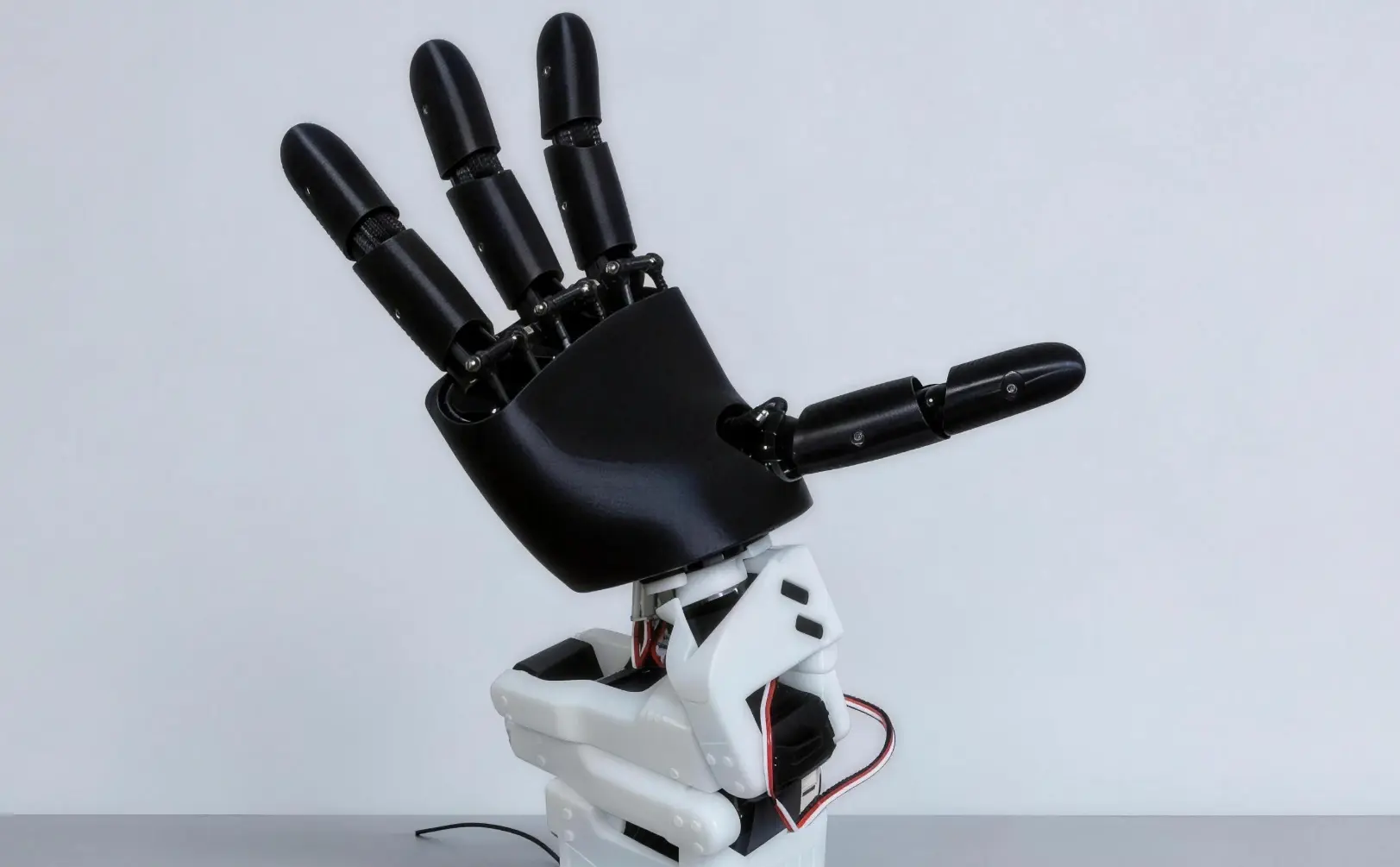
1. Hardware Connection
- The STL file for the SOARM-to-AmazingHand adapter is available here:
lerobot/soarm_amazinghand_link_step_stl/step at soarm_amazinghand · xiehuangbao888/lerobot
- Remove the original SOARM gripper.
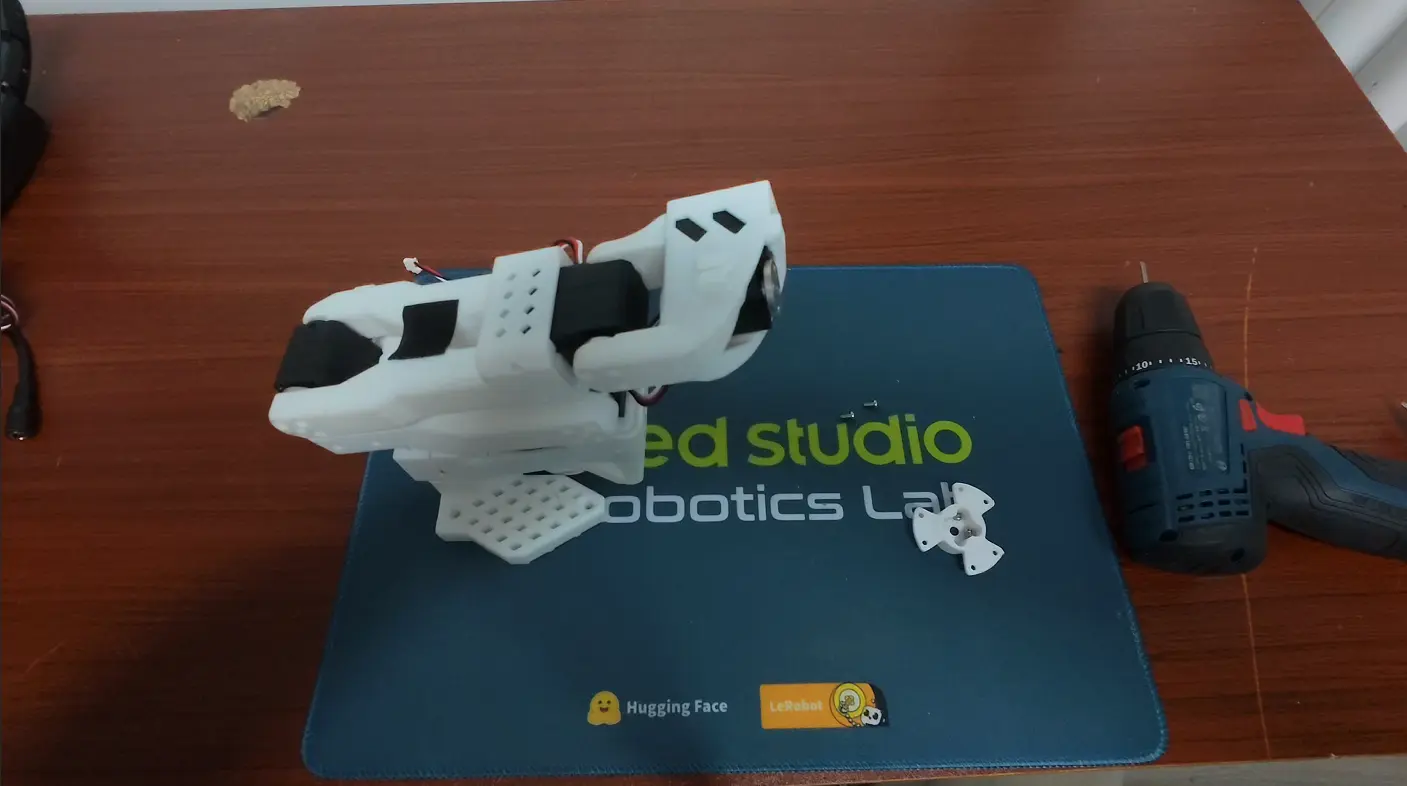
- Mount the SOARM-to-AmazingHand adapter onto the arm.
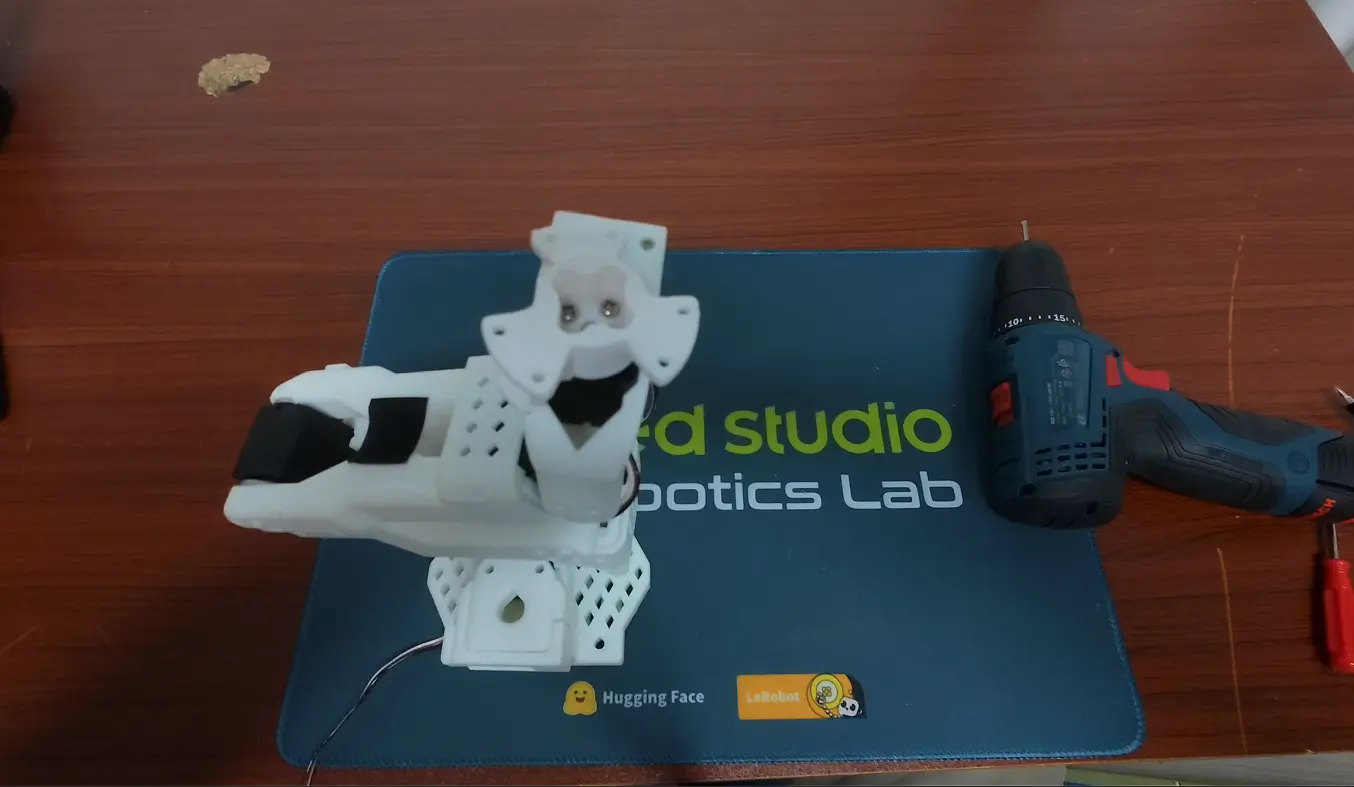
- Install the AmazingHand dexterous hand.
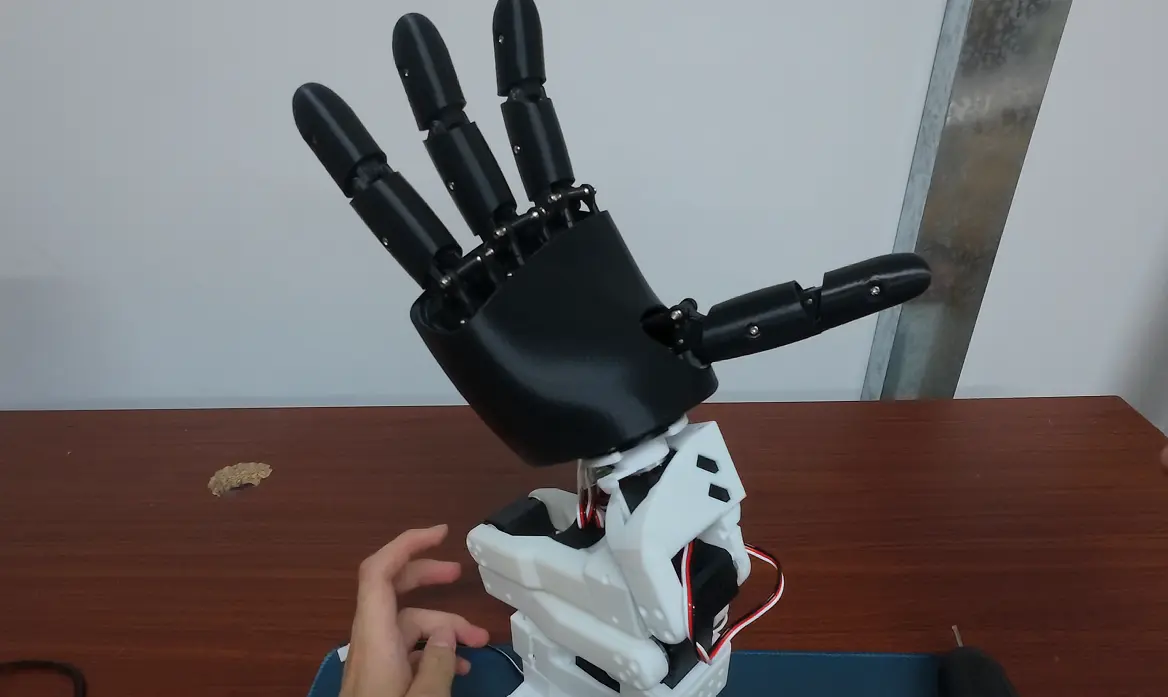
- Wire the devices as follows:
| Device | Serial Port | Description |
|---|---|---|
| SO-101 follower arm (gripper servo #6 removed) | /dev/ttyACM0 | Only joint servos 1~5 are retained |
| SO-101 leader arm (gripper servo #6 retained) | /dev/ttyACM1 | Gripper opening/closing used as input signal |
| AmazingHand dexterous hand | /dev/ttyACM2 | 8 servos with IDs 1~8 |
If your serial ports differ, replace them with the actual port names in the following commands.
The robot will:
- Control the 5 joints of the follower arm (servos 1~5) via
/dev/ttyACM0. - Control the AmazingHand dexterous hand via
/dev/ttyACM2. - Map the leader arm's
gripper.posproportionally to the dexterous hand's opening angle (0 = fully open, 100 = fully closed).
Calibration files are automatically saved to:
~/.cache/huggingface/lerobot/calibration/robots/so101_amazing_hand/<robot.id>.json
~/.cache/huggingface/lerobot/calibration/teleoperators/so101_leader/<teleop.id>.json
2. Environment and Connection
git clone https://github.com/xiehuangbao888/lerobot.git
Switch to the existing lerobot virtual environment.
First, grant device permissions:
sudo chmod 666 /dev/ttyACM*
Step 1: Calibrate the Leader Arm
cd ~/lerobot
conda activate lerobot
python -m lerobot.scripts.lerobot_calibrate \
    --teleop.type=so101_leader \
    --teleop.port=/dev/ttyACM1 \
    --teleop.id=amazing_hand_leader
Follow the prompts:
- Place all joints of the leader arm at their mid positions and press Enter.
- Move each joint to its maximum and minimum ranges in turn, then press Enter to finish.
Step 2: Calibrate the Follower Arm
python -m lerobot.scripts.lerobot_calibrate \
    --robot.type=so101_amazing_hand \
    --robot.port=/dev/ttyACM0 \
    --robot.id=amazing_hand_follower \
    --robot.hand_port=/dev/ttyACM2
Follow the prompts:
- Place the 5 joints of the follower arm at their mid positions and press Enter.
- Move the 5 joints to their maximum and minimum ranges in turn, then press Enter to finish.
Note: The follower arm has only 5 joints; gripper servo #6 has been removed.
Step 3: Run Teleoperation
python -m lerobot.scripts.lerobot_teleoperate \
    --robot.type=so101_amazing_hand \
    --robot.port=/dev/ttyACM0 \
    --robot.id=amazing_hand_follower \
    --robot.hand_port=/dev/ttyACM2 \
    --teleop.type=so101_leader \
    --teleop.port=/dev/ttyACM1 \
    --teleop.id=amazing_hand_leader \
    --display_data=true
You can customize the grasping motion. The relevant file is located at:
src/lerobot/robots/so_amazing_hand/config_so_amazing_hand.py
3. Collect Dataset with the Dexterous Hand
python -m lerobot.scripts.lerobot_record \
    --robot.type=so101_amazing_hand \
    --robot.port=/dev/ttyACM0 \
    --robot.id=amazing_hand_follower \
    --robot.hand_port=/dev/ttyACM2 \
    --robot.cameras='{
      wrist: {type: opencv, index_or_path: 2, width: 640, height: 480, fps: 30},
      top: {type: opencv, index_or_path: 4, width: 640, height: 480, fps: 30}
    }' \
    --teleop.type=so101_leader \
    --teleop.port=/dev/ttyACM1 \
    --teleop.id=amazing_hand_leader \
    --display_data=true \
    --dataset.repo_id=seeed/amazing_soarm \
    --dataset.num_episodes=20 \
    --dataset.single_task="Pick up the cube with the dexterous hand"
Parameter descriptions:
| Parameter | Description |
|---|---|
--robot.cameras | Camera configuration; supports opencv, realsense, etc. index_or_path is the camera index or video stream path. |
--dataset.repo_id | Dataset ID on Hugging Face, in the format {username}/{dataset_name}. |
--dataset.num_episodes | Number of episodes to record. |
--dataset.single_task | Task description written into the dataset metadata. |
--robot.hand_use_proportional_control | Defaults to true; no need to set it explicitly. Set to false for binary open/close behavior. |
4. Training Policy
lerobot-train \
  --dataset.repo_id=seeed/amazing_soarm \
  --policy.type=act \
  --output_dir=outputs/train/amazing_soarm \
  --job_name=amazing_soarm \
  --policy.device=cuda \
  --wandb.enable=false \
  --policy.push_to_hub=false \
  --steps=60000 \
5. Evaluation and Deployment
Evaluate the Trained Policy on the Real Robot
python -m lerobot.scripts.lerobot_record \
    --robot.type=so101_amazing_hand \
    --robot.port=/dev/ttyACM0 \
    --robot.id=amazing_hand_follower \
    --robot.hand_port=/dev/ttyACM2 \
    --robot.cameras='{
      wrist: {type: opencv, index_or_path: 0, width: 640, height: 480, fps: 30},
      top: {type: opencv, index_or_path: 4, width: 640, height: 480, fps: 30}
    }' \
    --policy.path=outputs/train/amazing_soarm/checkpoints/last/pretrained_model \
    --dataset.repo_id=seeed_val/amazinghand_pick_cube_eval \
    --dataset.num_episodes=10 \
    --dataset.single_task="Pick up the cube with the dexterous hand" \
    --display_data=true