Extend Your MeshCore Network with T1000-E: Contact Sharing and Companion Repeat
Introduction
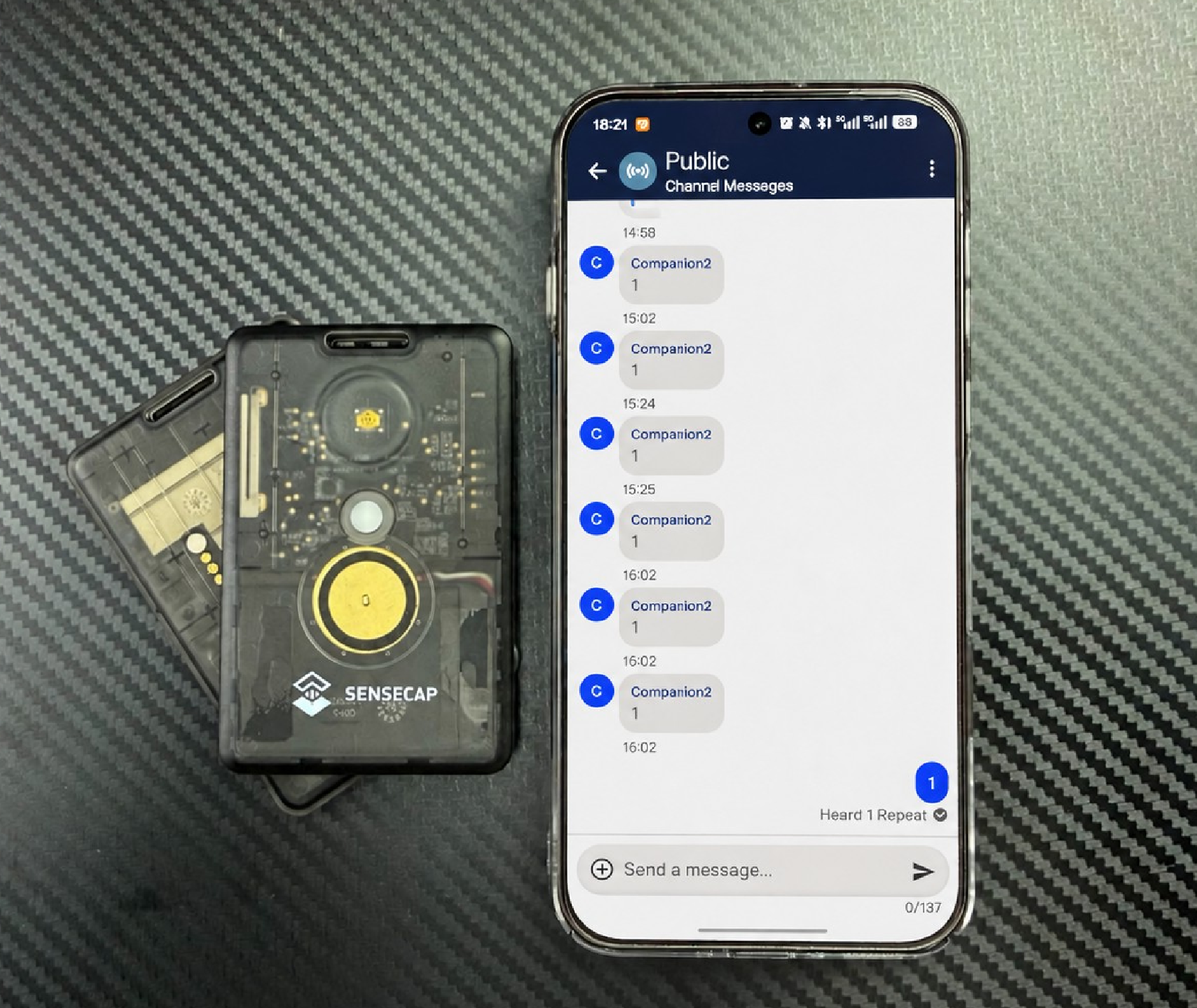
When two MeshCore users are far apart, or buildings and terrain block the radio path, they may not be able to receive each other's messages. If both devices can reach a SenseCAP Card Tracker T1000-E located in between, you can enable Companion Repeat Mode on that middle device and let it forward messages temporarily.
This guide uses three T1000-E devices running the MeshCore firmware. It shows how to share contact identities over the Public Channel, how to set up temporary relaying with one Companion device, and how the communication results compare when the relaying device is powered off and on.
Key Features
- Try to extend the communication path temporarily in suitable network conditions, without deploying a dedicated fixed Repeater in advance.
- Do all the configuration — contact sharing and the repeat toggle — in the familiar MeshCore App, so a small team can get set up quickly.
- See directly what the middle node contributes to this cross-node communication through an on/off comparison test.
How It Works
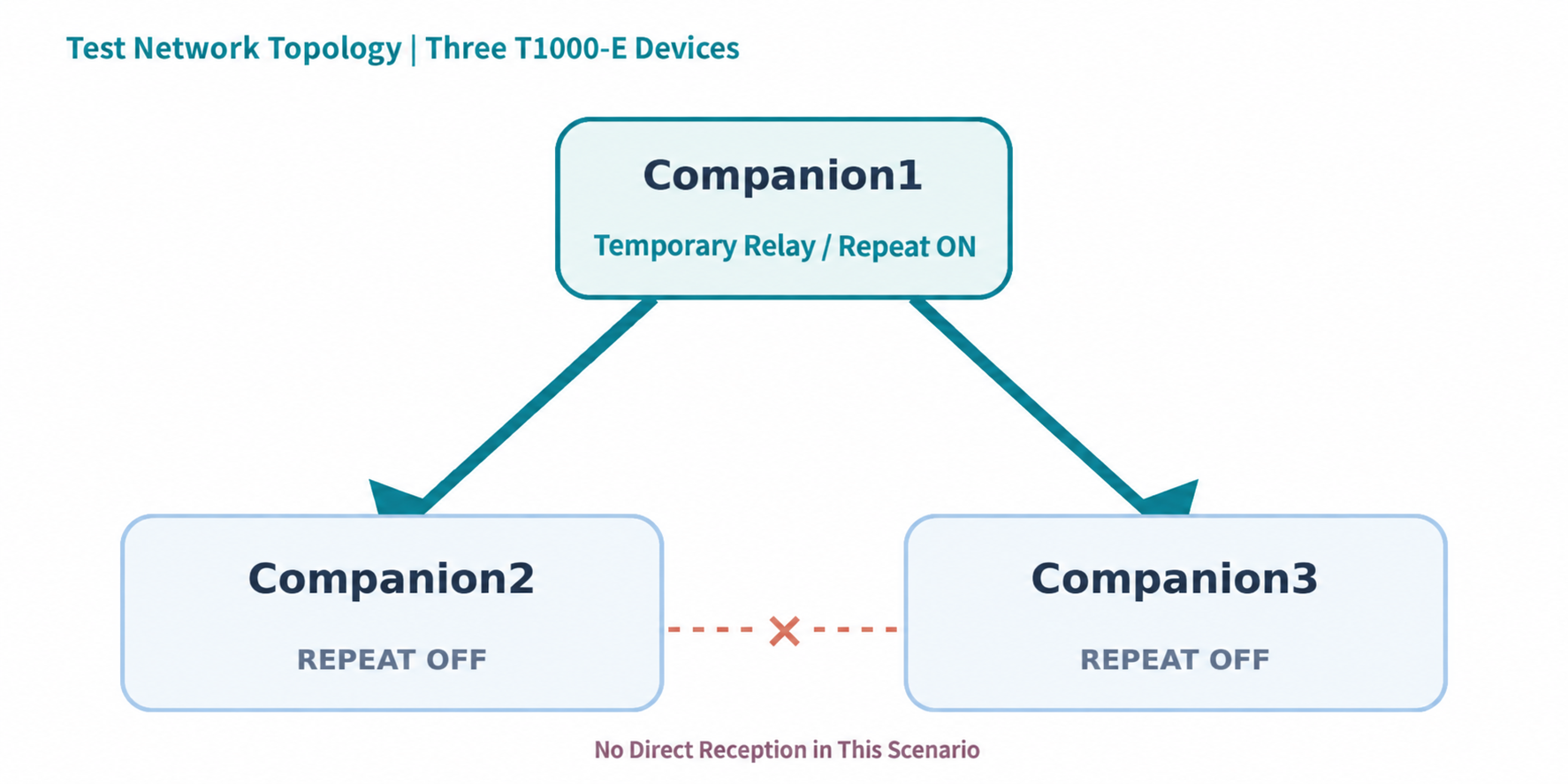
Companion1 runs with Repeat Mode enabled, while Companion2 and Companion3 stay in normal Companion mode.
Contact sharing and message forwarding solve two different problems:
- Contact sharing lets Companion2 and Companion3 obtain each other's Identity and save it as a contact. By itself, it does not create any radio coverage.
- Companion Repeat Mode lets the middle device, Companion1, take part in forwarding packets when conditions allow.
The Public Channel can carry messages before any contact information is exchanged; exchanging identities mainly prepares the devices for directed messaging later.
Hardware and Software Requirements
| Item | Used in this test |
|---|---|
| Devices | SenseCAP Card Tracker T1000-E × 3 |
| Firmware / App | MeshCore firmware V1.17.1; MeshCore App V1.47.0 |
| Roles | Companion1: Repeat Mode ON; Companion2 / Companion3: Repeat Mode OFF |
| Radio settings | 869.495 MHz, bandwidth 250 kHz, spreading factor 10, coding rate 5, transmit power 22 dBm |
The parameters above are only the configuration used in this test; they do not mean this frequency and power are permitted in every region. Choose radio parameters according to local radio regulations. For first-time setup, follow the Get Started with MeshCore guide for the T1000-E.
Getting Started
Step 1: Configure the Devices and LoRa Parameters
Configure all three T1000-E devices as Companion devices that can connect to the MeshCore App, and make sure the firmware version and LoRa settings are identical on all of them. This example uses custom radio parameters. After saving the settings, confirm that each device is operating with the new configuration.
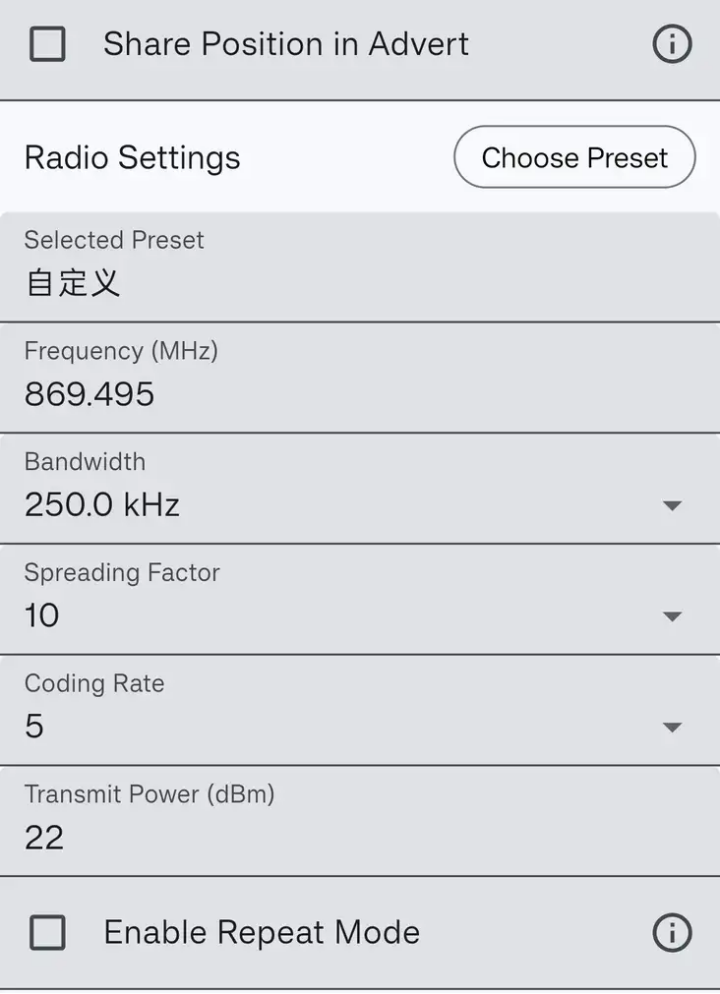
The radio configuration used in this test. The screenshot is taken from Companion2, which runs with Repeat Mode disabled.
Step 2: Enable Companion Repeat Mode on the Middle Device
In Radio Settings on Companion1, turn on Enable Repeat Mode and save. Leave Repeat Mode disabled on Companion2 and Companion3. Note that the frequency range in which Repeat Mode can be enabled is limited by the firmware and the App. If a setting is rejected, use a configuration that is both supported and permitted by local regulations.
Step 3: Establish Contact Relationships
Have Companion1 exchange identity information with Companion2 and Companion3 separately. When this is done, both end devices appear in Companion1's contact list, but Companion2 and Companion3 do not have each other saved as contacts yet.
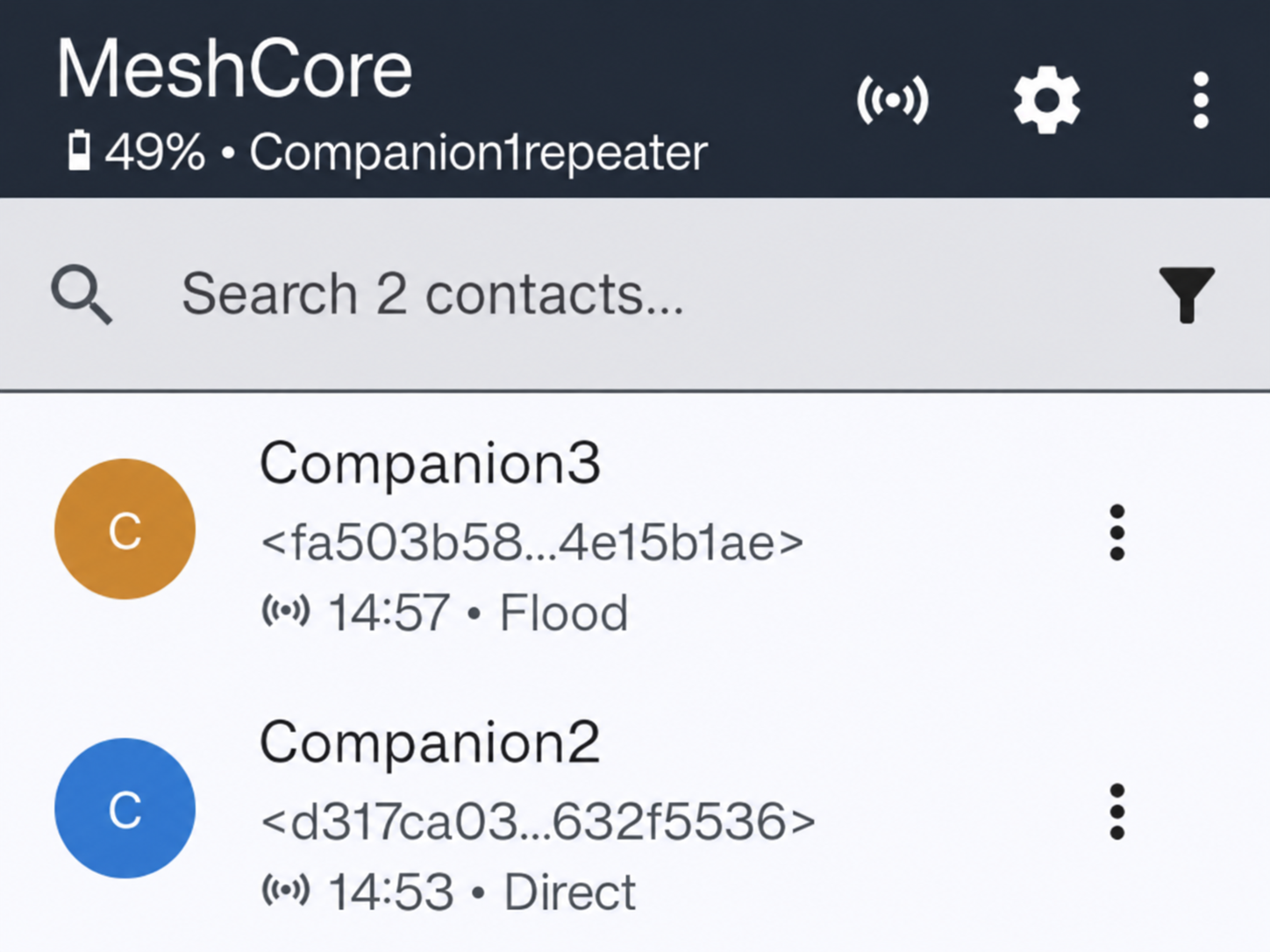
Companion1's contact list contains both Companion2 and Companion3.
Step 4: Share Contacts via the Public Channel
Share the contact cards of Companion2 and Companion3 in the Public Channel. On the receiving device, tap Add Contact to save the other device's identity.
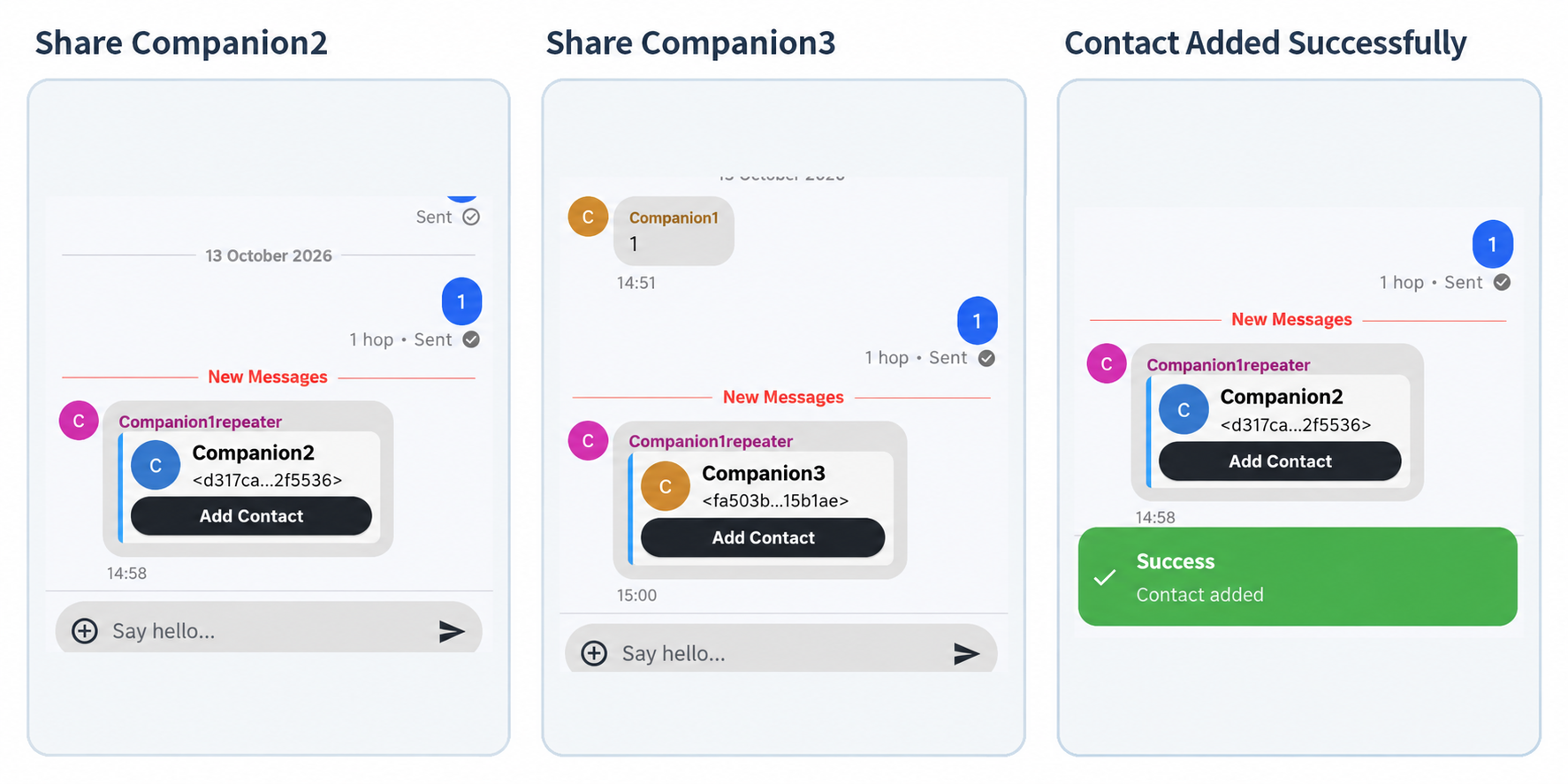
The contact card in the channel and the confirmation that it was added.
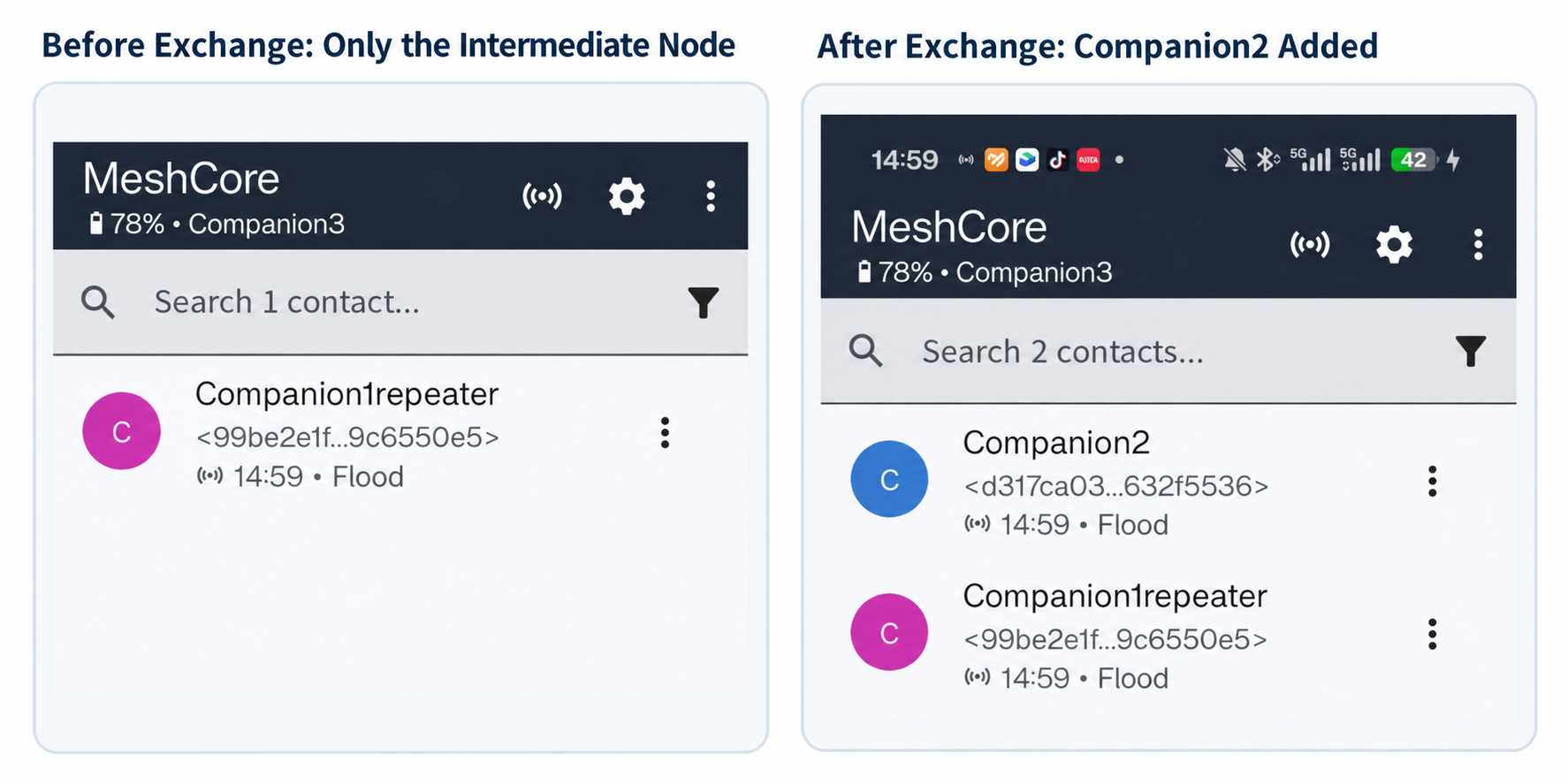
Companion3 before and after adding the contact.
Step 5: Verify Message Relaying
In this deployment, the two end devices cannot reach each other reliably and directly. First power off Companion1 and send a Public message from Companion2: Companion3 does not receive it. Then power Companion1 back on and repeat the same message test: cross-node Public communication is restored.
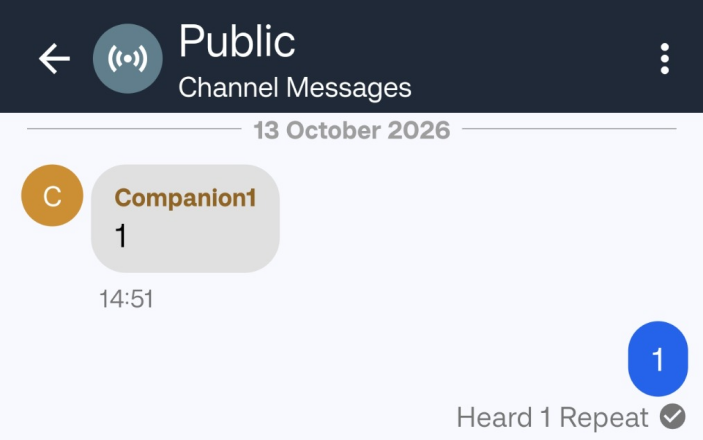
The sender shows "Heard 1 Repeat". Whether the message was actually delivered should always be judged by what the receiving device shows.
Test Results
In this test environment, after Companion1 established a contact relationship with each end device, the contact cards were shared through the Public Channel, and Companion2 and Companion3 successfully saved each other's identity information.
In the comparison test:
- With Companion1 powered off, Public messages sent by Companion2 were not received by Companion3.
- After Companion1 was powered back on with Repeat Mode enabled, Companion3 received the Public messages sent by Companion2, and the sender showed a "Heard 1 Repeat" status.
Note that this comparison was made by switching Companion1's power off and on, not by toggling only the Repeat Mode checkbox. Within this deployment, the middle node demonstrably acted as a temporary relay.
Application Scenarios
- Temporary outdoor groups: try to supplement the communication path with a device you already carry, when no fixed repeater infrastructure is available.
- Temporary events and field deployments: quickly share contacts and give distributed members a short-term communication option.
- MeshCore learning and experimentation: a minimal three-node setup makes the difference between identity sharing and packet forwarding easy to see.
Limitations and Considerations
- Companion Repeat is a supplement to, not a replacement for, a dedicated fixed Repeater.
- Forwarding performance depends on node placement, interference, power supply, and network size.
- Casually enabling Repeat Mode in crowded public meshes is discouraged.
- A successful contact addition does not guarantee a working radio path, and a "Heard 1 Repeat" status is not an acknowledgment that the destination received the message.
Resources
Tech Support & Product Discussion