Play Subway Surfers with body sensor control
Introduction
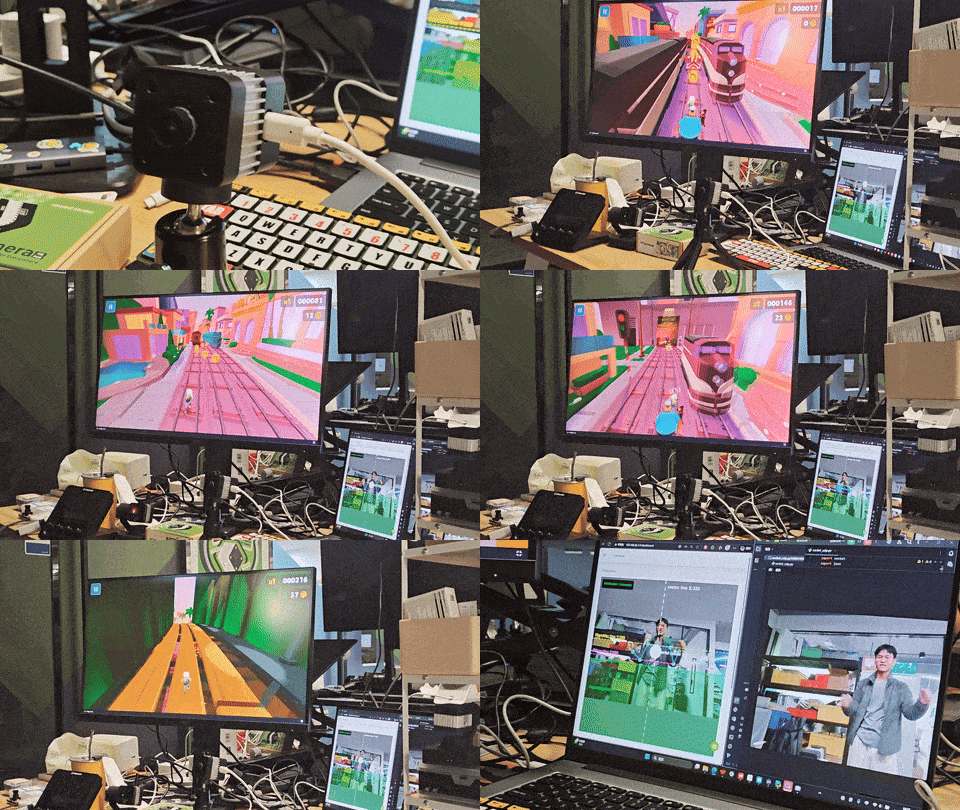
The reCamera is an AI camera equipped with powerful edge computing capabilities. This demo showcases its ability to run the YOLO11n-Pose model in real-time at the device level - without relying on the cloud, it can accurately identify the key points and postures of the human body. By capturing the player's movements with the reCamera, we transform our bodies into controllers, allowing us to operate "Subway Run" with natural body sensations: jumping, squatting, and dodging left and right, all in one seamless motion!
Here is the usage effect after completing this demo.
Hardware Preparation
One reCamera one computer
| reCamera 2002 Series | reCamera Gimbal | reCamera HQ POE |
|---|---|---|
 | 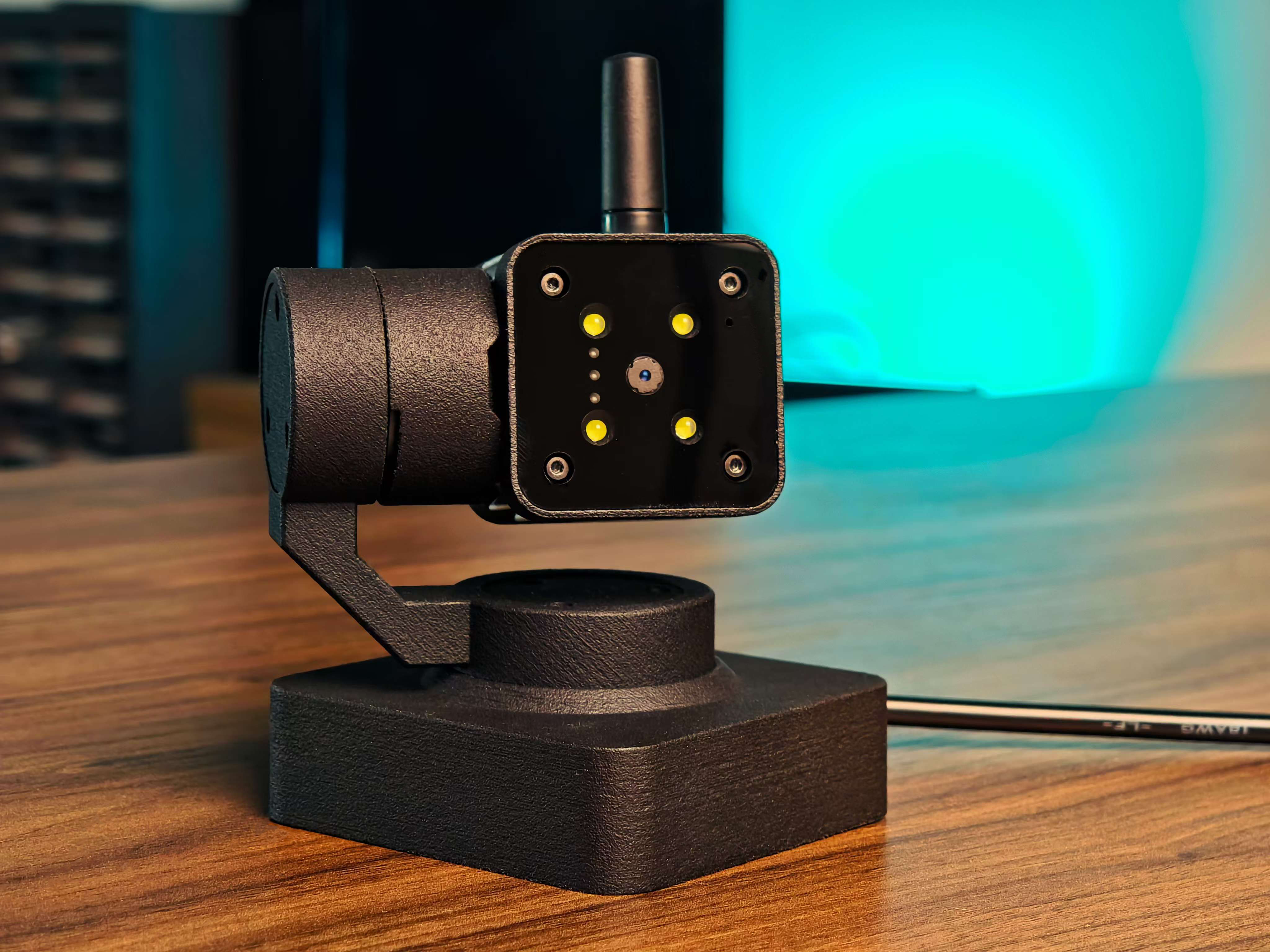 | 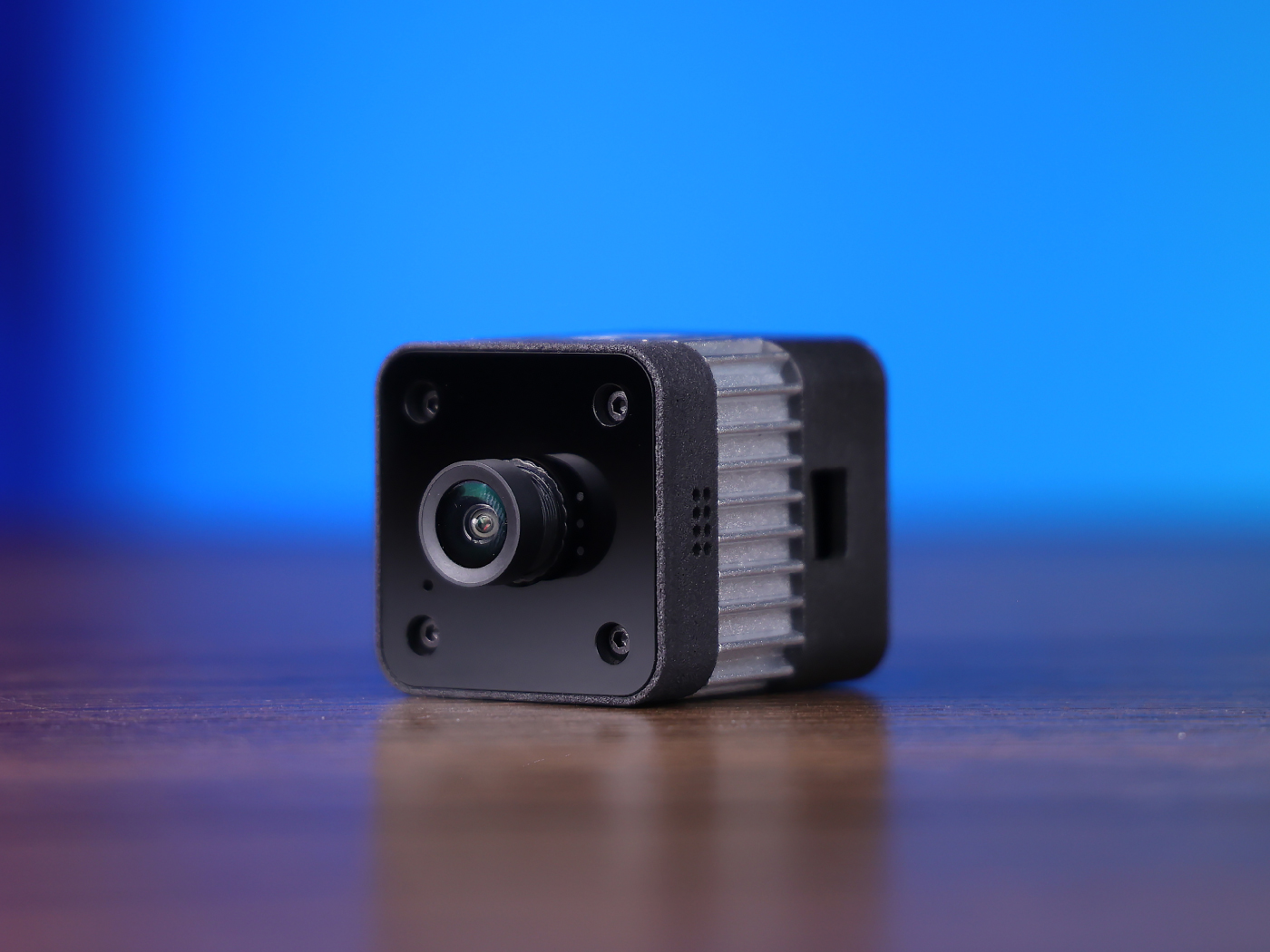 |
1. Open the SenseCraft and find the Applications named "GAME"
1.1 Open Wiki
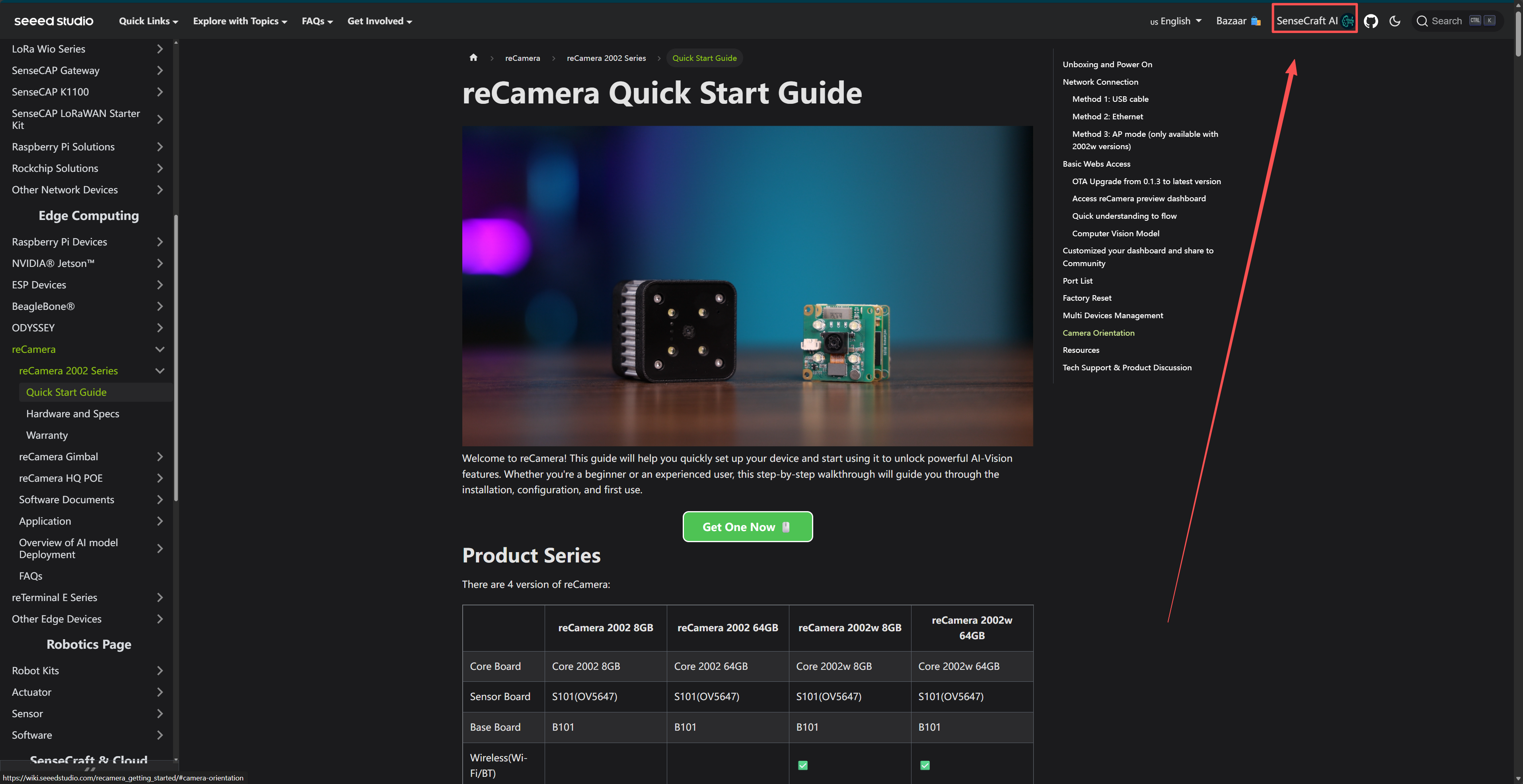
The SenseCraft entry is in the upper right corner of the Wiki interface, click to enter the SenseCraft
1.2 Open the application from SenseCraft
Open the sensecraft application section, enter "GAME" in the input box on the left, and then click into the GAME application.
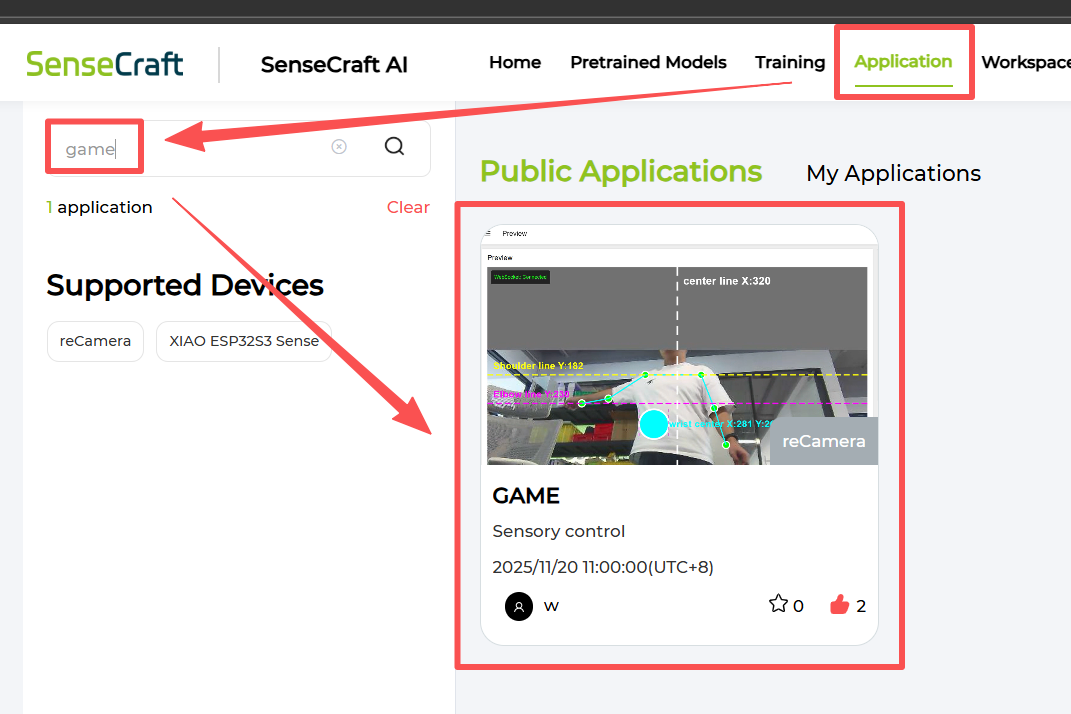
1.3 Deploy this Application on the reCamera
Click Deploy Application on the page, then click Visit Workspace Via USB (at this point, you should connect reCamera to your computer)
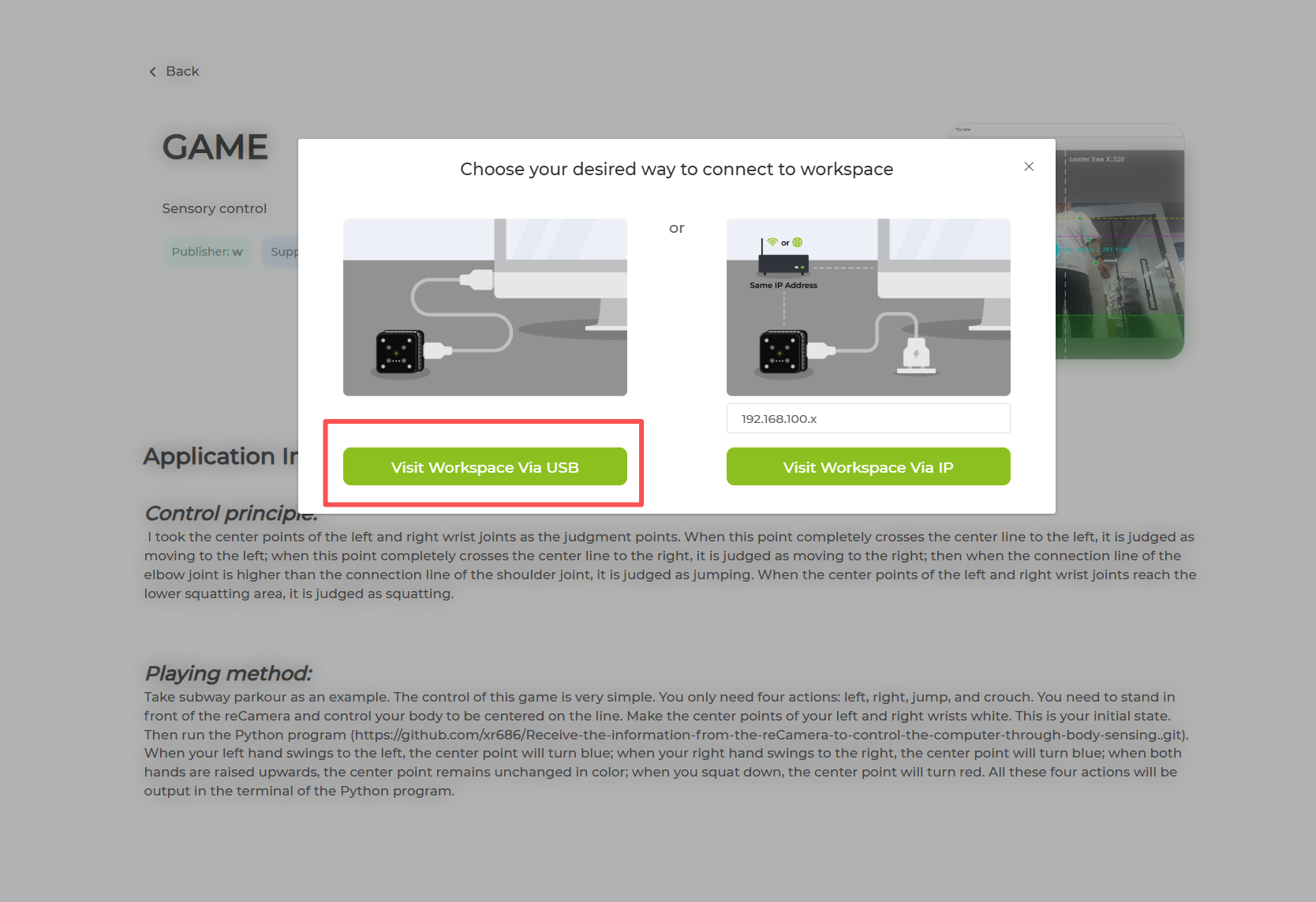
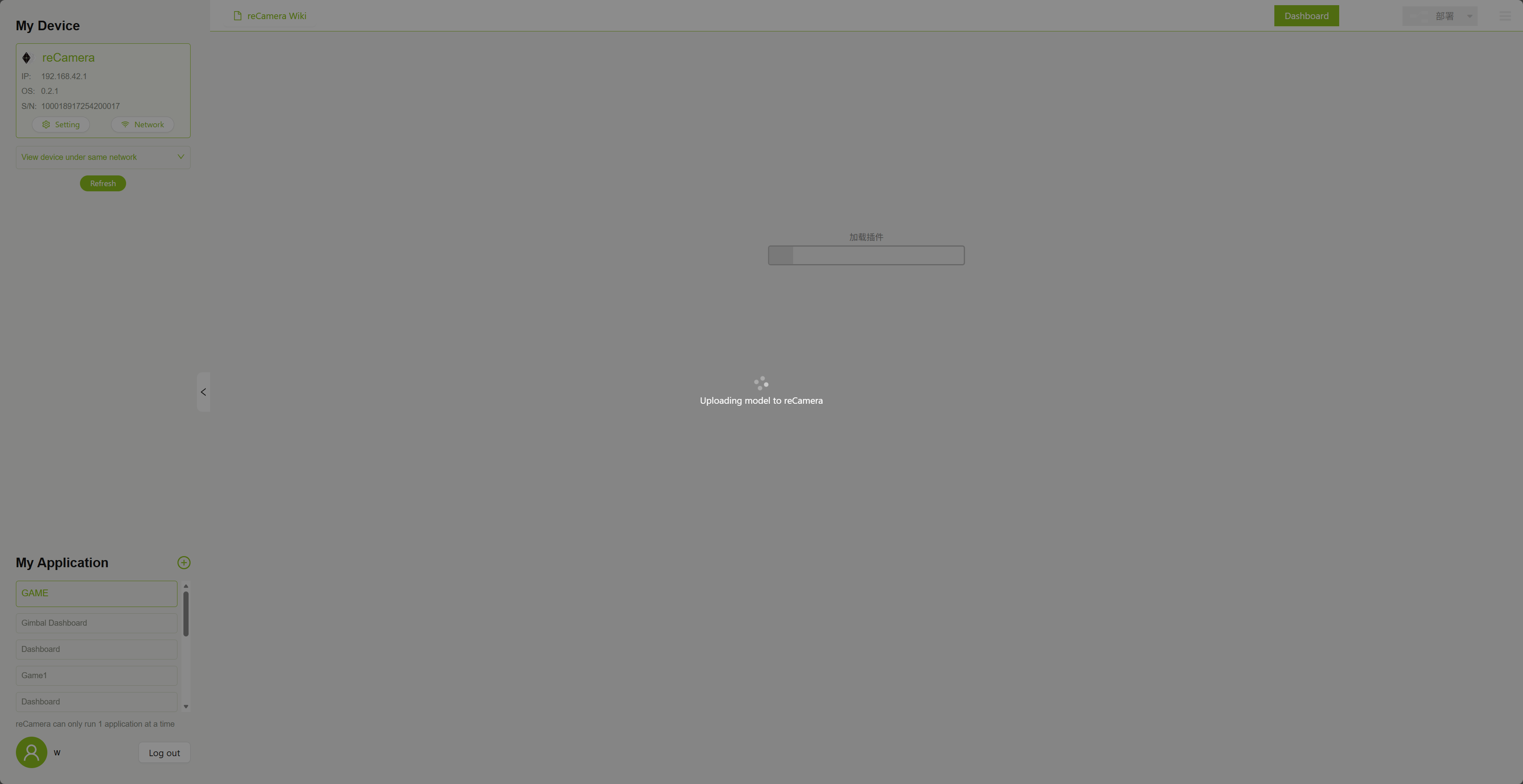
Then you will enter the Workspace,Node-RED node will load for a while, please wait patiently for the loading to complete
After loading, you will see the following interface, click No and exit
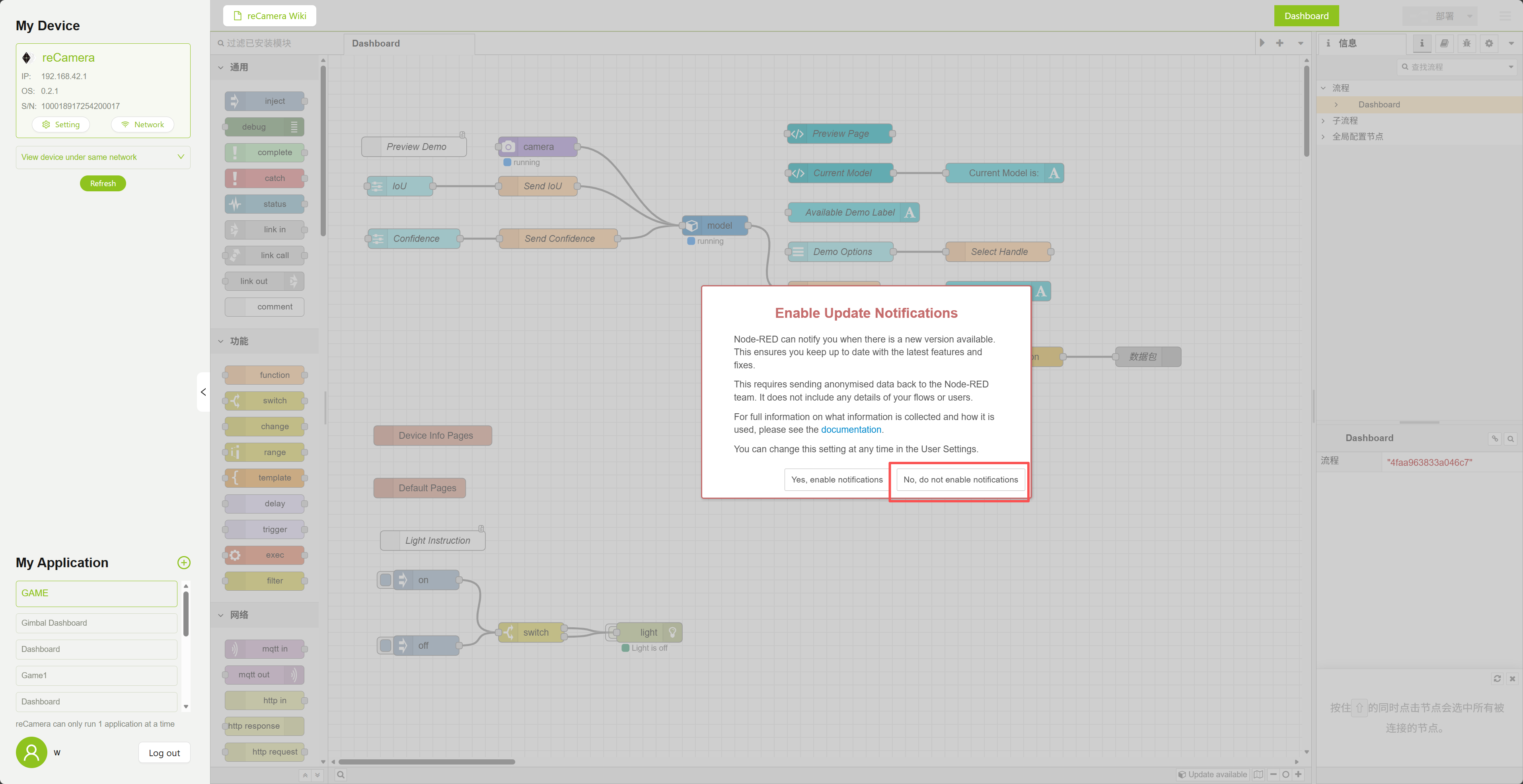
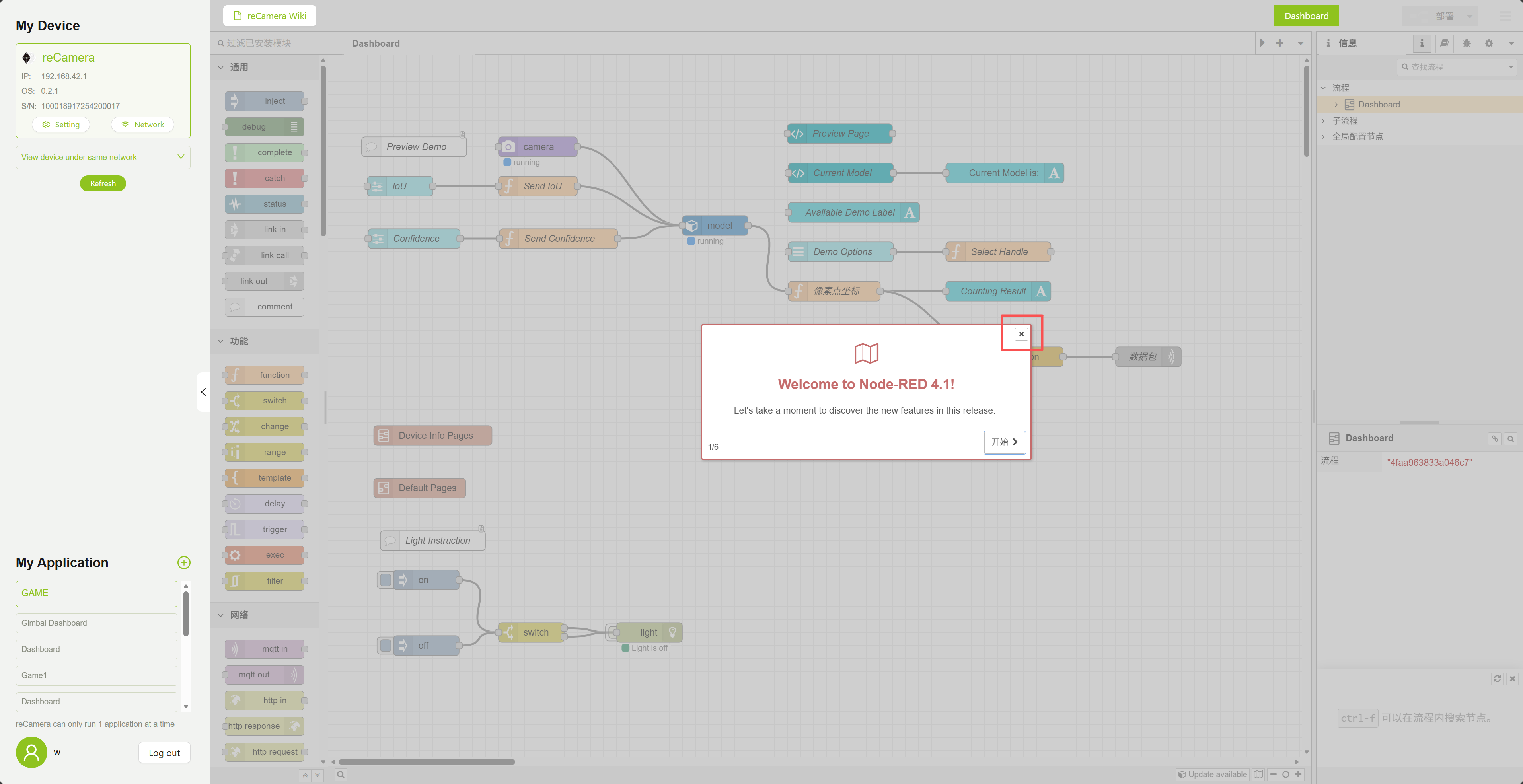
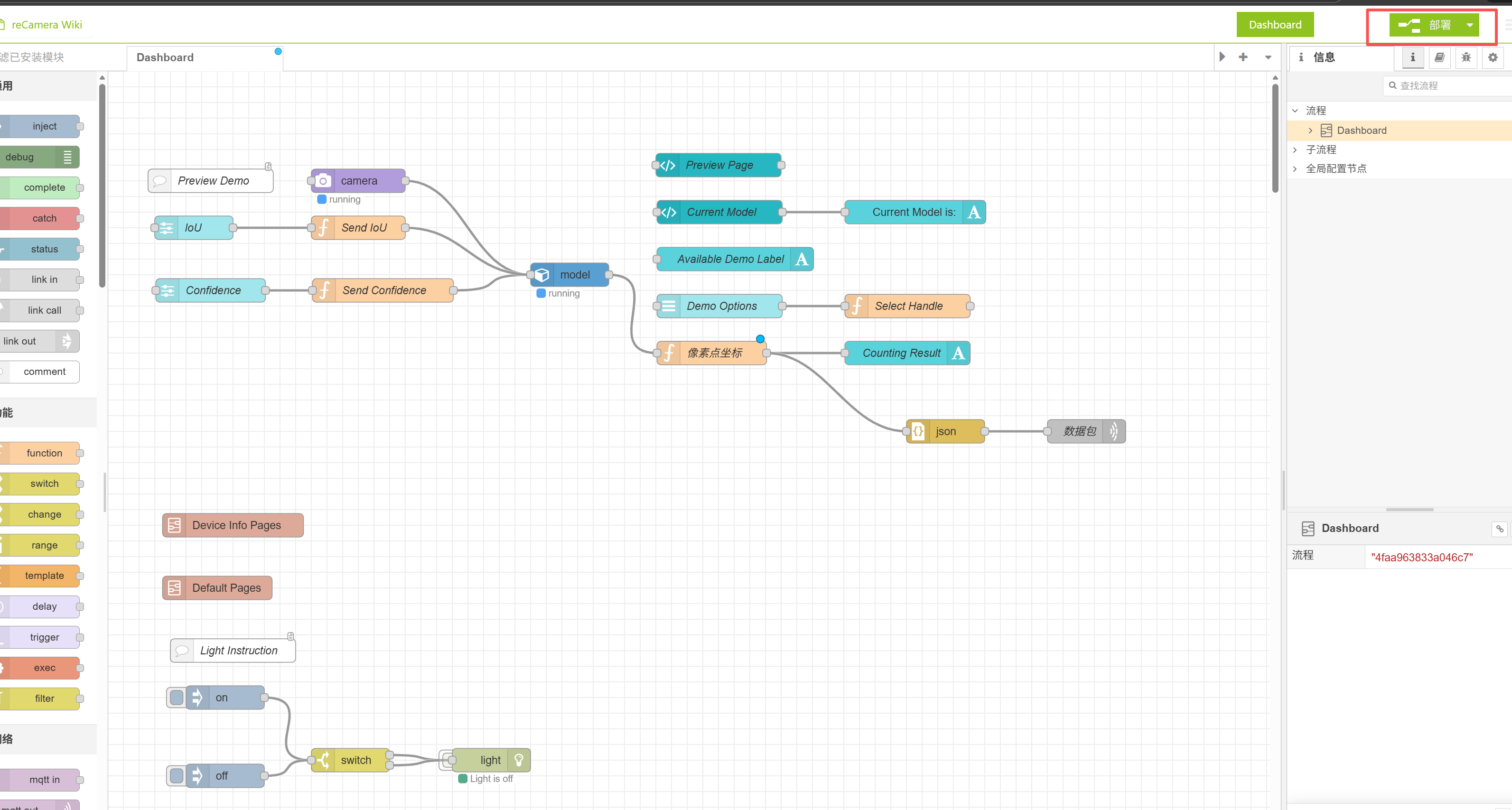
Click the Deploy button in the upper right corner
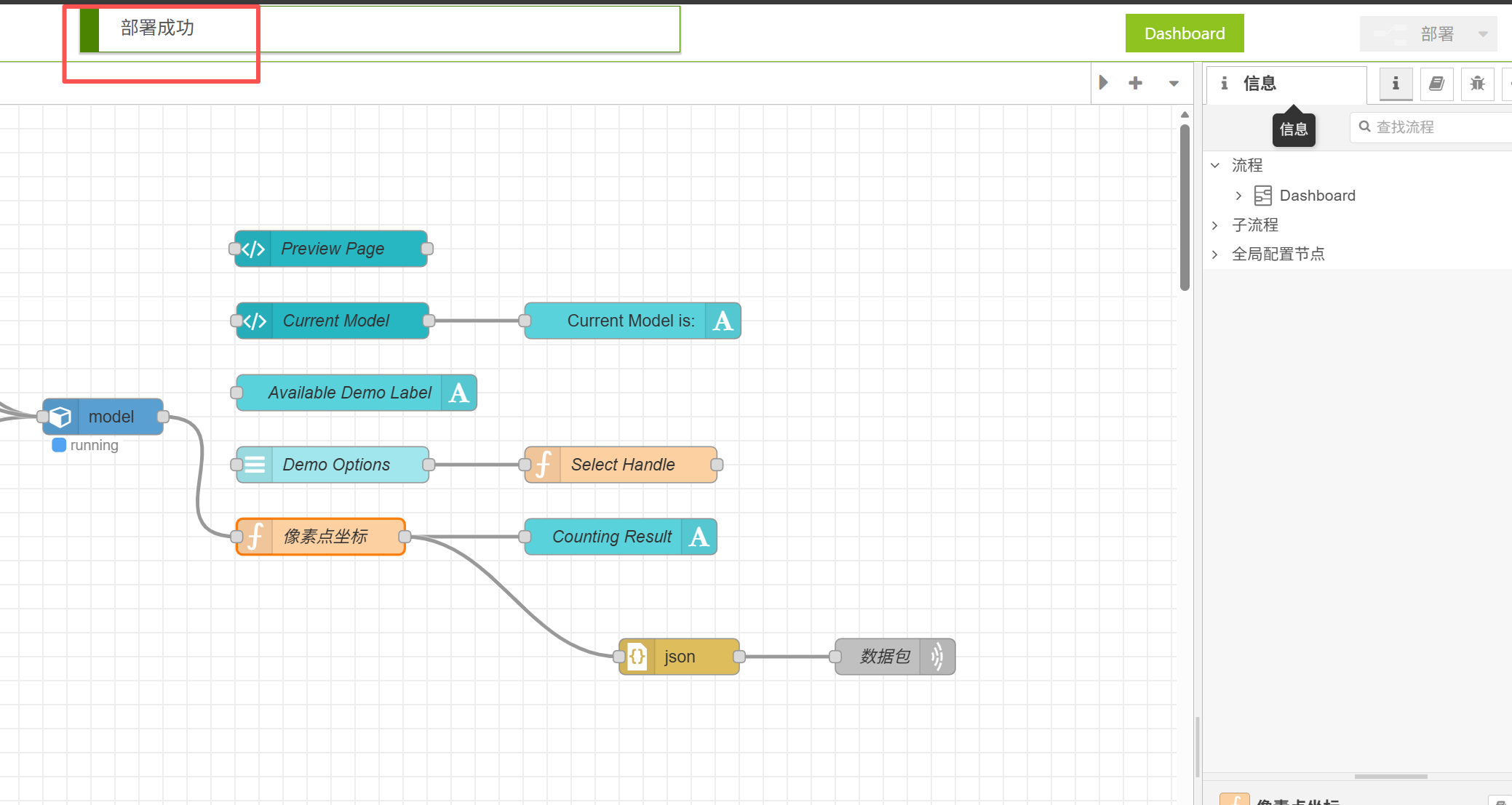
After the deployment is successful, a pop-up window will prompt, and then the deployment button will turn gray.
Then open the Dashboard to see the effect
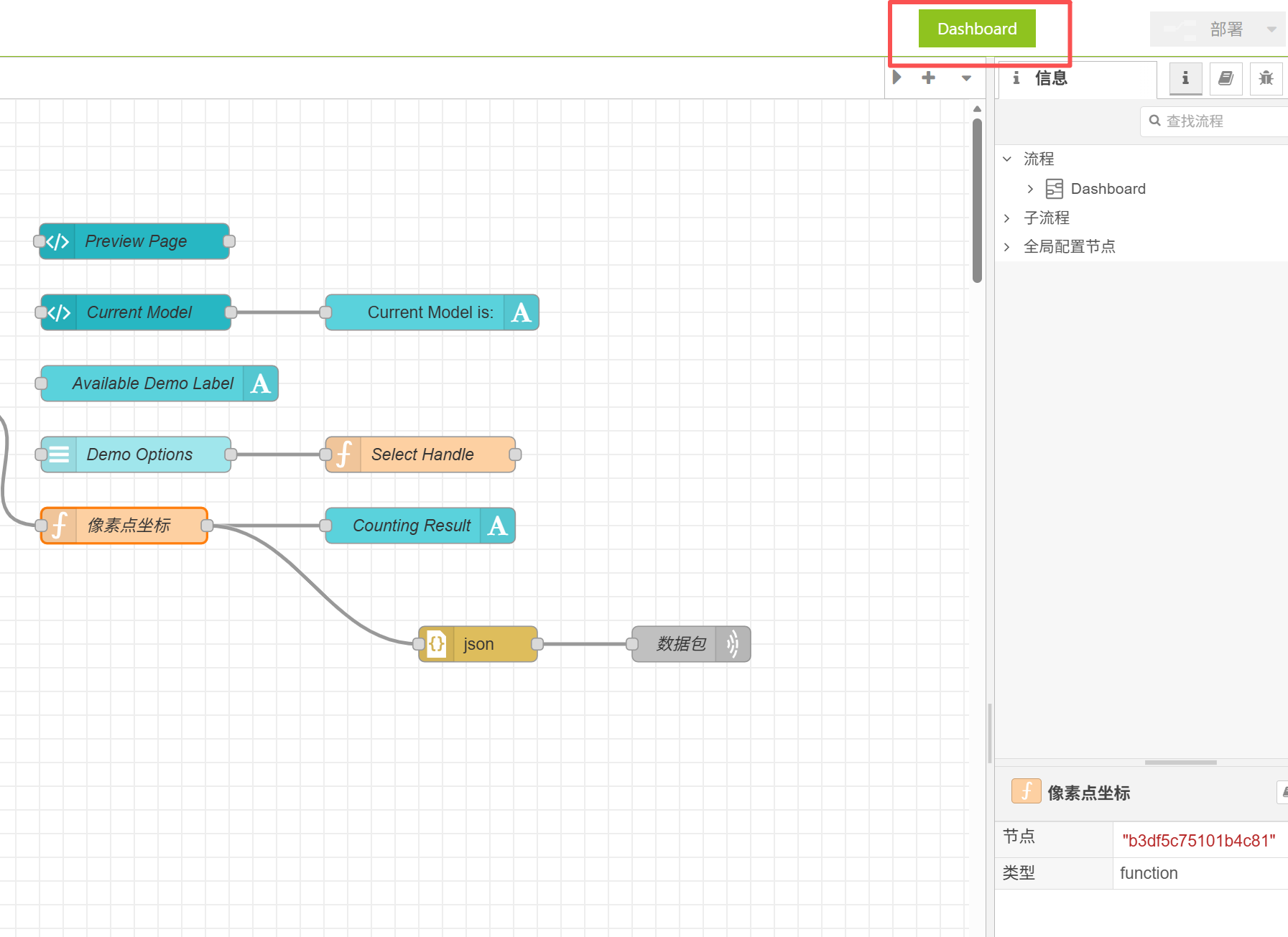
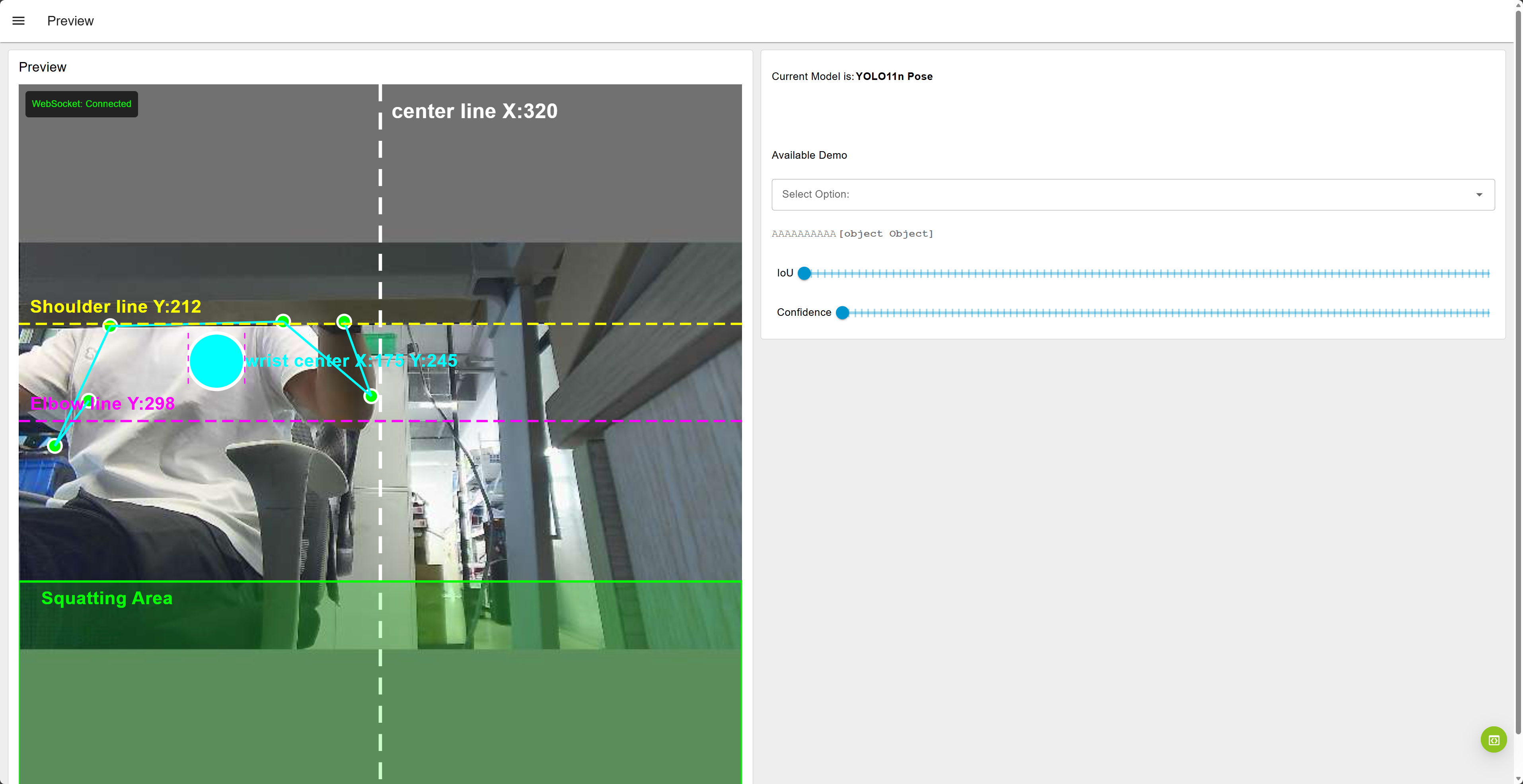
At this point you should be able to successfully see the detection screen as follows
1.4 Close the computer firewall and change the reCamera IP address
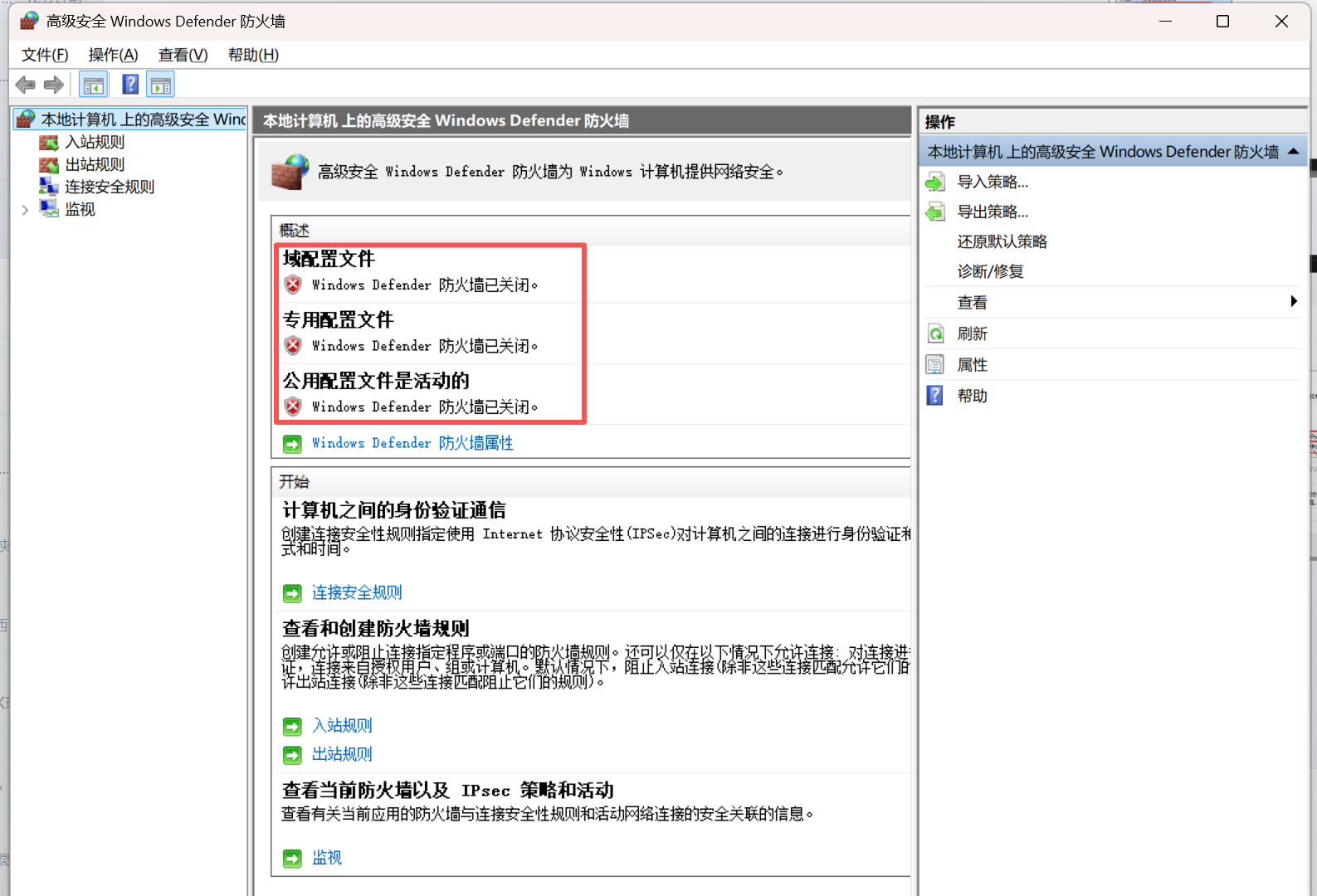
1.4.1 Turn off all firewalls on the computer
Turning off the firewall is to avoid the subsequent UDP messages sent by reCamera being intercepted.
1.4.2 Set the IP address of reCamera to 192.168.42.2
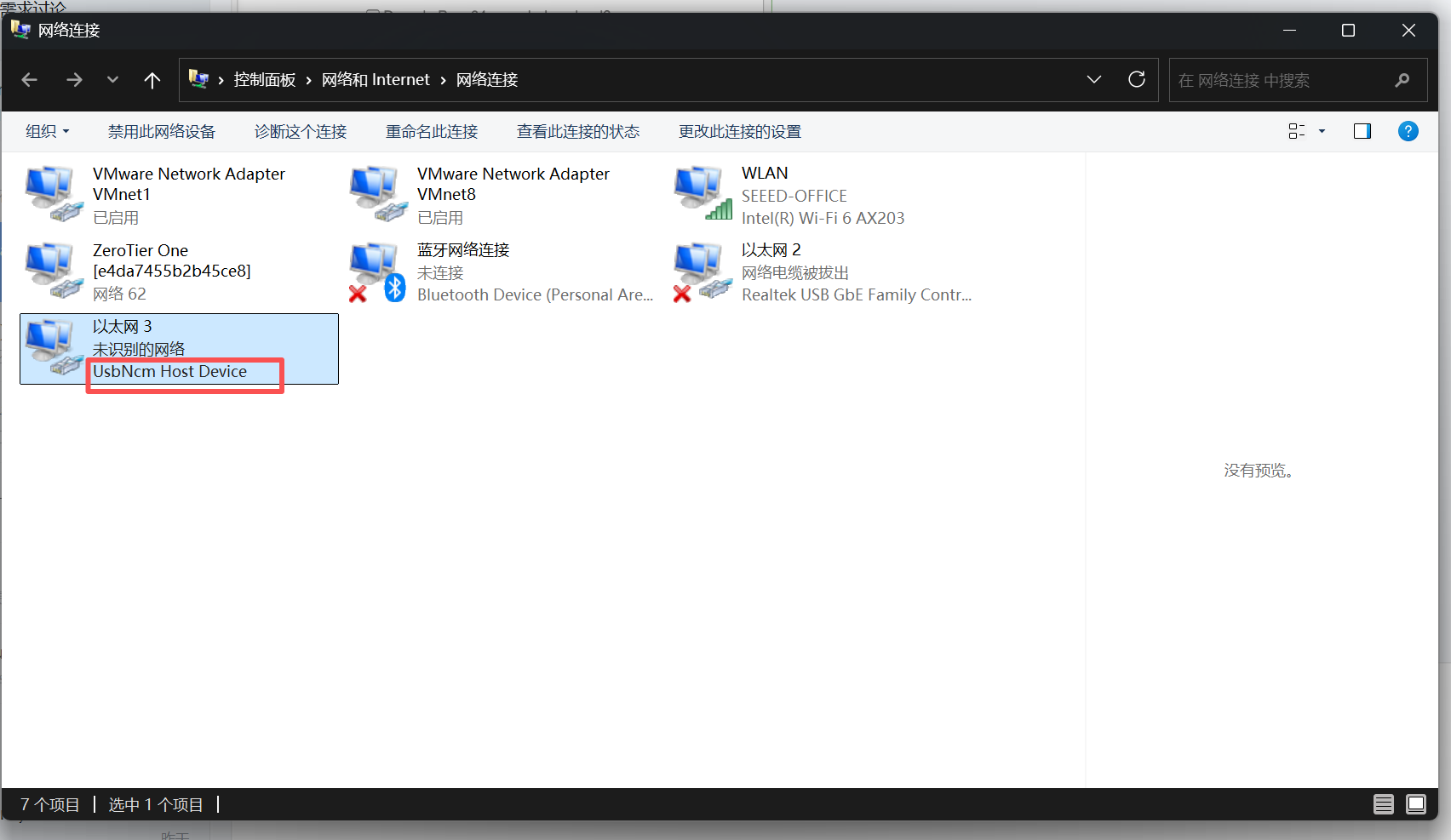
Open the Control Panel on your computer – Network and Internet – Network Connections, Find the device named "UsbNcm Host Device," this is your reCamera device, right-click and select properties to enter.
This step is to allow reCamera to communicate with the computer in the same network segment.
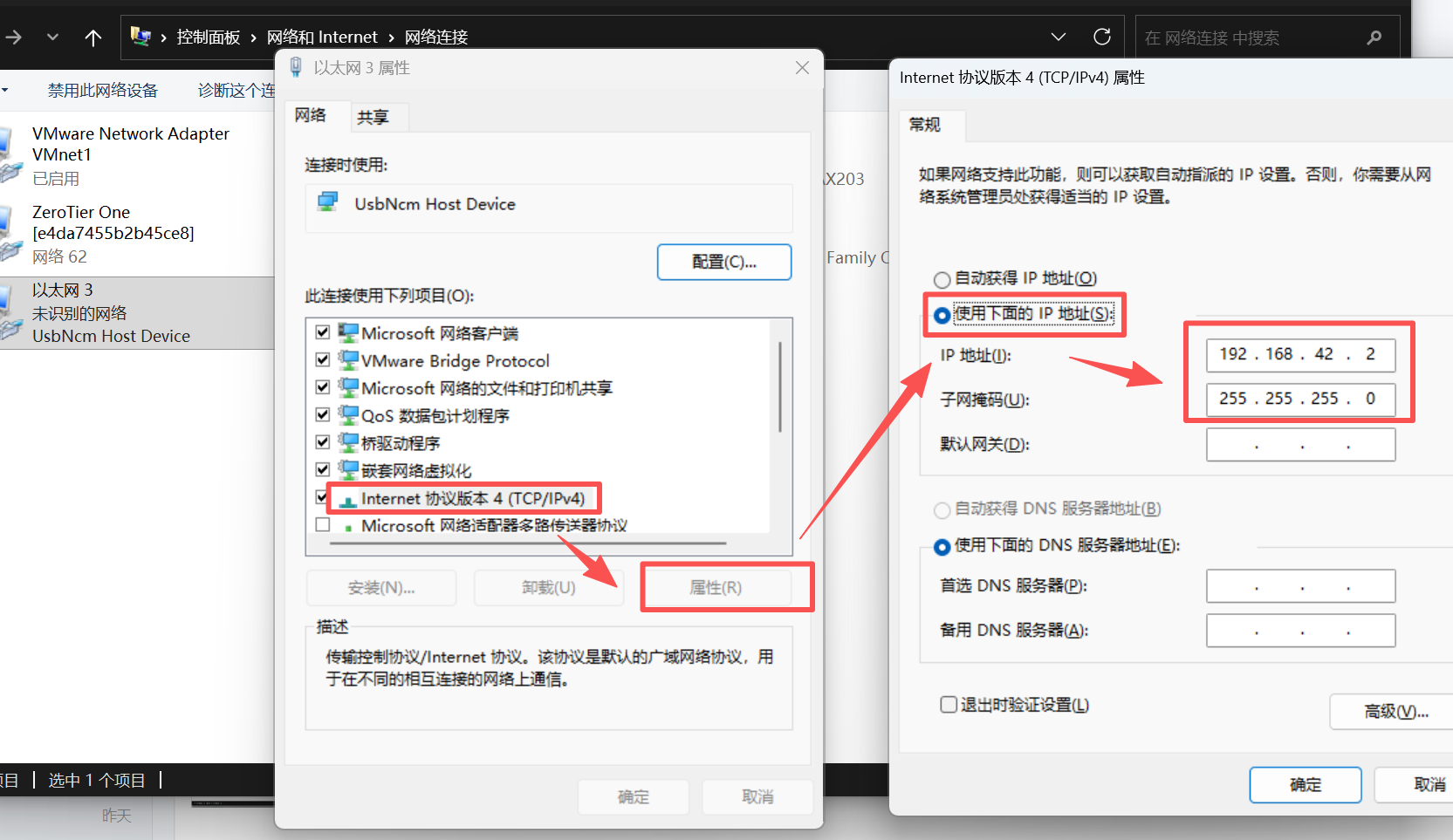
Choose IPV4 – Properties – Use the following IP address – Change the IP address to 192.168.42.2 and the subnet mask to 255.255.255.0,after selecting, click OK.
1.5 test the trigger of the four actions up, down, left and right
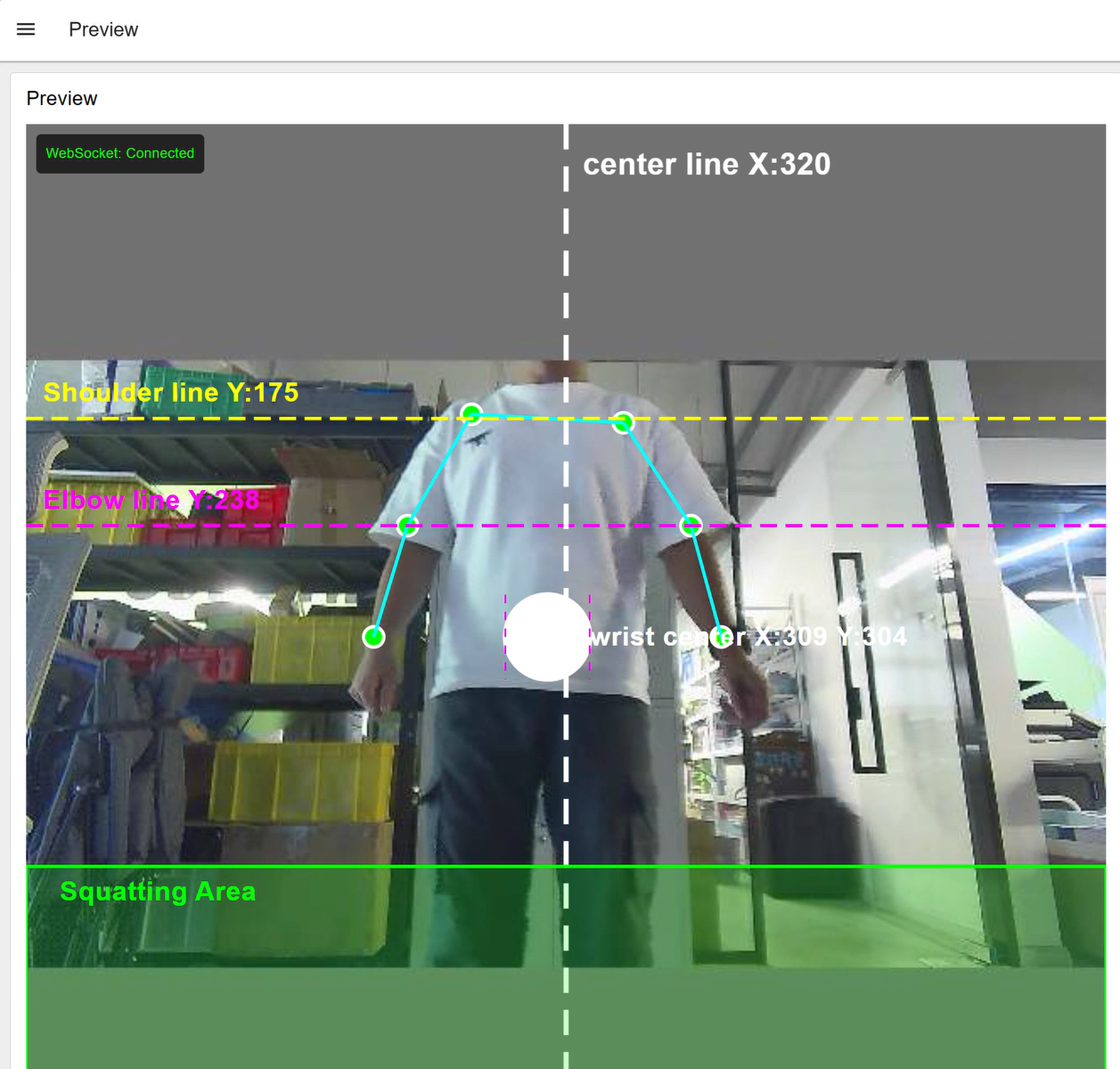
1.5.1 Initial state
This is the initial action, that is, the return to the middle state. When you fix the reCamera, adjust the angle, stand in front of the reCamera, put your arms on both sides naturally, and control the ball to be on the center line and between the purple line and the green area. At this time, you can perform other actions to test.
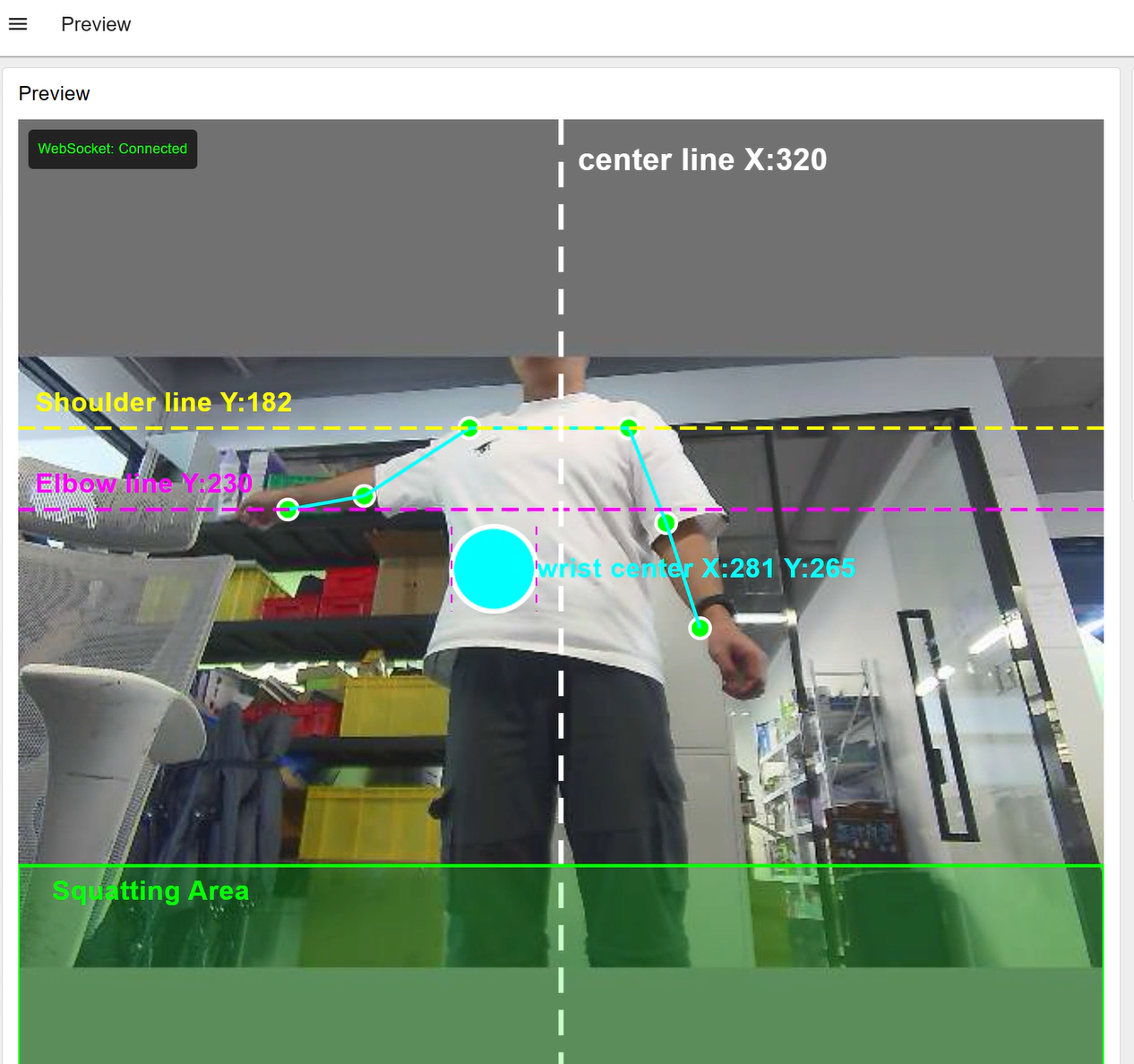
1.5.1 Left
Left arm to the left, keep the right arm still, control the ball to the left of the center line, he will be displayed in blue, at this time determined to be left
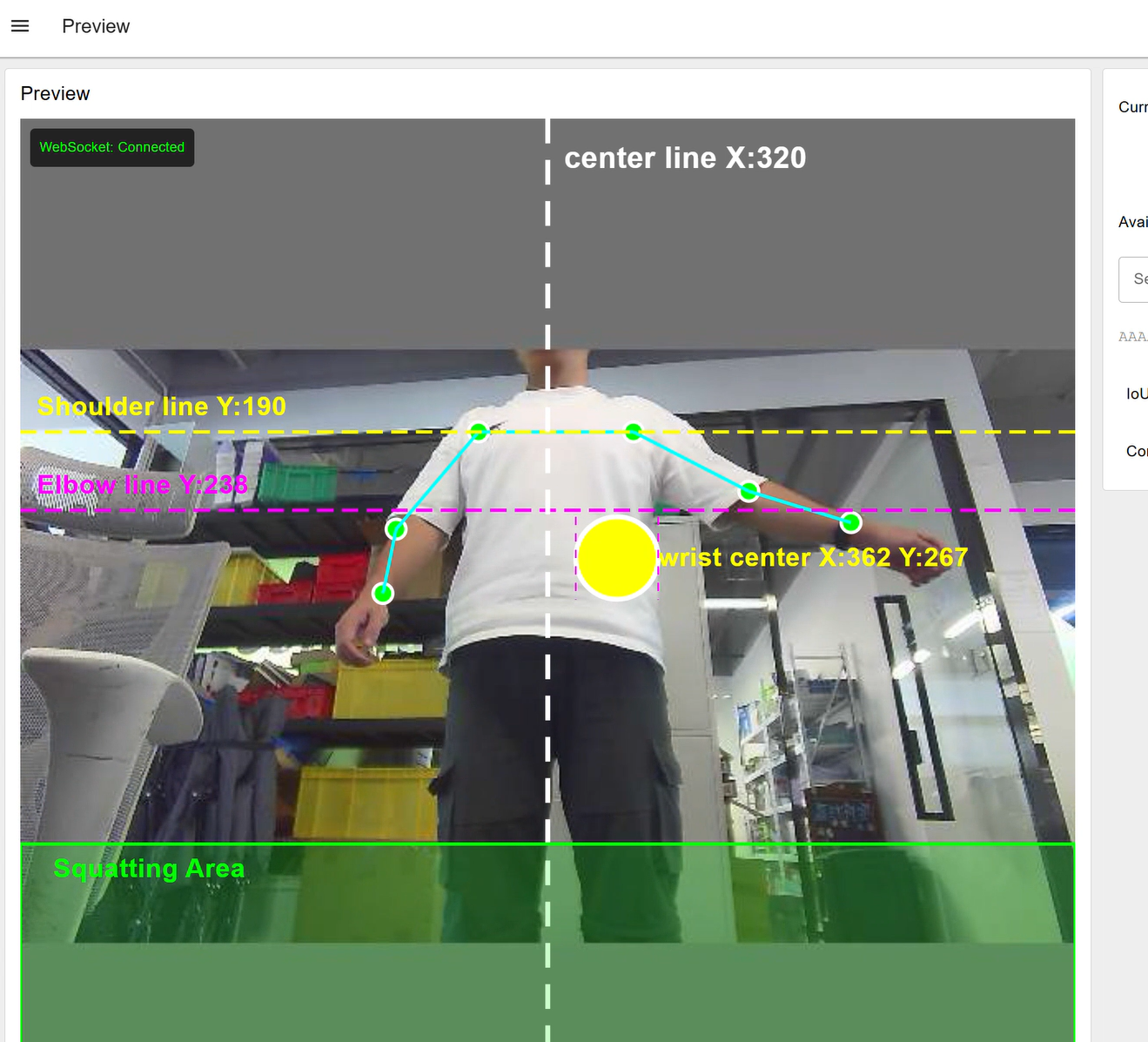
1.5.2 Right
Right arm to the right, keep the left arm still, control the ball to the right of the center line, he will be displayed in yellow, at this time judged to be right
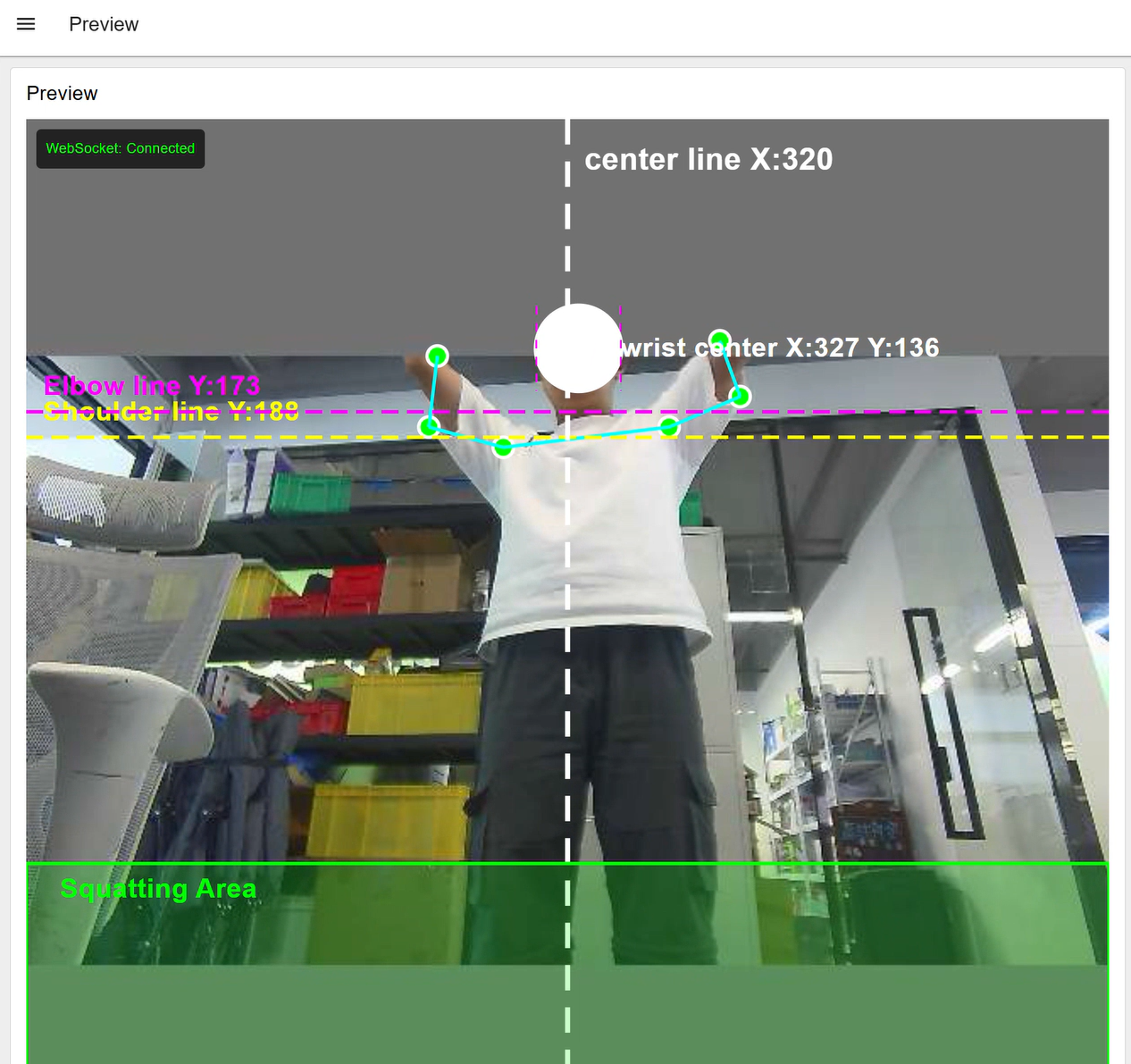
1.5.3 Up
Both arms should be raised upward. When you see the purple line exceeding the yellow line, it is determined to be upward and the ball will remain white.
1.5.4 DOWN
Keep the arm back to the middle and then squat down naturally. Control the ball to the squat area. The ball will turn red. At this time, it is determined to be downward.
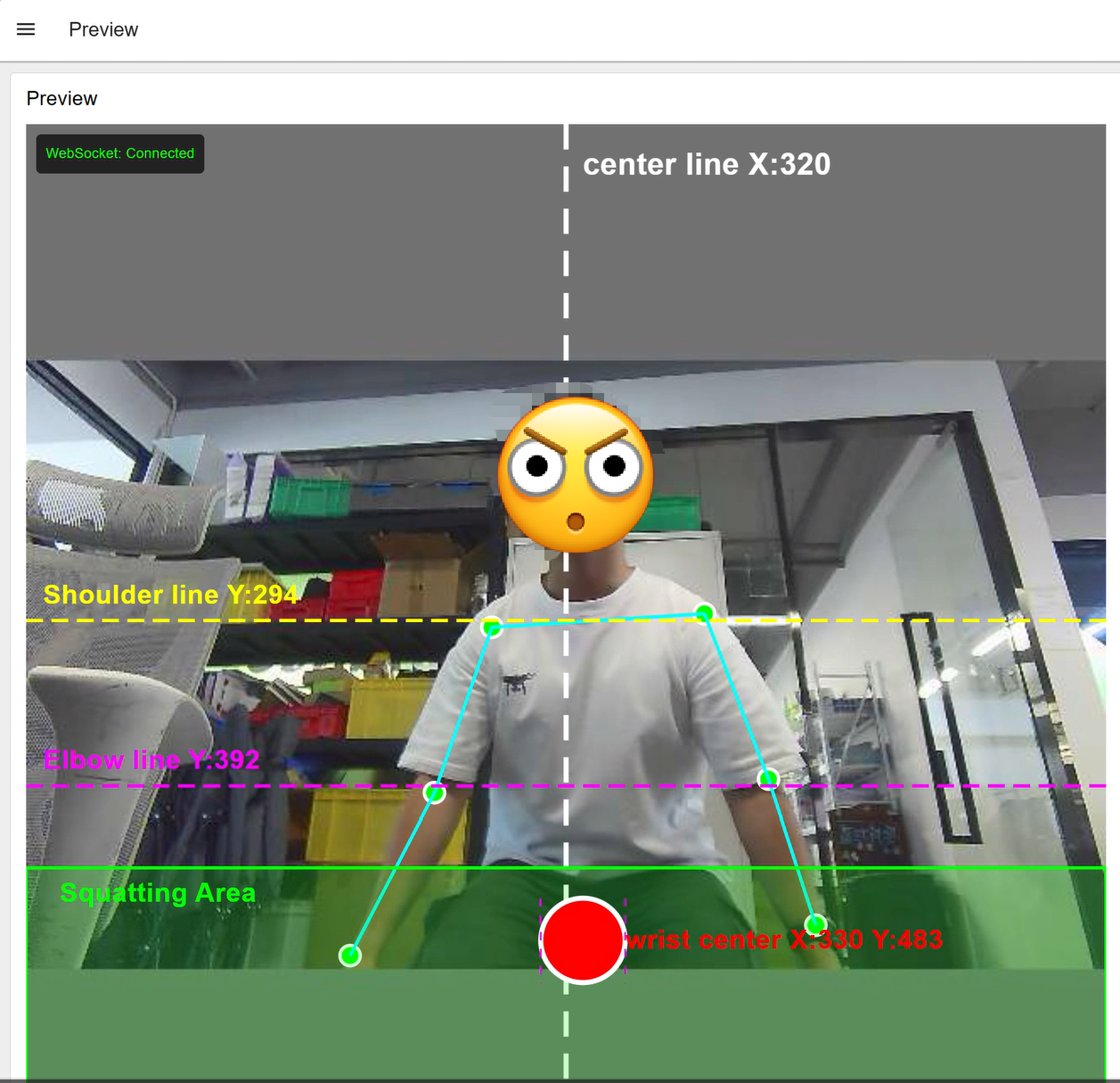
If you want to trigger a certain set of actions in a row, such as going left twice in a row, or going left and then going up, then when you do the first left action, you should first make the ball back in the middle and then do the second action.
2. Download the corresponding python control program and run it.
Click on this GitHub link
After entering, download the compressed package of this project to the local
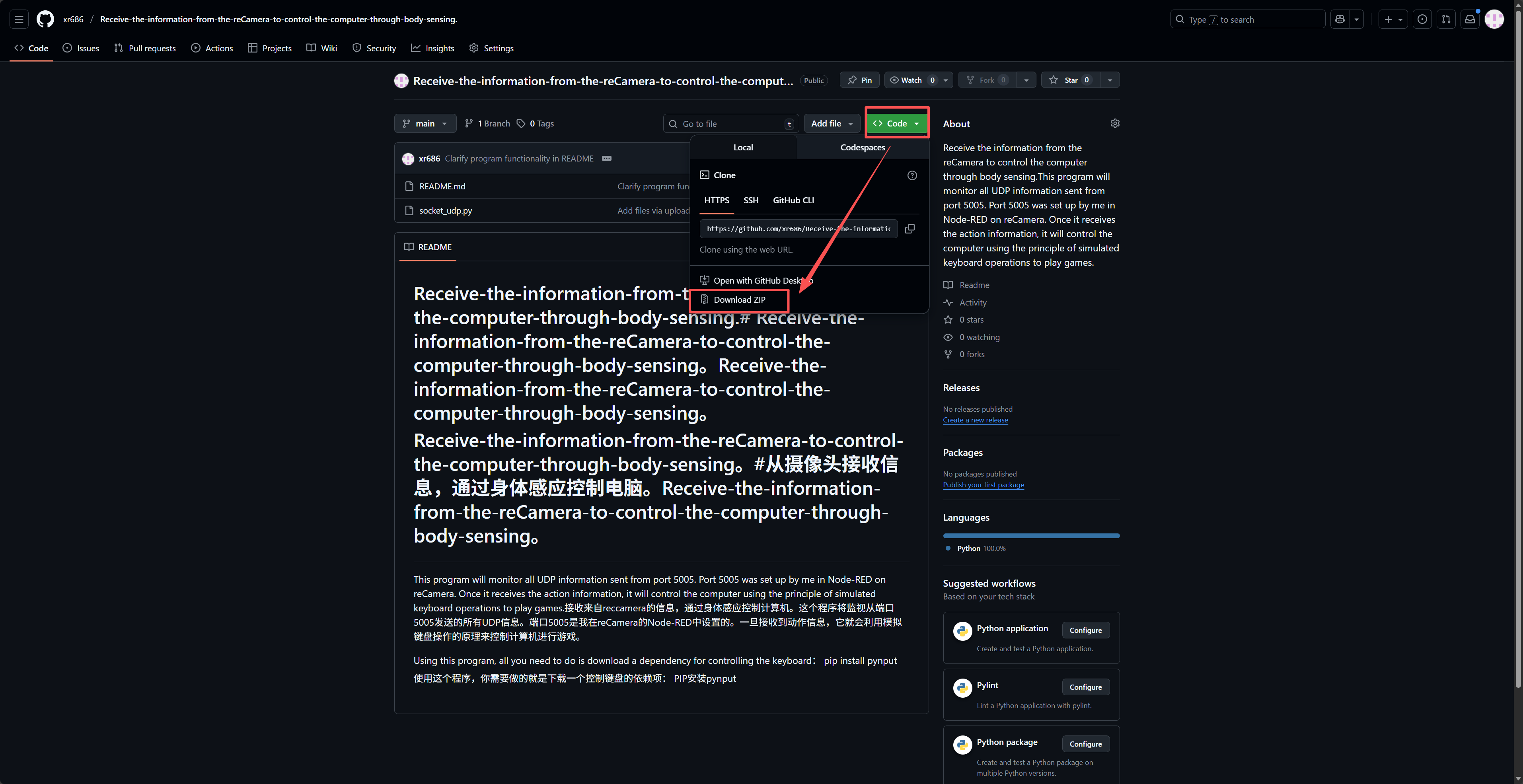
After decompression, open scket_udp.py, and then download a dependency that controls the keyboard first.
pip install pynput
Then you can run this python program. At this time, you should keep the reCamera detection screen in effect, and you will see the output of the result of action determination.
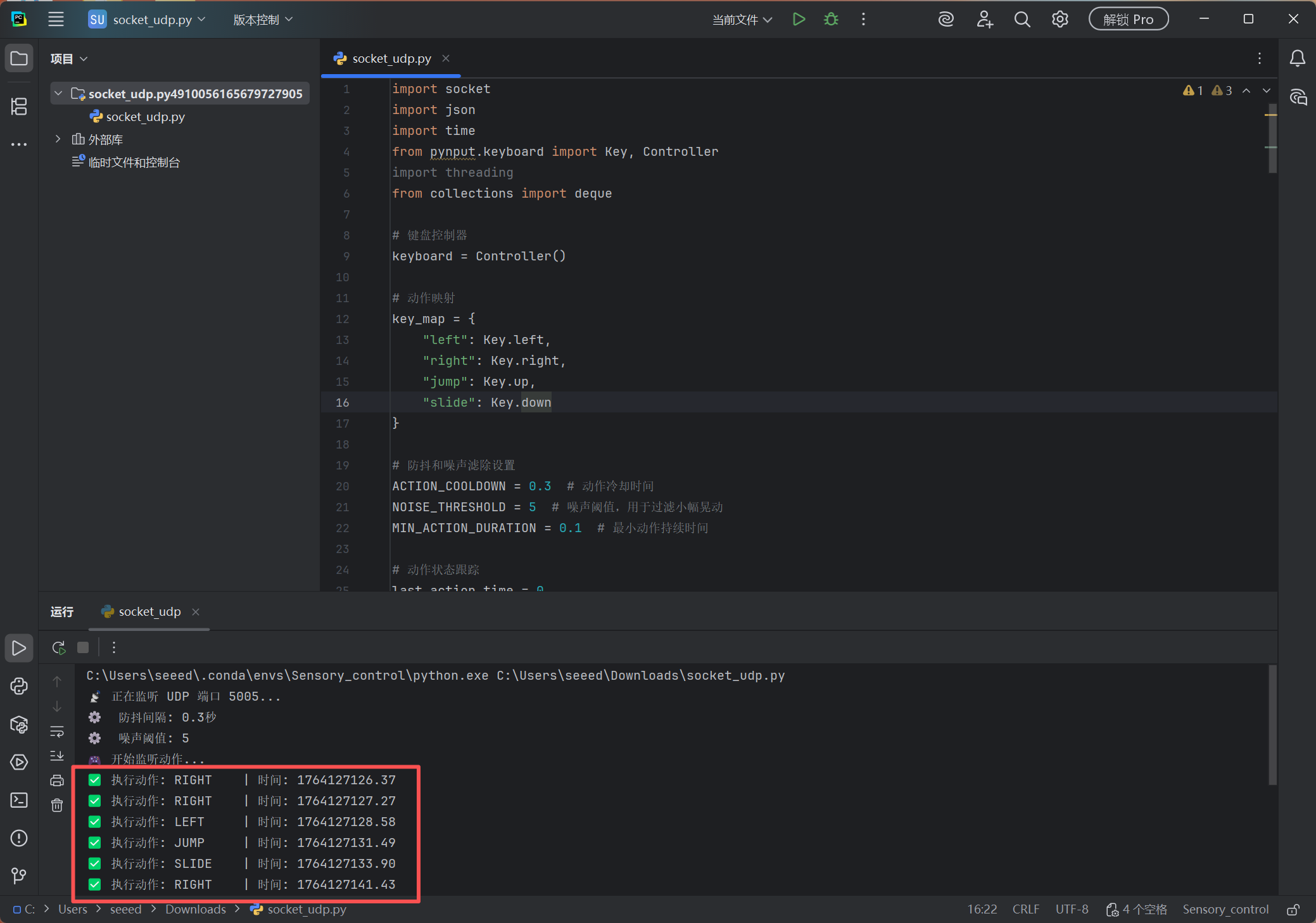
3. Open the game (take the subway parkour web version as an example)
After ensuring that your reCamera detection and python programs are running and the output of the test actions is no problem, open the subway parkour web page,Then click "Start Game" and you can start playing!
Only one person can appear in the screen. When other people break in, it will lead to an error in the action judgment!
Tech Support & Product Discussion
Thank you for choosing our products! We are here to provide you with different support to ensure that your experience with our products is as smooth as possible. We offer several communication channels to cater to different preferences and needs.