Matter for XIAO nRF54LM20A
Introduction
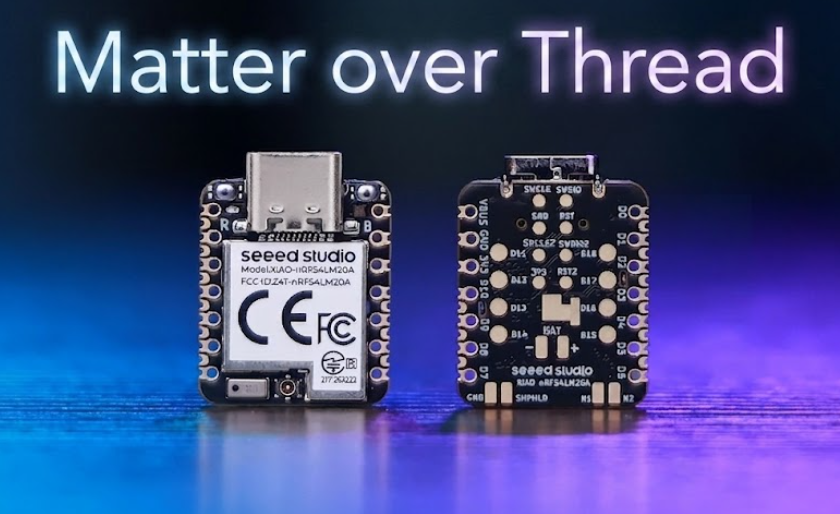
Powered by the nRF54LM20A SoC, the XIAO nRF54LM20A Seires supports Bluetooth LE, Matter, Thread, Zigbee and 2.4GHz proprietary protocols, delivering a peak data rate of 4 Mbps ideal for low-latency scenarios.
This tutorial uses two XIAO nRF54LM20A boards to verify Matter networking: one serves as a border router connected to Home Assistant, and the other operates as a Matter device joining the Thread network to display simulated temperature and humidity data on the Home Assistant dashboard.
Thanks to the author @tutoduino for the WiKi thoughts
This tutorial is based on VS Code and the nRF Connect Extension. If you are new to them, you can refer to XIAO nRF54LM20A nRFConnect SDK Usage
What is Matter
Matter (formerly CHIP) is a universal application-layer standard developed by the Connectivity Standards Alliance (CSA).
- Cross-vendor interoperability over IP networks (Wi-Fi/Ethernet/Thread)
- Standardized device types (e.g., lights, door locks, thermostats)
- Secure commissioning using QR codes/NFC
- End-to-end encryption with Distributed Compliance Ledger (DCL)
What is OpenThread
OpenThread is an open-source implementation of the Thread networking protocol. It creates low-power, secure mesh networks for IoT devices using IEEE 802.15.4 radio technology. Key features:
- Built-in IPv6 support (6LoWPAN)
- Self-organizing network topology
- AES-128 encryption for all communications
- Compatible with devices as small as light bulbs or sensors
What is the relationship between Matter and Thread
Thanks to the author@tutoduino for a very detailed explanation of this point, quoting from it!
After this short introduction to Matter and Thread, you now understand that Thread and Matter serve different purposes and operate at different layers of the technology stack. To recap:
Thread:
- Thread is a low-power, wireless mesh networking protocol designed for connected home devices. It provides a reliable and secure way for devices to communicate with each other and the internet.
- Thread creates a local network that allows devices to talk to each other even if the internet goes down.
Matter:
- Matter is an application-layer protocol that sits on top of networking protocols like Thread, Wi-Fi, and Ethernet. It aims to simplify and unify the smart home ecosystem by ensuring that devices from different manufacturers can work together seamlessly.
- Matter defines how devices communicate and interact at the application level, focusing on interoperability, security, and ease of use.
Connection between Thread and Matter:
- Matter can use Thread as one of its underlying network protocols. This means that devices using the Matter protocol can communicate over a Thread network.
- The combination of Matter and Thread allows for a robust, secure, and interoperable smart home ecosystem where devices can communicate locally and efficiently.

Introduction to Home Assistant
Home Assistant is a powerful open-source home automation platform that allows you to control and monitor your smart home devices from a single, unified interface. It acts as the central hub for your smart home, enabling you to automate routines, monitor sensors, and create a more intelligent living space.

Hardware Preperation
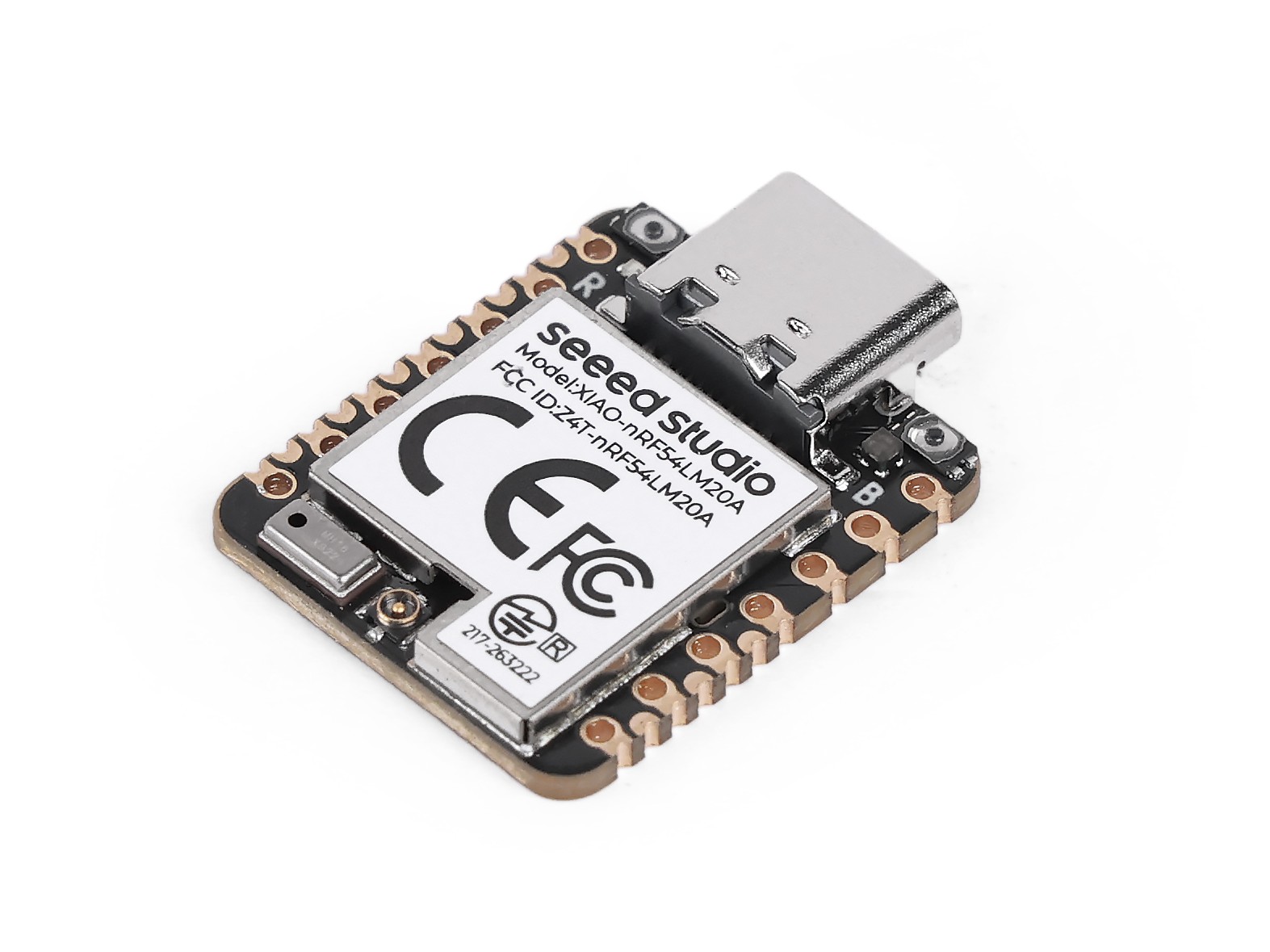
Two XIAO nRF54LM20A Sense are required for hardware preparation.
| Home Assistant Green | SeeedStudio XIAO nRF54LM20A × 2 |
|---|---|
 |  |
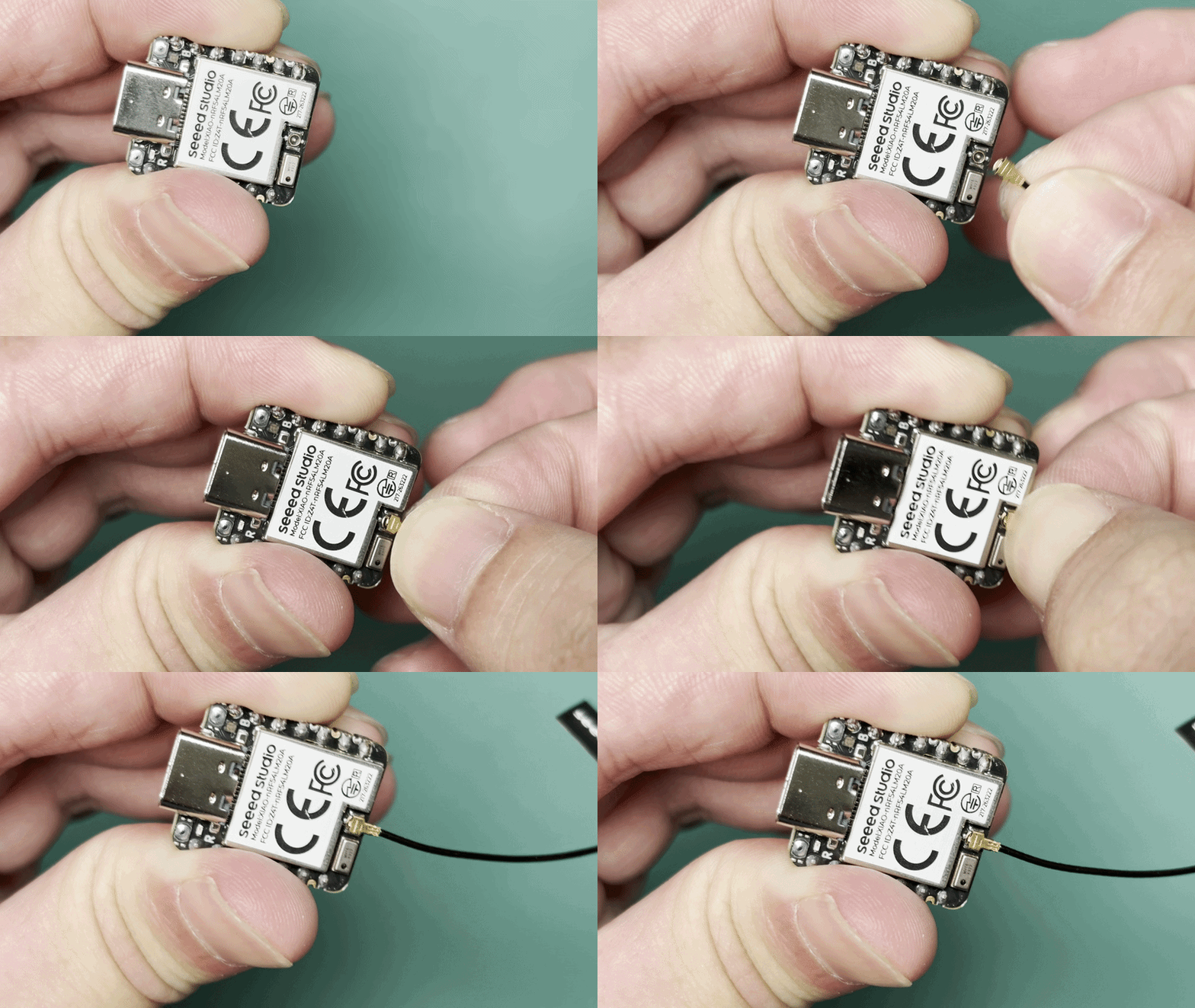
Bluetooth Antenna
This board uses an external Bluetooth antenna. To ensure a better quality of Bluetooth signal and enhance your Bluetooth usage experience, it is recommended to install a Bluetooth antenna. The connection method is shown below:
Connect to HomeAssistant by Matter
Install the Add-on
Navigate to Settings -> Apps and select Install app to add the add-on.
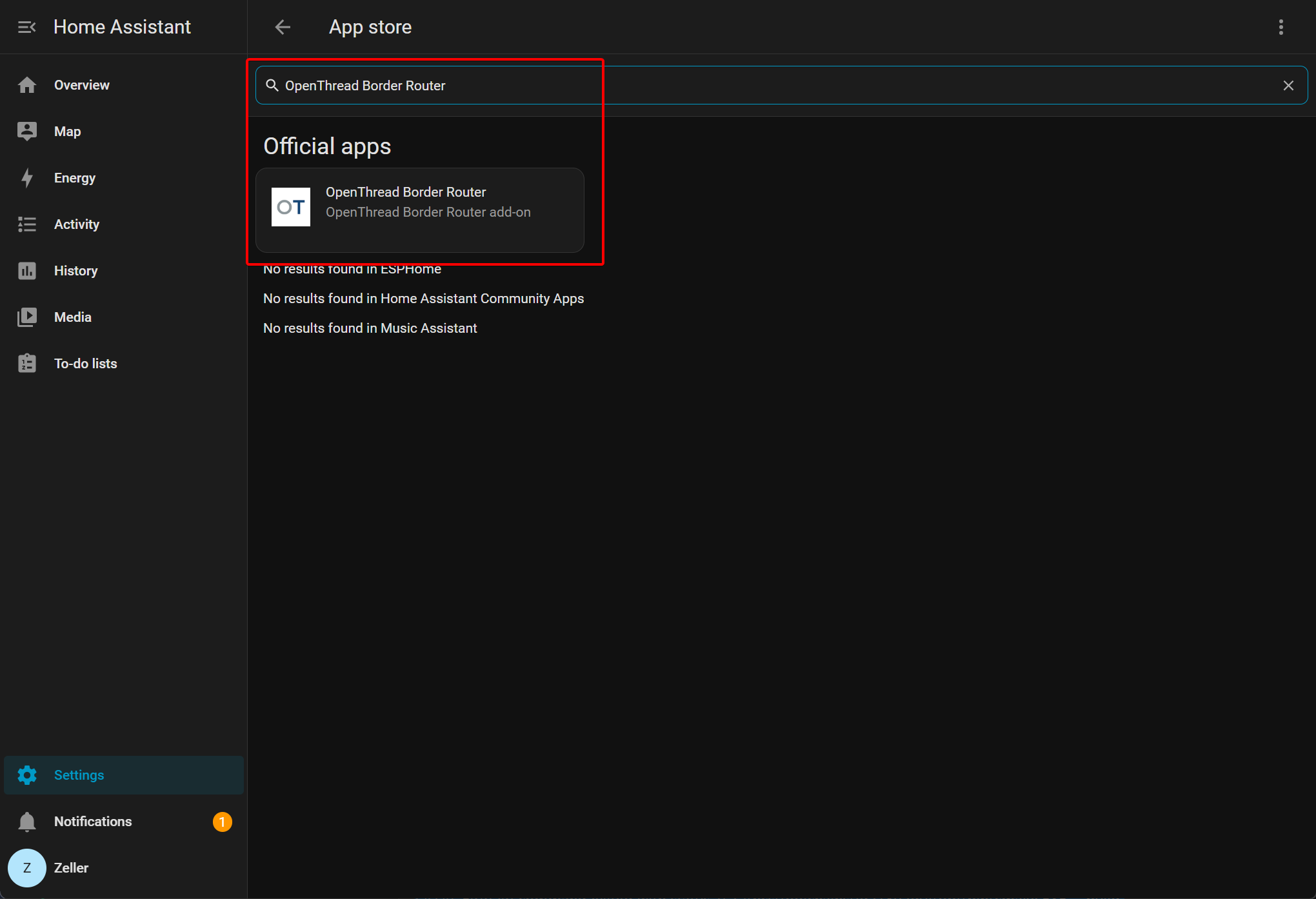
- Add the Open Thread Border Router and modify its configuration.
- Go to Settings -> Apps, select Install app to add the add-on, then search for Open Thread Border Router and complete the installation.
- Add the Matter Server
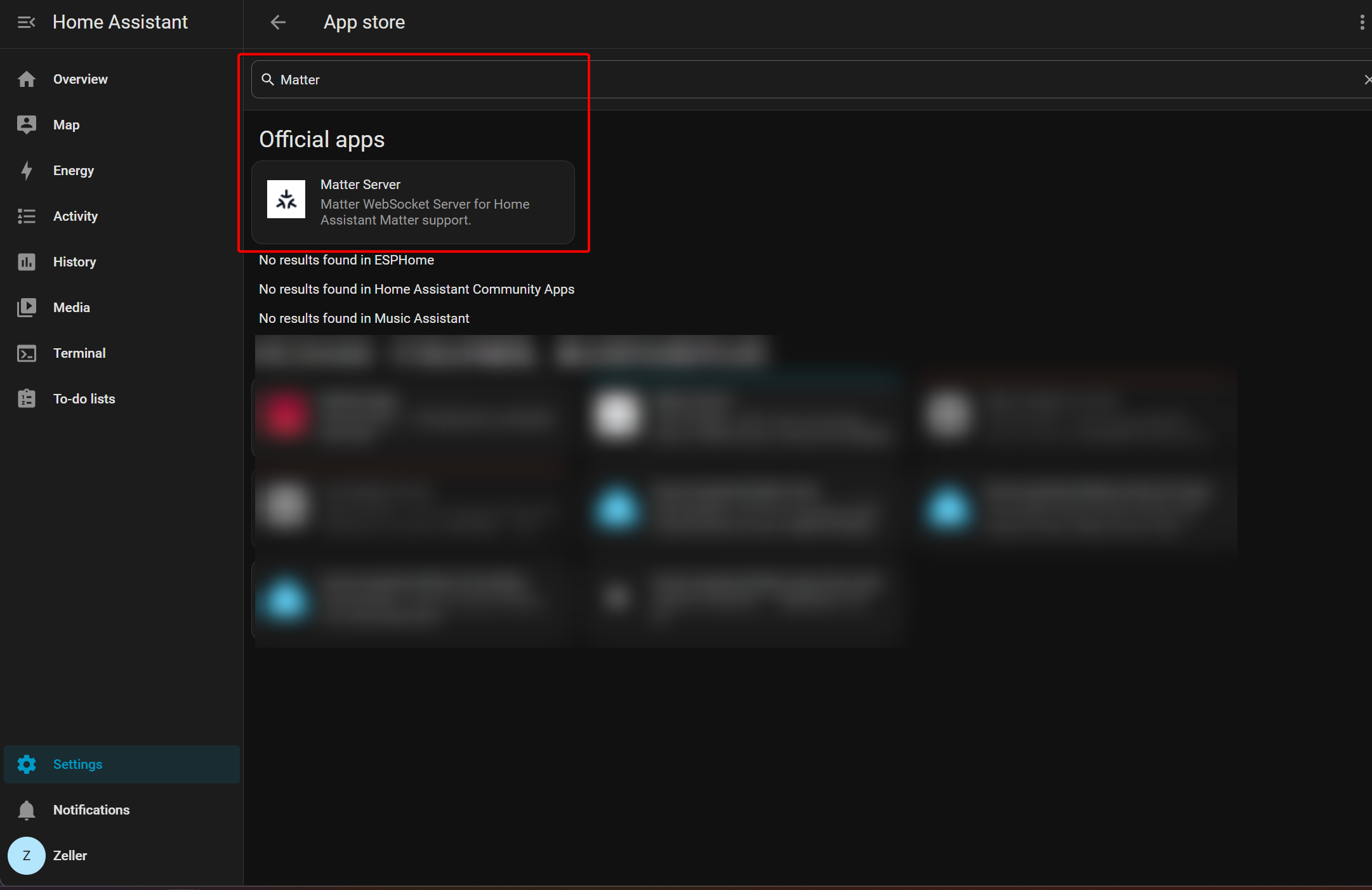
Configure Thread routing
Follow the steps below to flash one XIAO nRF54LM20A as a Coprocessor to emulate a border router device.
Thread routing devices such as Connect ZBT-1, Connect ZBT-2 or Home Assistant Yellow can also be used.
Flash the XIAO nRF54LM20A with RCP Coprocessor firmware
This tutorial is based on VS Code and the nRF Connect Extension. If you are new to them, you can refer to XIAO nRF54LM20A nRFConnect SDK Usage
- Select Create a new application, choose copy a sample, search for Coprocessor and create the project.
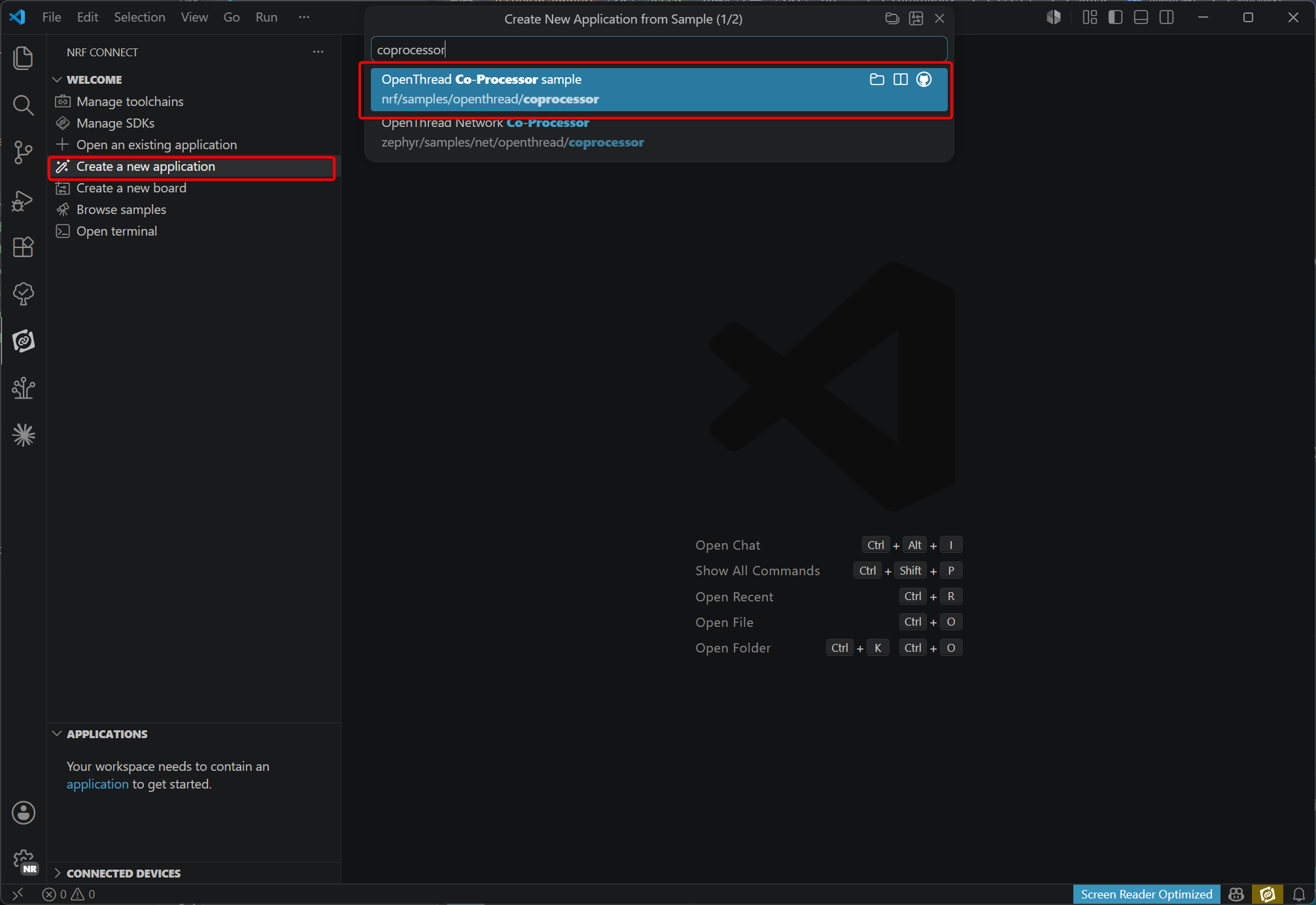
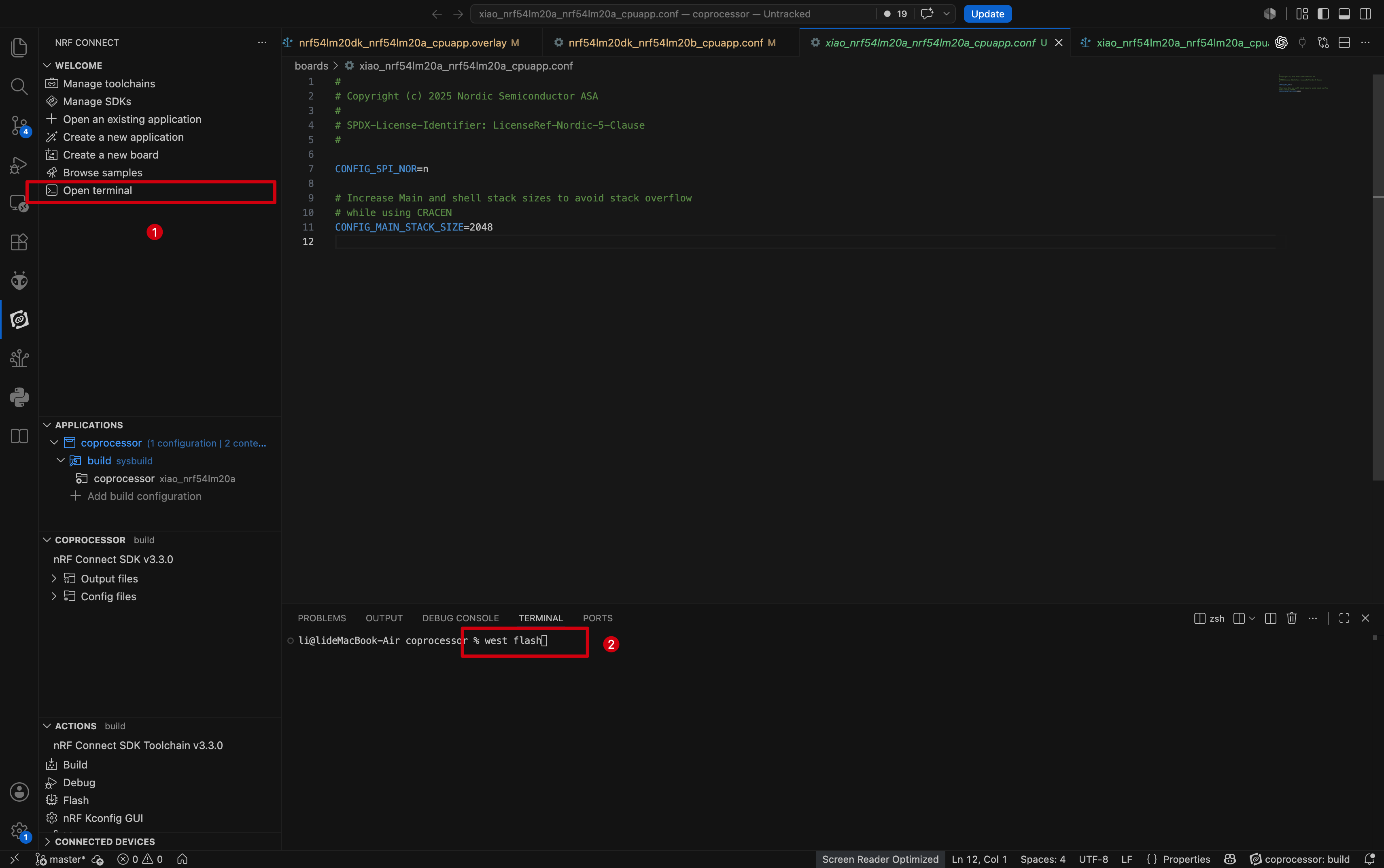
- Add and modify device tree configuration files under the boards folder. Disable the I2C configuration used by the PMIC to avoid conflicts, and set the baud rate of UART20 to 1000000.
File path: ~/boards:
- xiao_nrf54lm20a_nrf54lm20a_cpuapp.overlay.
&uart20 {
        current-speed = <1000000>;
        status = "okay";
        hw-flow-control;
};

/ {
        chosen {
                zephyr,ot-uart = &uart20;
        };
};

&pmic_i2c {
        status = "disabled";
};

&pmic {
        status = "disabled";

        charger {
                status = "disabled";
        };

        regulators {
                status = "disabled";

                LDO1 {
                        status = "disabled";
                };
        };
};
- xiao_nrf54lm20a_nrf54lm20a_cpuapp.conf.
#
# Copyright (c) 2025 Nordic Semiconductor ASA
#
# SPDX-License-Identifier: LicenseRef-Nordic-5-Clause
#

CONFIG_SPI_NOR=n

# Increase Main and shell stack sizes to avoid stack overflow
# while using CRACEN
CONFIG_MAIN_STACK_SIZE=2048
- Build and enable the configuration.
- Configure and build the project.
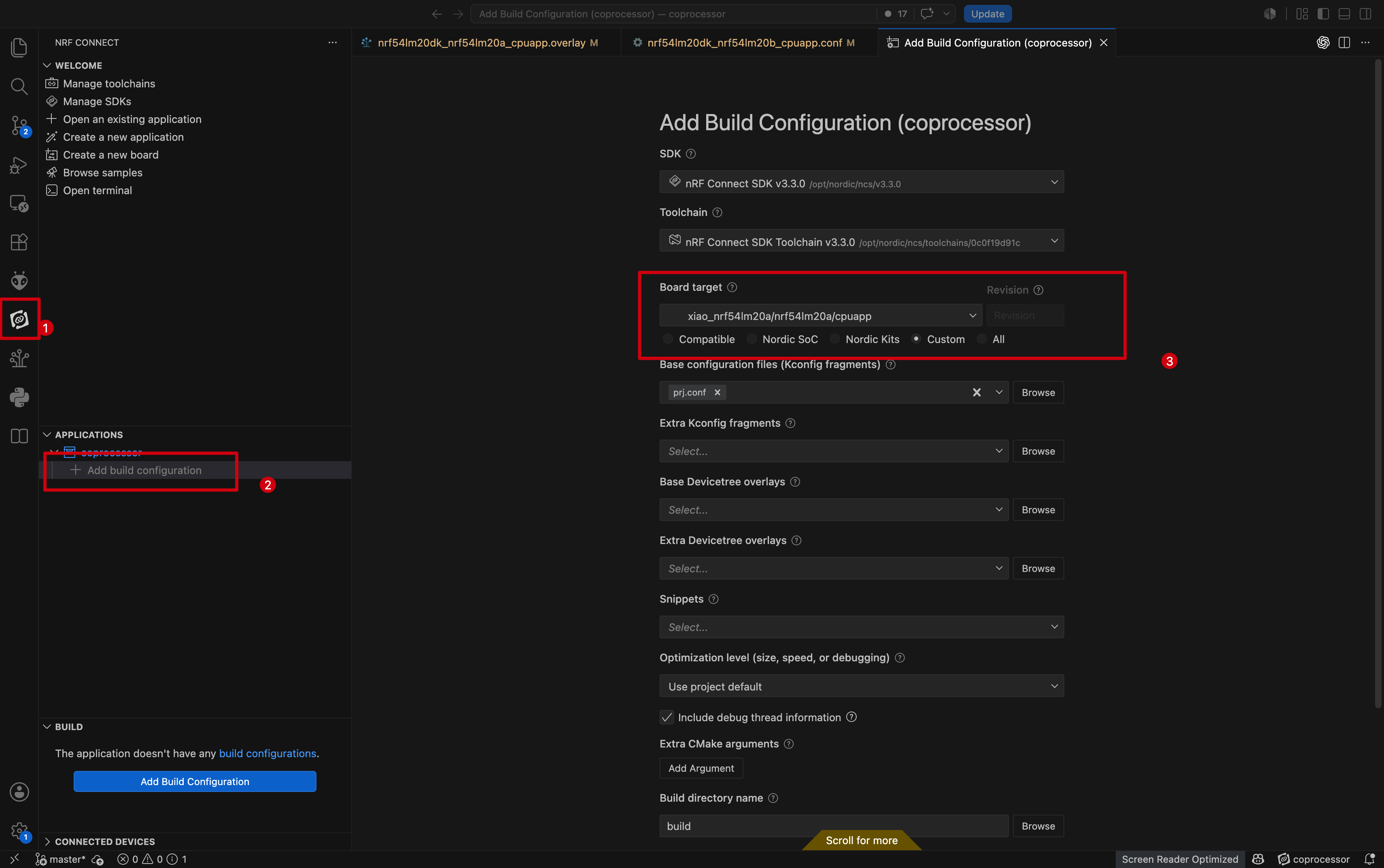
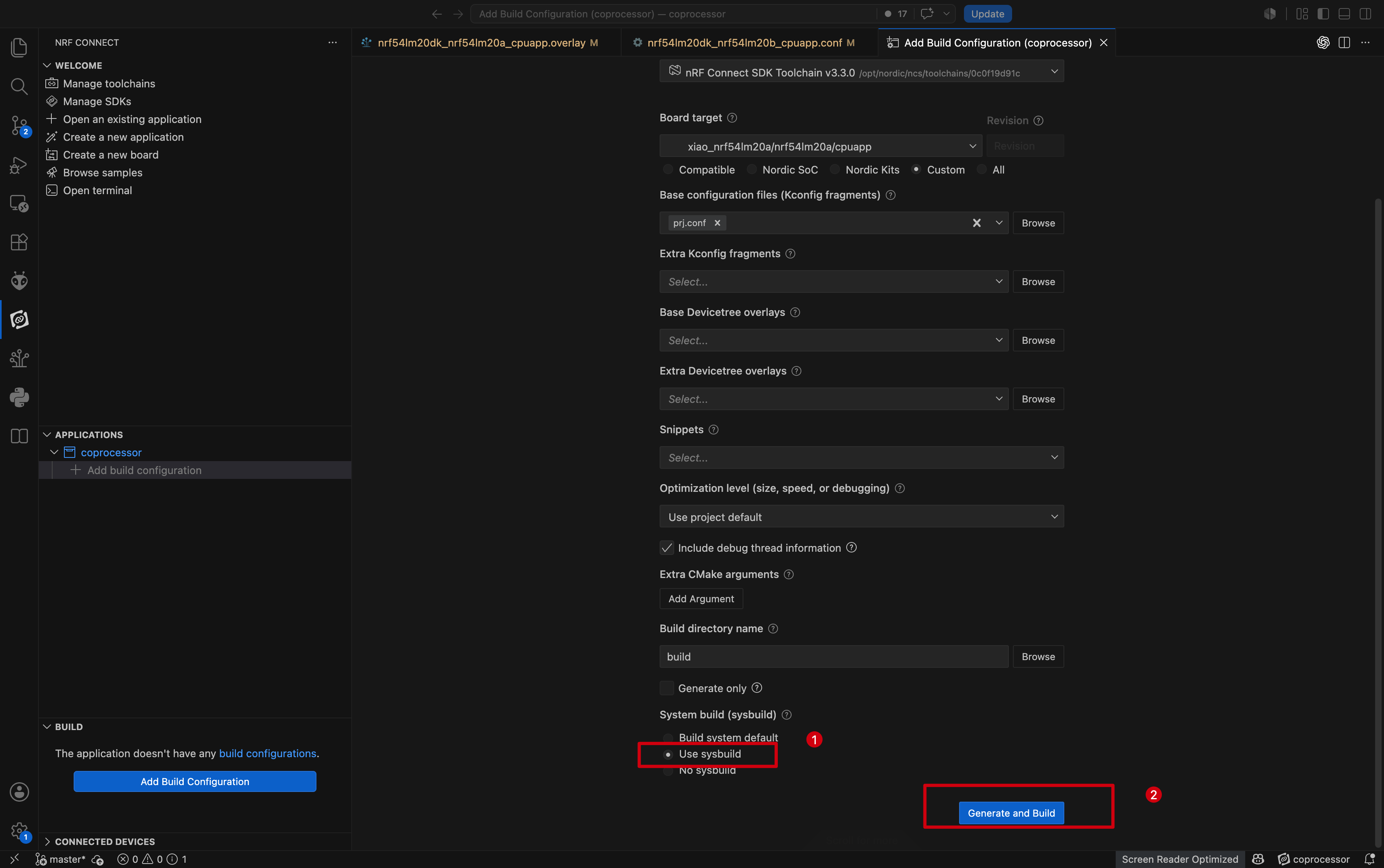
- Flash the firmware using
west flash.
- To detect the device in Home Assistant, connect the XIAO nRF54LM20A flashed with the Coprocessor firmware to Home Assistant Green via USB-C.
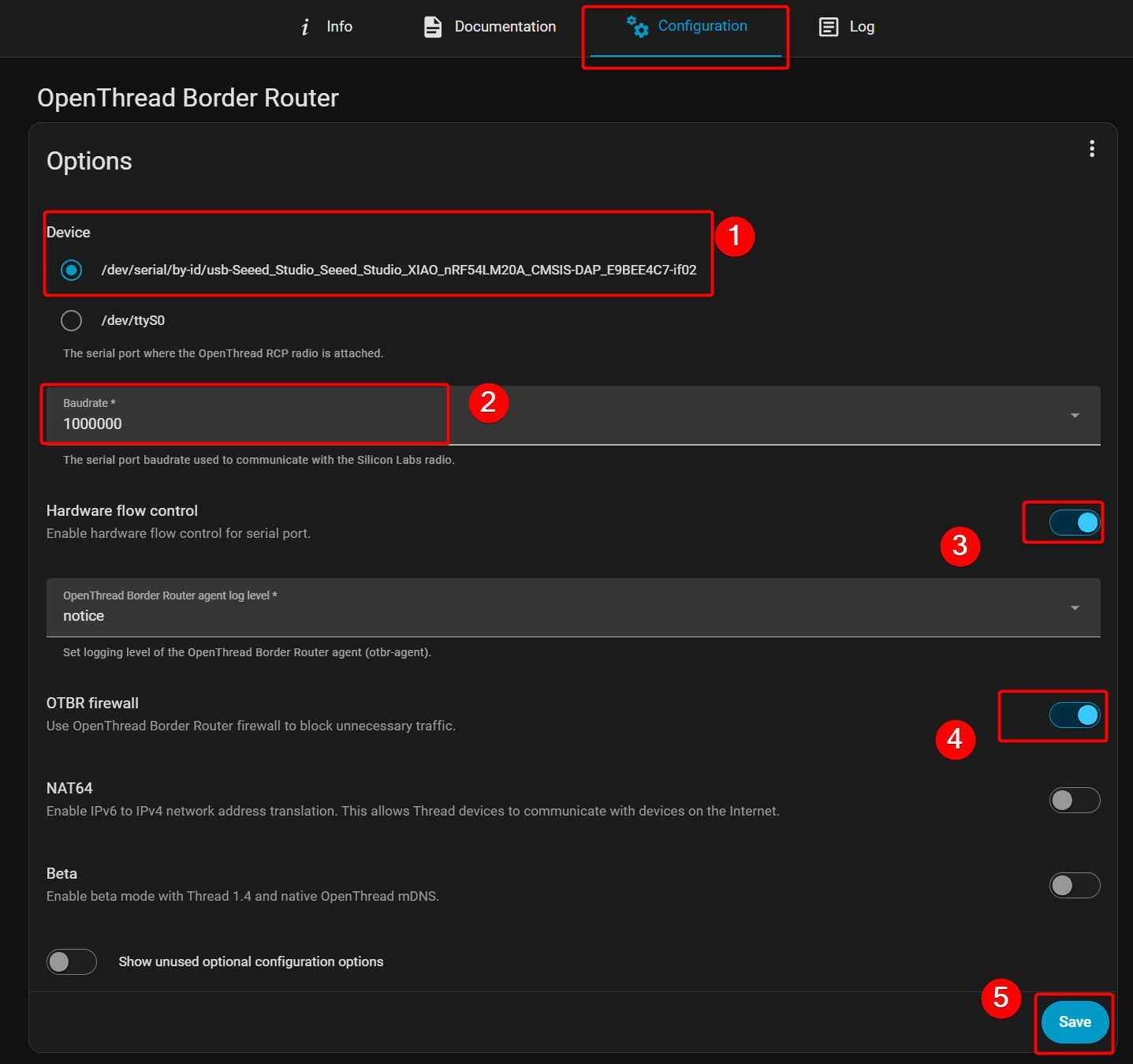
- Open the Add-on store, locate Open Thread Border Router and configure it. You will see the device named XIAO nRF54LM20A; configure the baud rate and other parameters, then save the settings.
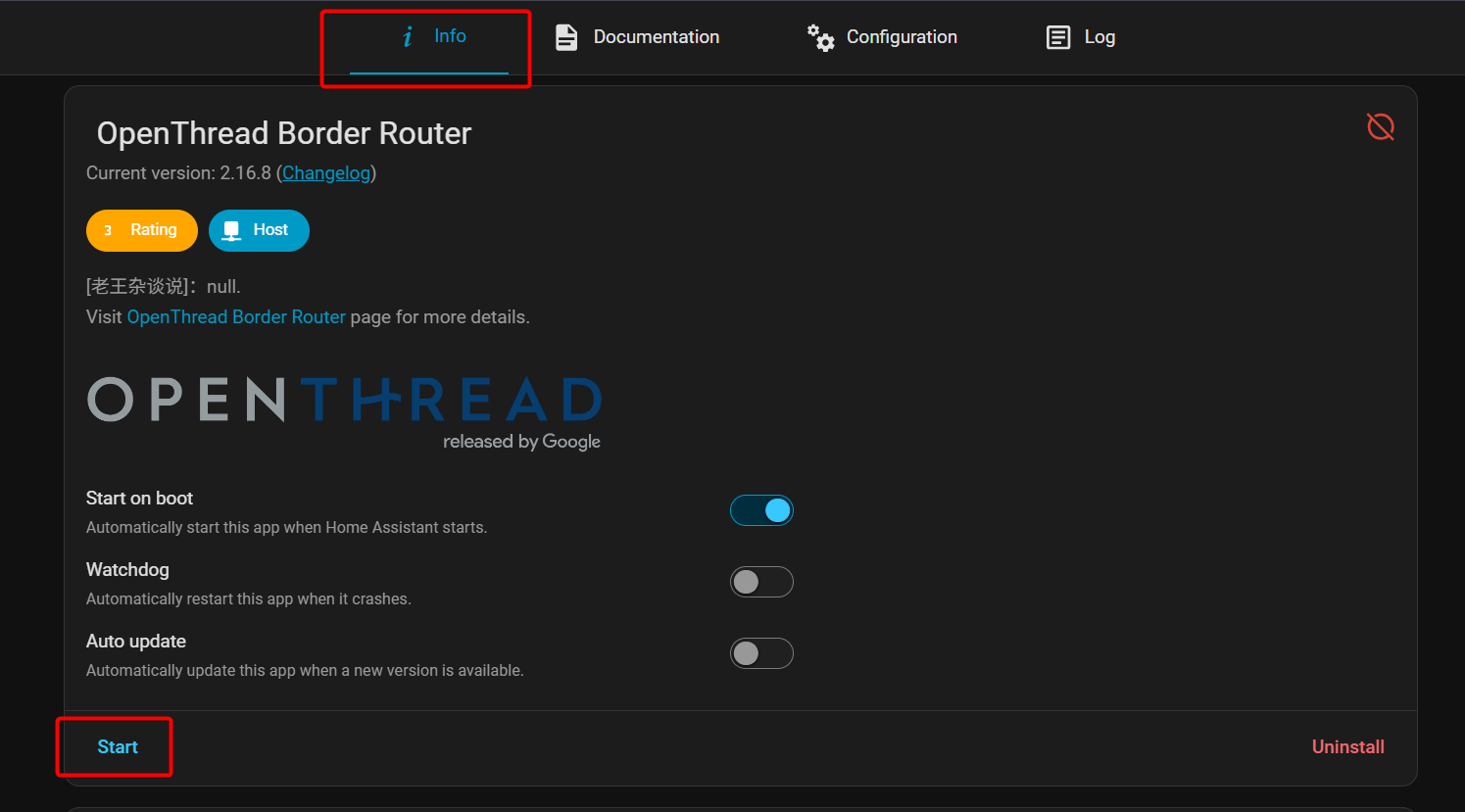
- Select Start under the Info tab.
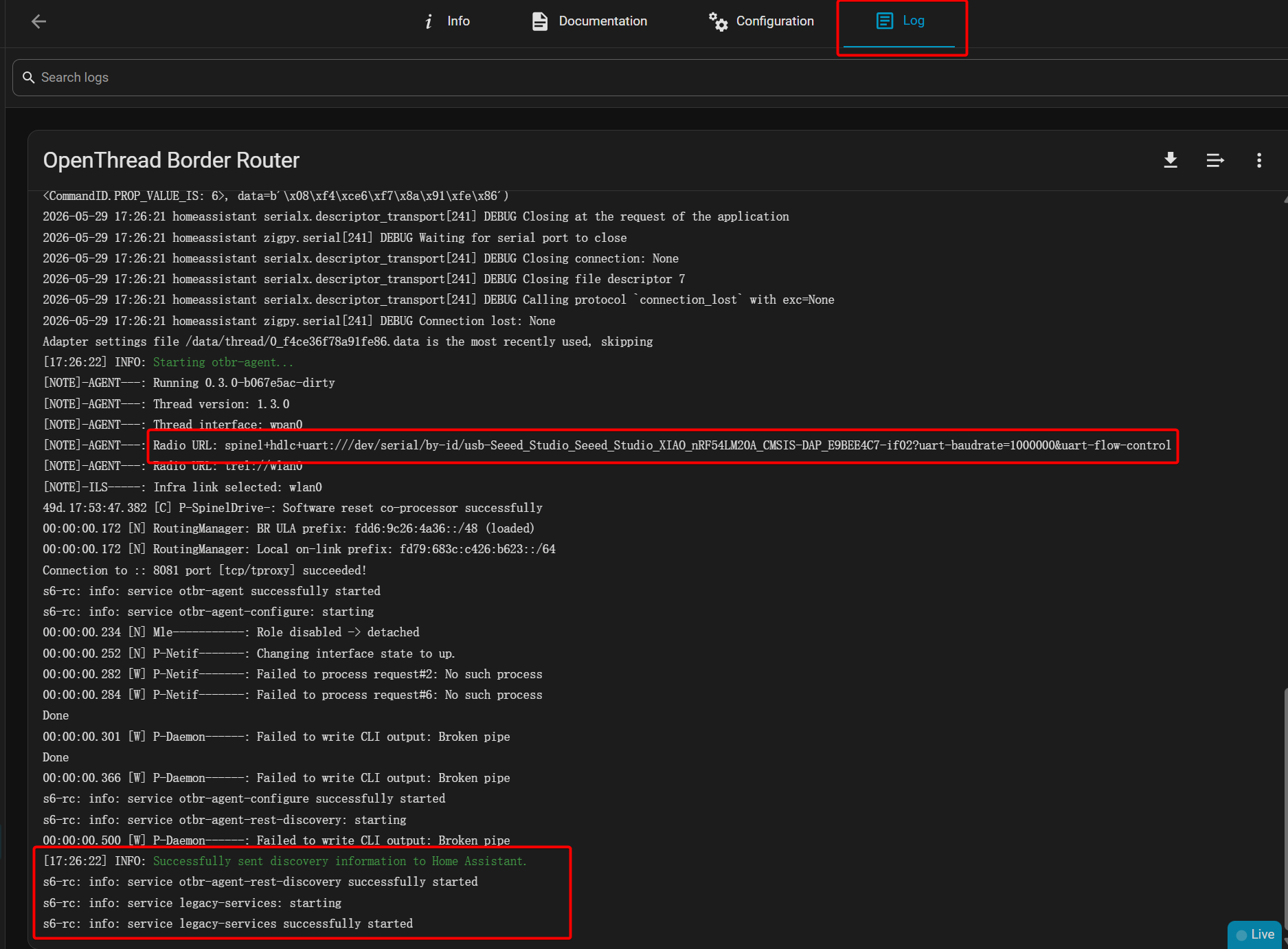
- You can check the configuration status in the Log — the configuration is successful as shown in the figure below.
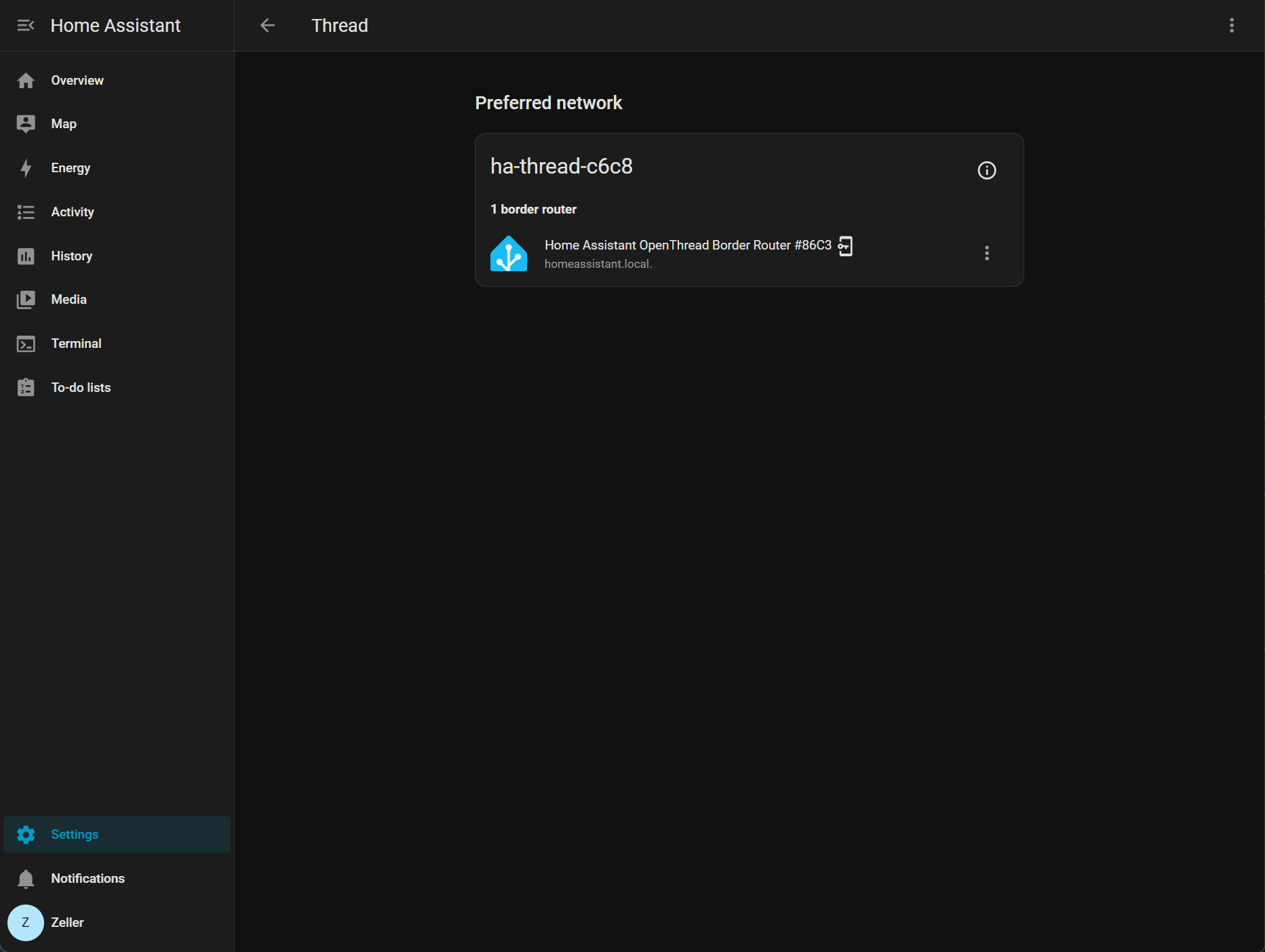
- Go to Settings -> Thread to discover the device, which is typically named
ha-thread-c6c8.
Configure the Matter device
- Choose Create a new application, pick copy a sample, search for Matter-Template and create the project.
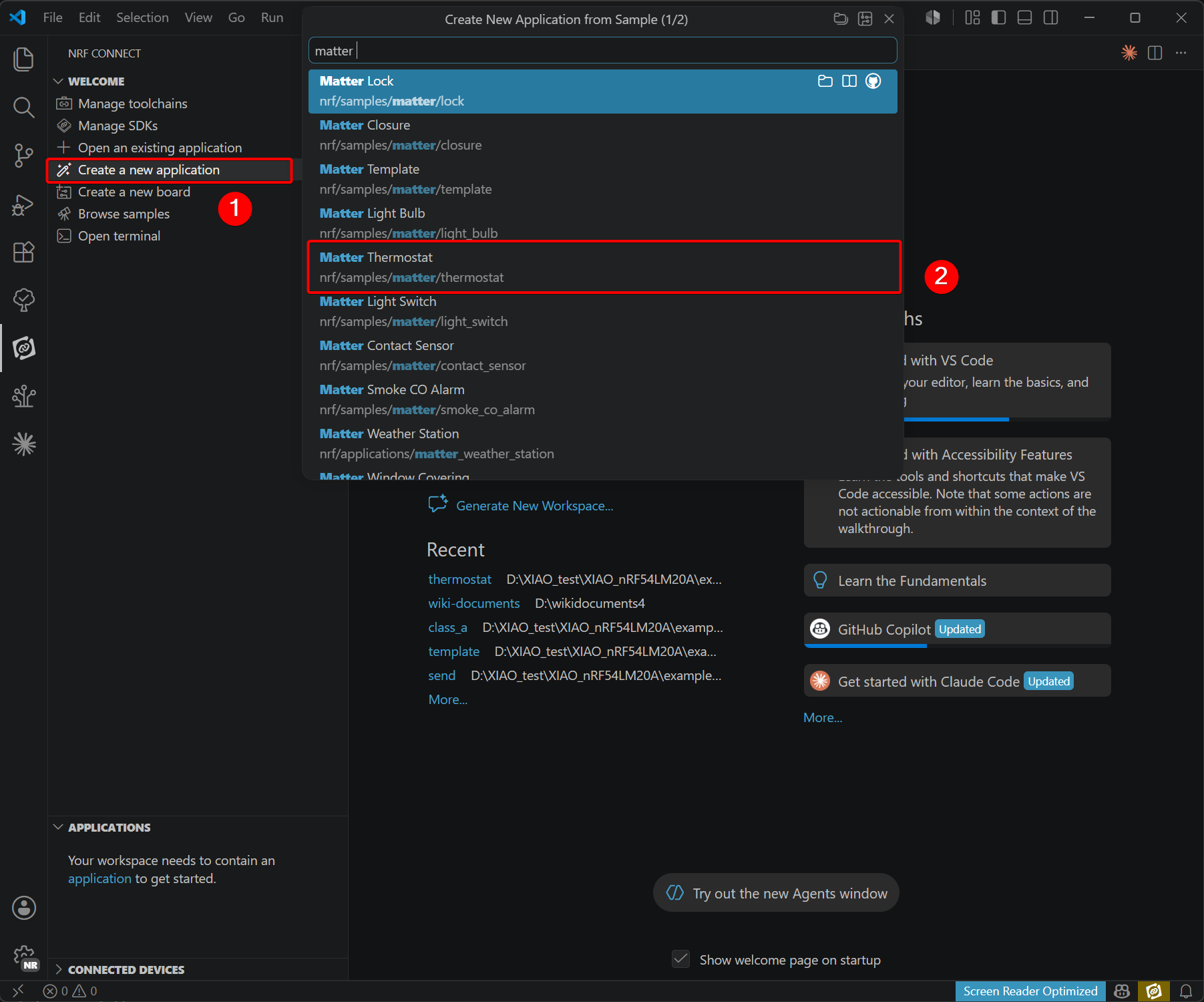
- Modify the device tree files and configuration files.
-
Due to hardware differences between the XIAO nRF54LM20A and Nordic’s official evaluation board, revisions to device tree and configuration files are required. The official evaluation board is equipped with an external MX25R64 flash chip, whereas the XIAO nRF54LM20A uses a PY25Q64; corresponding adjustments must be made.
-
Files to be added are listed below:
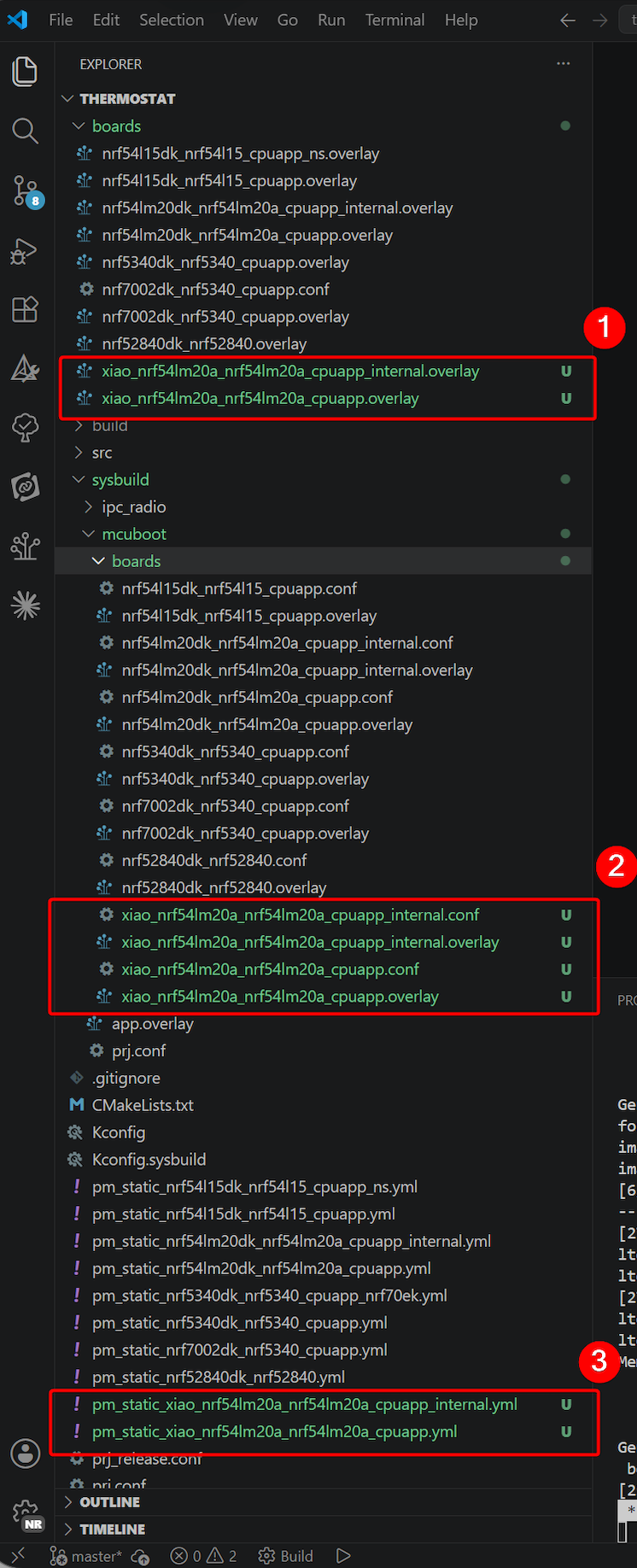
File path: ~/boards:
- xiao_nrf54lm20a_nrf54lm20a_cpuapp_internal.overlay
- xiao_nrf54lm20a_nrf54lm20a_cpuapp.overlay
xiao_nrf54lm20a_nrf54lm20a_cpuapp_internal.overlay
/*
 * Copyright (c) 2025 Nordic Semiconductor ASA
 *
 * SPDX-License-Identifier: LicenseRef-Nordic-5-Clause
 */

/ {
	aliases {
		/* Use watchdog wdt31 as the application watchdog */
		watchdog0 = &wdt31;
	};
};

&py25q64 {
	status = "disabled";
};

&wdt31 {
	status = "okay";
};
xiao_nrf54lm20a_nrf54lm20a_cpuapp.overlay
/*
 * Copyright (c) 2025 Nordic Semiconductor ASA
 *
 * SPDX-License-Identifier: LicenseRef-Nordic-5-Clause
 */

/ {
	chosen {
		nordic,pm-ext-flash = &py25q64;
	};

	aliases {
		/* Use watchdog wdt31 as the application watchdog */
		watchdog0 = &wdt31;
	};
};

&py25q64 {
	status = "okay";
};

&wdt31 {
	status = "okay";
};
File path: ~/sysbuild/mcuboot/boards:
xiao_nrf54lm20a_nrf54lm20a_cpuapp_internal.conf
#
# Copyright (c) 2025 Nordic Semiconductor ASA
#
# SPDX-License-Identifier: LicenseRef-Nordic-5-Clause
#

CONFIG_HW_STACK_PROTECTION=n
CONFIG_BOOT_WATCHDOG_FEED=n

# Disable all debug features
CONFIG_ASSERT_VERBOSE=n
CONFIG_ASSERT_NO_FILE_INFO=y
CONFIG_PRINTK=n

# Bootloader size optimization to fit into 28 KB partition.
# These options can be safely disabled because in this configuration,
# the secondary slot resides in the internal RRAM, so features
# needed to handle the external flash are not needed.
CONFIG_SPI_NOR=n
CONFIG_SPI=n

# Increase the maximum number of sectors to 512 to fit the big image size (> 1024 kB).
CONFIG_BOOT_MAX_IMG_SECTORS=512

# Currently, without tickless kernel, the SYSCOUNTER value after the software
# reset is not set properly and due to that the first system interrupt is not called
# in the proper time - the SYSCOUNTER value is set to the value from before
# reset + 1. Hence, the reboot time increases more and more.
# To avoid it enable tickless kernel for mcuboot.
CONFIG_TICKLESS_KERNEL=y
xiao_nrf54lm20a_nrf54lm20a_cpuapp_internal.overlay
/*
 * Copyright (c) 2025 Nordic Semiconductor ASA
 *
 * SPDX-License-Identifier: LicenseRef-Nordic-5-Clause
 */

/* Disable the external flash, as it's not needed
 * for the configuration with secondary slot residing
 * in the internal RRAM.
 */
&py25q64 {
	status = "disabled";
};
xiao_nrf54lm20a_nrf54lm20a_cpuapp.conf
#
# Copyright (c) 2025 Nordic Semiconductor ASA
#
# SPDX-License-Identifier: LicenseRef-Nordic-5-Clause
#

CONFIG_HW_STACK_PROTECTION=n
CONFIG_BOOT_WATCHDOG_FEED=n

# XIAO nRF54LM20A uses SPI NOR external flash (PY25Q64)
CONFIG_GPIO=y
CONFIG_SPI=y
CONFIG_SPI_NOR=y
CONFIG_SPI_NOR_SFDP_DEVICETREE=y
CONFIG_SPI_NOR_FLASH_LAYOUT_PAGE_SIZE=4096

# Increase the maximum number of sectors to 512 to fit the big image size (> 1024 kB).
CONFIG_BOOT_MAX_IMG_SECTORS=512

# Currently, without tickless kernel, the SYSCOUNTER value after the software
# reset is not set properly and due to that the first system interrupt is not called
# in the proper time - the SYSCOUNTER value is set to the value from before
# reset + 1. Hence, the reboot time increases more and more.
# To avoid it enable tickless kernel for mcuboot.
CONFIG_TICKLESS_KERNEL=y
xiao_nrf54lm20a_nrf54lm20a_cpuapp.overlay
/*
 * Copyright (c) 2025 Nordic Semiconductor ASA
 *
 * SPDX-License-Identifier: LicenseRef-Nordic-5-Clause
 */

/ {
	chosen {
		nordic,pm-ext-flash = &py25q64;
	};
};

&py25q64 {
	status = "okay";
};
Project path ~/ :
pm_static_xiao_nrf54lm20a_nrf54lm20a_cpuapp_internal.yml
mcuboot:
  address: 0x0
  region: flash_primary
  size: 0xA000
mcuboot_pad:
  address: 0xA000
  region: flash_primary
  size: 0x800
app:
  address: 0xA800
  region: flash_primary
  size: 0x125800
mcuboot_primary:
  address: 0xA000
  orig_span: &id001
  - app
  - mcuboot_pad
  region: flash_primary
  size: 0x126000
  span: *id001
mcuboot_primary_app:
  address: 0xA800
  orig_span: &id002
  - app
  region: flash_primary
  size: 0x125800
  span: *id002
mcuboot_secondary:
  address: 0x130000
  orig_span: &id003
  - mcuboot_secondary_pad
  - mcuboot_secondary_app
  region: flash_primary
  size: 0xC0000
  span: *id003
mcuboot_secondary_pad:
  region: flash_primary
  address: 0x130000
  size: 0x800
# Compression rate 34.75%
mcuboot_secondary_app:
  region: flash_primary
  address: 0x130800
  size: 0xBF800
factory_data:
  address: 0x1F0000
  region: flash_primary
  size: 0x1000
settings_storage:
  address: 0x1F1000
  region: flash_primary
  size: 0xC000
pm_static_xiao_nrf54lm20a_nrf54lm20a_cpuapp.yml
mcuboot:
  address: 0x0
  region: flash_primary
  size: 0xD000
mcuboot_pad:
  address: 0xD000
  region: flash_primary
  size: 0x800
app:
  address: 0xD800
  region: flash_primary
  size: 0x1E2800
mcuboot_primary:
  address: 0xD000
  orig_span: &id001
  - app
  - mcuboot_pad
  region: flash_primary
  size: 0x1E3000
  span: *id001
mcuboot_primary_app:
  address: 0xD800
  orig_span: &id002
  - app
  region: flash_primary
  size: 0x1E2800
  span: *id002
factory_data:
  address: 0x1F0000
  region: flash_primary
  size: 0x1000
settings_storage:
  address: 0x1F1000
  region: flash_primary
  size: 0xC000
mcuboot_secondary:
  address: 0x0
  orig_span: &id003
  - mcuboot_secondary_pad
  - mcuboot_secondary_app
  region: external_flash
  size: 0x1E3000
  span: *id003
mcuboot_secondary_pad:
  region: external_flash
  address: 0x0
  size: 0x800
mcuboot_secondary_app:
  region: external_flash
  address: 0x800
  size: 0x1E2800
external_flash:
  address: 0x1E3000
  size: 0x5DB000
  device: PY25Q64
  region: external_flash
For the last two files, you need to create the files yourself and paste the code
Description of the purpose of added files
| File | Description |
|---|---|
1. Board Overlay Files (boards/)Application-level device tree overlays for the XIAO nRF54LM20A. | |
xiao_nrf54lm20a_nrf54lm20a_cpuapp.overlay | External Flash variant: Enables PY25Q64 SPI NOR Flash as the OTA secondary slot; |
xiao_nrf54lm20a_nrf54lm20a_cpuapp_internal.overlay | Internal Flash variant: Disables PY25Q64 (reduces BOM cost and power consumption); |
2. MCUboot Configuration Files (sysbuild/mcuboot/boards/)MCUboot is a standalone Zephyr image requiring its own Kconfig and device tree overlay files. | |
xiao_nrf54lm20a_nrf54lm20a_cpuapp.conf | External Flash — Kconfig: Enables SPI/SPI_NOR drivers for PY25Q64 access; |
xiao_nrf54lm20a_nrf54lm20a_cpuapp.overlay | External Flash — DTS Overlay: Enables PY25Q64 as |
xiao_nrf54lm20a_nrf54lm20a_cpuapp_internal.conf | Internal Flash — Kconfig: Disables SPI/SPI_NOR; |
xiao_nrf54lm20a_nrf54lm20a_cpuapp_internal.overlay | Internal Flash — DTS Overlay: Disables PY25Q64, ensuring MCUboot uses only internal Flash. |
3. Static Partition Files (pm_static_*.yml)Static partition tables for the Partition Manager, defining the full Flash layout for MCUboot, APP, OTA, Factory Data, and Settings. | |
pm_static_xiao_nrf54lm20a_nrf54lm20a_cpuapp.yml | External Flash variant: |
pm_static_xiao_nrf54lm20a_nrf54lm20a_cpuapp_internal.yml | Internal Flash variant: |
Flash and download to the device
- Proceed with build configuration.
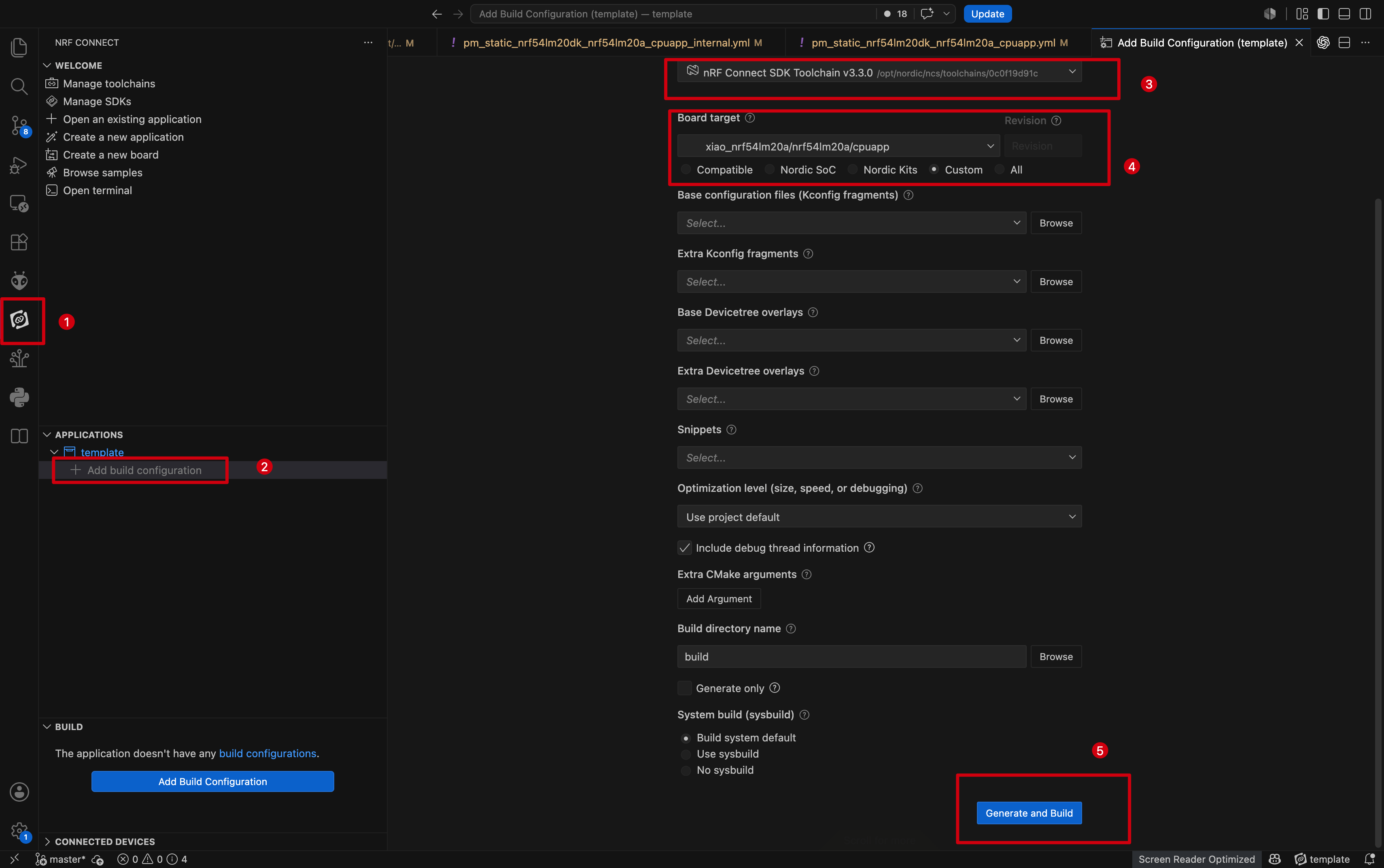
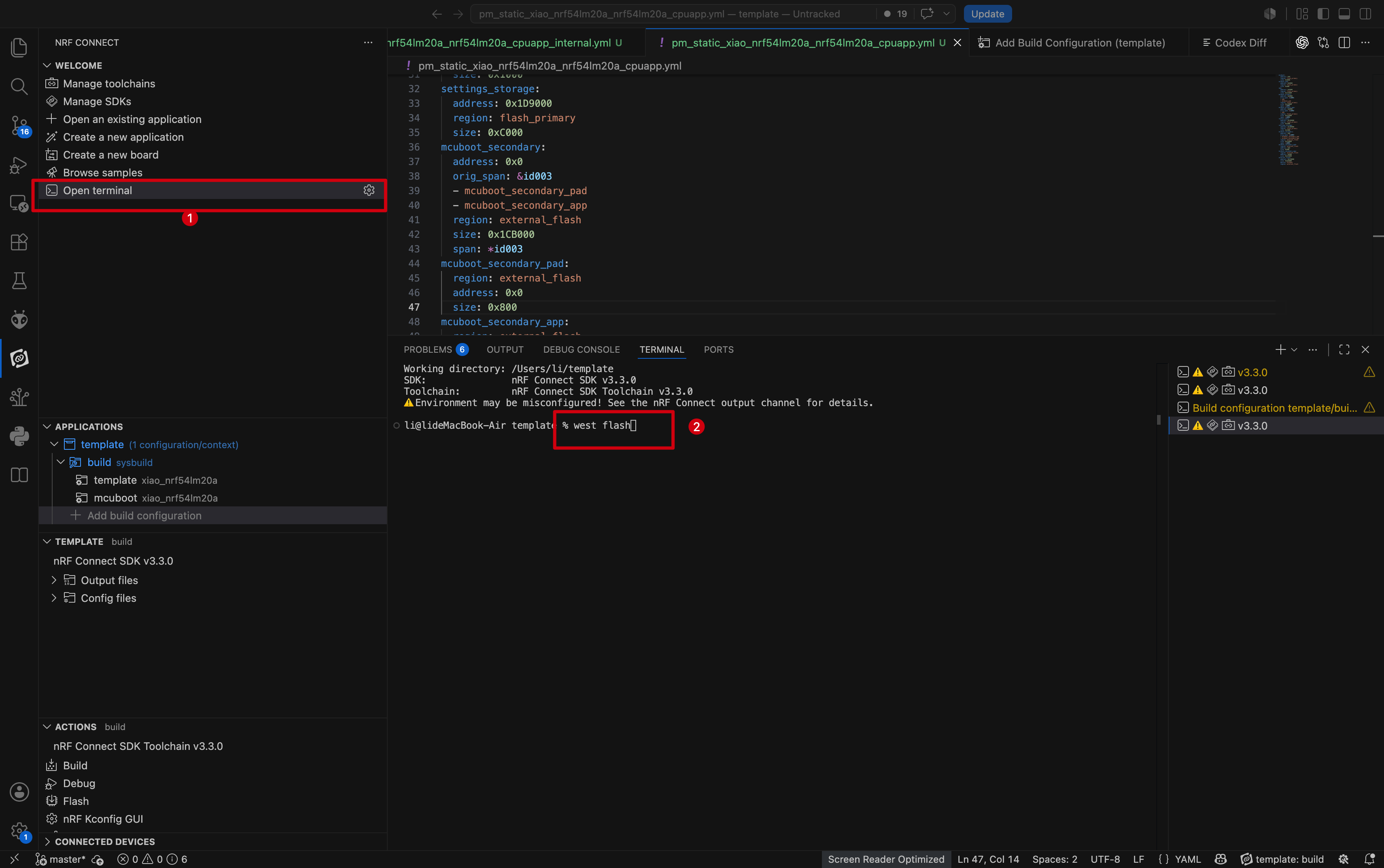
- Select another XIAO nRF54LM20A as the target device, launch OpenTerminal, and flash the firmware using the
west flashcommand.
Connect the Matter device using the Home Assistant App.
- Connect the Matter device and generate the device QR code.
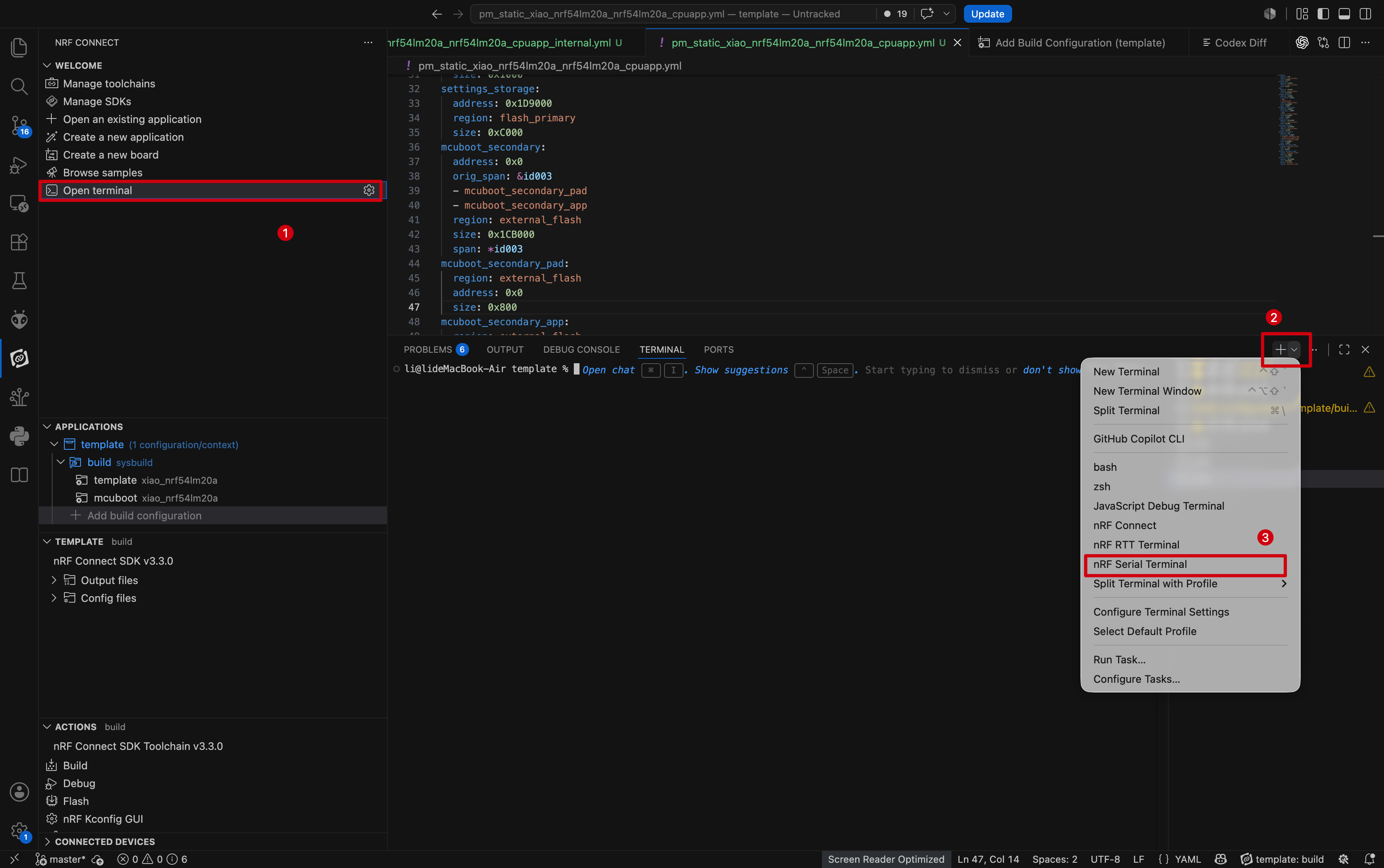
- In the NCS development environment, open the nRF Serial Terminal.
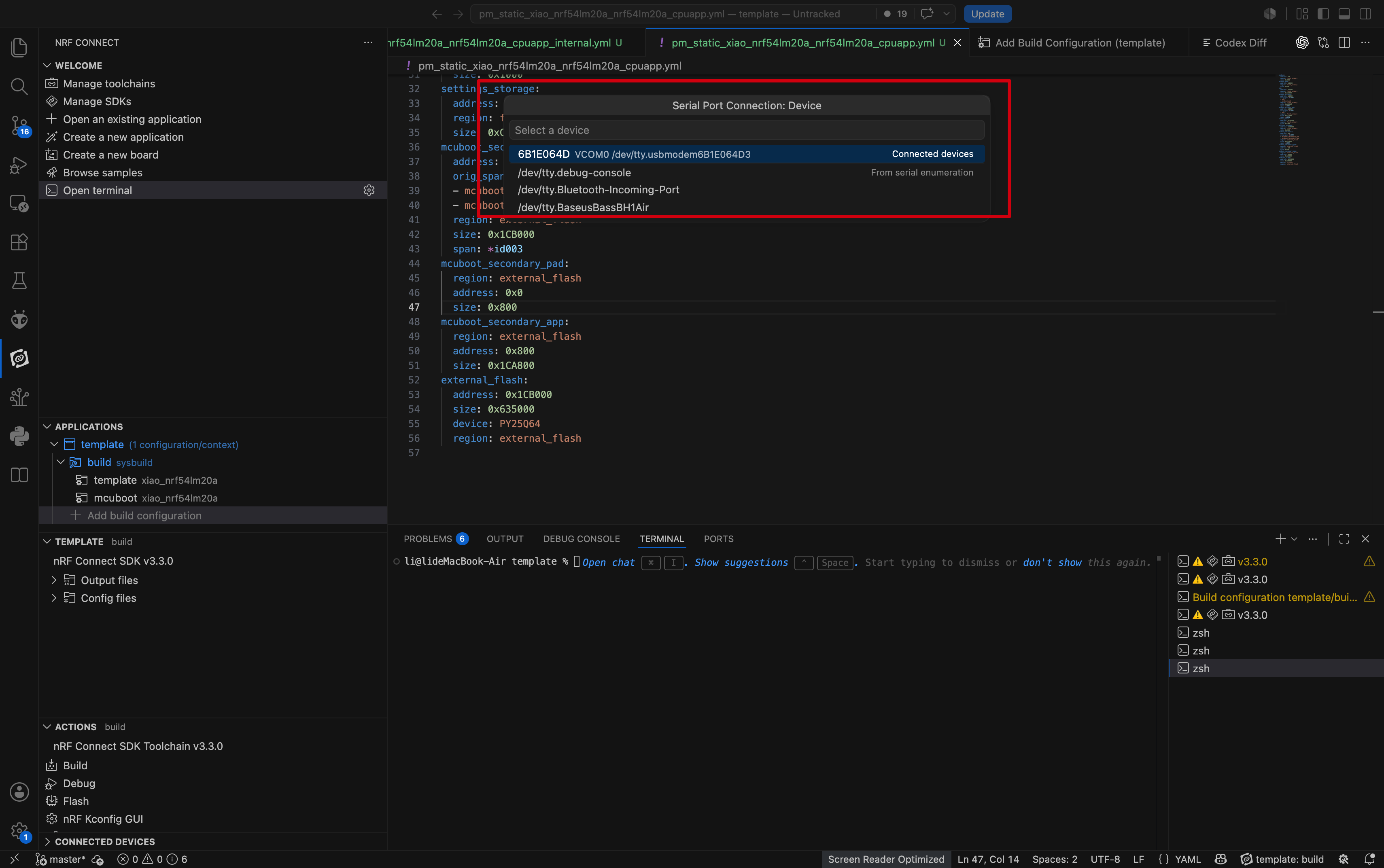
- A serial port list pops up at the top of the interface; select the serial port corresponding to XIAO nRF54LM20A.
- Matter device information and the pairing QR code link will be output via serial logs.
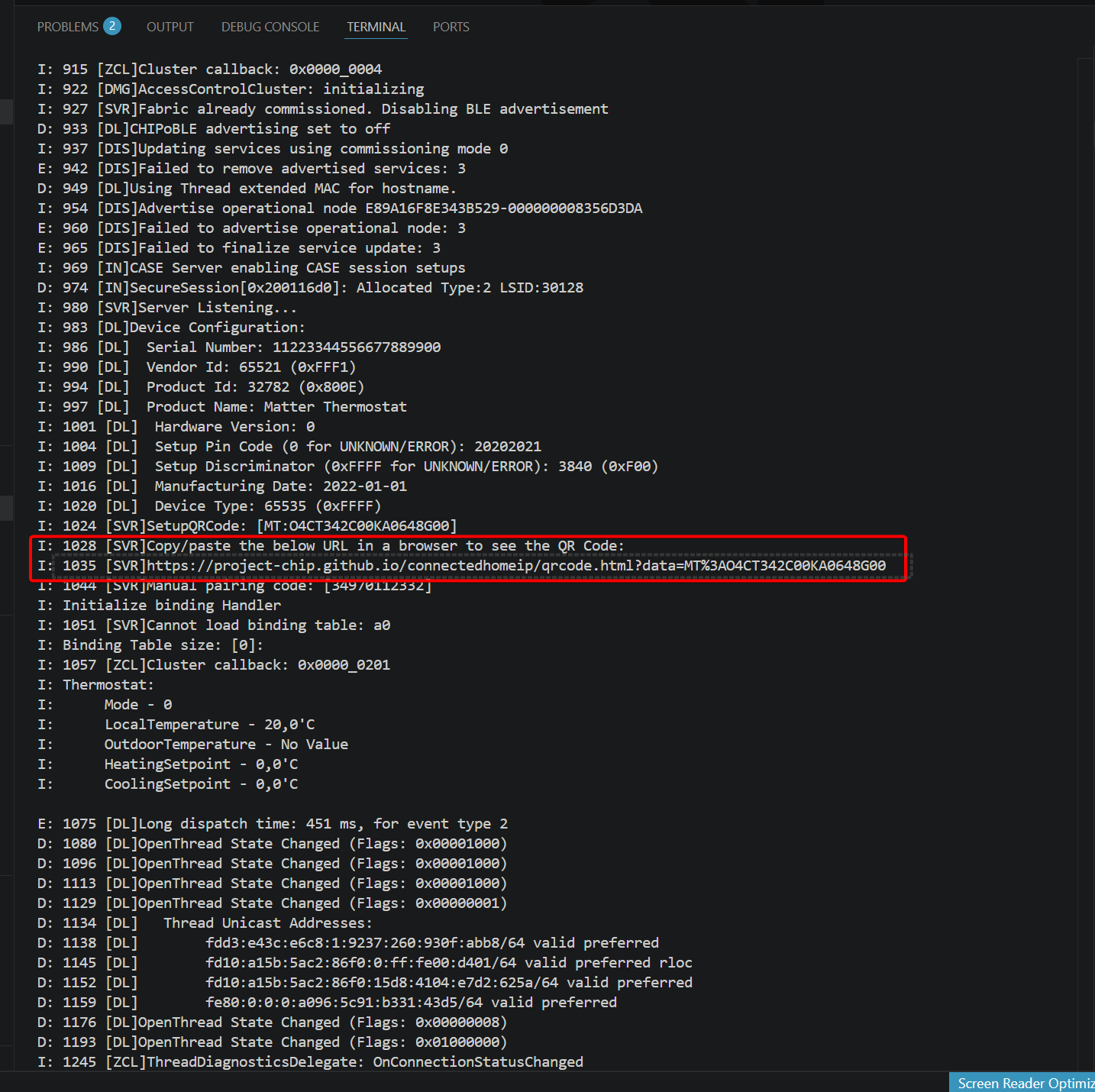
- Tap the QR code link directly or copy the link to a web browser separately.
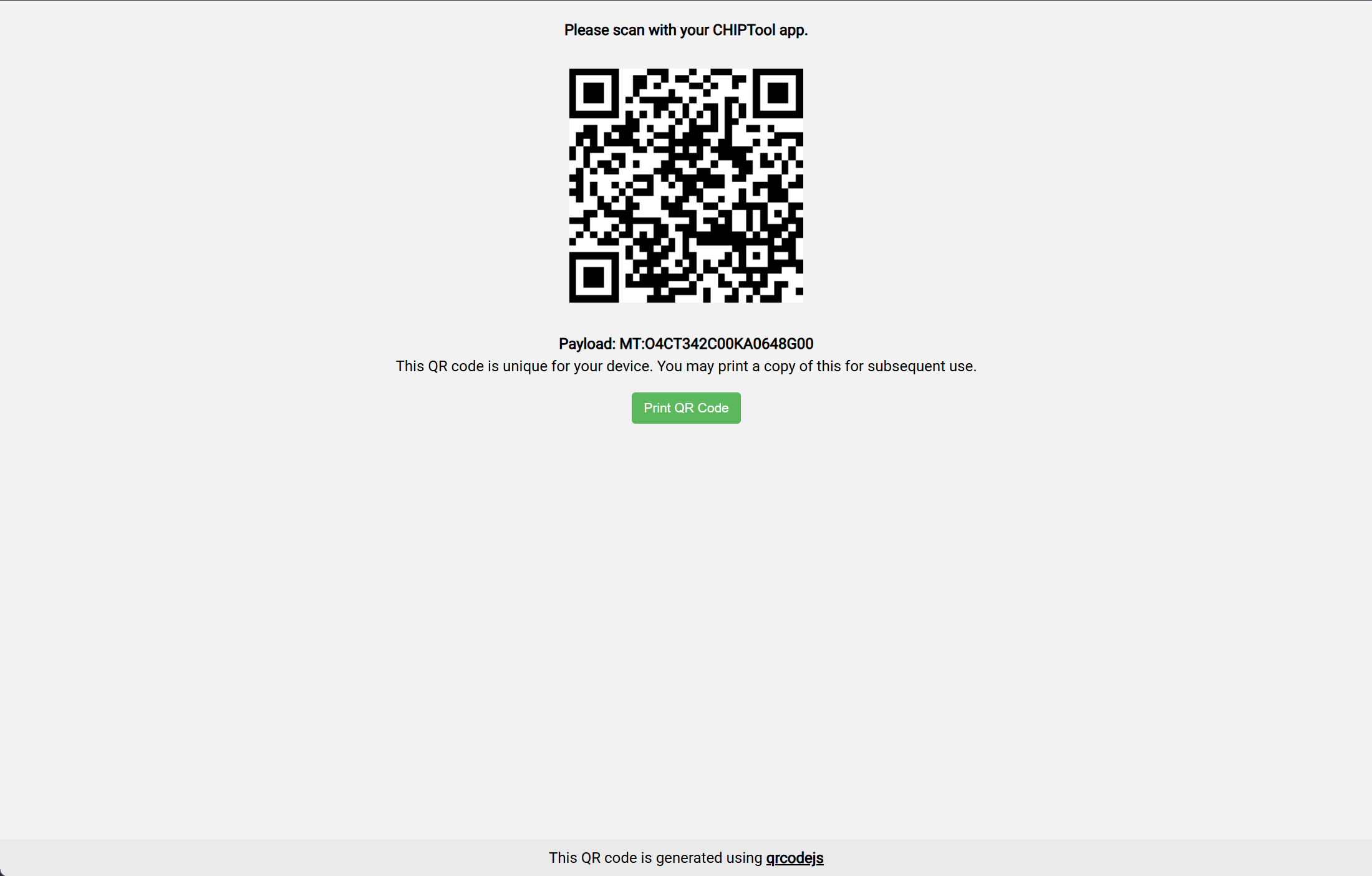
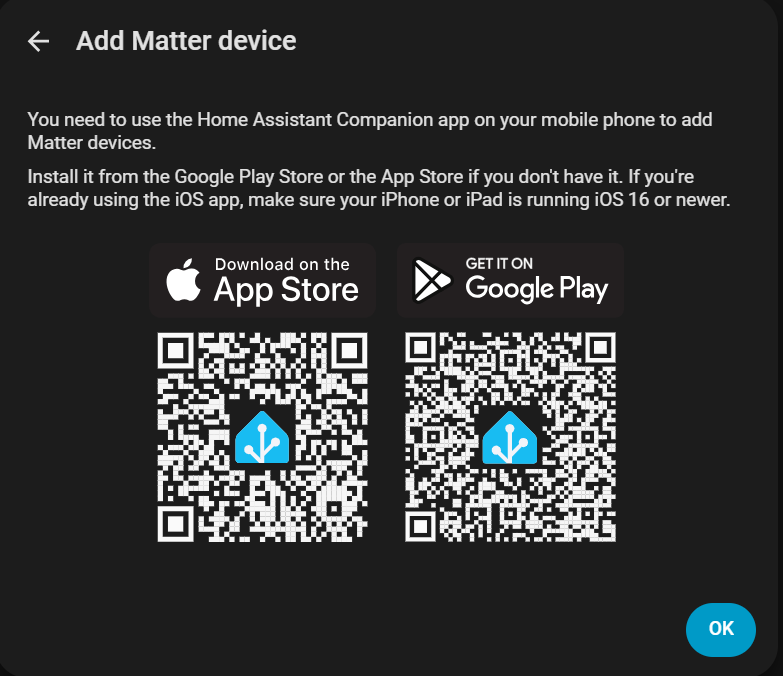
- Download the Home Assistant App.
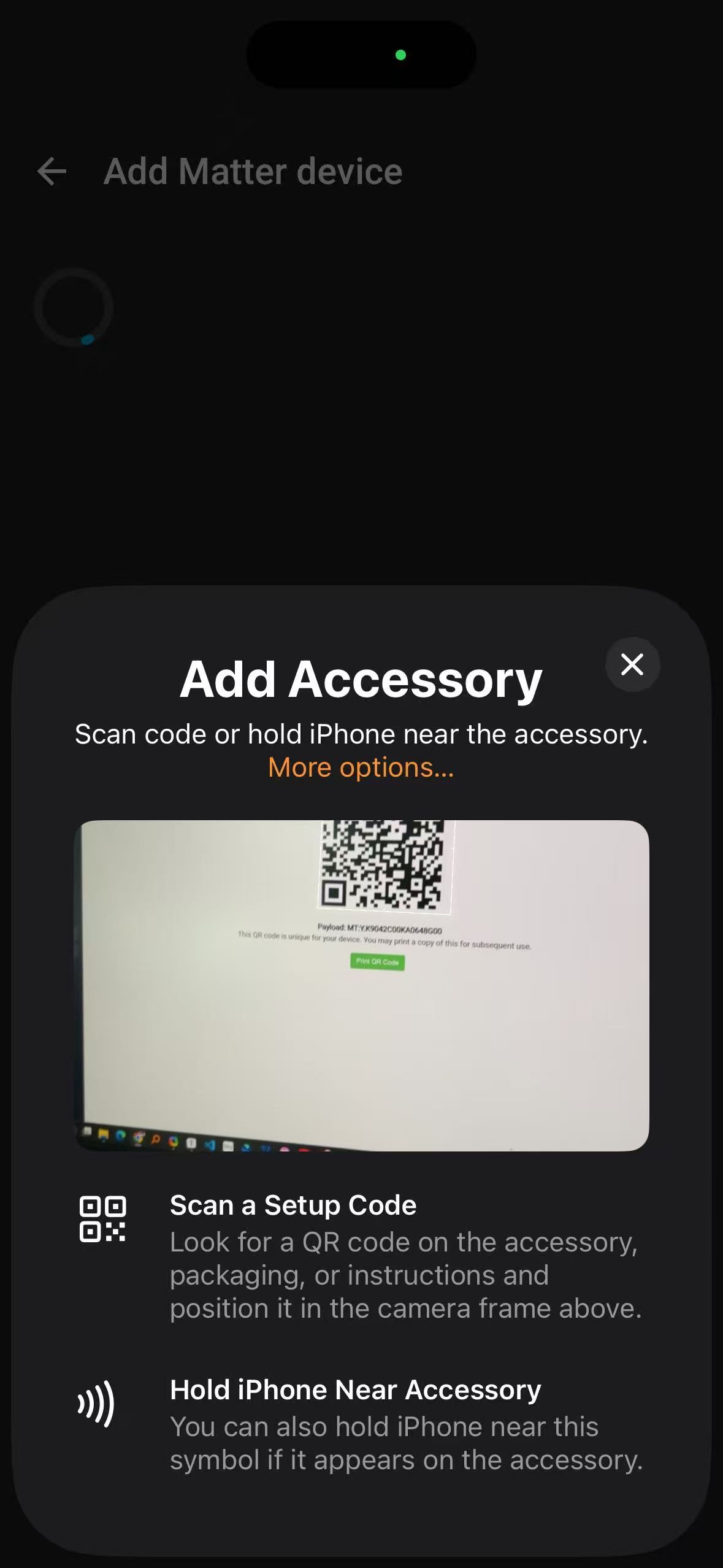
- Matter device inclusion into Home Assistant is completed via the mobile application; scan the provided QR code to download the App.
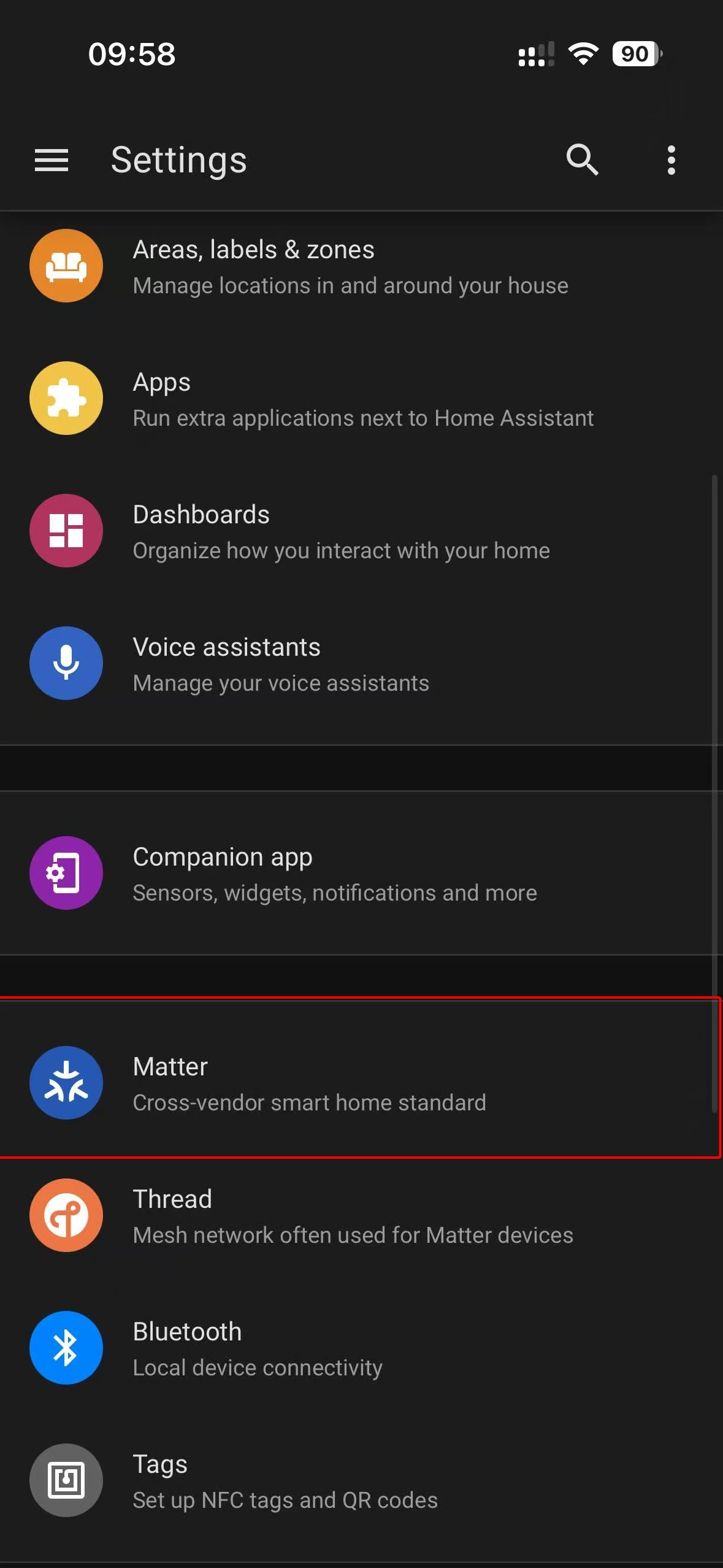
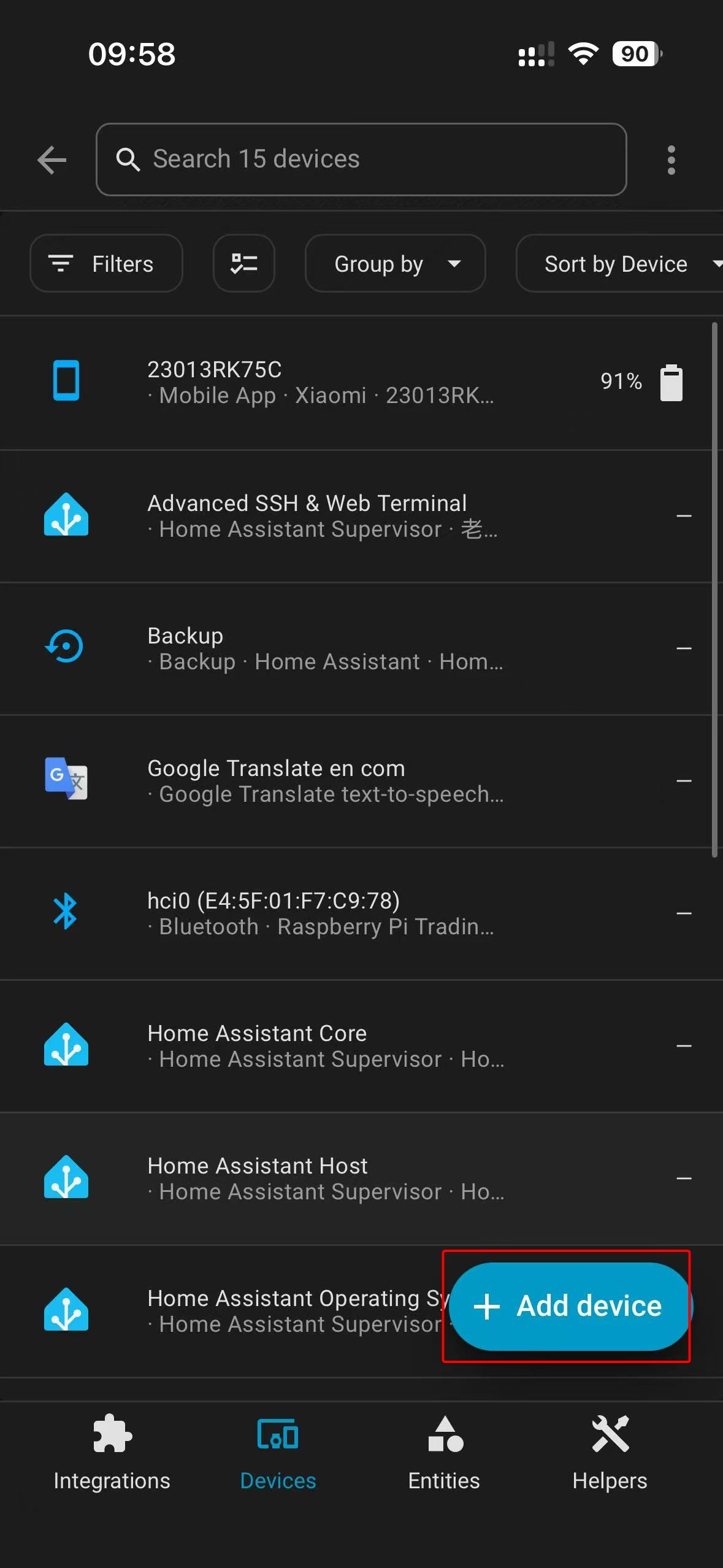
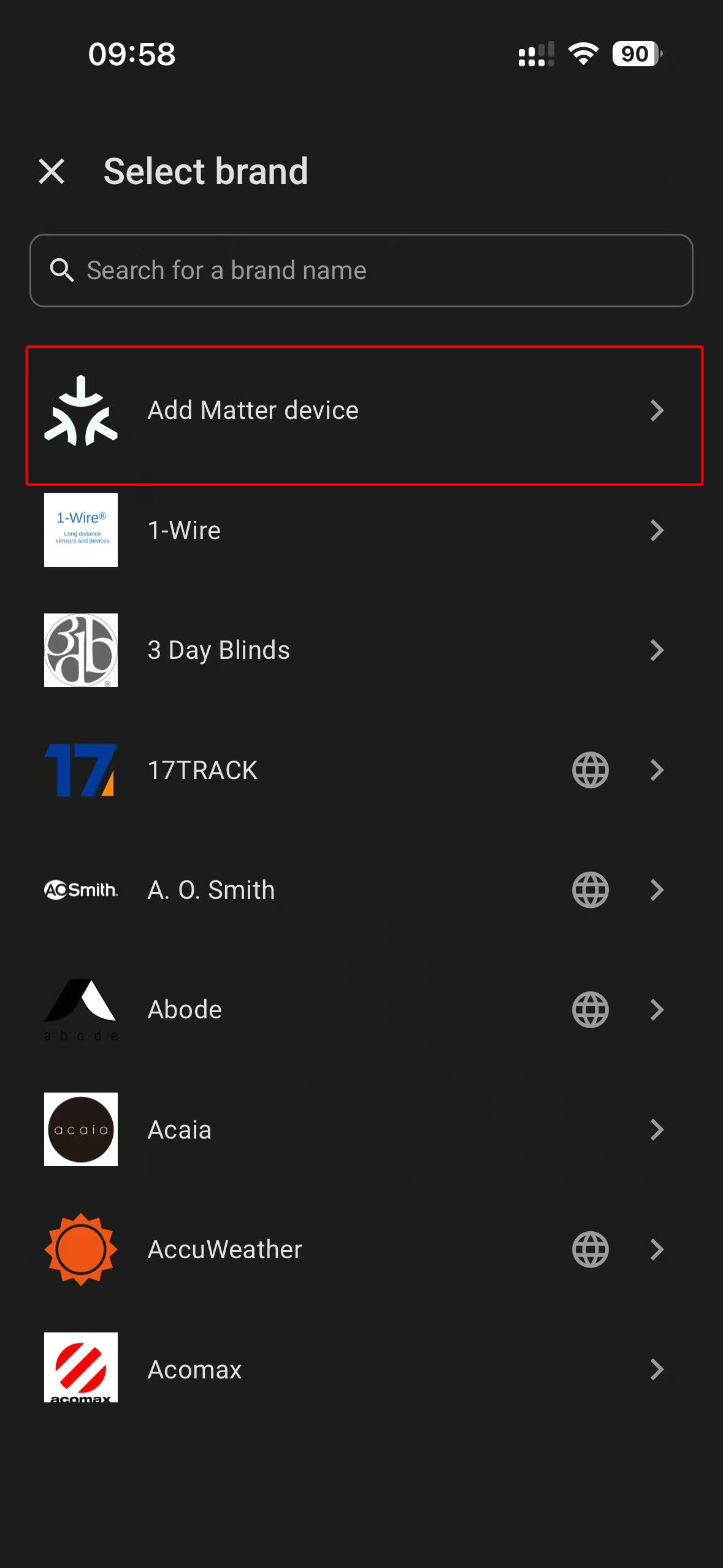
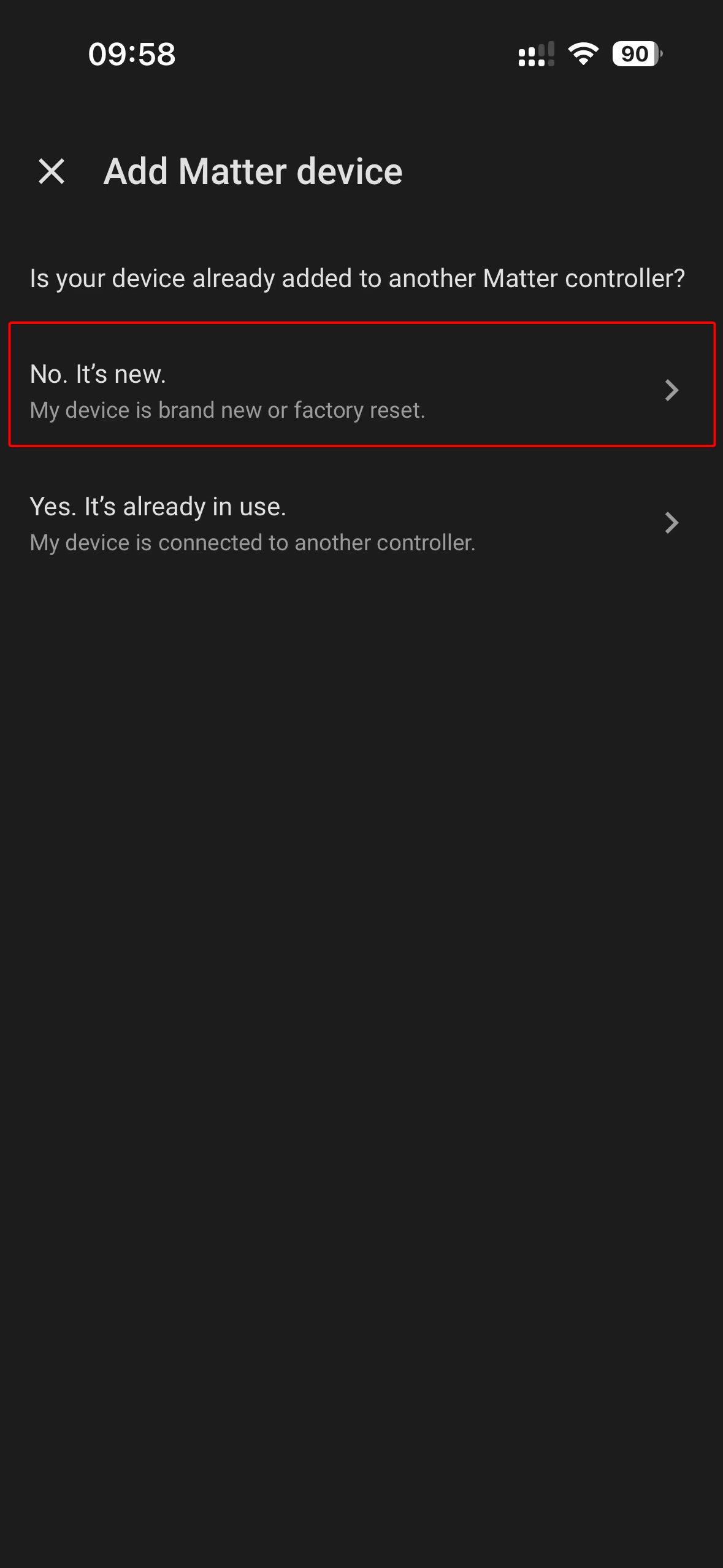
- Navigate to settings to add the Matter device, then scan the QR code generated in the browser to finish pairing.
 |  |  |  |  |
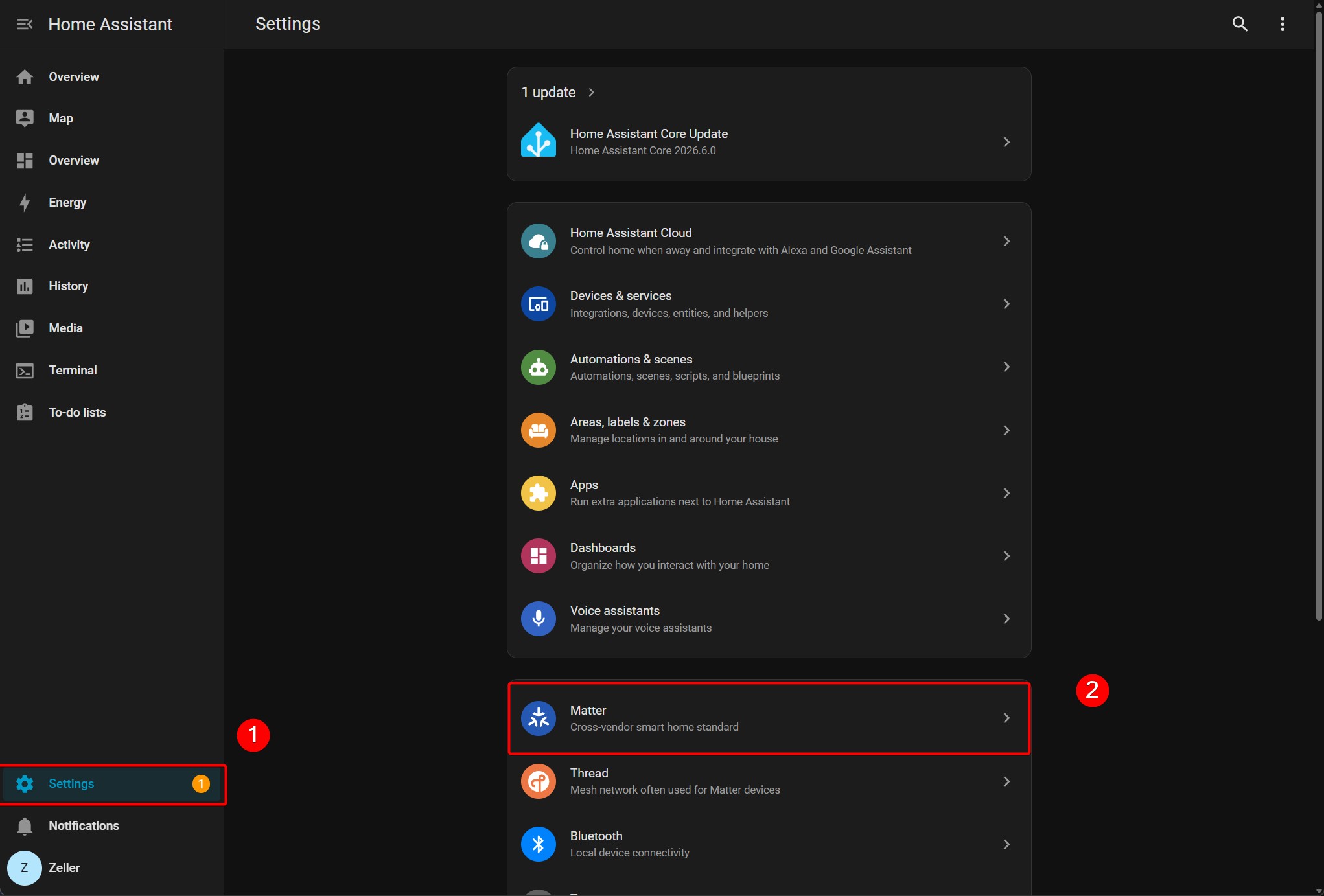
- Matter device information can be viewed on Home Assistant's browser dashboard.
 | 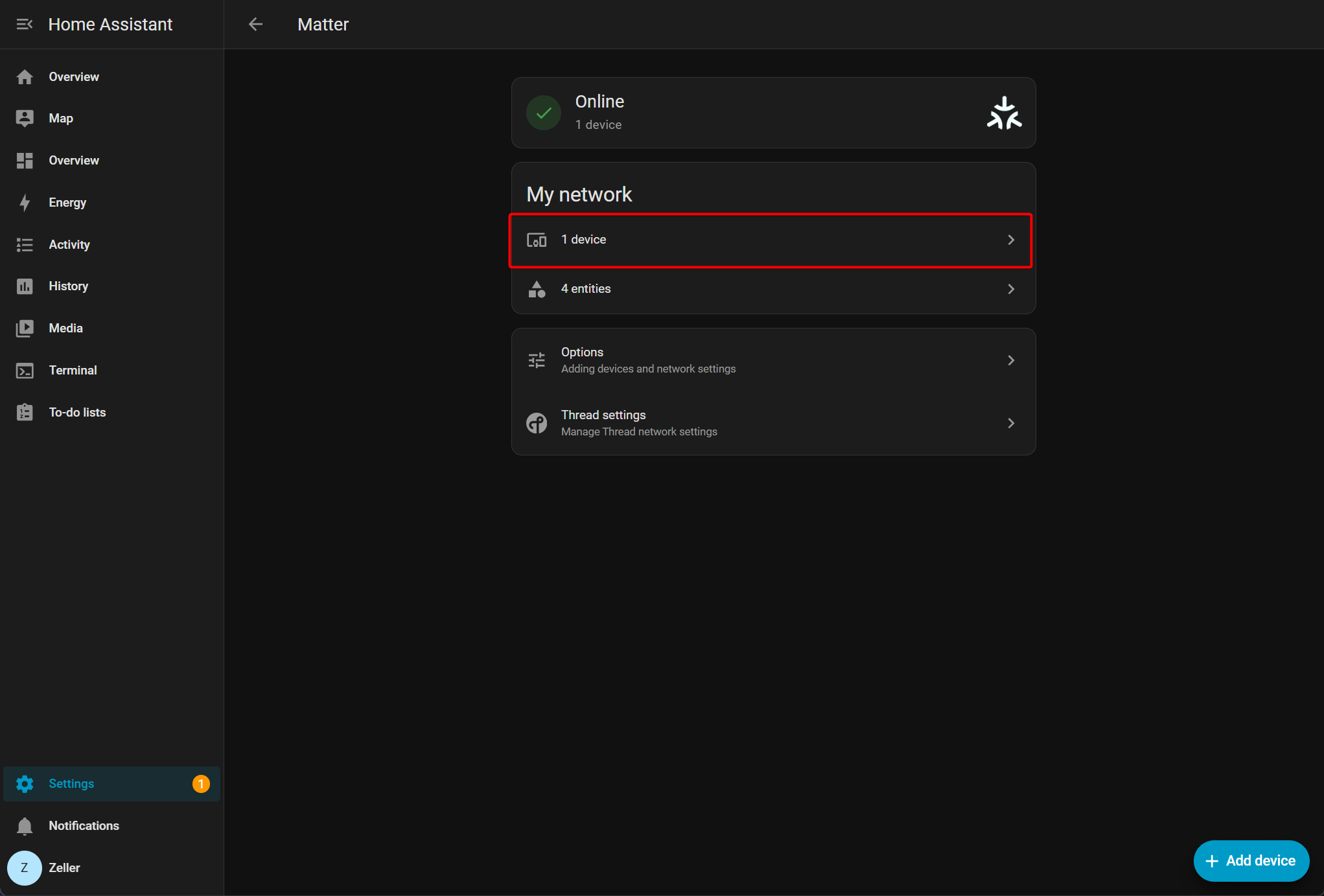 | 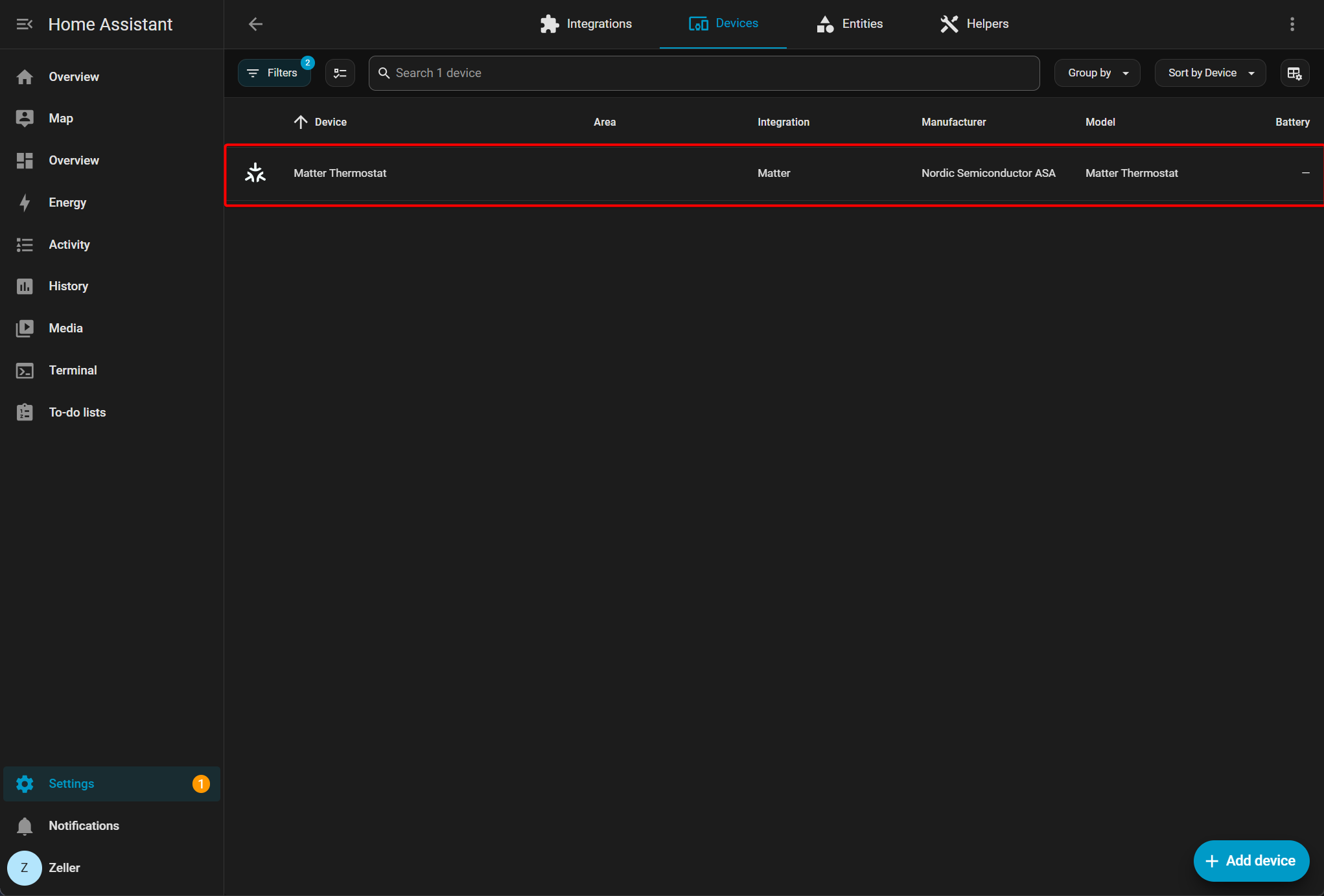 |
- Add the device to the dashboard.
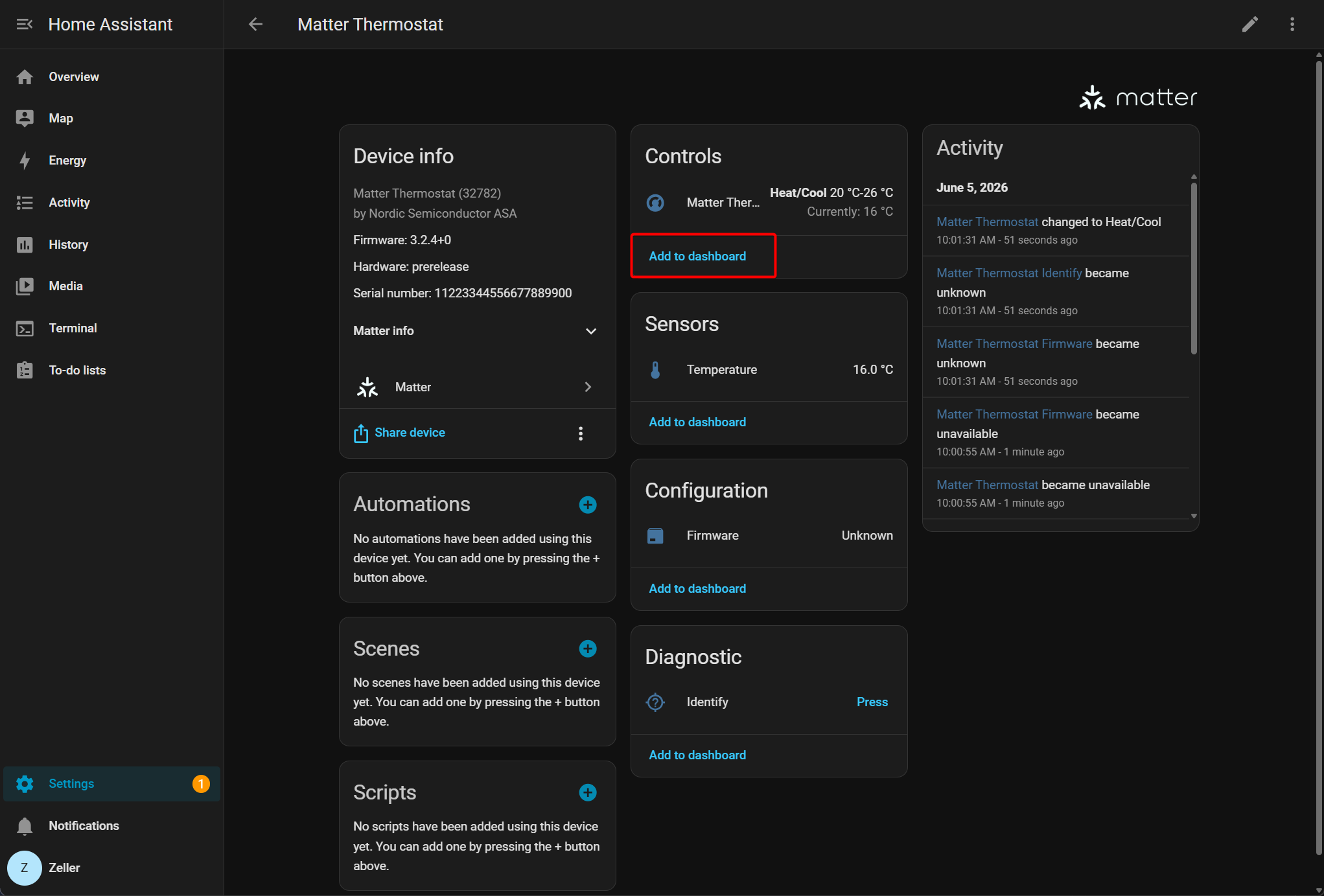
- Real-time data of the Matter device will be displayed on the dashboard.
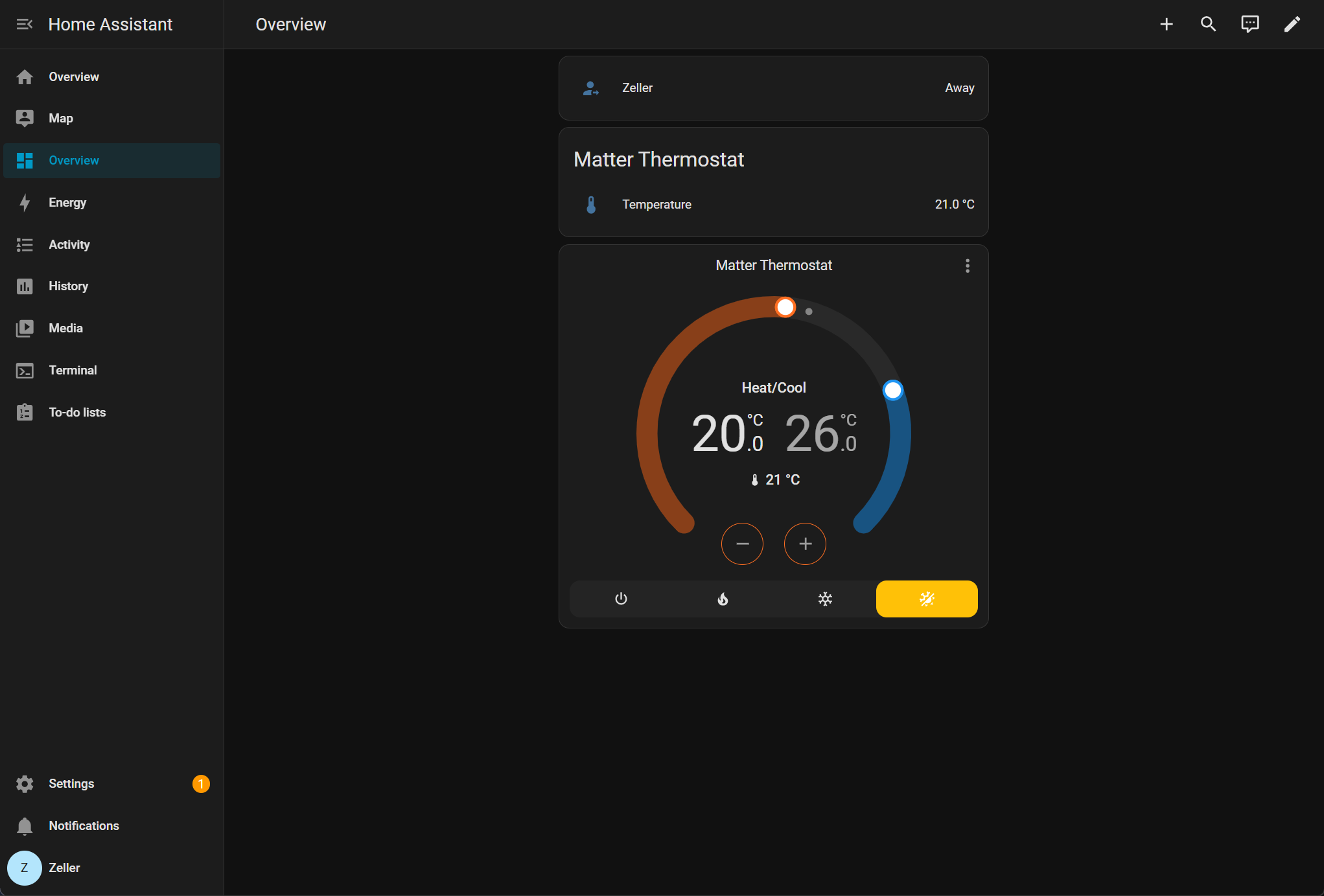
Summary
Following the above procedures, we have set up a Matter over Thread network using two XIAO nRF54LM20A modules and successfully connected the network to Home Assistant. The Matter protocol supports access to a wider range of sensor types, while the above demo only simulates temperature and humidity data acquisition. When integrating other sensor devices, verify whether matching Clusters are defined within the Matter specification. For further details, refer to the official documentation at Home Assistant Matter.
Tech Support & Product Discussion
Thank you for choosing our products! We are here to provide you with different support to ensure that your experience with our products is as smooth as possible. We offer several communication channels to cater to different preferences and needs.