NFC for XIAO nRF54LM20A Sense
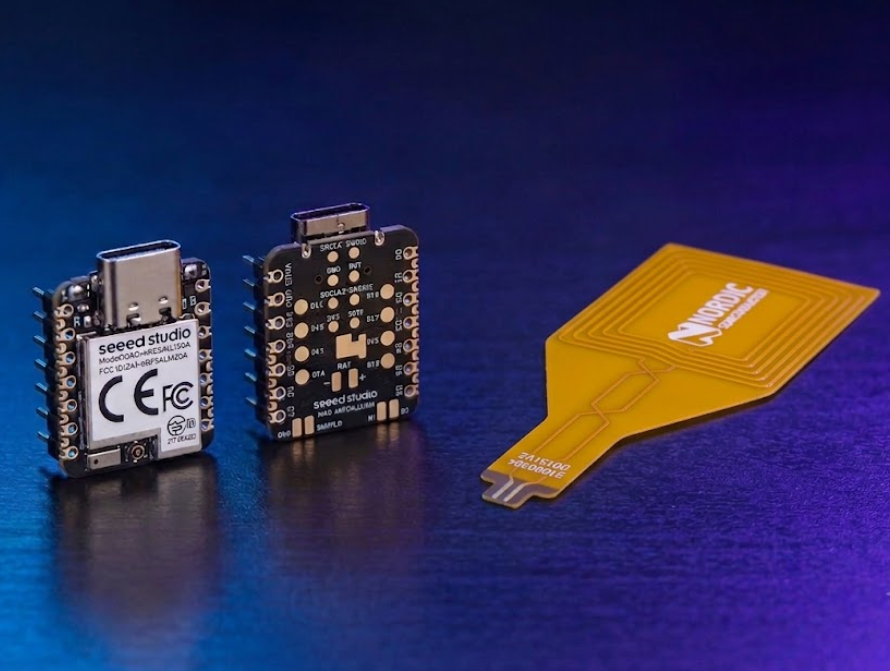
Near Field Communication (NFC) is a technology for wireless transfer of small amounts of data between two devices. It uses very simple communication protocols and, therefore, allows quicker connection than Bluetooth® Low Energy. However, because NFC uses magnetic induction to enable communication, the devices must be very close (< 10 cm) to connect.】
- For NFC tutorials and references for Nordic series chips, refer toNear Field Communication (NFC)
- Technical specifications for NFC are available from the NFC Forum specification overview.
The XIAO nRF54LM20A is equipped with a reserved NFC interface for you to explore and utilize NFC functions further.
This tutorial is based on VS Code and the nRF Connect Extension. If you are new to them, you can refer to XIAO nRF54LM20A nRFConnect SDK Usage
Hardware Preperation
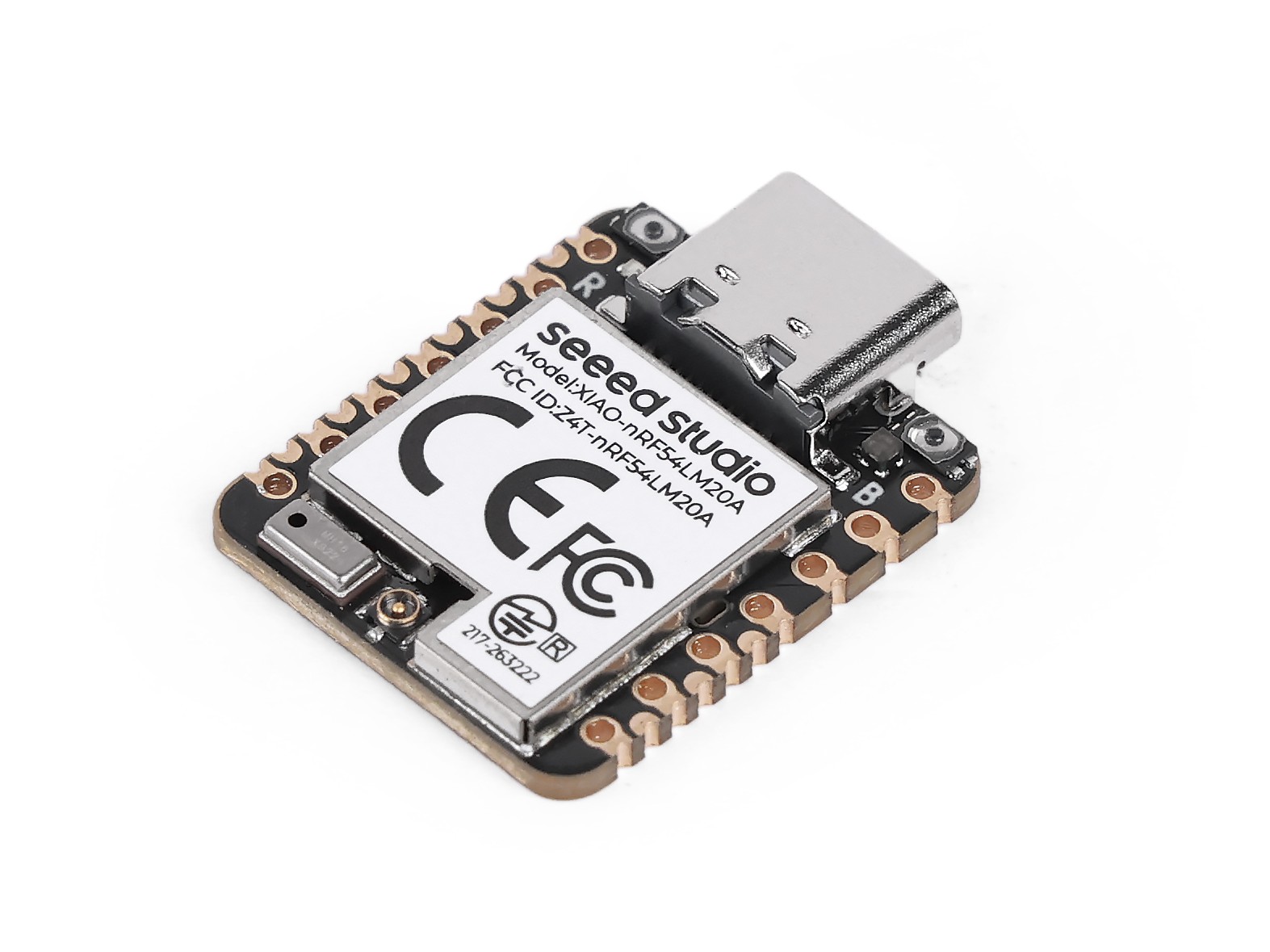
Before starting the experiment, you need to prepare an XIAO nRF54LM20A and a Nordic NFC antenna.
| Seeed Studio XIAO nRF54LM20A Sense |
|---|
 |
The Nordic NFC antenna is not sold separately on Seeed Studio Bazaar, so you will need to purchase it from other sources.
Solder the antenna
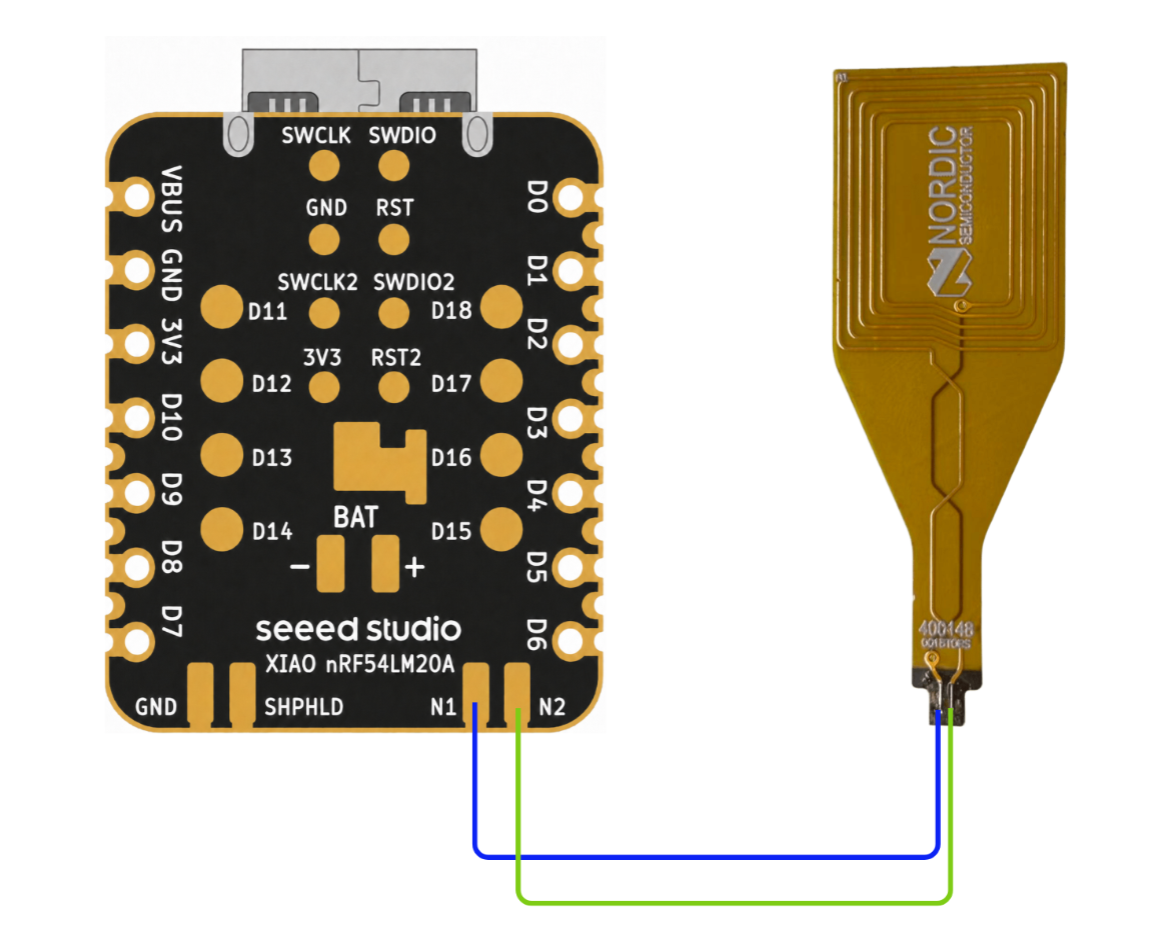
On the XIAO nRF54LM20A, the default pins for the external NFC antenna are P1.01 and P1.02, marked N1 and N2 on the silkscreen. See the soldering example below.
- Pre-connection Diagram
- Physical Connection Diagram
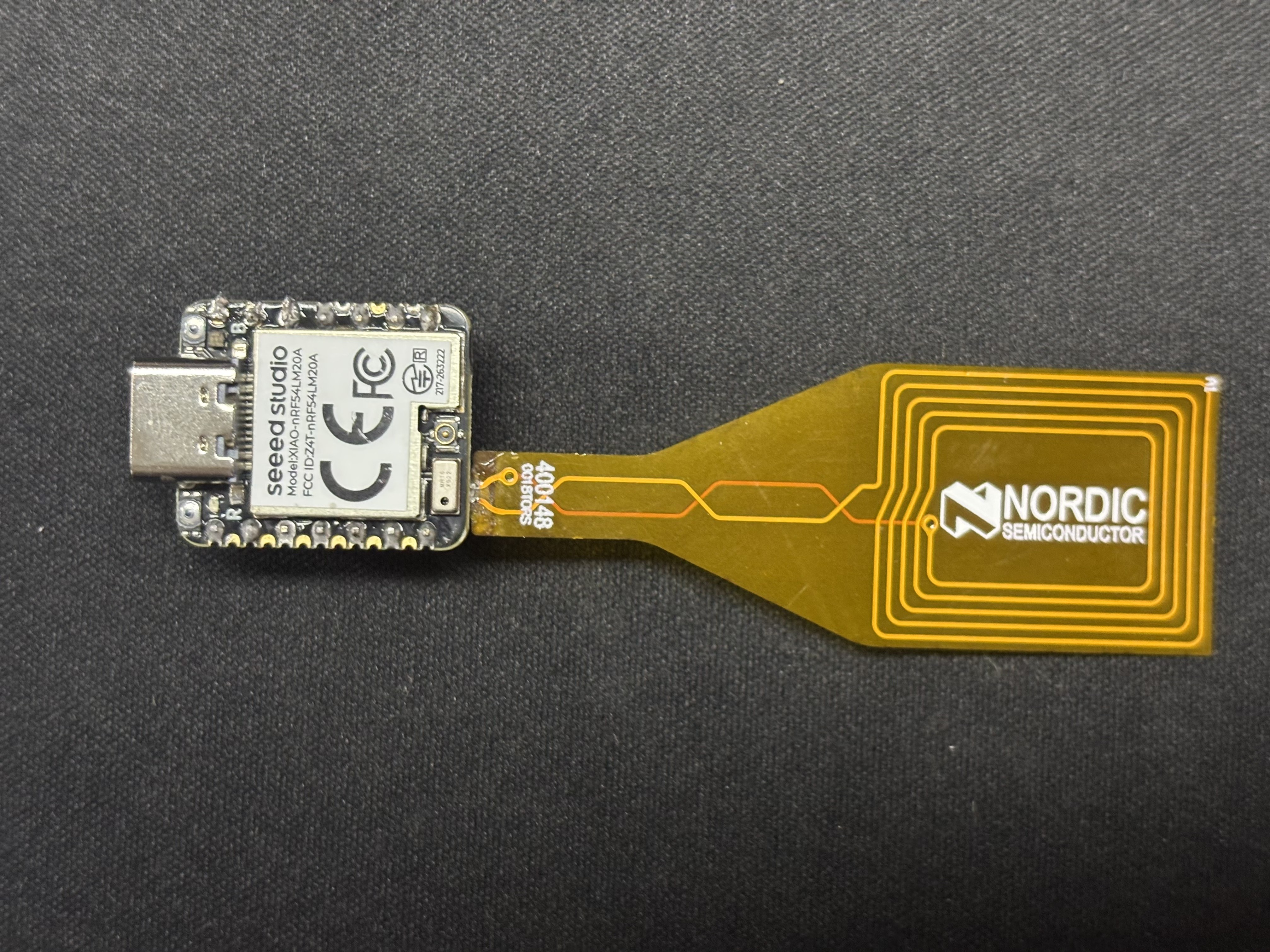
This welding process is quite challenging and requires skilled welding techniques. Alternatively, you can choose to connect XIAO and NFC using flying wires. Please pay attention to safety precautions to avoid personal injury and equipment damage.
The pins of NFC do not distinguish between positive and negative
Software
- This section demonstrates how to use NFC based on sample code from the Nordic Connect SDK.
NFC Records text
This example demonstrates reading text information via NFC.
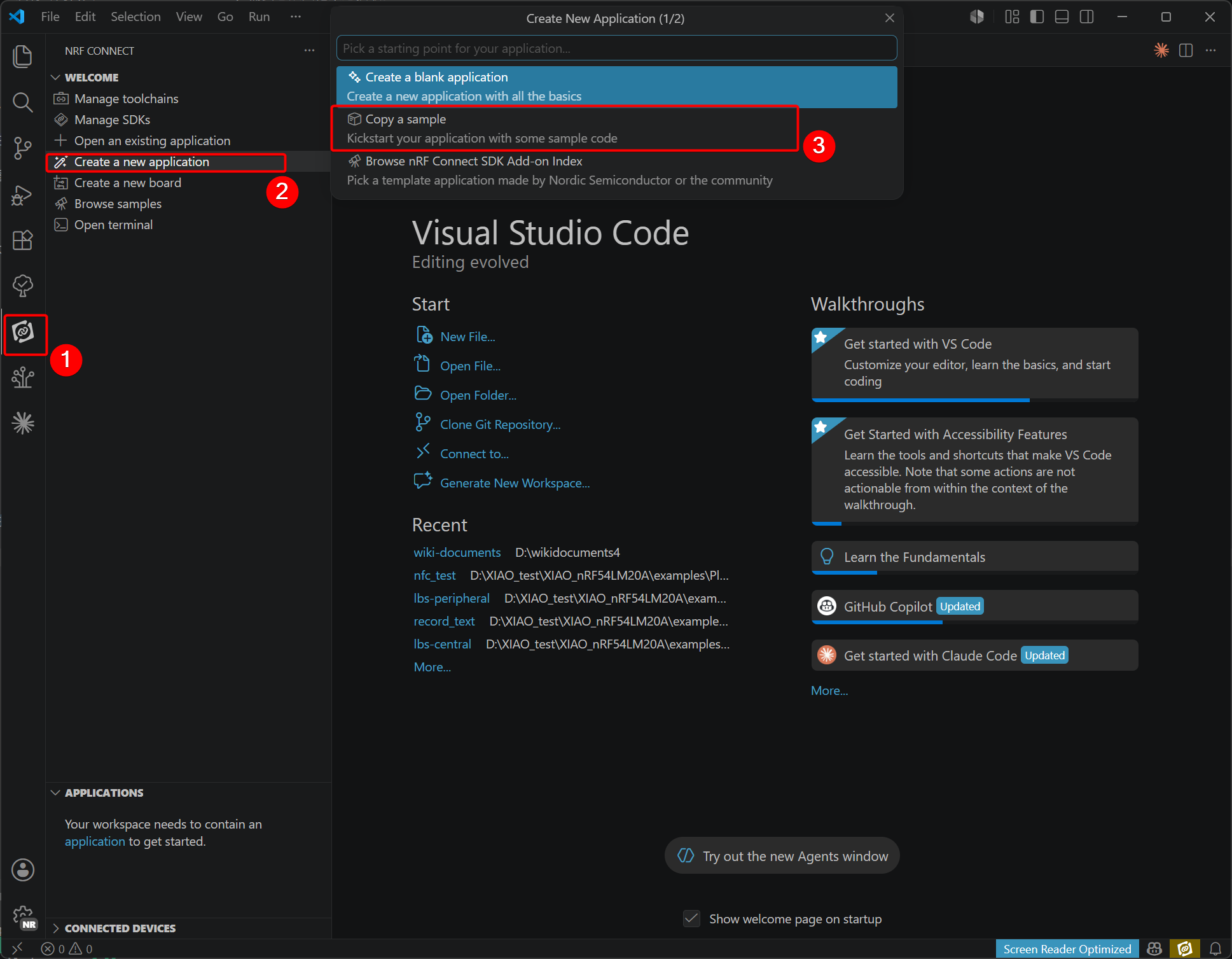
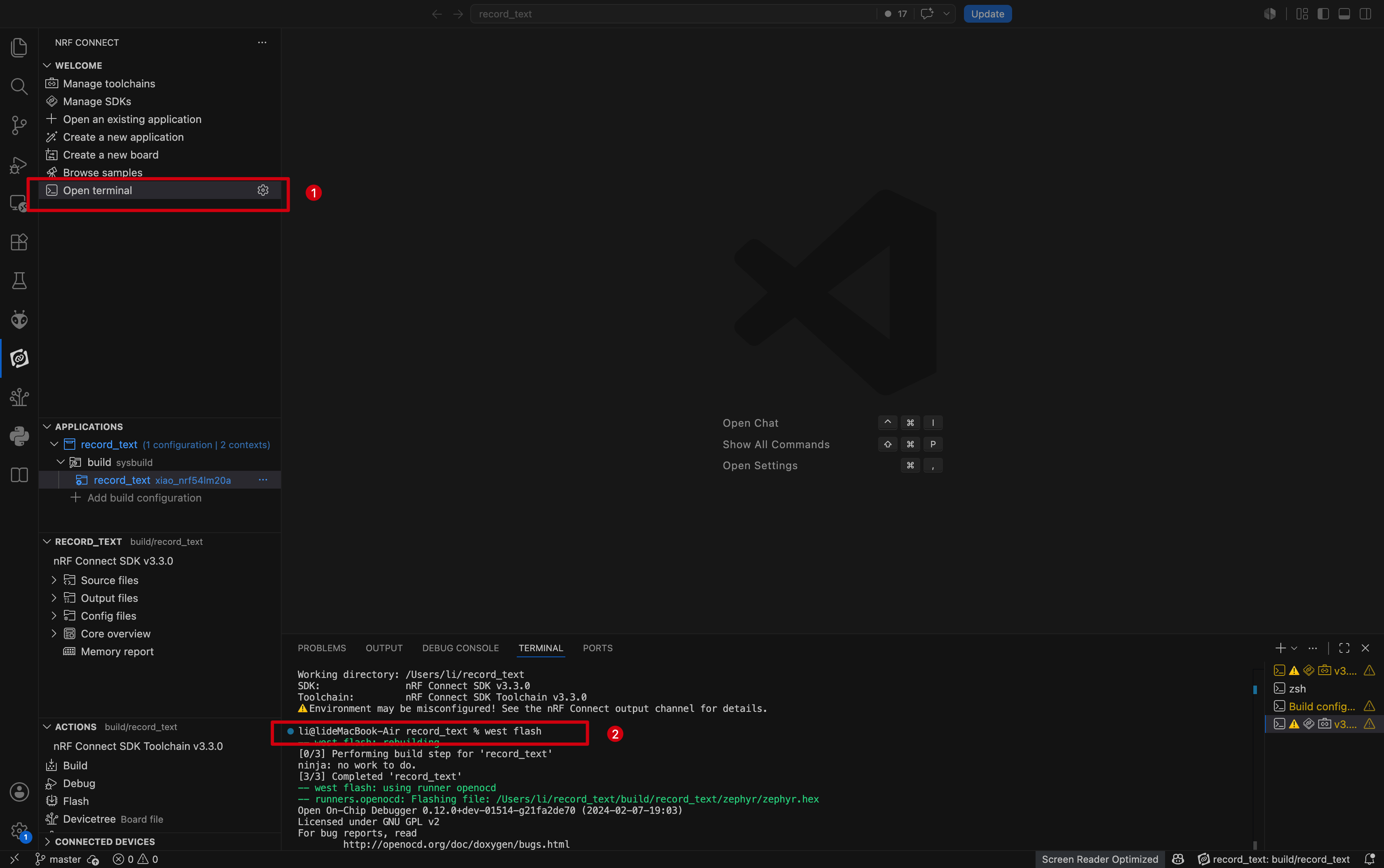
- Within the extension, create a blank routine and choose to copy an existing routine.
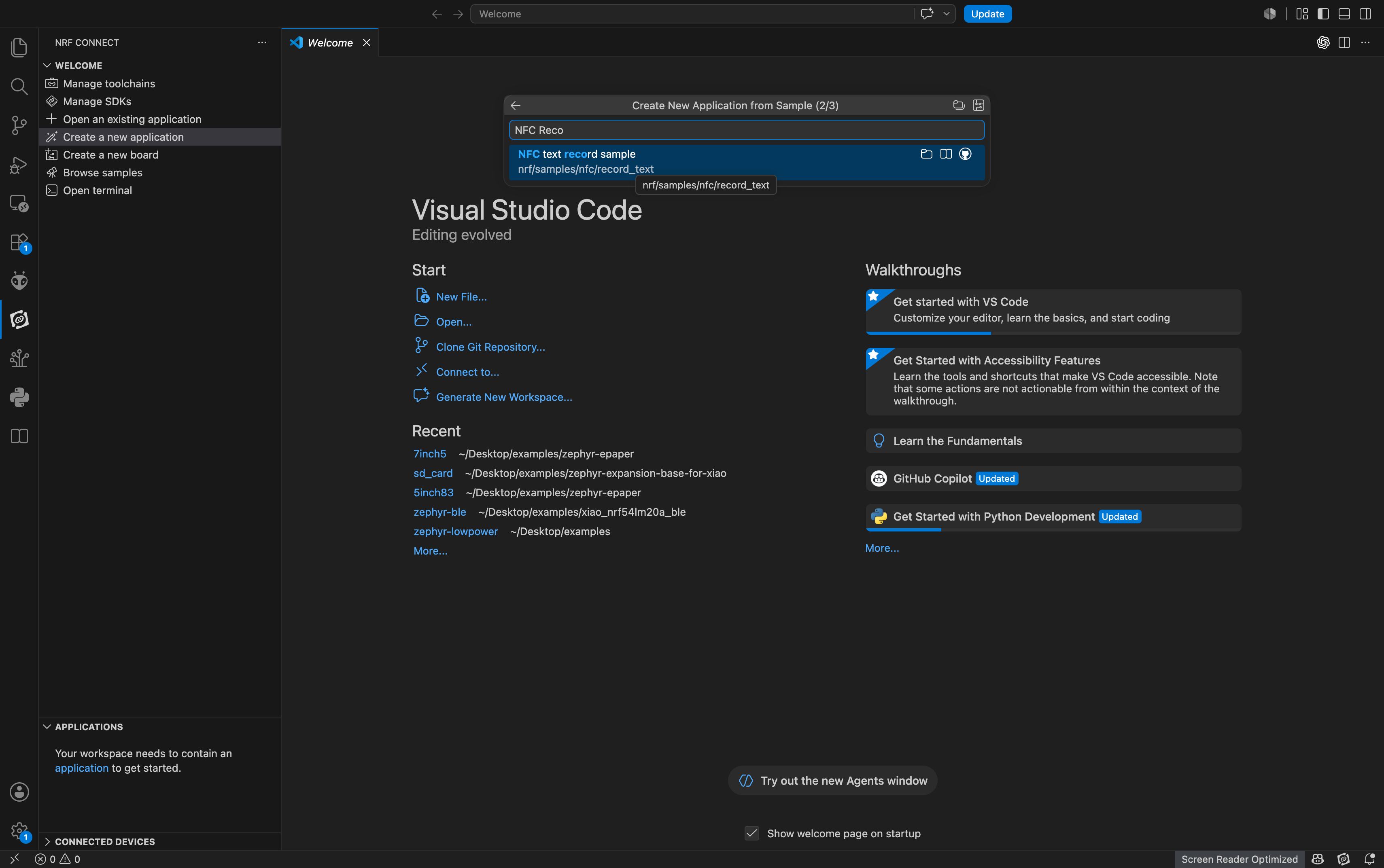
- Enter nfc, select NFC text Records sample
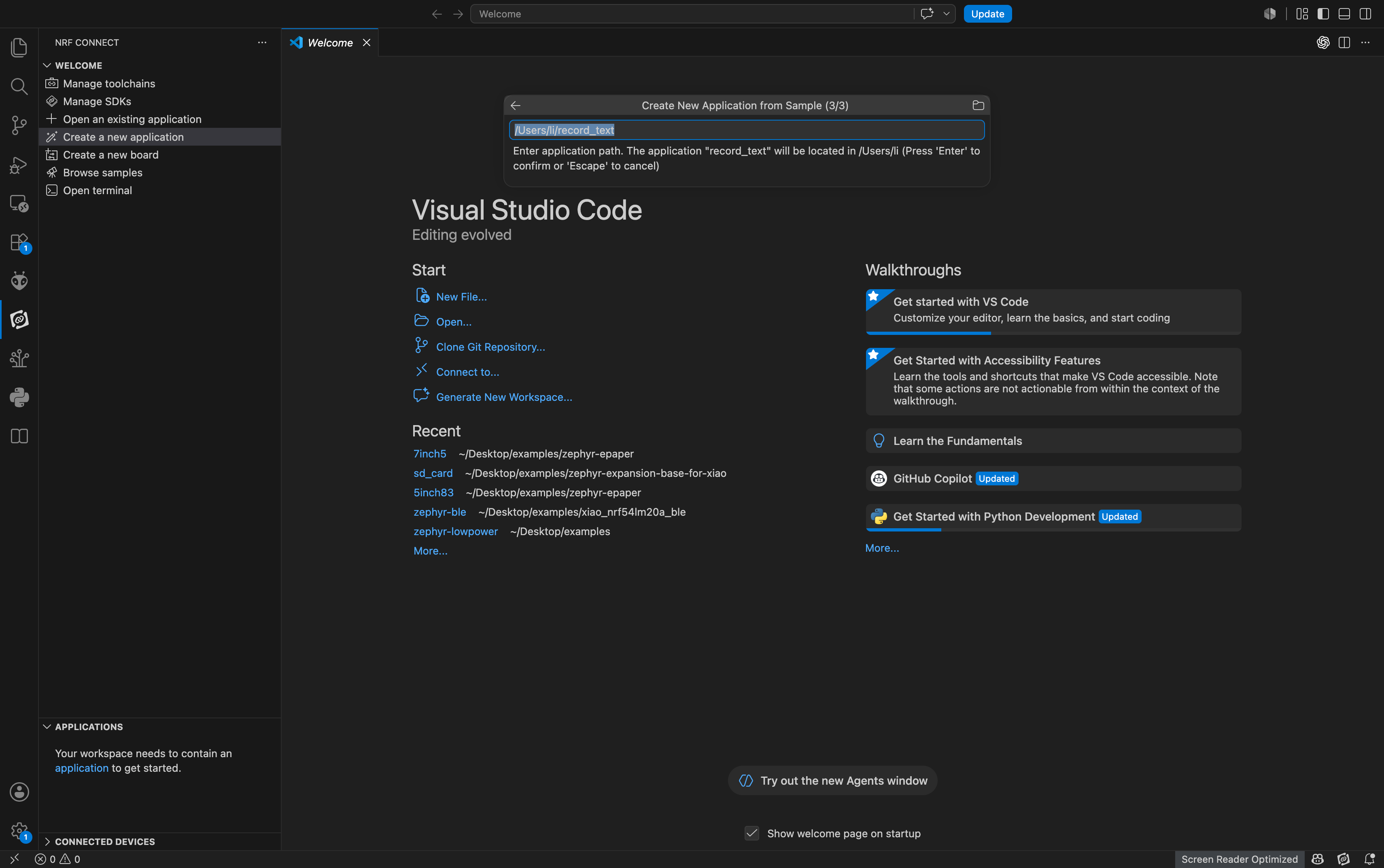
- Select storage path
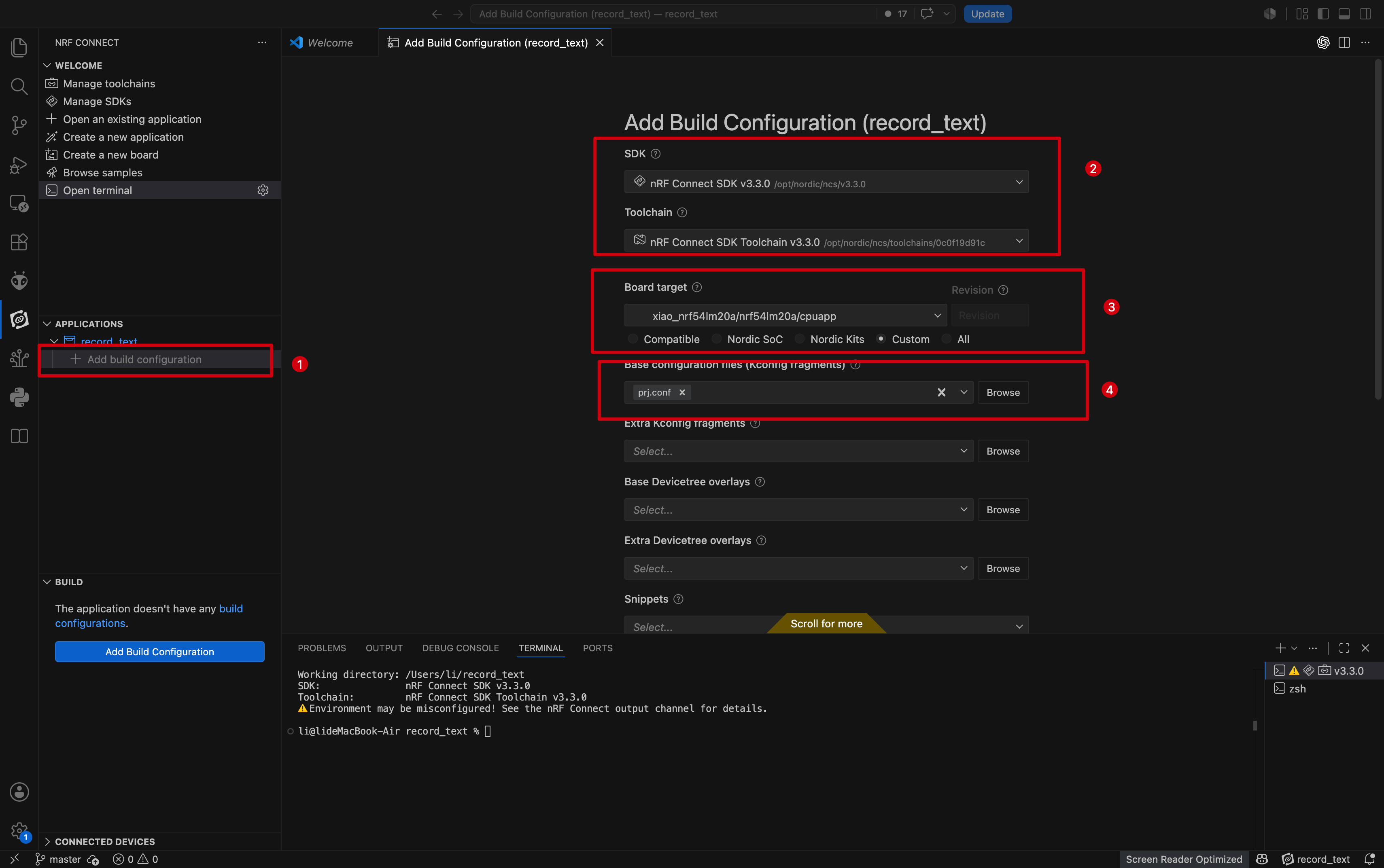
- Open the project, add the XIAO nRF54LM20A configuration under the corresponding extension, and compile.
- Open the terminal and enter the command
west flashto burn the firmware to the XIAO nRF54LM20A.
Result
Please select a mobile phone with NFC functionality to attempt this experiment.
- To view NFC read information in more detail, you need to download the corresponding app for your system.
- iOS :NFC Tools
- Android:nRF NFC Toolbox
- Place your phone's NFC area close to the NFC antenna to read detailed NFC information.
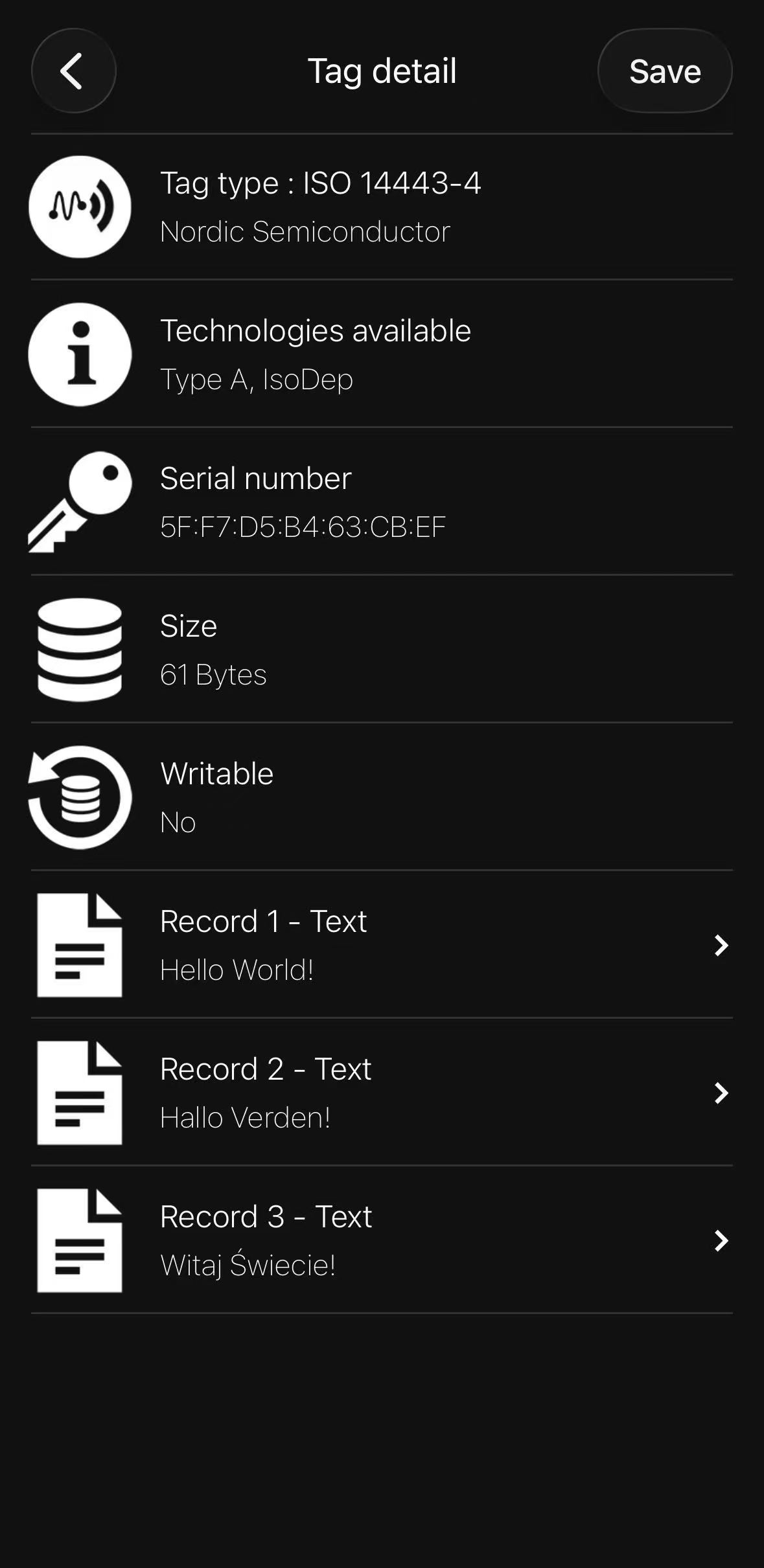
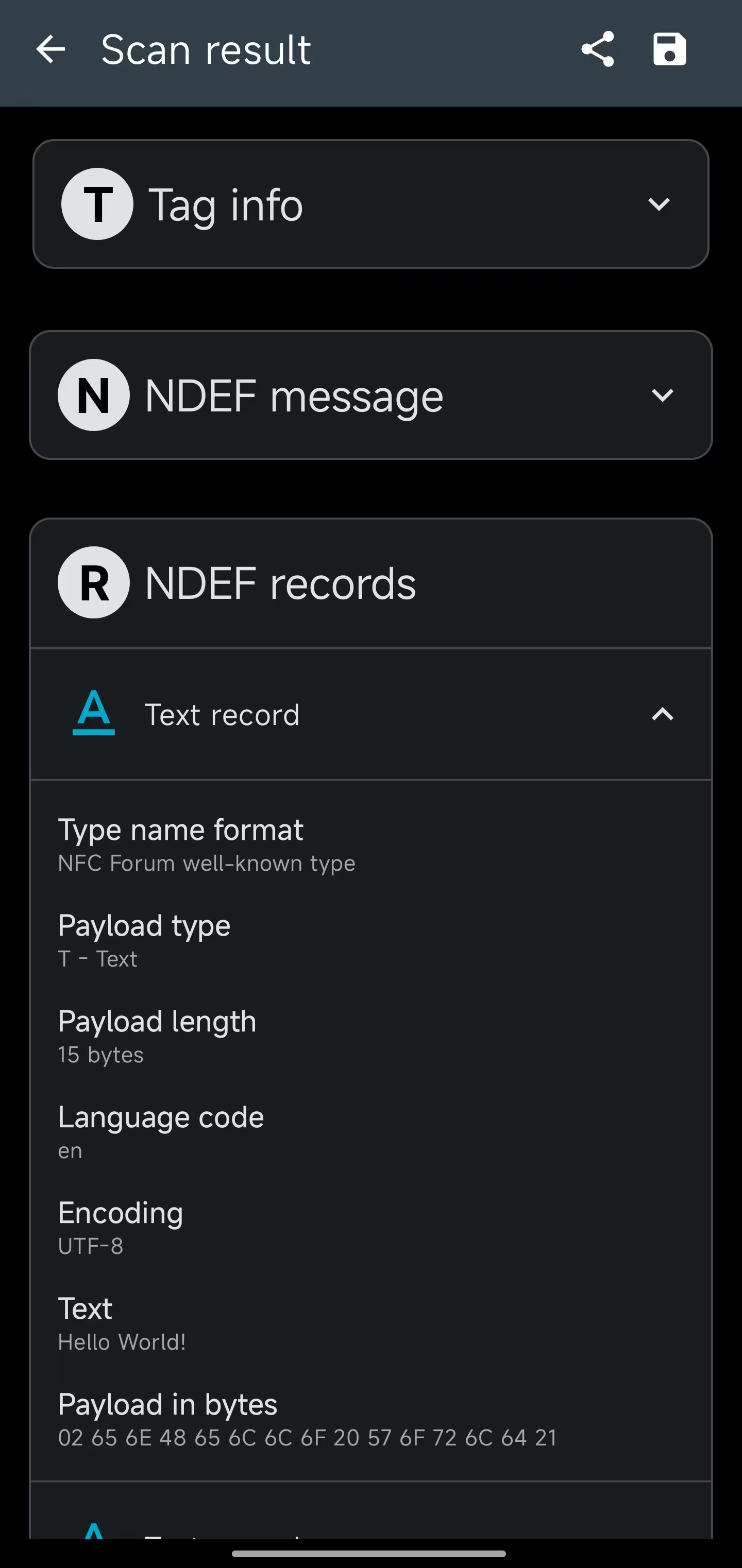
The text information displayed on your phone is:
Hello World!
Hallo Verden!
Witaj świecie!
| NFC Tools | nRF NFC Toolbox |
 |  |
NFC Launch App
This section covers the NFC function. Please search for nRF Toolbox for Bluetooth LE.
- Within the extension, create a blank sample project, select to copy an existing sample, and choose NFC Launch App. Configure and compile it by referring to NFC Records text.
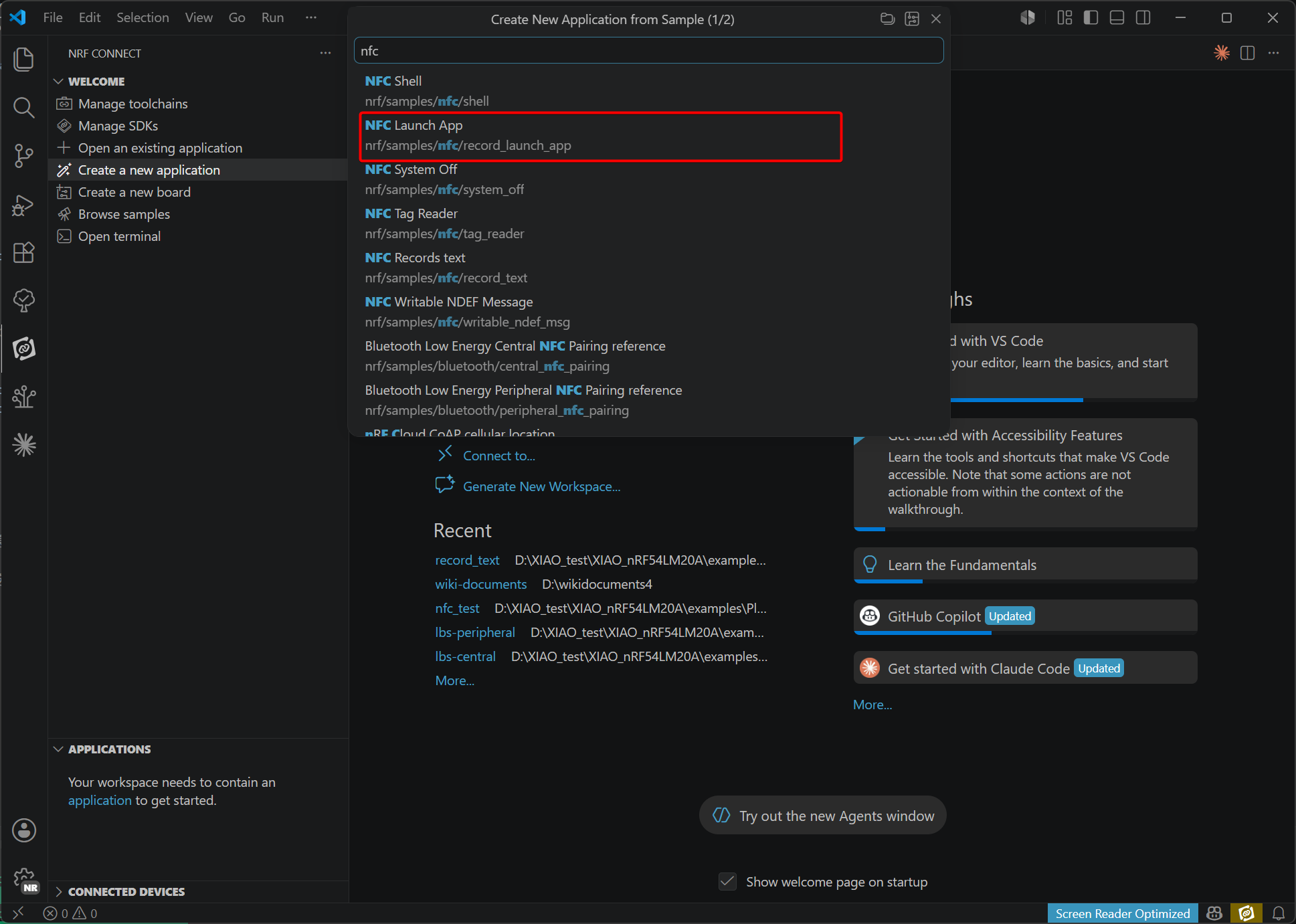
- Open the project, add the XIAO nRF54LM20A configuration under the corresponding extension, and compile.
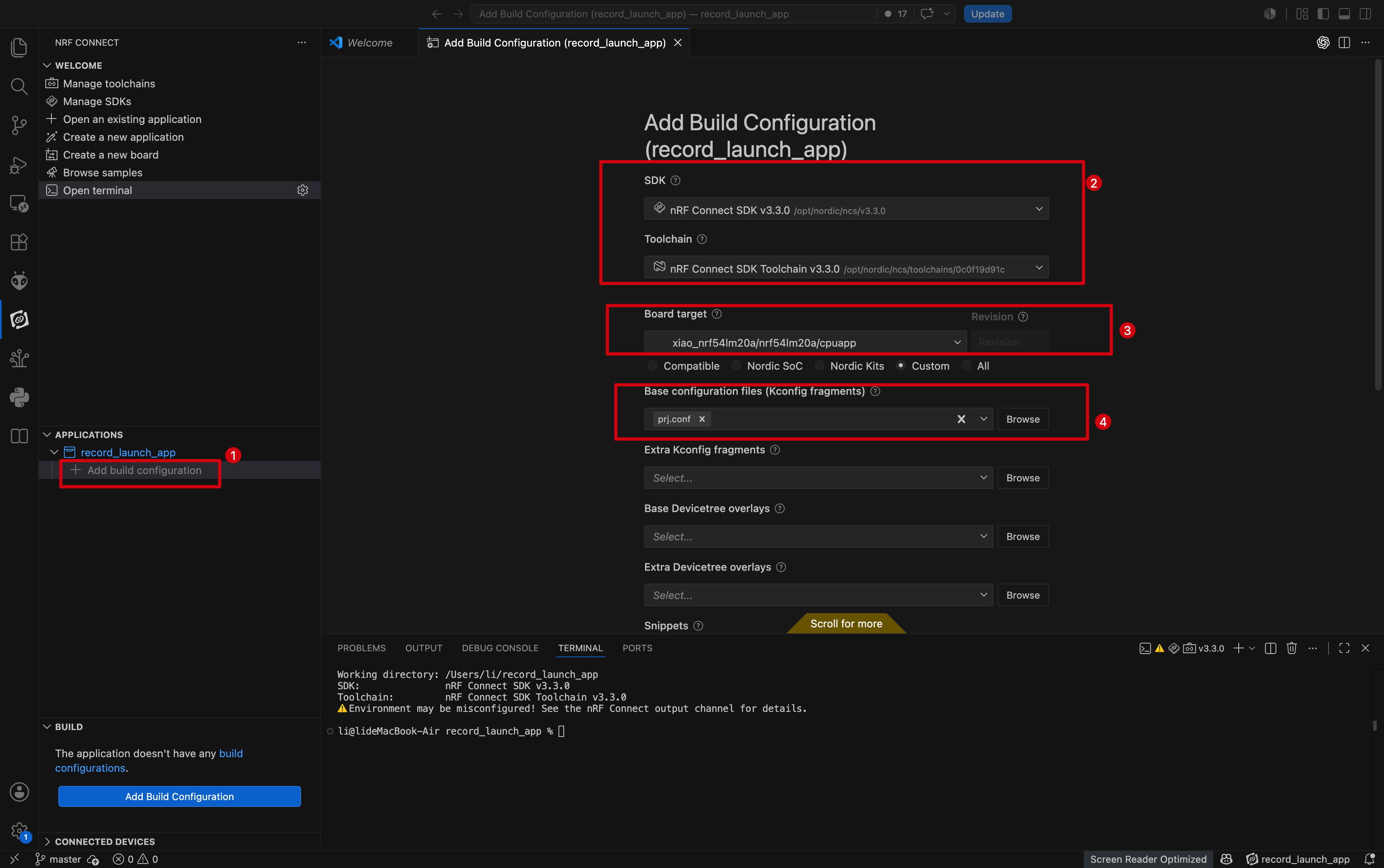
- Open the terminal, enter the
west flashcommand to flash it onto the XIAO nRF54LM20A.
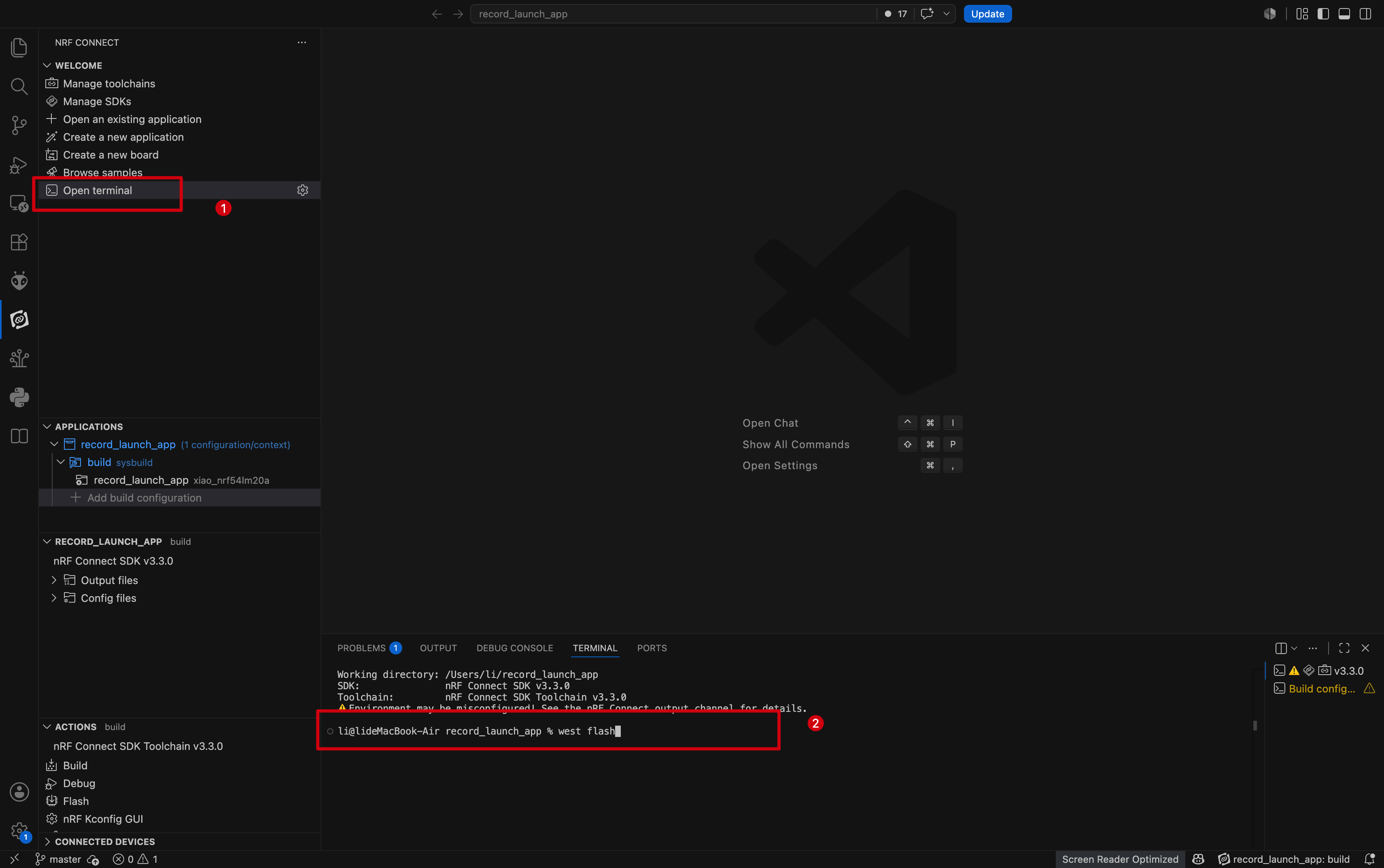
Result
- To view NFC read information in more detail, you need to download the corresponding app for your system.
- iOS :NFC Tools
- Android:nRF NFC Toolbox
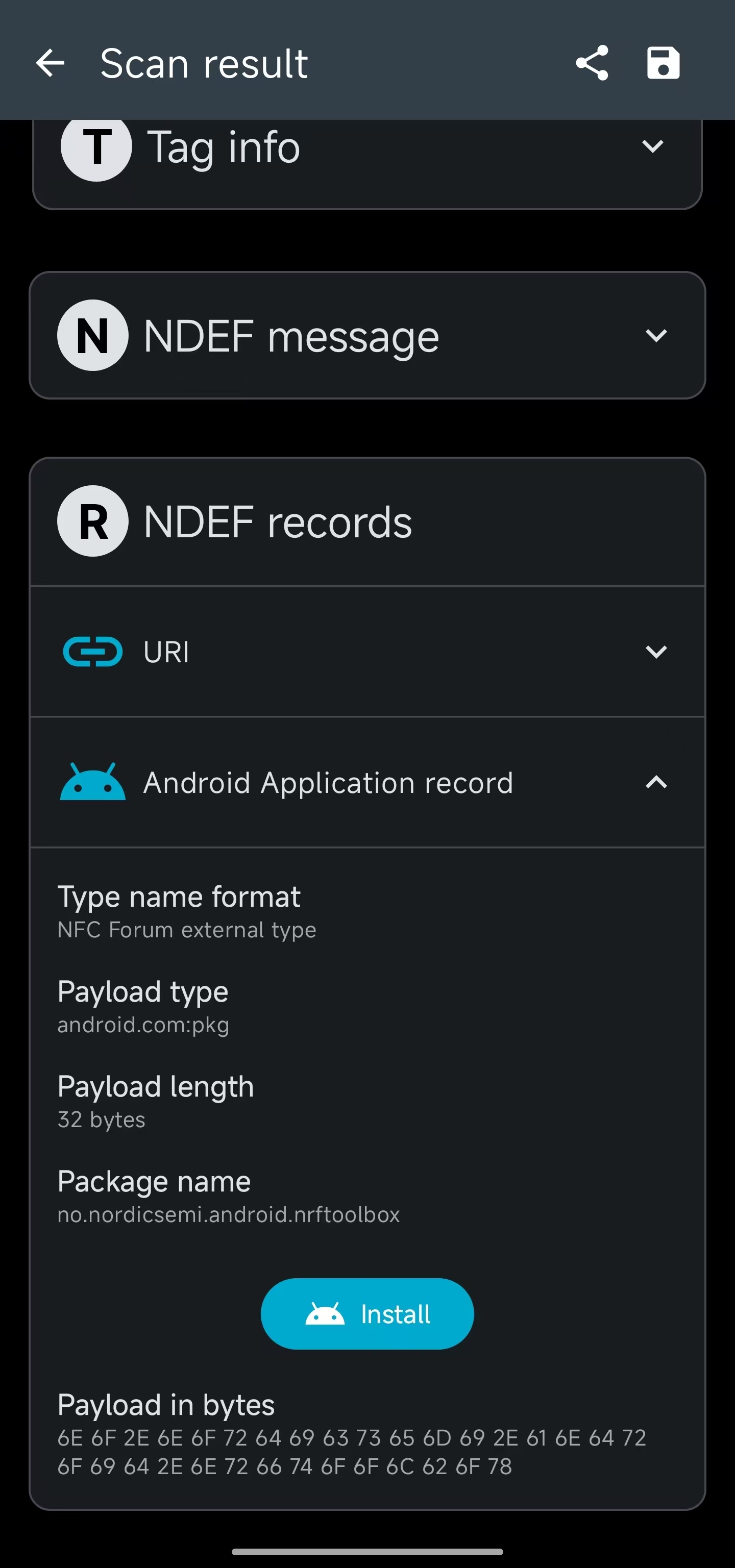
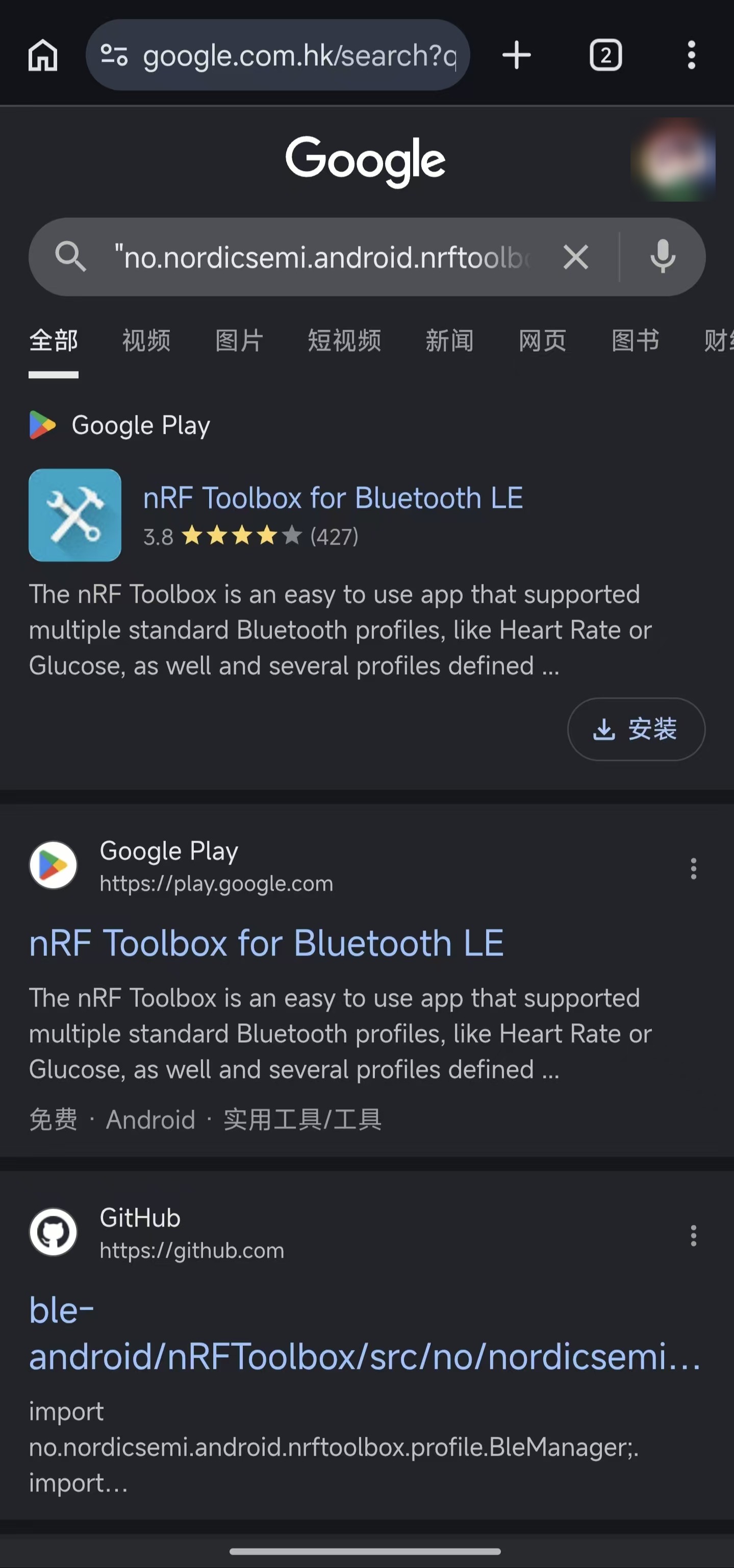
- Bring your phone's NFC sensor close to the NFC antenna. The browser will launch and search for "no.nordicsemi.android.nrftoolbox", and the reading record will be displayed in nRF NFC Toolbox.
| Chrome | nRF NFC Toolbox |
 |  |
Summary
NFC features can be reused in various scenarios, such as data writing and low-power wake-up. The nRF Connect SDK provides corresponding sample codes. You can extend these samples for practical applications. For instance, combining NFC low-power wake-up with motor control enables a simple smart lock for daily use.
In addition, we believe you have gained a basic understanding of NFC implementation on the XIAO nRF54LM20A through the above examples. We look forward to your creative ideas and contributions to the open-source community.
Tech Support & Product Discussion
Thank you for choosing our products! We are here to provide you with different support to ensure that your experience with our products is as smooth as possible. We offer several communication channels to cater to different preferences and needs.